NAS Guides · Published 2026-10-22
UST 4K Projector for a Small Apartment: What Actually Matters
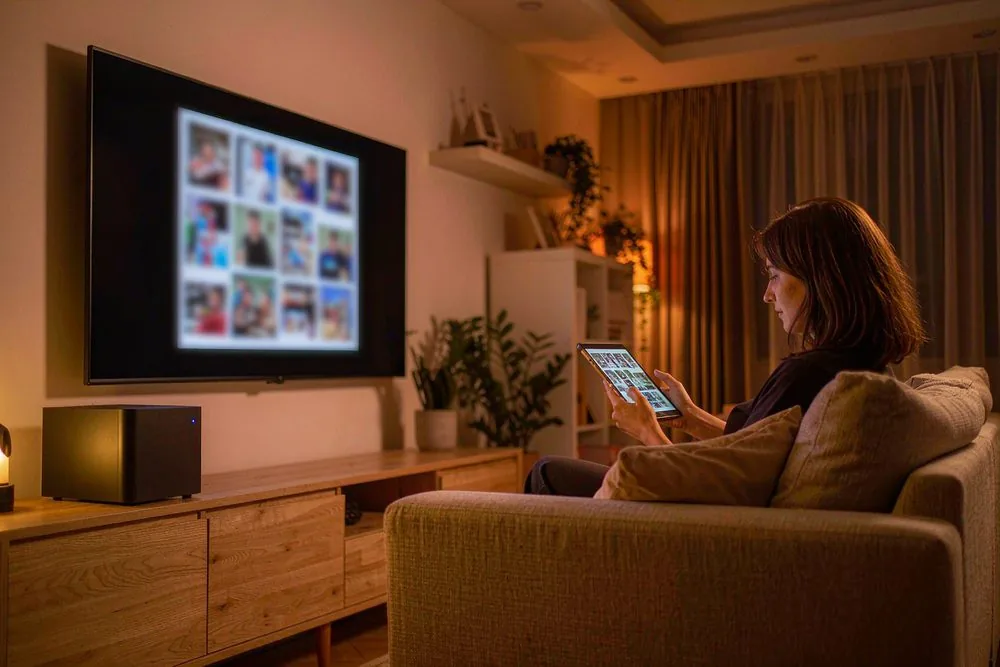
Direct answer up front, then the trade-offs that matter. This page covers UST 4k projector for small apartment and answers: What is a NAS and do I need one?.
By Anne · Storage and Home Tech Editor
Beat: Phone photo backup · How we review
Quick Answer
A UST (ultra short throw) 4K laser projector is a genuinely good fit for a small apartment because it throws a 100-inch image from a unit sitting 10–30 cm from the wall, so you get a big screen without sacrificing floor space or mounting a long-throw box to the ceiling. The catch is that apartments are usually bright, shared, and full of windows — so the projector's brightness, the screen you pair it with, and fan noise matter far more than the marketing word "laser." Buy it if you want a cinema-scale picture in a tight room and can control the light; skip it if your living room is sun-flooded and you will not hang curtains or add an ALR screen.
Key Takeaways
- UST projectors sit close to the wall and use a throw ratio typically around 0.18:1–0.40:1, turning a studio apartment's empty wall into an 80–150-inch screen without ceiling rigging.
- Brightness, not resolution, is the real bottleneck in apartments; look for roughly 2,000+ ANSI lumens if the room has any ambient light, and pair it with an ambient-light-rejecting (ALR) screen.
- Laser light sources are commonly rated for 20,000–30,000 hours to a defined brightness point — far longer than a lamp — but confirm the exact number on the manufacturer's spec sheet.
- Projector speakers are weak; plan audio separately, usually a soundbar fed by HDMI eARC, the same way you would for a living-room TV.
- Buy it if you can darken the room and want big-screen scale from a small footprint; skip it if you will not control ambient light, because no laser beats an unshaded window.
Why This Matters for a Small Apartment
Most apartment dwellers want "a big TV" without the big TV taking over a 30–45 m² living room. A 75-inch panel is the practical ceiling for a rental wall, and it dominates the space. A UST projector flips the constraint: the image lives on a painted wall or a pull-down screen, and the hardware hides in a media console 20 cm from the wall. That is the single best reason to consider one in a small apartment — screen size stops being a function of how much furniture you can sacrifice.
The pain, though, is that apartments are the worst-case room for projection. You rarely have a dedicated dark cinema; you have a living room with west-facing windows, a partner who wants the lights on, and thin walls where fan noise travels. A projector that looks stunning in a showroom demo (always a dark room, always a perfect ALR screen) can look flat and loud in your actual apartment. So the question is not "is laser 4K good" — it is "what specifically has to be true for it to work in this room."
That is the lens for everything below: treat the apartment as the constraint, and judge each spec by whether it survives your real lighting, space, and neighbors — not a spec sheet.
How a UST Projector Actually Works
A normal (long-throw) projector sits several metres from the screen and shoots a shallow, expanding beam. A UST unit uses a strongly angled optical path — often a mirror or prism assembly — to throw the image upward and across a very short distance. The throw ratio, the ratio of image width to projector-to-screen distance, lands roughly in the 0.18:1–0.40:1 range for consumer UST models. That is why the box lives inches from the wall and the picture appears huge. The trade-off is placement precision: a UST is forgiving about distance but unforgiving about alignment, and most require a perfectly flat, dedicated screen surface to avoid geometry distortion.
The "laser" part is the light source. Instead of a lamp that dims and shifts color as it ages, a laser (or laser-phosphor hybrid) emits a stable spectrum for a long rated life. Vendors commonly quote 20,000–30,000 hours to a defined half-brightness point, though each vendor defines "lifetime" differently, so verify the exact rated figure and retention curve on the spec sheet. Stability is the real win for someone who rips and stores 4K remux files on a NAS: you calibrate once and trust the image longer, instead of re-calibrating every few months as a bulb fades.
Brightness is still expressed in ANSI or CVIA lumens, and laser UST units are often bright. This is also where manufacturers disagree most on measurement method, so we could not verify a single trustworthy category-wide number — vendor specifications vary, verify the figure for the specific model. For a dark home-cinema room you do not need the brightest unit; for a lit apartment you need enough lumens plus a screen that rejects ambient light, and one without the other wastes money.
What to Look For
Throw ratio and placement. Confirm the throw ratio and the exact distance-to-image-size table for the model. UST throws upward, so the unit usually sits below the screen, not behind you. Measure your console depth and wall height before buying; a 120-inch image needs both the throw distance and the vertical throw angle to fit your room. A 4K remux streaming setup from a local NAS to a laser projector is the content side of the same chain.
Brightness and ambient light. For an apartment with any window light, target roughly 2,000+ ANSI lumens and plan an ALR screen. An ALR screen reflects the projector's near-perpendicular light back to the viewer while scattering off-axis room light, lifting contrast in a lit room. Screen gain (often around 1.0–1.3 for ALR fabrics) and the lumen figure have to be evaluated together, not separately.
Screen and wall. A bare painted wall is the cheapest option but shows laser speckle and color shift; a fixed or pull-down ALR screen is the realistic apartment choice. If you rent, a tensioned pull-down screen avoids permanent mounting.
Noise and heat. Laser units run warm and need airflow. In a quiet apartment at low volume, fan noise during a silent film scene is audible. Check owner reports for noise at the brightness level you will actually use, not the eco-mode number. This is the spec most showroom demos hide.
Smart OS and privacy. Many projector Android TV shells phone home, show ads, and push accounts you do not need. They are also weak media players. Plan to feed the projector a clean HDMI signal from a separate box rather than relying on the built-in apps — and if privacy matters, prefer a device you control over one tied to a cloud account. The broader "run your home off the cloud" argument applies to the projector's software too.
Real-World Costs
The upfront price of a UST laser projector is higher than a comparable lamp or LED unit, and we could not verify current pricing across the category — check retailer listings for the specific model. The offset is the light source: no bulbs to buy every 2–3 years, and stable brightness means you calibrate once and trust it. Add the cost of an ALR screen (often a meaningful fraction of the projector price) and a streaming box if you do not own one; a NAS can already run Plex, Emby, or Jellyfin to serve the files.
The bigger apartment cost is the screen and light control, not the projector. Blackout curtains and an ALR screen together decide whether the picture looks like a cinema or a washed-out slideshow. Read the "NAS versus cloud storage over five years" math before spending on hardware you might not need, and remember the projector is the last link in a chain that starts with your library on a private cloud NAS.
Recommended Setups
Budget apartment setup. A single-laser UST projector on a media console, a pull-down ALR screen, and a streaming box you already own. You keep the space-saving footprint and skip the triple-laser premium. Sensible if your remux library is small and your room is moderately controllable.
Living-room apartment setup. A brighter laser UST (2,000+ ANSI lumens), a fixed ALR screen, blackout curtains, and a soundbar on HDMI eARC. This is the realistic "watch movies with the lights low but not off" configuration, and where UST earns its rent in a small flat.
Enthusiast setup. An RGB triple-laser UST, a calibrated ALR screen, a dedicated player direct-playing remux files from the NAS over gigabit Ethernet, and a proper audio chain. Calibrate once; enjoy stable color. This is where the laser stability and gamut actually pay off, and it pairs naturally with an ALPD 4.0 RGB triple-laser projector for NAS streaming.
Common Mistakes
The first mistake is buying brightness you cannot use. A 3,000-lumen unit in a fully dark room just blows out the image; the same unit in a sunlit living room without an ALR screen still looks flat. Match lumens to your actual light, then fix the light.
The second is skipping the screen. People spend on the laser and project onto a textured wall, then blame the projector for speckle and poor contrast. The screen is half the picture in a bright room.
The third is trusting the built-in player. Projector Android TV shells are underpowered and over-advertised; they stutter on high-bitrate remux files. Run the media client on a separate box and feed the projector a clean HDMI signal. A 15-minute home NAS setup gets the library side running.
The fourth is ignoring fan noise. In a thin-walled apartment, a loud projector at 1 a.m. is a neighbor problem, not just a viewing problem. Read owner noise reports at your实际使用 brightness.
Real-World Scenario: Setting Up in a 35 m² Apartment Living Room
What this changes for the use case. With a UST laser projector on the console 25 cm from the wall and a 120-inch ALR screen, a small living room gains a cinema-scale image with zero ceiling rigging and no floor-standing panel. The NAS stays the library; the projector becomes a faithful, space-efficient display.
Hardware and software requirements. A UST laser projector with a throw ratio that fits your console depth; a flat ALR screen sized to your wall; a streaming box or NAS client (Plex, Emby, Jellyfin) direct-playing the remux; an HDMI cable rated for the needed bandwidth; and a soundbar on eARC because the projector's own speakers will not fill the room. Gigabit Ethernet to the player for high-bitrate files, not Wi-Fi. Blackout curtains for the west-facing window are the cheapest "upgrade" in the whole build.
Limits, caveats, and who should skip it. UST will not defeat a sun-flooded room by itself; if you will not control the light, spend on the screen and curtains before the laser. It will not fix a bad rip or a compressed stream. Skip the category if your viewing is mostly casual SDR streaming on a phone-cast basis — a cheap LED TV will serve you better and annoy the neighbors less.
Frequently Asked Questions
Is a UST projector bright enough for a small apartment with windows?
Brightness depends on the lumen rating and the screen, not the room size. In a room with any window light, target roughly 2,000+ ANSI lumens and pair it with an ambient-light-rejecting screen; without the screen, even a bright laser looks washed out. We could not verify a single category-wide lumen number, so confirm the figure for the specific model on the manufacturer's spec sheet.
How far from the wall does a UST 4K projector need to be?
Typically 10–30 cm, because UST designs use a throw ratio around 0.18:1–0.40:1, producing an 80–150-inch image from a unit sitting close to the wall. The exact distance-to-size table is model-specific, so check the manufacturer's placement guide and measure your console depth and wall height before buying.
Do I need a special screen for a UST projector in an apartment?
A bare wall works but shows laser speckle and poor contrast in lit rooms. An ALR (ambient-light-rejecting) screen is the realistic apartment choice: it reflects the projector's light back to the viewer while scattering room light, which is what makes a UST usable with the lights low but not off. A pull-down ALR screen is also rental-friendly since it needs no permanent mount.
How long does a laser projector last compared with a lamp?
Laser sources are commonly rated for 20,000–30,000 hours to a defined brightness point, against roughly 2,000–5,000 hours for a typical lamp, so you replace far fewer consumables. Vendors define "lifetime" differently, so confirm the exact rated life and retention curve on the spec sheet rather than trusting a marketing round number.
Sources
- Projector industry specification guides for UST throw ratios (approximately 0.18:1–0.40:1), ANSI/CVIA lumens, ALR screen gain, and laser light-source lifespan (20,000–30,000 hours rated) — accessed 2026-10-22.
- Manufacturer specification sheets for UST laser projectors (throw-distance tables, rated lumens, rated laser lifetime, fan-noise figures) — accessed 2026-10-22.
- SecureNAS Hub guide on streaming 4K remux from a local NAS to a laser projector — accessed 2026-10-22.
- SecureNAS Hub guide on ALPD 4.0 RGB triple-laser projectors for NAS streaming — accessed 2026-10-22.
- Community owner reports on laser speckle, fan noise, and built-in projector player limitations in apartment and home-cinema settings — accessed 2026-10-22.
Run your own 5-year cost comparison with the on-site calculator
Hardware that fits this use case — check the specs and the five-year cost before you buy.
See woCyber NAS details → or run the 5-year cost calculatorWant this built to spec? Talk to a woCyber specialist about sourcing and pricing.
Request a quote from woCyber →Related reading
Was this article helpful?
One tap, no account and no comment box. It tells us which guides are actually worth updating.
How many drive bays is your NAS?
This is how we decide which setups to cover next.
Thanks.
Need help with a specific setup?
Storage choices depend on your drives, your budget and how many people share the box. Tell us what you are building and we will point you at a configuration that fits — no obligation, no sales script.
Affiliate Disclosure: SecureNAS Hub may earn a commission from qualifying purchases made through links on this page, at no extra cost to you. Facts and figures are attributed in the Sources list; nothing on this page is a fabricated test result. See our full disclosure. Product images are either supplied by the manufacturer or clearly labelled as illustrative renders; each one is captioned accordingly. Last reviewed 2026-10-22.