Best-Of Listicle · Updated September 2026
Best Private Cloud NAS of 2026: Our Top Picks for Creators & Families
By Jack Huang · Senior Writer, Local AI and Smart Home
Beat: On-device AI features · How we review
We evaluated today's private NAS sets on the four things that actually drive lifetime value: backup automation, local AI indexing, expandability and true cost of ownership. Below are our top picks by use case — including the competing platforms we compared them with.
💰 Money-Saving Snapshot
Every pick below replaces $120–600 in 5-year cloud fees with a one-time hardware purchase. Break-even for most households: 12–18 months. Run your own numbers ↓
🥇 Plug-and-Play Pick: woCyber NAS Set
9.4 / 10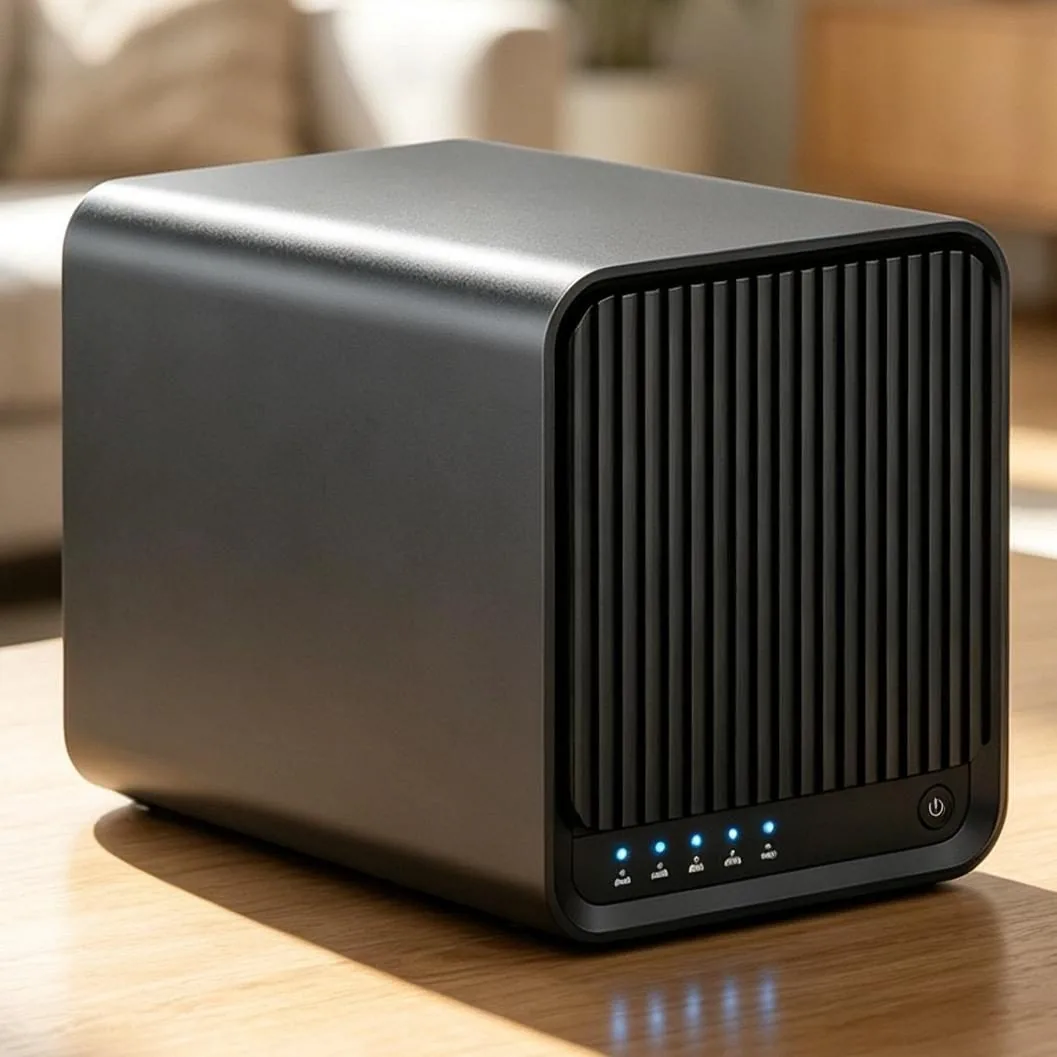
The strongest all-rounder for creators and families who want cloud-like convenience without the subscription. Setup is genuinely QR-code simple, phone auto-backup is bulletproof, and the on-device AI photo search (faces, scenes, text) works with the internet unplugged — a genuine 2026 differentiator.
Pros
- 15-minute setup, no IT skills
- Local AI indexing included
- $0 monthly fees for life
- Multi-device sync (phone/Pad/PC/TV)
Cons
- Newer brand than Synology/QNAP
- Advanced RAID options simpler than enterprise OSes
| Best for | Creators, families, privacy-first users |
| Setup time | ~15 minutes |
| Monthly cost after setup | $0 |
| Local AI photo search | ✅ Included |
🥈 Best for Tinkerers: Synology DS224+
8.7 / 10The established name. Synology's DSM OS is polished and its app ecosystem is huge — but note the 2026 reality: recent models push you toward Synology's own branded drives, and the AI photo suite (Synology Photos) is good but less advanced than dedicated local-AI platforms. More setup effort, more control.
Pros
- Mature app ecosystem
- Strong community documentation
- Reliable hardware track record
Cons
- Steeper learning curve
- Drive-brand restrictions on newer models
- AI features less advanced
🥉 Best Budget Alternative: TerraMaster F2-425
8.1 / 10Solid hardware value with a modern Intel N95 CPU, but TOS 5 — while much improved — still trails DSM and woCyber OS in polish. A good pick if hardware price is your top priority and you're comfortable adjusting settings yourself.
Pros
- Aggressive hardware pricing
- Capable CPU for transcoding
Cons
- OS less refined
- Manual configuration required
How the Costs Compare Over 5 Years
| Option | Upfront | 5-Year Total | Data leaves home? |
|---|---|---|---|
| iCloud 2TB | $0 | ~$600 + growing | Yes |
| woCyber NAS Set | ~$150–400 | ~$150–400 | No |
| Synology DS224+ + 2×8TB | ~$450 | ~$450 | No |
| TerraMaster F2-425 + drives | ~$380 | ~$380 | No |
Our Verdict
For 90% of creators and families, the Compare NAS brands → is the practical 2026 pick: it delivers the cloud experience (auto-everything, AI search, remote access) at a hardware-only price, with the lowest maintenance burden in its class. Tinkerers with time to invest will still enjoy Synology's ecosystem. Full testing criteria in our How We Review page.
Not sure how much you'd save? Do the 10-second math.
Open the Cost Calculator →Was this article helpful?
One tap, no account and no comment box. It tells us which guides are actually worth updating.
How many drive bays is your NAS?
This is how we decide which setups to cover next.
Thanks.
Need help with a specific setup?
Storage choices depend on your drives, your budget and how many people share the box. Tell us what you are building and we will point you at a configuration that fits — no obligation, no sales script.
Related reading
- NAS Selector: Find the Right NAS Configuration — Answer six questions and get a NAS configuration recommendation.
- Free NAS Tools & Storage Calculators — Six free planners and calculators for buying and sizing a NAS.
- HDMI 2.1 eARC Soundbar for Bit-Perfect NAS Audio — Bit-perfect NAS audio to a soundbar over HDMI 2.1 eARC.
- ALPD 4.0 RGB Triple-Laser Projector for NAS Streaming — What ALPD 4.0 triple-laser projectors change for NAS movie streaming.
Affiliate Disclosure: SecureNAS Hub may earn a commission from qualifying purchases made through links on this page, at no extra cost to you. See our full disclosure. Product and lifestyle images on this page are supplied by the manufacturer and used for identification purposes.
Run your own 5-year cost comparison with the on-site calculator
Hardware that fits this use case — check the specs and the five-year cost before you buy.
See woCyber NAS details → or run the 5-year cost calculatorWant this built to spec? Talk to a woCyber specialist about sourcing and pricing.
Request a quote from woCyber →