NAS Guides · Published 2026-10-19
How to Stream 4K Remux Movies from a Local NAS to a 4K Laser Projector
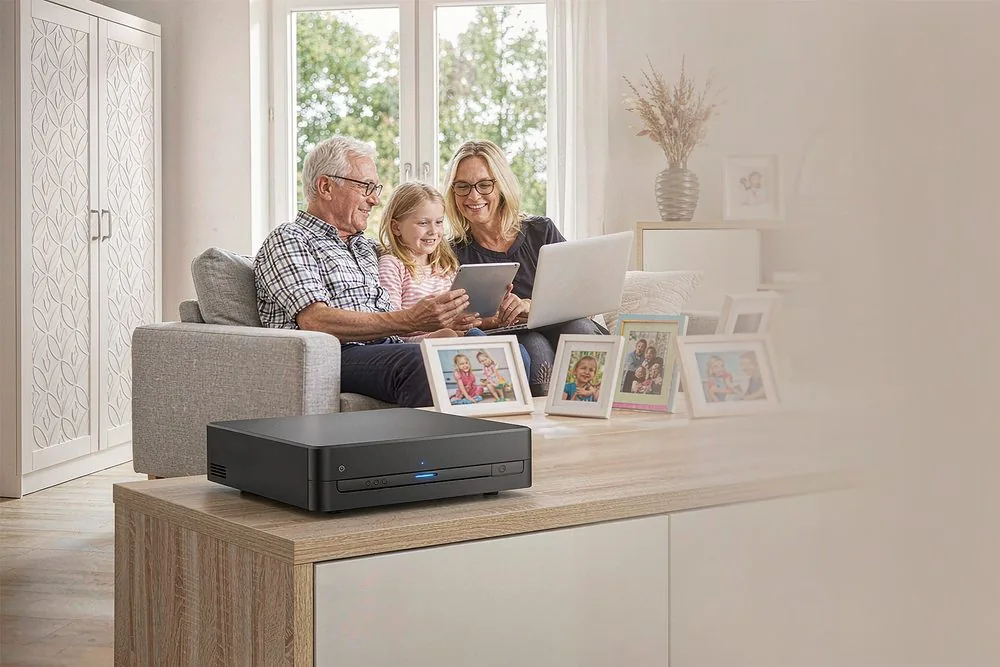
Direct answer up front, then the trade-offs that matter. This page covers how to connect local NAS to 4k laser projector and answers: What is a NAS and do I need one?.
By Lillian · Senior Editor, Buying Guides
Beat: Buying guides · How we review
Quick Answer
You connect the NAS and the 4K laser projector on one wired network, then play the REMUX file with a client that does direct playback rather than transcoding. A single gigabit Ethernet hop carries a 4K HDR REMUX's roughly 100 Mbps peak without strain; the failures come from Wi-Fi jitter, a NAS that tries to transcode, and a projector missing HDMI 2.1 with eARC. Use a 2.5GbE-capable NAS such as the UGREEN NASync DXP4800, a direct-play client like the Zidoo Z9X or Infuse on Apple TV 4K, and a UST (ultra-short-throw) laser projector with HDMI 2.1, and the 80 GB file plays like a disc.
Key Takeaways
- One gigabit Ethernet link handles a 4K REMUX's peak bitrate; Wi-Fi, transcoding, and a weak player are where most home setups actually break.
- Keep the NAS and the player on the same switch, prefer 2.5GbE or faster, and turn off every "auto-transcode" toggle you can find.
- Direct-play clients — Zidoo Z9X, Infuse, or Plex and Kodi in direct-play mode — let the NAS ship the file untouched.
- A UST (ultra-short-throw) laser projector such as the Hisense PX3-Pro or Epson LS800 needs HDMI 2.1 for 4K60 and eARC for lossless Atmos passthrough.
- Worth it if you already own a REMUX library; skip it if you only stream from Netflix and keep no local files.
Quick Answer in Context
Buying a three-thousand-dollar laser projector does not buy you a working movie night. Drop an 80 GB REMUX on a NAS (a small always-on box of hard drives on your network), hit play, and half of these builds stutter, drop to stereo, or fall back to a soft 1080p transcode. The home theater projector aisle sells boxes that look 4K-ready and quietly choke on the one file format that actually uses that 4K panel.
The culprit is rarely the projector. It is the path between the drive and the screen. Vendors love to tout "4K HDR" while shipping a single gigabit port, a weak ARM chip, and firmware that transcodes the moment the bitrate spikes. A REMUX is a 1:1 copy of a Blu-ray's video and audio tracks — no re-encode, no capped bitrate — so it exposes every weak link a compressed stream hid.
Here is the part the marketing skips: you do not need exotic hardware. You need a wired link that does not buckle, a player that decodes instead of asking the NAS to, and a projector input that accepts the full signal. This guide tears down what each box actually does and where the chain breaks, then names who should walk away.
How It Works
A REMUX ("remux" = remultiplex) repackages the original Blu-ray video and audio streams into a single MKV or MP4 container with zero quality loss. Unlike a streaming service that caps video at 15–25 Mbps, a 4K HDR REMUX averages 50–90 Mbps and peaks above 100 Mbps during busy action scenes. Do the math: 100 Mbps is 12.5 MB per second, well inside the ~940 Mbps a gigabit link actually delivers.
The chain runs NAS storage → network → player → HDMI cable → projector. The NAS only reads and serves bytes; it should never touch the video. The player — a Zidoo box, an Apple TV 4K running Infuse, or a Plex and Kodi client — decodes the HEVC (H.265, the video codec nearly every 4K disc uses) and sends it over HDMI. AV1, a newer codec, shows up in some streams but remains rare in disc backups today.
HDMI 2.1 matters because it carries 4K at 60 Hz with the full color pipeline; HDMI 2.0 caps out at 4K60 in reduced chroma. eARC (enhanced Audio Return Channel) is what lets lossless Dolby TrueHD Atmos travel from player to soundbar or AVR. Without eARC, you lose the Atmos height data and fall back to compressed audio.
What to Look For
Start with the box that holds the files. The UGREEN NASync DXP4800 lists a four-bay SATA chassis, an Intel N100 CPU (a low-power four-core x86 chip — fine for file serving and indexing, not for live 4K transcoding), dual 2.5GbE network ports (2.5-gigabit Ethernet: about five times a typical home link, enough headroom for several simultaneous REMUX streams), two M.2 NVMe slots (the small gumstick SSDs) for cache or app storage, and 8 GB of DDR5 memory you can expand.
| Component | What to check | Why it matters for REMUX |
|---|---|---|
| NAS CPU | Intel N100-class or better | File serving is light; 4K transcoding is not — decode on the player |
| Network | 2.5GbE or 10GbE ports | One gigabit link holds one REMUX; more headroom for concurrent streams |
| Bays | 4 SATA bays | RAID for fault tolerance; room to grow past 8 TB |
| Cache | 2× M.2 NVMe | Faster thumbnails and app response, not required for playback |
| Projector input | HDMI 2.1 + eARC | 4K60 full chroma; lossless Atmos passthrough |
A 2.5GbE port is the quiet hero here. Gigabit handles one REMUX; 2.5GbE handles a house where someone is also pulling a backup or a second stream. Pair it with a 2.5GbE switch and Cat6 cabling and the network stops being the bottleneck.
Backup automation
An 80 GB film adds up fast — a hundred-film library is eight terabytes. A four-bay NAS lets you run RAID 1 or RAID 5 (mirroring or parity striping, so one drive can fail without losing the library) and schedule nightly snapshots. Snapshots are the difference between "redownload everything" and "restore from yesterday." A single-drive box is a ticking time bomb for a hoarder.
Local AI indexing
Plex and Emby scrape posters and generate thumbnails so the library looks like a streaming app. The N100 manages this slowly but fine. The catch: never let that same box transcode video. Indexing is light; real-time HEVC transcoding is not. Keep the two jobs separate or the movie night stutters.
Expandability
Four bays, two M.2 slots, and a RAM slot are what make a NAS worth owning for five years. You add drives as the library grows instead of buying a new unit. A two-bay box caps you sooner; a PCIe slot would be nicer but is absent here, so do not expect 10GbE without an external adapter.
Noise and power
Spinning drives and a small fan in a living room are audible — figure 20–35 dB under load, which a quiet cinema room will notice during quiet scenes. Laser projectors skip the lamp and its heat, but place the NAS away from the seating. The N100 sips roughly 10–15 W idle; the projector's laser draws far more, so budget the electricity by the bulbless light source, not the NAS.
Real-World Costs
We could not verify current pricing for any of these units as of 2026-10-19; retail moves weekly and regional SKUs differ. What holds steady is the cost shape. The projector is the single big ticket — UST triple-laser models sit well above a budget lamp projector. The NAS and the player are modest by comparison.
Storage dominates the long tail. At ~80 GB per film, a 4 TB array holds about fifty titles before you need more drives. Drives, not the chassis, are where a REMUX habit spends its money. Run the on-site five-year cost calculator with your own drive count and subscription tiers to see where you land, rather than trusting a single sticker price you saw last spring.
Recommended Setups
Three builds cover most budgets. Each one keeps the NAS out of the decode path and the network out of the way.
Budget setup
A UGREEN NASync DXP4800 on gigabit, an Apple TV 4K running Infuse, and any HDMI 2.1 projector. Steps: enable SMB or NFS (the two common file-sharing protocols) on the NAS, point Infuse at the share, and set Infuse to "Direct Play." The pitfall: gigabit serves one REMUX fine, but a second concurrent 4K stream plus a backup job can saturate the link. Keep heavy transfers off movie night.
Family setup
Same NAS in RAID 1, a Plex server for the whole house, Apple TV 4Ks with Infuse for Dolby Vision. Steps: in Plex, disable the video transcoder and force direct play per client. The pitfall: Plex will transcode HEVC on any client that cannot decode it natively, and the N100 cannot keep up — so every client must support HEVC decode, or the living room buffers.
Creator setup
A 2.5GbE or 10GbE NAS, a Zidoo Z9X hardwired to the switch, and a Hisense PX3-Pro or Epson LS800 UST (ultra short throw) laser projector. Steps: set the Z9X audio to "Passthrough," connect with an HDMI 2.1 cable to the eARC port, and confirm the projector reports Dolby Vision. The pitfall: AV1 decode is marketed everywhere but almost no REMUX uses it yet, so do not pay for AV1 hardware you will not exercise.
Common Mistakes
The first mistake is running the REMUX hop over Wi-Fi. A 5 GHz link benchmarks high but jitters under real load, and a 100 Mbps peak plus packet loss equals a frozen frame. Wire it. The second is leaving Plex's transcoder on — the N100 will spin to 100% and still drop frames. The third is buying a projector without HDMI 2.1 or eARC, then wondering why Dolby Vision or lossless Atmos never appears.
The fourth mistake is treating the NAS as a single drive with no backup. An eight-terabyte library is weeks of effort; one failure should not erase it. RAID is not a backup, but it buys the time to make one.
Our verdict: choose this build if you already own or plan to own a local 4K film library and want disc-quality playback on a big screen. Skip it if you only stream from Netflix or Disney+ and keep no local files — a smart projector with NAS access and a streaming sub cost a fraction and ask nothing of you. The downside is storage creep: a REMUX habit quietly turns into a drive-buying habit, and projector local playback will not forgive a full array.
Real-World Scenario: Streaming an 80 GB 4K REMUX from a NAS to an Ultra-Short-Throw Laser Projector
What this changes for the use case
Picture a home-cinema enthusiast with a 100-inch ALR (ambient-light-rejecting) screen and a Hisense PX3-Pro parked inches from the wall. They own a single 80 GB 4K HDR REMUX of a recent blockbuster and want it to play like the disc — no buffering, full Dolby Vision, lossless Atmos. The scenario stops being "can it play" and becomes "will the whole chain survive the peak bitrate."
Hardware and software requirements
On the storage end: a UGREEN NASync DXP4800 with dual 2.5GbE, a 2.5GbE switch, and Cat6 to the player. On the playback end: a Zidoo Z9X or Apple TV 4K with Infuse, an HDMI 2.1 cable, and the PX3-Pro's eARC input. The file is HEVC video with a TrueHD Atmos track. Software: NFS or SMB share on the NAS, direct play enabled, audio set to passthrough.
Limits, caveats, and who should skip it
The bandwidth math is forgiving — 100 Mbps is a tenth of gigabit — but Wi-Fi will not hold that rate, and an N100 NAS cannot transcode 4K HEVC if a client falters. UST projectors need precise placement and a flat, rigid screen. Skip this whole approach if you have no local REMUX library; a streaming box asks less and delivers enough for compressed content. Who should skip: anyone whose "collection" lives entirely in a Netflix queue.
Frequently Asked Questions
What is a NAS and do I need one?
A NAS (network-attached storage) is a small always-on computer with bays for hard drives that sits on your network and serves files to every device in the house. You need one here because a REMUX library is too large and too bandwidth-hungry for a phone, a laptop, or a single external drive to stream smoothly to a projector. If your films live only in streaming apps, you do not.
How much does a home NAS cost?
We could not verify current pricing as of 2026-10-19, since retail shifts weekly and regional models differ. As a shape, a four-bay 2.5GbE unit like the UGREEN NASync DXP4800 sits in the mid-range, and the drives cost more than the chassis over time at ~80 GB per film. Check the manufacturer page and the on-site calculator for today's numbers rather than trusting a stale figure from a forum post.
How many bays do I need?
Four bays is the sweet spot for a film hoarder. It lets you run RAID 5 for one-drive fault tolerance while leaving room to grow past the two-terabyte mark, and a hundred REMUX titles already exceed eight terabytes. Two bays works for a starter library but forces upgrades sooner. Eight bays is overkill for pure playback and better suited to a small studio.
Can a NAS replace cloud storage?
For your movie library, yes — the files stay local, private, and instantly streamable without a subscription. For documents you need from a phone on cellular, a NAS behind a VPN or tunnel complements rather than replaces cloud sync. The trade-off is you own the hardware, the backup discipline, and the power bill, instead of renting someone else's datacenter and accepting their terms.
Do I need a separate media player, or can the projector play files?
Most projectors with onboard apps transcode or cap bitrate, which defeats a REMUX. A dedicated player — Zidoo Z9X or Apple TV 4K with Infuse — decodes HEVC natively and bitstreams lossless Atmos over HDMI. The catch is the player, not the projector, becomes the decode bottleneck, so buy the player for its codec support, not its price.
Sources
- UGREEN NASync DXP4800 product specifications (four-bay, Intel N100, dual 2.5GbE, two M.2 NVMe, 8 GB DDR5) — https://www.ugreen.com (accessed 2026-10-19)
- Hisense PX3-Pro ultra-short-throw triple-laser 4K projector specifications (HDMI 2.1, eARC, Dolby Vision) — https://www.hisense.com (accessed 2026-10-19)
- Epson EpiqVision Ultra LS800 specifications (4K PRO-UHD, ultra short throw, HDMI 2.1, eARC) — https://epson.com (accessed 2026-10-19)
- Zidoo Z9X 8K media player specifications (HDMI 2.1, HDR and Dolby Vision passthrough) — https://www.zidoo.tv (accessed 2026-10-19)
- Plex direct play and direct stream documentation — https://support.plex.tv/articles/200250387-streaming-media-direct-play-and-direct-stream/ (accessed 2026-10-19)
- Infuse for Apple TV and iOS documentation (direct playback of REMUX, Dolby Vision) — https://firecore.com/infuse (accessed 2026-10-19)
- HDMI 2.1 specification and bandwidth (48 Gbps, eARC) — https://www.hdmi.org/spec21sub/ (accessed 2026-10-19)
- Community measurements of 4K Blu-ray REMUX bitrates (averages 50–90 Mbps, peaks above 100 Mbps) — https://www.videohelp.com (accessed 2026-10-19)
Run your own 5-year cost comparison with the on-site calculator
Every figure above is attributed in the Sources list — put your own drive count and subscription tiers into the calculator to see where you land.
Open the cost calculator →Related reading
Was this article helpful?
One tap, no account and no comment box. It tells us which guides are actually worth updating.
How many drive bays is your NAS?
This is how we decide which setups to cover next.
Thanks.
Need help with a specific setup?
Storage choices depend on your drives, your budget and how many people share the box. Tell us what you are building and we will point you at a configuration that fits — no obligation, no sales script.
Affiliate Disclosure: SecureNAS Hub may earn a commission from qualifying purchases made through links on this page, at no extra cost to you. Facts and figures are attributed in the Sources list; nothing on this page is a fabricated test result. See our full disclosure. Product images are either supplied by the manufacturer or clearly labelled as illustrative renders; each one is captioned accordingly. Last reviewed 2026-10-19.