Buying Guide · Published August 2026 · Updated September 2026
Best Private Cloud NAS for Content Creators in 2026: Stop Renting Storage for Your 4K Footage
By Leo · Hardware Reviewer
Beat: Drive bays, RAID and expandability · How we review
If you shoot 4K, you already know the math: roughly 1GB of storage per minute of footage. A single vlog can eat 60–120GB. iCloud and Google Photos were never built for this — and the monthly fees scale brutally. Here's what to look for in a creator-focused private NAS, and why a plug-and-play set beats a DIY server for most creators.
💰 Money-Saving Snapshot
A creator on a 2TB cloud plan pays ~$600 over 5 years — and 4K shooters outgrow that fast. A one-time ~$400 NAS setup breaks even in about 7 months, then your archive is free forever. Run your own numbers ↓
⚡ Quick Answer
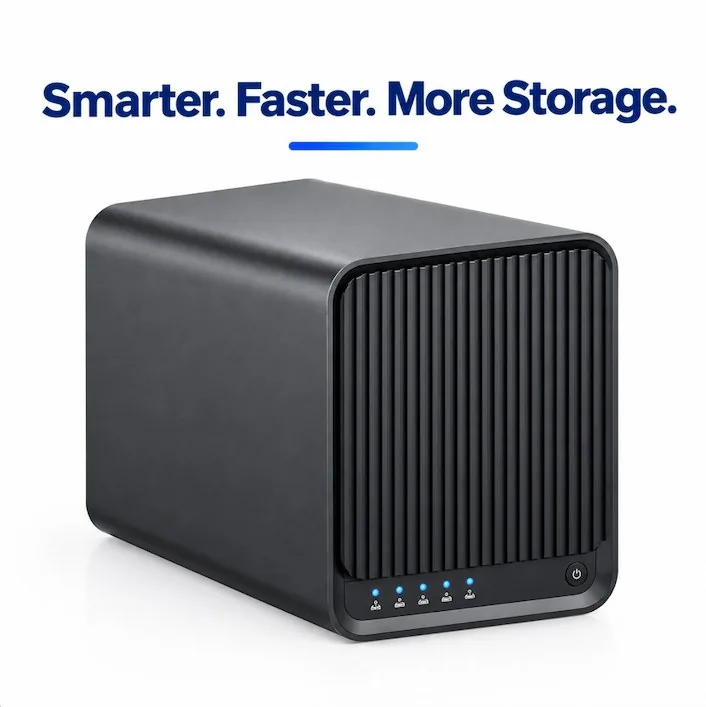
For creators who want zero maintenance: choose a plug-and-play private NAS with local AI indexing and automatic phone backup — like the Compare NAS brands →. You get a one-time hardware cost, no monthly fees, and your 4K library stays at home. DIY builds (Synology-grade or TrueNAS) offer more control but demand hours of setup and tinkering you'd rather spend editing.
1. What Actually Matters (and What Doesn't)
Marketing pages love to shout about CPU cores and RAM. For a creator's backup workflow, four things matter far more:
- Auto-upload reliability. The whole point is "shoot, go home, done." Your NAS app should sync new footage over home Wi-Fi automatically — no manual drag-and-drop, ever.
- Gigabit (or 2.5G) LAN. Wi-Fi 6 to your phone is fast, but the NAS's wired port is the bottleneck for offloading 100GB overnight. Gigabit moves ~110MB/s — a 128GB memory card in about 20 minutes.
- Local AI photo/video indexing. Searching "client interview B-roll" or "golden hour drone" across thousands of clips should be a text box, not an evening of folder digging. Edge AI that runs on the NAS itself is the 2026 differentiator.
- Drive expandability. Your archive grows forever. A set that takes standard 3.5" drives lets you add capacity at raw drive prices — not cloud-storage prices.
2. The Lifetime Cost Nobody Calculates
Run your own numbers with our Cloud Cost Calculator, but here's the typical creator scenario: a 2TB cloud plan ($9.99/mo) overflows fast when you're offloading RAW + 4K. Realistically you'll be on a 5–10TB setup within a year — that's $50–100/month on business cloud tiers, or $3,000–6,000 over five years.
A two-bay private NAS with 2×8TB drives costs roughly $400–500 once. Every project you archive after month ~6 is effectively free storage. That's not a gadget purchase; it's firing your storage landlord.
3. Plug-and-Play Sets vs. DIY Servers
| Criteria | Plug-and-Play Set (woCyber) | DIY NAS (TrueNAS etc.) |
|---|---|---|
| Setup time | ~15 minutes, app-guided | 2–6 hours + OS learning curve |
| Phone auto-backup | Built-in, QR-code onboarding | Third-party apps, manual config |
| Local AI indexing | Included (faces, scenes, text) | Community plugins, variable |
| Maintenance | OTA updates, hands-off | You are the sysadmin |
| Best for | Creators, families, SOHO | Homelab tinkerers |
4. Our 2026 Workflow Recommendation
- Shoot as usual — don't ration your memory card.
- At home, the phone auto-syncs everything to the NAS over Wi-Fi (woCyber's app does this in the background).
- Local AI indexes the archive overnight: faces, projects, locations, searchable by text.
- Edit straight from a SMB/NFS share or pull only the clips you need — your camera roll stays light.
- Optional: one USB drive attached to the NAS for a second, offline backup copy (3-2-1 rule minus the cloud).
5. Creator FAQ
How much storage do I need for 4K video?
Rule of thumb: ~1GB per minute. 2TB holds roughly 33 hours of 4K footage. Most active creators outgrow 2TB within a year — which is exactly why expandable local storage beats fixed cloud tiers.
Can I edit video directly from a NAS?
Yes, over SMB/NFS on gigabit or 2.5G Ethernet, proxies edit smoothly; full-resolution 4K multicam works best on 2.5G. Many editors pull just the clips they need instead of importing whole cards.
Is NAS backup really automatic?
With modern companion apps (like woCyber's), yes: new photos and videos sync over home Wi-Fi in the background with no manual steps. Setup is a one-time QR-code pairing.
Ready to stop renting storage for your footage?
Compare NAS brands →Was this article helpful?
One tap, no account and no comment box. It tells us which guides are actually worth updating.
How many drive bays is your NAS?
This is how we decide which setups to cover next.
Thanks.
Need help with a specific setup?
Storage choices depend on your drives, your budget and how many people share the box. Tell us what you are building and we will point you at a configuration that fits — no obligation, no sales script.
Affiliate Disclosure: SecureNAS Hub may earn a commission from qualifying purchases made through links on this page, at no extra cost to you. See our full disclosure.
Run your own 5-year cost comparison with the on-site calculator
Hardware that fits this use case — check the specs and the five-year cost before you buy.
See woCyber NAS details → or run the 5-year cost calculatorWant this built to spec? Talk to a woCyber specialist about sourcing and pricing.
Request a quote from woCyber →