NAS Guides · Published 2026-10-10
Apple Home and a Local Hub: Keeping Automations Off the Cloud
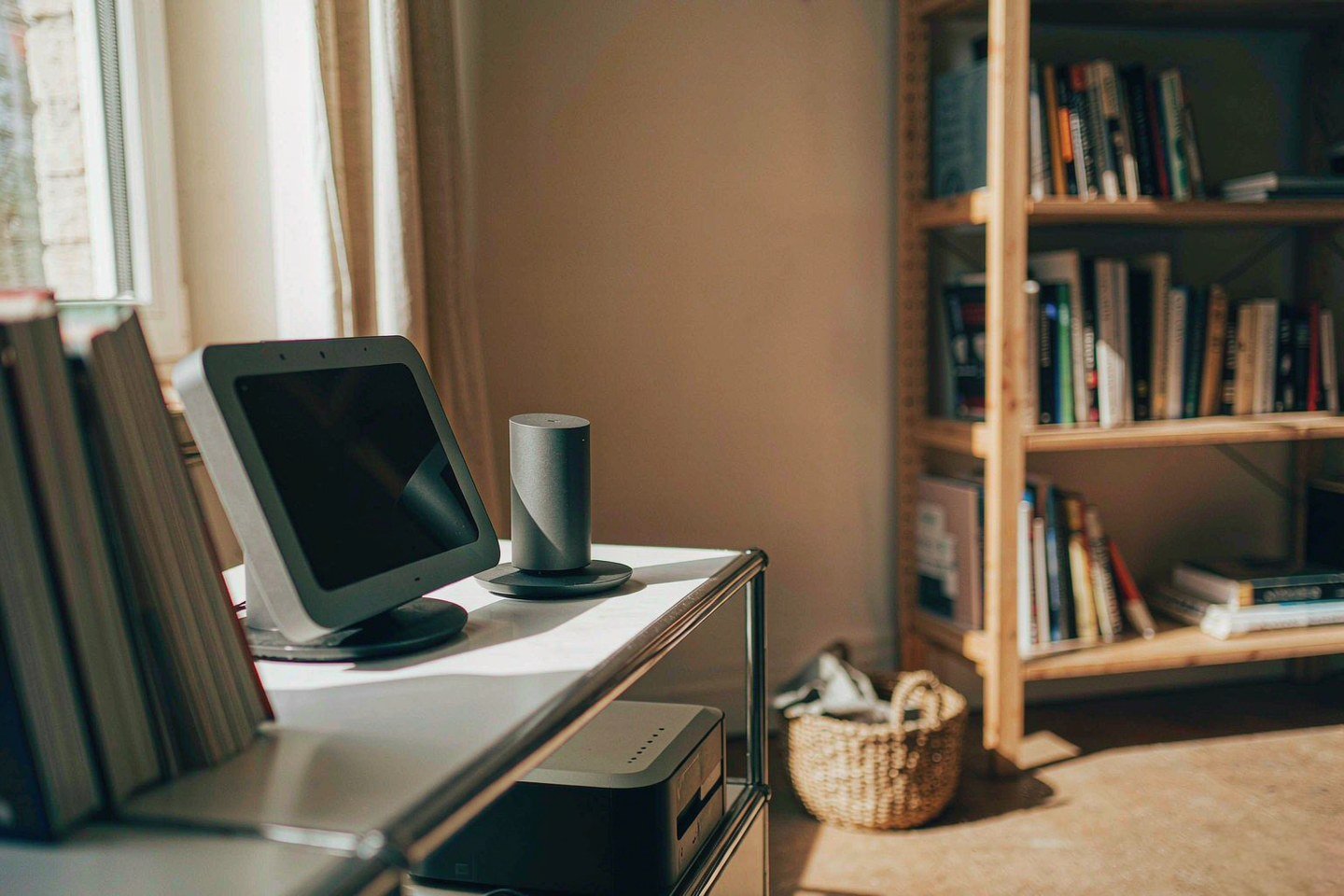
Direct answer up front, then the trade-offs that matter. This page covers apple home and answers: What is a NAS and do I need one?.
By Jack Huang · Senior Writer, Local AI and Smart Home
Beat: On-device AI features · How we review
Quick Answer
Apple has confirmed a "Welcome home" event for 13 October 2026, and the hardware expected there — a HomePad hub plus LG-branded cameras, a doorbell, a lock and a thermostat — does not change the two limits that matter to anyone storing footage at home. HomeKit Secure Video still needs a paid iCloud+ plan, and it still keeps the last 10 days. Continuous or long-term recording has to live on a box you own. That box is a NAS, and the layer that keeps the automations local is Home Assistant.
Key Takeaways
- Apple sent invitations on 8 October 2026 for a smart-home event on Tuesday, 13 October, themed "Welcome home" (Gizmodo, accessed 10 October 2026). The products themselves remain unconfirmed.
- Bloomberg reports seven LG-branded accessories co-developed with Apple: a wired video doorbell, a floodlight camera, indoor and outdoor plug-in cameras, a smart deadbolt, a smart thermostat and a temperature sensor (ET BrandEquity, accessed 10 October 2026). LG's FCC and UL filings do not name Apple.
- HomeKit Secure Video requires a supported iCloud+ plan, a compatible camera and a home hub — a HomePod, an Apple TV or an iPad. Clips stay for 10 days and do not count against your iCloud storage (Apple, accessed 10 October 2026).
- The camera ceiling is set by the plan: 200 GB covers up to five cameras, and 2 TB or higher is unlimited (Apple Support, checked 2 October 2026).
- A local hub with drives in it removes both the 10-day limit and the subscription. It does not remove the need for an offsite copy, and RAID on its own is not a backup.
What Changed
Home security cameras are sold on a rental model. You buy the camera once, then pay for the footage every month, forever, because the recording lives in someone else's datacenter. Apple has been the least aggressive about it: HomeKit Secure Video encrypts clips end to end and does not bill per camera. It is still a subscription, and it still deletes your footage after 10 days.
Apple's invitations went out on 8 October 2026 for a Tuesday, 13 October event in New York, tagged "Welcome home" (Gizmodo, accessed 10 October 2026). Marketing chief Greg Joswiak posted a teaser of an embroidered rainbow Apple logo (T3, accessed 10 October 2026). The expected slate is a HomePad smart-home hub with a display — Gurman's reporting compares the desk version to an old iMac G4 and describes a wall-mountable variant shaped like a tablet — alongside a refreshed Apple TV 4K and HomePod mini 2 (Gizmodo, accessed 10 October 2026). None of those names or details are confirmed by Apple.
The accessory line is the part that touches storage. According to Bloomberg's Mark Gurman, Apple worked with LG on seven devices that LG will manufacture, brand and support: a wired video doorbell, a floodlight camera, plug-in indoor and outdoor cameras, a smart deadbolt lock, a smart thermostat and a temperature sensor (ET BrandEquity, accessed 10 October 2026). LG has filed the hardware with the US Federal Communications Commission and UL Solutions. Those filings describe the devices in real detail — a 24-volt AC thermostat with Bluetooth Low Energy and Thread, a deadbolt running on four AA cells, a magnetically mounted temperature and humidity sensor — but they do not mention Apple, and LG asked for photos and finer specifications to stay confidential until early next year (Matter Alpha, accessed 10 October 2026). Treat the Apple connection as reported, not confirmed.
Firmware offers a second thread. Researcher pdfu pulled a _secondPartyProducts table out of the HomeKitMatter framework in iOS 27.2 and found four Schneider Electric vendor IDs sitting beside six LG entries: a thermostat, a thermostat QA variant, a temperature/humidity sensor and one unidentified accessory (Matter Alpha, accessed 10 October 2026). Schneider is also acquiring Shelly Group, a deal its board backed on 5 October 2026 and which is expected to close in the first quarter of 2027 subject to a 95% minimum acceptance threshold (Matter Alpha, accessed 10 October 2026). Apple has said nothing about any of it.
Who Is It For
This matters to a narrow group, and it is worth being blunt about which one. If you run two indoor cameras and check them when the doorbell rings, the Home app plus a 200 GB iCloud+ plan is enough and you can stop reading. The people who need a local hub are the ones who hit a wall the subscription cannot solve.
Three cases keep coming up.
- Anyone who needs footage older than 10 days. HomeKit Secure Video is a review window, not an archive. A break-in, a disputed delivery or a neighbour dispute can easily need week six.
- Anyone with more than a handful of cameras, or 24/7 recording. Motion-triggered clips in a vendor cloud is a different product from continuous recording on your own drives.
- Anyone who wants the automations to keep running when the internet is down. A cloud-dependent hub stops reasoning about your house the moment your WAN link drops.
The trade-off is honest and unglamorous. A local hub buys you retention you control and a recurring fee of zero, and charges you in setup time, a box that draws power all year, and a new failure mode — the box itself. If that sentence sounds like a bad deal, the cloud plans are fine.
Key Specifications
Apple has published nothing about the HomePad or the LG accessories, so there are no first-party numbers to quote here. We could not verify the specification for any device on the 13 October slate — no bay counts, no resolution, no storage figures. Anyone filling those blanks today is guessing.
Capacity and bays
Capacity planning belongs to the local side, because that is the side you can actually size. Two 8 TB NAS drives in our ledger set the floor for a usable recording tier, and the two differ in ways that matter once a camera writes to them continuously.
| Field | WD Red Plus 8 TB (WD80EFPX) | Seagate IronWolf 8 TB (ST8000VN004) |
|---|---|---|
| Price (tracked) | DatacenterDisk listing $431 (2026-10-02) | Amazon $347 (2026-10-02) |
| Capacity | 8 TB | 8 TB |
| Recording technology | CMR | CMR |
| Spindle speed | 5640 RPM | 7200 RPM |
| Cache | 256 MB | 256 MB |
| Workload rating | 180 TB/year | 180 TB/year |
| MTBF | 1000000 hours | 1000000 hours |
| NAS bays supported | 8 bays | 8 bays |
| Form factor | 3.5-inch | 3.5-inch |
| Weight | 0.71 kg | 0.72 kg |
| Warranty | 3 years | 3 years |
| Data recovery service | — | 3 years |
_Sources: Seagate IronWolf ST8000VN004 product manual · WD Red Plus 8 TB (WD80EFPX) product page_
Two of these mirrored gives you 8 TB usable and survives one dead disk. Four in parity gives you roughly 24 TB usable, which is where continuous 4K recording from several cameras starts to fit. Both drives are CMR with a 180 TB/year workload rating, and both are rated for up to 8 bays — that rating is about vibration tolerance in a populated chassis, not about a limit you will hit at home.
Connectivity
The camera side is out of your hands until 13 October. The local side is not. Plan on wired Ethernet for the NAS, because continuous camera recording is exactly the workload that makes Wi-Fi look fine right up until it doesn't. Two and a half gigabit is plenty for a dozen 4K streams; gigabit is enough for most homes and cheaper.
Thread and Matter are the two names on the accessory box, and they are not the same thing. Thread is the radio mesh the sensors talk over; Matter is the application layer that lets a hub from one vendor control a device from another. Apple's HomePod and Apple TV act as Thread border routers, and the LG accessories are reported to carry both radios (Matter Alpha, accessed 10 October 2026). UWB appears only on the deadbolt, where it is reported to enable proximity unlocking (ET BrandEquity, accessed 10 October 2026).
Software stack
HomeKit on its own has no path to local-only recording, and that is a design decision rather than a missing checkbox. To get recordings onto your own drives you run a second hub alongside Apple's — Home Assistant is the common choice, and it ships as both a Docker container and a virtual machine image, which means it can sit on the same NAS that holds the drives. Cameras that speak ONVIF or RTSP can be recorded without touching any vendor cloud.
What Is New
What is genuinely new this month is the second-party model, not the hardware. Apple has used it before with Belkin and Logitech, letting a partner own manufacturing and support while Apple shapes design and features (ET BrandEquity, accessed 10 October 2026). Applying that pattern to a doorbell, a lock and a thermostat means Apple gets a full accessory range without carrying the warranty cost, and LG gets Apple's engineering input on hardware it will sell under its own name. One report describes the arrangement as a formal reboot of HomeKit, which launched in 2014 and never matched Amazon or Google on accessory volume (ET BrandEquity, accessed 10 October 2026).
For a local-hub build, the interesting signal is Schneider. Two vendor IDs in a thermostat and a sensor slot, plus a Proximity Settings string in the placeholder setup assets, point at climate control and occupancy sensing arriving through the same second-party channel (Matter Alpha, accessed 10 October 2026). More devices inside the Matter/Thread tent is good news for anyone running a non-Apple hub, because it widens the list of hardware that will pair.
Voice is the other moving piece. Home Assistant's Assist pipeline runs wake-word detection, speech-to-text and text-to-speech on your own hardware, so a spoken command can be parsed locally instead of being shipped to a datacenter (Home Assistant, accessed 10 October 2026). That is a different trade from Siri: better privacy and no per-request cost, worse accuracy on open-ended questions, and a real setup cost.
How It Compares
Every route here stores the same pixels somewhere. The differences are who holds the copy and what you pay for the privilege.
| Route | Recurring cost | Where recordings live | Our take |
|---|---|---|---|
| HomeKit Secure Video (iCloud+) | $2.99/month for 200 GB and up to five cameras; $9.99/month for 2 TB and unlimited cameras (Apple Support, checked 2 October 2026) | iCloud, encrypted, last 10 days | Cleanest cameras-in-the-Home-app route. No archive, no continuous recording |
| Ring Home Standard | $9.99/month (Ring, checked 7 October 2026) | Ring cloud | Works, but you rent the footage and the retention window is theirs to change |
| Eufy local storage | $0 (checked 2 October 2026) | A local base station or drive | No fee, and the honest caveat is that the useful controls live in Eufy's app rather than in a standard you can move |
| NAS plus Home Assistant | Drive and enclosure costs only — see the capacity table above; we could not verify current enclosure pricing | Your drives, your retention policy | The only route without a retention ceiling or a monthly bill. You pay in setup time and in maintaining the box |
The trade-off is not privacy against convenience. It is control against effort. Anyone who has fought a camera vendor's app for a week to find one clip will recognise the value of owning the files, and anyone who has debugged a Home Assistant update at midnight will recognise the cost.
If you are weighing local storage against subscriptions more broadly, our public cloud vs private NAS cost breakdown runs the five-year arithmetic, and the private cloud NAS shortlist covers enclosures for homes that also keep photos and documents on the same box.
Who Should Consider It
Worth it if you keep more than three or four cameras, if you need footage beyond two weeks, or if you want recording and automations to survive an internet outage. Those three cases pay back the hardware quickly and the setup cost is a one-off.
Skip it if any of these is true. You have two cameras and review clips on your phone. You already run a HomePod and pay for iCloud+, and 10 days is genuinely enough. You want a single appliance that needs no maintenance — a NAS is a small server, and small servers need updating.
Our take on the October event: buy the cameras if the price and the Thread support look right, but decide your storage layer before you mount anything. Retrofitting an NVR around cameras that only record to a cloud you are already paying for is the expensive order to do this in.
What Existing Users Should Know
If you are already in the Apple Home ecosystem with a HomePod or an Apple TV as your hub, nothing about 13 October forces a change. Your hub already meets the requirement HomeKit Secure Video states, and your existing accessories stay on the same automations. The upgrade path is additive: add a NAS for recording, keep the Apple hub for Siri and for the Home app.
Three habits pay off more than any purchase.
- Check your iCloud+ tier before adding a fourth camera. The 200 GB plan tops out at five cameras, and hitting the limit is a silent failure mode rather than a clear error.
- Record your cameras in a format you can export. A proprietary library that only one app can read is a worse archive than a folder of MP4 files, however good the app is.
- Keep one copy of anything irreplaceable off the NAS. A NAS survives a dead drive. It does not survive a fire, a theft or a flooded basement.
Real-World Scenario: AI Speaker / Voice Assistant Local Hub Integration
The interesting question raised by a new Apple hub is not what it controls — it is where the thinking happens. The same question applies to the voice layer, and that is where a NAS stops being storage and starts being the brain of the house.
What this changes for the use case
A voice command is a small piece of data with a large privacy footprint. "Hey Siri, lock the front door" is a sentence about your house, your schedule and your presence, and on a cloud assistant it makes a round trip to be understood. The local version of that loop keeps wake-word detection, speech recognition and the response on hardware you own (Home Assistant, accessed 10 October 2026). Nothing about the command leaves the house unless you write an automation that sends it.
The practical change is smaller than the privacy pitch suggests, and it is worth saying so. Local voice is less accurate on open-ended questions than Siri or Alexa, and it will not answer trivia. What it does well is the fixed vocabulary of home control: turn on the porch light, lock the door, start the driveway recording. Those phrases repeat, which is exactly what local models are good at.
Recording is the other half. Running the NVR on the same box means an automation can act on the camera — keep this clip, tag that one, push it to a second drive — without a cloud round trip and without a per-camera fee.
Hardware and software requirements
The shopping list is short: a NAS with two or more bays, NAS-rated CMR drives (the two entries in the capacity table above are the right class), a wired connection to your router, and a hub that speaks Matter and Thread. On the software side, Home Assistant in a container or a VM handles the automations, the local voice pipeline and the recording, while Apple's Home app stays the interface your household already knows.
Wire the hub, not the cameras. Cameras can live on Wi-Fi if they must, but the box writing continuous 4K streams should not share that airtime. Keep the whole recording tier on one subnet and give it a fixed address, so a router firmware update cannot quietly renumber the box your automations depend on.
Two settings decide whether this is pleasant or painful. Set the retention policy deliberately — 30 days of continuous 4K from four cameras is a capacity decision, not a default. And enable snapshots before you enable anything clever, because a snapshot is what saves you when an automation deletes the wrong file.
Limits, caveats, and who should skip it
Local voice will frustrate anyone who expects a general assistant. Ask it about the weather in a city it has never heard of and you will get a shrug. The wake word is also more sensitive to accent and room noise than a commercial speaker.
The hub is the single point of failure. If Home Assistant is down, your automations stop and your recordings stop with them, and the Home app will not fall back to recording — HomeKit Secure Video and a local NVR are parallel systems, not one system with two outputs. Budget for a second copy of anything that matters, because the box that records is not the box that protects you from losing it.
Skip the local hub if you want zero maintenance, if your camera count fits inside a 200 GB iCloud+ plan, or if nobody in the house is willing to update a container now and then. This is a hobbyist-shaped solution for a hobbyist-shaped problem, and that is a fair reason to choose the cloud.
Frequently Asked Questions
Can Apple Home record video locally without iCloud?
Not on its own. HomeKit Secure Video requires a supported iCloud+ plan, a compatible camera and a home hub, and it keeps the last 10 days of activity in iCloud (Apple, accessed 10 October 2026). Local-only recording needs a separate system — typically a NAS running Home Assistant or a dedicated NVR — recording the same camera over ONVIF or RTSP. The two can coexist on one network without interfering.
How much does a local hub cost compared with iCloud+?
The recurring cost is zero; the upfront cost is the hardware. For reference, iCloud+ runs $2.99/month for 200 GB and $9.99/month for 2 TB (Apple Support, checked 2 October 2026), and Ring Home Standard runs $9.99/month (Ring, checked 7 October 2026). A local build starts with drives — the two 8 TB NAS drives in our ledger were $347 and $431 in early October 2026 (Amazon and a DatacenterDisk listing, checked 2 October 2026) — plus an enclosure we could not price reliably.
Do the new Apple Home accessories work with a NAS?
The reported LG accessories support Matter and Thread, which means a non-Apple hub can control them once they ship (Matter Alpha, accessed 10 October 2026). Camera recording is a separate question: Matter carries control and events, not video streams. Recording those cameras locally depends on whether they expose ONVIF or RTSP, which nobody has confirmed yet.
Is HomeKit Secure Video a backup?
No. It is a 10-day review window with end-to-end encryption, and clips do not count against your iCloud storage (Apple, accessed 10 October 2026). For anything you need to keep — a break-in, an insurance claim, a dispute with a neighbour — export the clip. A local NVR with a retention policy is the better home for it, with a second copy elsewhere for the files that cannot be lost.
Sources
- Gizmodo — coverage of Apple's 13 October event invitation, the 'Welcome home' theme, the 8 October 2026 Joswiak teaser, and Gurman's HomePad description (a desk version likened to an iMac G4, plus a wall-mountable variant shaped like a tablet) — https://gizmodo.com/apple-event-october-13-smart-home-2000823601 (accessed 10 October 2026)
- T3 — confirmation that Apple set its smart-home event for 13 October, and the expected HomePad, Apple TV 4K and HomePod mini 2 lineup — https://www.t3.com/home-living/smart-home/apples-new-smart-home-lineup-is-coming-as-welcome-home-event-confirmed-for-13th-october (accessed 10 October 2026)
- Matter Alpha — analysis of the reported accessory partners: the iOS 27.2
_secondPartyProductsidentifiers, a 24-volt AC thermostat with Bluetooth Low Energy and Thread, a deadbolt powered by four AA cells, a magnetically mounted temperature and humidity sensor, and Schneider's Shelly Group deal backed on 5 October 2026 — https://www.matteralpha.com/industry-news/apple-welcome-home-smart-home-lg-schneider (accessed 10 October 2026) - ET BrandEquity — report on the LG-branded accessories (Bloomberg's Mark Gurman), the FCC and UL Solutions filings that do not mention Apple, the earlier Belkin and Logitech precedent for the same arrangement, and UWB on the deadbolt — https://brandequity.economictimes.indiatimes.com/news/business-of-brands/lg-may-launch-made-for-apple-products/134782437 (accessed 10 October 2026)
- Apple — iCloud+ plans and pricing (US monthly tiers, and the HomeKit Secure Video camera allowance by plan tier) — https://support.apple.com/en-us/108047 (accessed 2 October 2026)
- Apple — iCloud user guide on HomeKit Secure Video (supported plan, compatible camera and home hub requirement; last 10 days of activity) — https://support.apple.com/guide/icloud/mme054c72692/icloud (accessed 10 October 2026)
- Home Assistant — Assist voice control documentation (wake word, speech-to-text and text-to-speech on your own hardware) — https://www.home-assistant.io/voice_control/ (accessed 10 October 2026)
- SecureNAS Hub price ledger — Apple iCloud+ 200 GB $2.99/month and 2 TB $9.99/month, checked 2 October 2026; Ring Home Standard $9.99/month, checked 7 October 2026; Eufy local storage $0, checked 2 October 2026; Seagate IronWolf 8 TB (ST8000VN004) $347 at Amazon and WD Red Plus 8 TB (WD80EFPX) $431 via a DatacenterDisk listing, both checked 2 October 2026
Run your own 5-year cost comparison with the on-site calculator
信息型内容且无合作相关标签 → 不放商业位
Open the cost calculator →Related reading
Was this article helpful?
One tap, no account and no comment box. It tells us which guides are actually worth updating.
How many drive bays is your NAS?
This is how we decide which setups to cover next.
Thanks.
Need help with a specific setup?
Storage choices depend on your drives, your budget and how many people share the box. Tell us what you are building and we will point you at a configuration that fits — no obligation, no sales script.
Affiliate Disclosure: SecureNAS Hub may earn a commission from qualifying purchases made through links on this page, at no extra cost to you. Facts and figures are attributed in the Sources list; nothing on this page is a fabricated test result. See our full disclosure. Product images are either supplied by the manufacturer or clearly labelled as illustrative renders; each one is captioned accordingly. Last reviewed 2026-10-10.