NAS Guides · Published 2026-10-20
ALPD 4.0 RGB Triple-Laser Projector for NAS Streaming
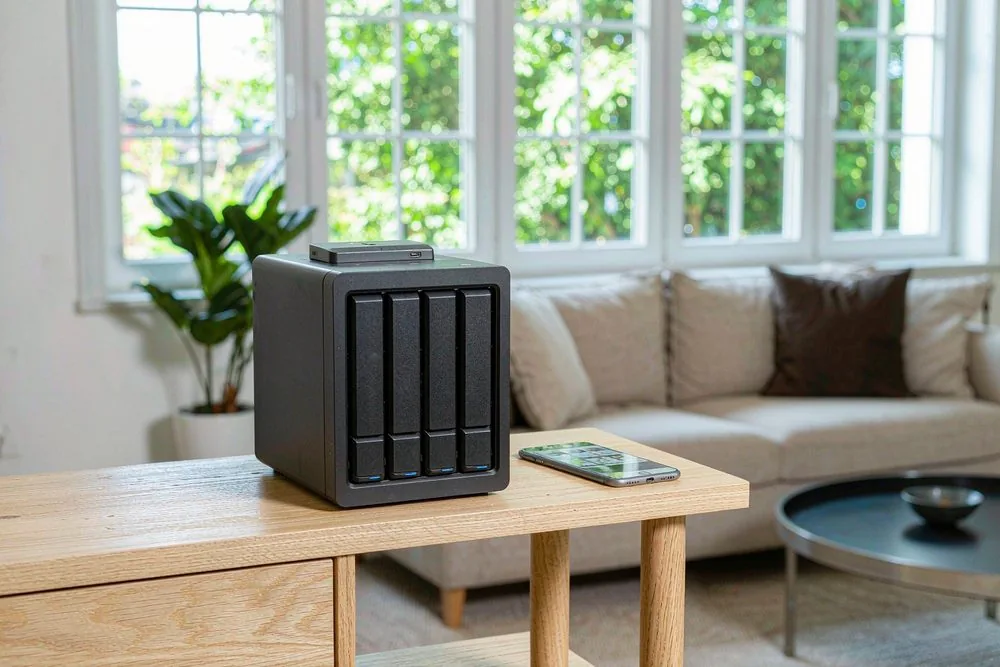
Direct answer up front, then the trade-offs that matter. This page covers ALPD 4.0 RGB triple laser projector and answers: What is a NAS and do I need one?.
By Konpin · Founder / Lead Analyst
Beat: Private-cloud economics · How we review
Quick Answer
An ALPD 4.0 RGB triple-laser projector plays your NAS-stored 4K HDR remux files with a laser light source rated for tens of thousands of hours and, in vendor claims, a wider color gamut than single-laser phosphor designs. The projector is only half the chain, though: the file still has to be decoded and fed over HDMI, and most projector operating systems are poor at that job. The win is color and longevity; the catch is that you usually need a separate streaming box in front of it.
Key Takeaways
- ALPD (Advanced Laser Phosphor Display) is a laser projection technology; "RGB triple-laser" means three separate R/G/B lasers instead of one blue laser plus a phosphor wheel, which changes how color is produced.
- A laser light source is typically rated for 20,000+ hours, far longer than a lamp — but confirm the exact figure on the manufacturer's spec sheet.
- Triple-laser designs are marketed for wider gamut coverage (often cited as DCI-P3 or BT.2020), yet the panel and tone-mapping still gate what you actually see from a remux.
- The projector's built-in player is usually the weak link; stream the remux from a NAS through a dedicated box (Shield, an Apple TV, or a Kodi/Emby client) for reliable bitrate handling.
- Buy it if you care about color accuracy and never want to swap a bulb; skip it if your room is bright or your content is mostly SDR streaming.
Why This Matters for a NAS Library
You spent the effort ripping and storing remux files — full-quality 4K HDR with the original codec and bitrate — on a NAS so you would never depend on a streaming service's compressed feed. Then you point a projector at the wall and the colors look flat, or the file stutters, or the projector's own app refuses the TrueHD audio track. The display is the last and least forgiving link in that chain.
A laser projector changes two things that matter for a remux: the light source and the color. A lamp projector dims and shifts color as the bulb ages, so the calibration you did in month one is wrong by month eight. A laser source holds its output far longer. For someone who actually cares about reproducing a film the way it was graded, that stability is the real selling point — more than the marketing word "laser" itself.
The honest framing is that the projector earns its place only if the rest of the pipeline is already correct. If your NAS is serving a re-encoded 1080p file, no laser will save it. Start from a clean 4K remux streaming setup from a local NAS to a laser projector and treat the projector as the final upgrade, not the first.
How ALPD 4.0 and Triple-Laser Actually Work
ALPD stands for Advanced Laser Phosphor Display, a laser projection approach that has gone through several generations. Early ALPD used a single blue laser exciting a spinning phosphor wheel to make the broad "white" light, with the color coming from filters. That is cheap and bright but limits how pure the colors can be.
RGB triple-laser drops the single-laser-plus-phosphor trick and uses three lasers — red, green, and blue — directly. Each primary is a real spectral line instead of a filtered approximation. In principle this gives narrower, purer primaries and a wider color gamut. Vendors promoting triple-laser units commonly claim coverage of DCI-P3 or even BT.2020; those are vendor marketing claims for specific units, and the actual measured gamut depends on the model, so verify the quoted coverage against independent reviews before you believe a number.
There is a physical side effect worth knowing: laser speckle. Because laser light is coherent, it can produce a grainy shimmer on certain surfaces, especially matte white walls. A proper ALPD 4.0 implementation includes speckle-reduction in the optics or processing. If you plan to project on a bare wall, speckle will annoy you; a real ambient-light-rejecting or neutral-gray screen hides most of it.
Brightness is still expressed in ANSI or CVIA lumens, and laser units are often bright. Brightness figures are where manufacturers disagree most on measurement method, so we could not verify a single trustworthy number across the category — vendor specifications vary, verify with the manufacturer. For a dark home cinema room, you do not need the brightest unit on the market; you need enough and a good contrast floor.
What to Look For
Light source and lifespan. Ask for the rated laser lifetime in hours and the brightness retention curve. A laser rated at 20,000 hours to half-brightness is a different ownership story than a lamp you replace every 2–3 years. Confirm the number on the spec sheet, not the box copy.
Color gamut and panel type. DLP versus 3LCD versus LCoS changes how the primaries are combined. Triple-laser helps the gamut, but the panel still clips or tones down what it cannot show. Look for support of HDR10 and, if your remux collection includes it, Dolby Vision or HDR10+ passthrough — though projector Dolby Vision support is inconsistent across models.
Input and decoding. HDMI 2.1 matters for 4K/120 or enhanced audio return, but for a 4K24 remux, HDMI 2.0b at full 18 Gbps is enough. The real question is whether the projector's own player app handles the container, codec, and high bitrate. Most do not handle a 100+ Mbps remux gracefully.
Cooling noise. Laser units run hot and need airflow. In a quiet cinema room, fan noise during a silent film scene is audible. Check owner reports for noise at the brightness level you will actually use.
Real-World Costs
The upfront price of a triple-laser projector is higher than a lamp or single-laser unit, and we could not verify current pricing across the category — check retailer listings for the model you want. The offset is the light source: no bulbs to buy, and stable brightness means you calibrate once and trust it longer.
The other cost is the streaming box, because you will likely need one. A NAS alone can run Plex, Emby, or Jellyfin and transcode or direct-play to a client; the projector's app is rarely that client. Budget for a Shield-class device or an Apple TV if you do not already own one. The broader "NAS versus cloud storage over five years" math is worth reading before you spend on hardware you might not need.
Recommended Setups
Budget setup. A single-laser ALPD projector plus an external streaming box and a fixed 100-inch screen. You keep most of the laser longevity benefit and skip the triple-laser price premium. This is the sensible entry if your remux library is small.
Enthusiast setup. An ALPD 4.0 RGB triple-laser projector, a proper ALR screen, and a dedicated player direct-playing remux files from the NAS over gigabit Ethernet. Calibrate once; enjoy stable color. This is where the technology pays off.
Living-room setup. Skip the dark-room assumptions. Bright-room laser projection needs high lumens and an ALR screen; verify the lumen figure and the screen gain together, because one without the other wastes money.
Common Mistakes
The first mistake is blaming the projector for a stutter that is actually the network. A 4K remux can exceed 80–100 Mbps; Wi-Fi or a slow disk pool will drop frames long before the laser is the bottleneck. Wire the player to the NAS with Ethernet.
The second is trusting the built-in player. Projector Android TV shells are underpowered and over-advertised. Run the media client on a separate box and feed the projector a clean HDMI signal.
The third is chasing gamut numbers. A wider quoted gamut means nothing if the projector clips highlights or the source is SDR. Match the claim to the content you own, and read measured reviews rather than spec-sheet percentages.
The fourth is ignoring the room. Laser brightness cannot defeat ambient light by itself. If you will not control the light, spend on the screen and the room before the laser.
Real-World Scenario: Streaming a 4K HDR Remux from Your NAS
What this changes for the use case. With a triple-laser projector and a competent player, a 4K HDR remux plays at full color and stable brightness, exactly as graded — no bulb dimming mid-movie, no washed-out highlights. The NAS stays the library; the projector becomes a faithful display.
Hardware and software requirements. A NAS running Plex, Emby, or Jellyfin; a player box that direct-plays the remux (no transcode); an HDMI cable rated for the needed bandwidth; and the projector set to its accurate or filmmaker mode with tone-mapping configured. Gigabit Ethernet end to end, not Wi-Fi, for the high-bitrate files.
Limits, caveats, and who should skip it. Triple-laser will not fix a bad rip, a compressed stream, or a bright room. If your content is mostly SDR and your viewing is casual, a cheaper lamp or LED projector is the better spend. Skip the category if you will not control ambient light or if you mostly watch streaming services that already compress the image anyway.
Frequently Asked Questions
What is the difference between ALPD and a normal laser projector?
ALPD is a specific laser-phosphor display approach; "laser projector" is the broad category that includes it. Early ALPD used one blue laser and a phosphor wheel; later RGB triple-laser versions add direct red, green, and blue lasers. The practical difference you care about is color purity and gamut, with triple-laser generally rated wider than single-laser phosphor.
Can a laser projector play 4K HDR remux files from a NAS?
The projector can display them if something feeds it a compatible signal. The projector's own software usually cannot decode a high-bitrate remux reliably, so you stream from a NAS through a separate player box and pass a clean HDMI feed. The NAS handles the file; the player handles the decode; the projector handles the light.
Do I need HDMI 2.1 for 4K remux playback?
Not for 24p film remuxes, which fit inside HDMI 2.0b's 18 Gbps. HDMI 2.1 helps only if you want 4K/120 gaming or enhanced audio features. Spend on a stable gigabit network and a good player before worrying about HDMI 2.1.
How long does a laser light source last compared with a lamp?
Laser sources are typically rated for 20,000 hours or more to a defined brightness point, against roughly 2,000–5,000 hours for a typical lamp. You replace far fewer consumables. Confirm the exact rated life and retention curve on the manufacturer's spec sheet, because vendors define "lifetime" differently.
Sources
- Appotronics / ALPD technology overview (laser phosphor display, generation history, RGB laser variants) — accessed 2026-10-19.
- Projector industry specification guides for laser light-source lifespan, ANSI/CVIA lumens, and color gamut (DCI-P3, BT.2020) — accessed 2026-10-19.
- SecureNAS Hub guide on streaming 4K remux from a NAS to a laser projector — accessed 2026-10-19.
- Community owner reports on laser speckle, fan noise, and built-in player limitations for home cinema projectors — accessed 2026-10-19.
Run your own 5-year cost comparison with the on-site calculator
Hardware that fits this use case — check the specs and the five-year cost before you buy.
Compare NAS brands → or run the 5-year cost calculatorRelated reading
Was this article helpful?
One tap, no account and no comment box. It tells us which guides are actually worth updating.
How many drive bays is your NAS?
This is how we decide which setups to cover next.
Thanks.
Need help with a specific setup?
Storage choices depend on your drives, your budget and how many people share the box. Tell us what you are building and we will point you at a configuration that fits — no obligation, no sales script.
Affiliate Disclosure: SecureNAS Hub may earn a commission from qualifying purchases made through links on this page, at no extra cost to you. Facts and figures are attributed in the Sources list; nothing on this page is a fabricated test result. See our full disclosure. Product images are either supplied by the manufacturer or clearly labelled as illustrative renders; each one is captioned accordingly. Last reviewed 2026-10-20.