NAS Guides · Published 2026-10-20
An NVIDIA GPU Home Lab Where the Code Index Outlives the VM
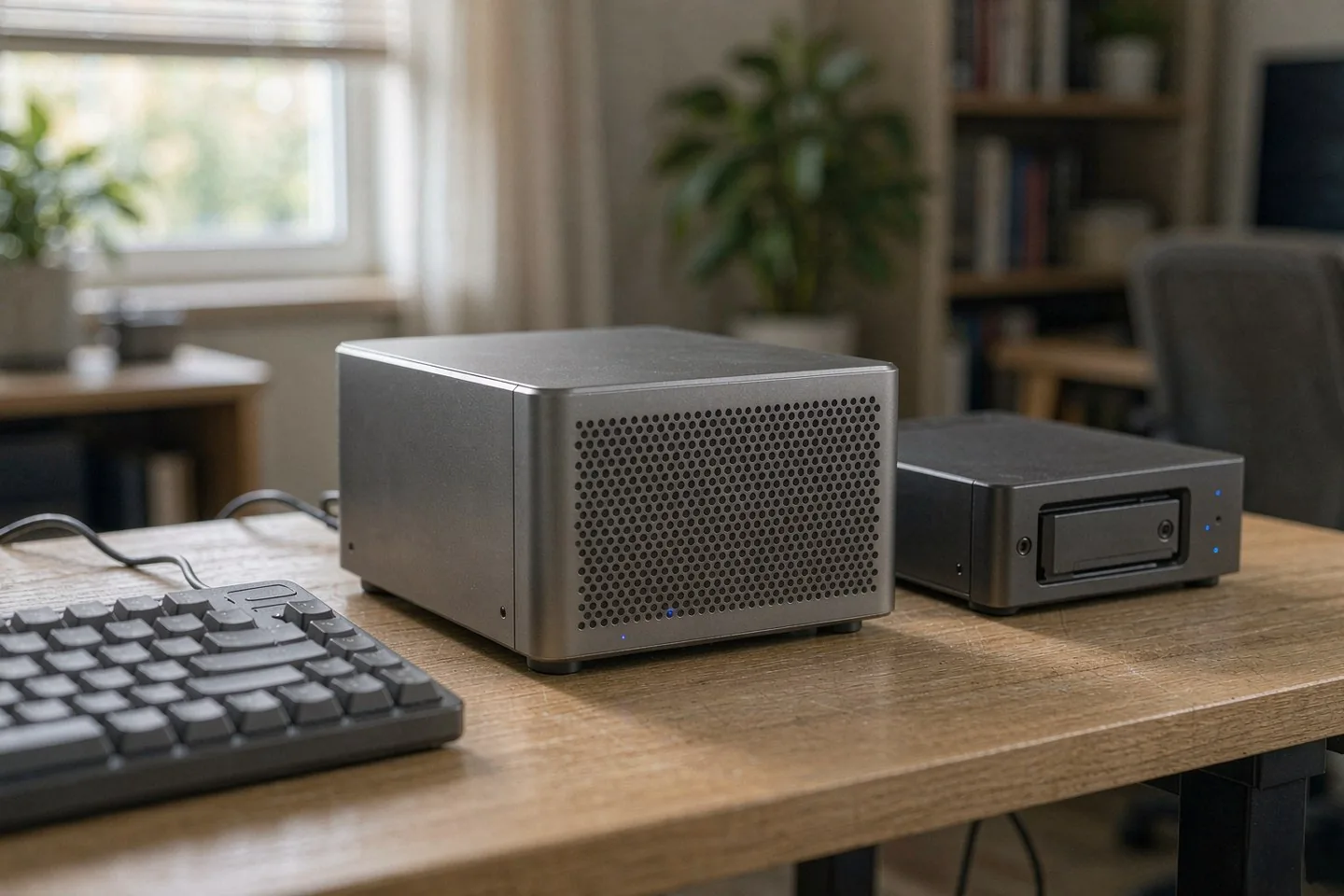
Direct answer up front, then the trade-offs that matter. This page covers nvidia gpu and answers: What is a NAS and do I need one?.
By Jack Huang · Senior Writer, Local AI and Smart Home
Beat: On-device AI features · How we review
Quick Answer
Split the work across two machines. The NVIDIA GPU box runs the model; the NAS holds the code index, the git mirror, and the snapshot history. Treat the VM or container as disposable scaffolding. Nvidia's 19 October 2026 model drop — including a 74-billion-parameter Bolt variant listed at 24GB for local hardware — makes that split practical outside a data center. A code index is a searchable database of embeddings built from your repositories. Snapshots roll it back. They do not back it up.
Key Takeaways
- Inference belongs on the GPU host; the index, repositories, and snapshot history belong on the NAS.
- A DGX Spark 64GB carries 64GB of unified memory that cannot be expanded, at $4,999 MSRP (checked 2026-10-04).
- Synology caps snapshots at 1,024 per shared folder and 65,536 per system, Btrfs volumes only.
- Snapshots live inside the same volume, so a dead volume takes them with it.
What Nvidia Shipped, and What It Costs
Two stories landed within 24 hours of each other, and they point the same direction.
On 19 October, TechCrunch reported that Nvidia released open-weight models for local agents: Nemotron 3.5 Super VL at 120 billion parameters for enterprise deployments, plus two smaller Bolt models aimed at the new RTX Spark AI PCs and at DGX Spark workstations. The one that matters for a home lab is Nemotron 3.5 Bolt 74B-A9B 24GB — 74 billion parameters, a 24GB variant, positioned for multistep tool calling and browsing on local hardware. The tiny Bolt E4B was promised for later in October. Kari Briski, Nvidia's vice president of open models and software, framed the pitch as letting people "delegate everyday projects … without sending those workloads to the cloud."
A day earlier, Tom's Hardware reported that the RTX 50 Super series is on hold because 3GB GDDR7 modules cost roughly triple what 2GB parts do. The GeForce RTX 5090 has vanished from Nvidia's own store and from Micro Center's catalogue, and third-party Amazon listings touched $8,500.
That is not a supply blip.
Nvidia's answer, given by senior vice president Jeff Fisher on 16 October in Taipei, was that supply chain capacity is constrained but the card is not discontinued, per TechPowerUp's write-up of 4Gamers and Central News Agency reporting. TechPowerUp's commenters noted that Fisher's "it" may refer to the GB202 chip rather than the retail card. Whether board partners see fresh GB202 allocation is unconfirmed.
Read the two stories together and the practical conclusion is blunt: "buy a 5090 and figure out the rest" stopped being a plan. Memory pricing is now the constraint on both the card you want and the model you can fit on it.
Both announcements are memory stories.
Three Jobs, Not One Box
Home labs fail at the seams between roles, not at raw compute. Three roles need separating before you buy anything.
The first role is inference: a GPU with enough memory for the model you actually want to run. The second is durable state — repositories, the vector index, container images, and the snapshot history that lets you roll back a bad upgrade. The third is the control plane: the VM or container definitions that describe how everything gets assembled.
Only the first role needs the GPU. The other two reward cheap capacity, checksums, and snapshots. That is a NAS, not a workstation — the same split we described in our Mac mini VM and container guide.
One GPU is enough.
Put the index on the GPU box's local NVMe and you get a fast rebuild that disappears with the machine. Put it on the NAS and you get a slower first query, a rebuild you can restore from, and one place where a two-person team can see what changed. The trade-off is real and I would take it every time for a repository set you cannot afford to re-embed from scratch.
Why the Index Belongs on the NAS
Here is the number that decides the design: 1,024. That is Synology's documented ceiling for snapshots on a single shared folder, with 256 on some models, and 65,536 system-wide, or 4,096 on the smaller units. The same document states plainly that a snapshot is a point-in-time copy held in the same volume, and that Snapshot Replication applies only to shared folders on Btrfs volumes and to iSCSI LUNs.
Index churn is exactly the workload those limits were built for. A reindex touches thousands of small files. A model upgrade rewrites the embedding dimension and invalidates the old vectors. A bad chunking change quietly degrades recall for a month before anyone notices.
Retention limits are not the bottleneck.
Concretely, an index host needs three things: Btrfs (or ZFS), 2.5GbE at minimum, and enough RAM to keep metadata cached. The Synology DiskStation DS925+ covers that floor — four SATA bays, two M.2 NVMe slots, nine bays with expansion, an AMD Ryzen V1500B with four cores, 4GB installed and 32GB maximum, two 2.5GbE ports, Btrfs and ext4, a three-year warranty, at $749.76 on Amazon (checked 2026-10-02).
Four cores is the compromise. The DS925+ is a fine index host and a poor inference host. Do not ask it to be both. If you are still choosing the storage half, our local AI workload picks start from the same ledger readings.
Real-World Scenario: AI Code Generation & Local Programming Knowledge Base Search
Picture a two-person consultancy with 180 private repositories and a client contract that forbids uploading source to a third-party service. They already own a GPU workstation. What they lack is a place where the index survives a laptop replacement.
What this changes for the use case
The questions change shape. Instead of "which file had the retry wrapper", the developer asks the local model where the retry logic lives across three repos and which one drifted. The embedding index answers the first half; the model reads the retrieved chunks and answers the second.
Nothing leaves the LAN. The index becomes a company asset with a version history, not a cache that gets rebuilt whenever someone reinstalls an OS. When a new hire joins, they query the index on day one instead of reading 180 repositories.
That is the actual product here. Not the model.
Hardware and software requirements
On the GPU side, Nvidia's own DGX Spark 64GB is the reference point: a GB10 Grace Blackwell Superchip, 20 CPU cores, and 64GB of unified memory that is soldered and cannot be expanded, at $4,999 MSRP (checked 2026-10-04). The 128GB Founders Edition was listed at $6,950 on the same date.
The 64GB configuration is the interesting one for this scenario, because Bolt 74B-A9B is positioned at 24GB and leaves headroom for the embedding model, the vector store, and the OS. The 120B Super VL has no published consumer memory requirement that we could verify, so do not assume the 64GB box runs it comfortably.
On the storage side you need a Btrfs volume, a git mirror, and a snapshot schedule that fires before every reindex. A four-bay unit with two 2.5GbE ports is enough for a repository set in the low hundreds of gigabytes.
Software: a container runtime on either box, an embedding model served over HTTP, a vector store that supports incremental upserts, and a scheduled job that mirrors git fetch --all plus the index snapshot. Keep the container definitions in git — they are part of the control plane, and they are the thing you will want to diff after an outage.
Limits, caveats, and who should skip it
Memory is the hard ceiling. A soldered 64GB cannot become 128GB next year, and a model that does not fit will not fit after a firmware update.
Index staleness is the second limit. Incremental upserts help, but renamed files and rebased branches leave orphaned vectors that quietly pollute retrieval quality. Budget a full rebuild monthly.
Then the honest one: snapshots do not survive a dead volume, and they do not survive an attacker with admin credentials. If the index is the asset, it needs a second copy on other media.
Skip this setup if your repositories are public and small, if you need frontier-model code generation quality, or if a two-hour reindex window once a month is unacceptable. A cloud IDE is cheaper for a solo developer with five repositories. It is not cheaper for a team that cannot upload code at all. The division of labour between a GPU box and a NAS is not new; we mapped it earlier in what runs where on device AI.
How It Compares
The table below comes from our spec and price ledgers, not from a vendor brochure. A dash means we have no verified reading for that field on that product, and we will not fill it with a neighbouring model's number.
| Field | NVIDIA GPUs (DGX Spark 64GB) | Synology DiskStation DS925+ |
|---|---|---|
| Price (tracked) | NVIDIA (MSRP, ships from six OEM partners) $4999 (2026-10-04) | Amazon $749.76 (2026-10-02) |
| Drive bays (SATA) | — | 4 bays |
| M.2 NVMe slots | — | 2 slots |
| Max bays with expansion | — | 9 bays |
| Hot-swap bays | — | Yes |
| CPU | NVIDIA GB10 Grace Blackwell Superchip | AMD Ryzen V1500B |
| CPU cores | 20 cores | 4 cores |
| Installed RAM | 64 GB | 4 GB |
| Max RAM | 64 GB | 32 GB |
| RAM slots | — | 2 slots |
| ECC RAM | — | Yes |
| RAM soldered (not upgradeable) | Yes | — |
| 2.5GbE ports | — | 2 ports |
| USB ports | — | 2 ports |
| Form factor | — | Desktop tower |
| Weight | — | 2.26 kg |
| Internal filesystem | — | Btrfs, ext4 |
| Warranty | — | 3 years |
_Sources: NVIDIA DGX Spark — product page · NVIDIA DGX Spark — product page (64 GB configuration) · NVIDIA DGX Spark — product page (64 GB unified memory configuration) · NVIDIA DGX Spark — product page (unified memory, not upgradeable) · Nvidia introduces 64GB DGX Spark ... starts at $4999 · Synology official comparison (DS925+)_
_— = no verified reading in the ledger for that field (never substituted from a similar product). ~~Struck through~~ = only a stale reading exists._
The asymmetry is the point. Twenty cores and 64GB of unified memory with no drive bays; four bays, ECC support, and Btrfs with four cores and 4GB of base RAM. Buying one box to do both means buying a compromise you will notice in month three.
What Snapshots Protect, and What They Don't
A snapshot is cheap insurance against your own mistakes. Roll back a container base image that broke the embedding service. Restore the index directory after a bad rsync --delete. Undo a chunking experiment that halved recall.
Mistakes, not failures.
It is not insurance against hardware. Synology stores snapshots in the same volume, so a failed array or a corrupted filesystem takes the snapshot history with it. Replication to a second NAS fixes that, and a second NAS is the step most home labs skip.
Ransomware is the other gap. An attacker with domain admin on the NAS can delete snapshots from the UI. Immutable snapshots, where the model supports them, close part of that window; a copy on offline media closes the rest.
Our take: snapshot the index every night, replicate weekly to a second device, and keep one monthly copy on a drive that is not plugged in. Three tiers, none of them expensive at this scale.
Worth It If, Skip It If
Worth it if you own private repositories you cannot upload, you already have a GPU with 24GB or more, and you want a code knowledge base that outlives the machine that built it.
Skip it if your code is public, if your GPU has 8GB and no upgrade path, or if nobody on the team will own the reindex schedule. An index nobody rebuilds is worse than no index, because it answers confidently with last quarter's truth.
The trade-off is straightforward: you spend one evening on container definitions and snapshot policy, and you stop re-embedding 180 repositories every time a laptop dies.
That is the whole bet.
Frequently Asked Questions
Do I need an NVIDIA GPU to search a local code index?
No. Embedding generation runs acceptably on a modern CPU for a repository set in the low hundreds of gigabytes. What the GPU buys you is the generation step — a local model reading retrieved chunks and writing an answer. Split the two and you can start with the index on a NAS and add the GPU box later.
Can the NAS run the model as well as the index?
Some can, badly. A four-core Ryzen V1500B with 4GB of installed RAM is an index host, not an inference host. Containers will start; token generation will crawl. Keep the roles apart and the NAS stays useful for a decade.
Are NAS snapshots enough to protect a code index?
Only against mistakes. Synology keeps snapshots inside the same volume, so a failed array takes them with it, and an administrator-level attacker can delete them. Treat snapshots as the first tier, add replication to a second device, and keep one copy offline.
How much video memory does a local code model need?
Nvidia lists its Nemotron 3.5 Bolt 74B-A9B at 24GB, which sets a practical floor for that class of model. Smaller Bolt variants target far less. Nvidia has not published a local memory requirement for the 120B Super VL that we could verify, so treat any figure you see for it as unconfirmed.
Sources
- TechCrunch AI, 19 October 2026: Nvidia's open-weight Nemotron 3.5 Super VL, the two Bolt models for RTX Spark PCs and DGX Spark workstations, the 74B-A9B 24GB variant, and Kari Briski's comment on keeping workloads off the cloud — https://techcrunch.com/2026/10/19/nvidia-launches-new-open-models-to-run-agents-in-the-enterprise-and-on-pcs/ (accessed 2026-10-20)
- Tom's Hardware, 18 October 2026: the RTX 50 Super hold, 3GB GDDR7 module pricing, the missing RTX 5090 listings, the $8,500 Amazon figure, and Jeff Fisher's denial of discontinuation — https://www.tomshardware.com/pc-components/gpus/nvidia-reportedly-insists-the-rtx-5090-isnt-dead-despite-severe-shortages-and-removed-listings-at-multiple-retailers-flagship-gpu-is-missing-from-nvidias-store-and-commands-usd8-500-on-amazon (accessed 2026-10-20)
- TechPowerUp, 18 October 2026: Fisher's 16 October remarks in Taipei as reported by 4Gamers and the Central News Agency, the constrained supply admission, and listings above $8,000 against a $1,999 MSRP — https://www.techpowerup.com/353823/nvidia-denies-rtx-5090-discontinuation-rumors-admits-supply-is-tight (accessed 2026-10-20)
- Synology Knowledge Center, Snapshot Replication (DSM 7): Btrfs-only shared folders and iSCSI LUNs, same-volume snapshot storage, and the 1,024 / 256 / 65,536 / 4,096 limits — https://kb.synology.com/en-global/DSM/help/SnapshotReplication/data_protection_mgr?version=7 (accessed 2026-10-20)
Run your own 5-year cost comparison with the on-site calculator
Every figure above is attributed in the Sources list — put your own drive count and subscription tiers into the calculator to see where you land.
Open the cost calculator →Related reading
Was this article helpful?
One tap, no account and no comment box. It tells us which guides are actually worth updating.
How many drive bays is your NAS?
This is how we decide which setups to cover next.
Thanks.
Need help with a specific setup?
Storage choices depend on your drives, your budget and how many people share the box. Tell us what you are building and we will point you at a configuration that fits — no obligation, no sales script.
Affiliate Disclosure: SecureNAS Hub may earn a commission from qualifying purchases made through links on this page, at no extra cost to you. Facts and figures are attributed in the Sources list; nothing on this page is a fabricated test result. See our full disclosure. Product images are either supplied by the manufacturer or clearly labelled as illustrative renders; each one is captioned accordingly. Last reviewed 2026-10-20.