Tutorial · August 2026 · ~15 Minutes Setup
How to Backup 1TB of Phone Photos for Free — Without Paying a Single Monthly Fee
By Anne · Storage and Home Tech Editor
Beat: Phone photo backup · How we review
Your camera roll is probably 100–400GB by now. iCloud's free 5GB ran out years ago, and the "fix" was a subscription you'll pay for the rest of your life. Here's the permanent alternative: a one-time private NAS setup that auto-syncs your phone over home Wi-Fi — forever free after that.
💰 Money-Saving Snapshot
Backing up 1TB the "cloud way" costs $119.88 every year on a 2TB family plan — $1,199 over a decade. The NAS way: ~$150 once, then $0/year for life. Calculate your exact savings ↓
🛒 What You Need
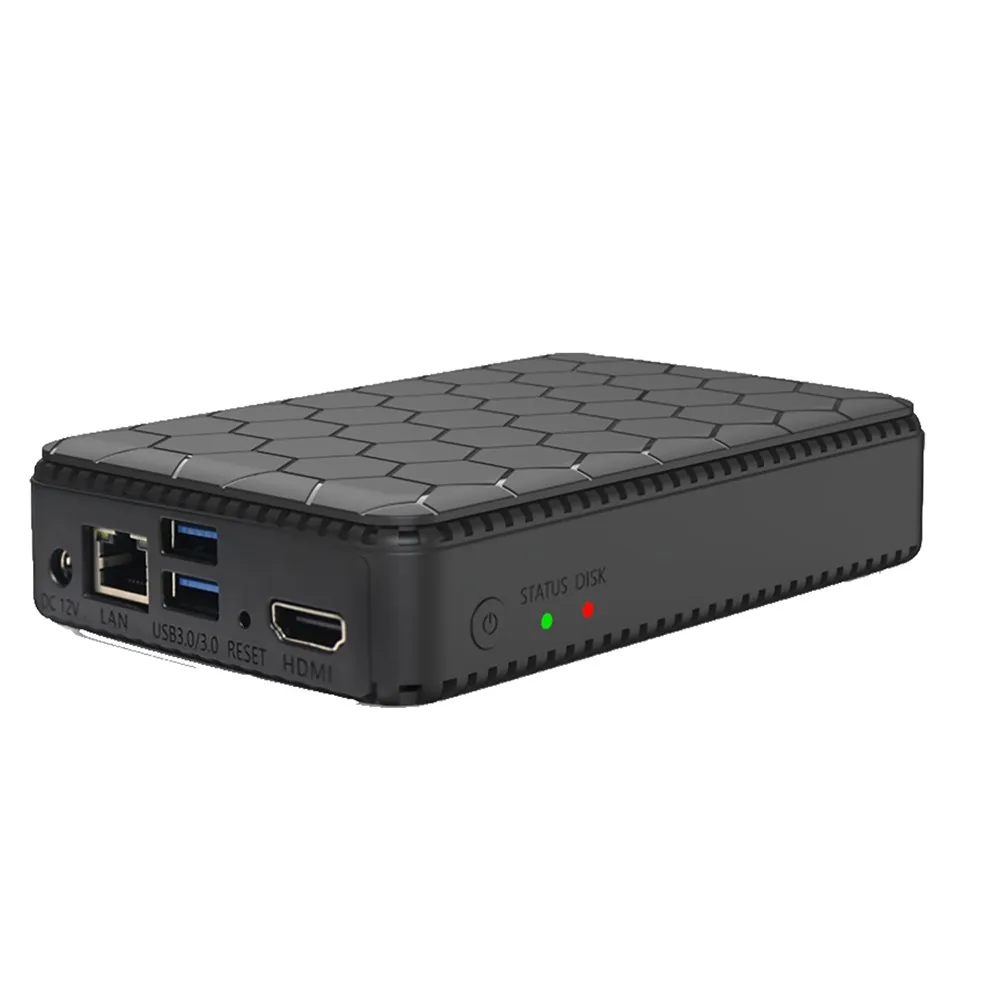
- A plug-and-play private NAS set with phone auto-backup — e.g. the Compare NAS brands → (comes with drives pre-installed)
- Your home Wi-Fi router (any brand, no special config needed)
- 15 minutes and your phone
Step 1 · Plug In and Power On (2 min)
Connect the NAS to power and to your router with the included ethernet cable. Wait for the status light to turn solid. No computer required, no operating system to install, no disk formatting.
Step 2 · Pair Your Phone (3 min)
Download the companion app, scan the QR code printed on the NAS (or shown on its local page), and sign in. The app discovers the device on your home network automatically — this is the step that used to require an IT degree and now takes less time than making coffee.
Step 3 · Turn On Auto-Backup (2 min)
In the app's settings, enable "Auto Backup over Wi-Fi." From this moment, every new photo and video syncs to the NAS in the background whenever you're home. Your first full 1TB backfill will run overnight on gigabit Wi-Fi; after that, daily increments take seconds.
Step 4 · Let Local AI Organize Everything (0 min — it runs overnight)
Once the backfill completes, the NAS's on-device AI indexes your entire library: faces, pets, locations, documents, even text in screenshots. Next morning, search "passport" or "grandma birthday 2024" and results appear instantly. All of this happens inside your home — nothing is uploaded anywhere for processing.
Step 5 · Set Up Family Sharing (3 min)
Create accounts for family members so everyone's phone backs up to the same home storage. Build shared albums for holidays and kids' milestones, and — if your TV supports it — browse the whole library on the big screen like a private Netflix of your memories.
What This Replaces
| Cloud habit | Typical yearly cost | NAS equivalent |
|---|---|---|
| 200GB photo backup | $35.88/yr, forever | $0 |
| 2TB family plan | $119.88/yr, forever | $0 |
| 4K video offload overflow | $50+/mo on bigger tiers | $0 (add your own drives) |
| AI photo search | Included (cloud-processed) | Included (locally processed) |
Curious what your break-even point is? Punch your subscription into the Cost Calculator — most people land between 12 and 18 months.
Troubleshooting Quick Hits
- Backup stalls on huge videos? Keep the phone on 5GHz Wi-Fi for the first backfill; later increments are tiny.
- Want remote access? Enable the app's secure remote-connect toggle — your files stay on the NAS, the tunnel is just for you.
- Worried about drive failure? Choose a two-bay set with RAID mirroring, or attach a USB drive for scheduled second copies.
FAQ
How long does the first 1TB backup take?
On gigabit Wi-Fi the theoretical time is ~2.5 hours; realistically plan an overnight run for the initial backfill. After that, daily increments of a few GB finish in minutes.
Does auto-backup work on cellular data?
By default it syncs over Wi-Fi only — that's what you want for 4K files. Remote access (browsing your library from anywhere) works over cellular since it moves only the files you tap on.
Can family members keep separate private albums?
Yes — each person gets their own account and private library, and you can optionally create shared albums for holidays and kids' milestones that everyone contributes to.
Fifteen minutes today — zero storage bills for the next decade.
Compare NAS brands →Was this article helpful?
One tap, no account and no comment box. It tells us which guides are actually worth updating.
How many drive bays is your NAS?
This is how we decide which setups to cover next.
Thanks.
Need help with a specific setup?
Storage choices depend on your drives, your budget and how many people share the box. Tell us what you are building and we will point you at a configuration that fits — no obligation, no sales script.
Related reading
- HDMI 2.1 eARC Soundbar for Bit-Perfect NAS Audio — Getting bit-perfect audio out of a NAS media server.
- Google Photos Alternative: Building Your Own Photo Cloud — Build your own photo cloud instead of renting Google Photos.
- Apple Watch Health Data: An Archive That Outlives Your iPhone — Keep Apple Watch health data in a local archive that survives a lost iPhone.
- NAS Backup Planner: Build a Layered Backup Plan — Turn your data and recovery needs into a layered backup plan.
Affiliate Disclosure: SecureNAS Hub may earn a commission from qualifying purchases made through links on this page, at no extra cost to you. See our full disclosure.
Run your own 5-year cost comparison with the on-site calculator
Hardware that fits this use case — check the specs and the five-year cost before you buy.
See woCyber NAS details → or run the 5-year cost calculatorWant this built to spec? Talk to a woCyber specialist about sourcing and pricing.
Request a quote from woCyber →