NAS Guides · Published 2026-10-20
mmWave Radar Fall Detection for Elderly Care on a Local NAS
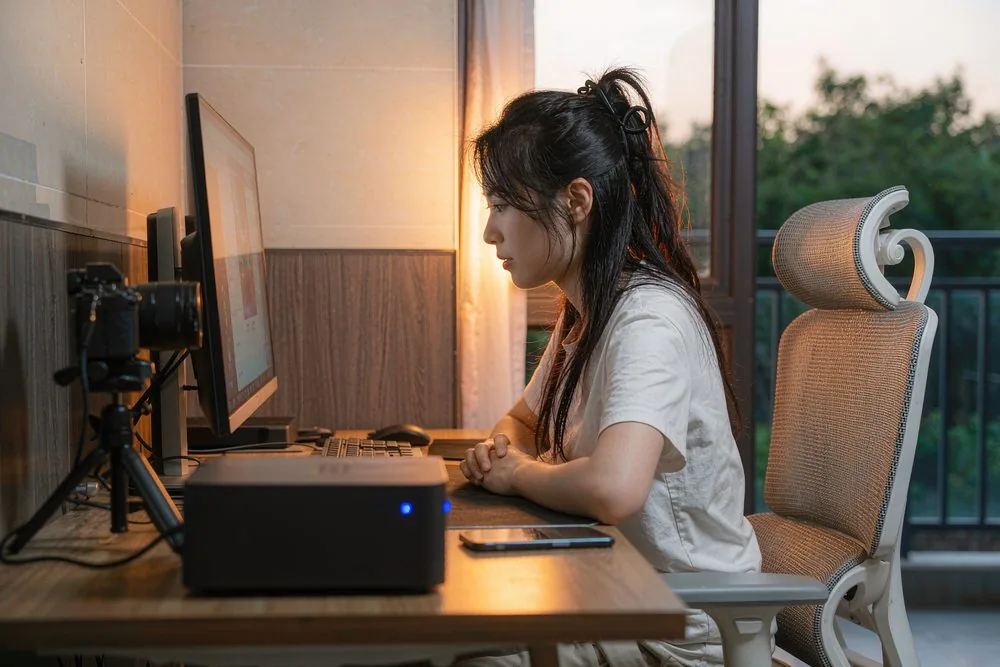
Direct answer up front, then the trade-offs that matter. This page covers mmWave radar fall detection elderly care and answers: What is a NAS and do I need one?.
By Anne · Storage and Home Tech Editor
Beat: Phone photo backup · How we review
Quick Answer
A 60 GHz mmWave radar senses falls and presence without a camera, so there is no video of the person in the room — only motion, position, and sometimes vital-sign data. When the sensor's hub logs events to a local NAS, the records stay in your home instead of a vendor cloud. The privacy win is real: no faces, no footage. The trade is that you run the storage and the alerting yourself, and the radar still tracks that a body is present and moving.
Key Takeaways
- mmWave radar at 60 GHz detects motion, range, and velocity using radio waves; it does not produce images, which is why it is pitched as a camera alternative for bedrooms and bathrooms.
- Fall detection works from the sudden change in a person's position and velocity profile, not from analyzing a video frame.
- Logs and simple event snapshots can be written to a local NAS, keeping elderly-care records off third-party servers.
- The 60 GHz band is allocated for short-range radar in many regions, but exact rules vary — verify the regulatory status for your market.
- Buy it if you need fall alerts without surveilling a loved one; skip it if you expect video evidence or cannot maintain a small server.
Why a Camera Fails the Bedroom
Put a camera in an elderly relative's bedroom and you get the data you want — falls, stillness, a person on the floor — wrapped in a problem you do not want. The footage is intimate. It gets uploaded, stored, and possibly reviewed by a stranger at the vendor. For many families, that trade is unacceptable, and for the person being watched, it is a loss of dignity.
mmWave radar removes the camera from the equation. The sensor emits millimeter-wave radio and listens for the echo. From the echo it builds a sense of where a person is, how fast they move, and whether they have suddenly dropped. No lens, no image, no facial recognition. That is the entire appeal in elderly care: you find out someone fell without ever seeing them fall.
The local-NAS part is the second half of the same idea. A radar sensor is only useful if it remembers and alerts. If the vendor keeps the log, you have traded a camera cloud for a radar cloud. Pointing the hub at a NAS you own closes the loop: the event history lives in your home, and you decide who sees it.
How 60 GHz mmWave Radar Works
Millimeter-wave radar operates at frequencies around 60 GHz, where the wavelength is small enough to resolve fine motion. The sensor transmits a chirp and measures the reflected signal's Doppler shift and time-of-flight. From that it extracts range (how far), velocity (how fast), and angle. Stack those frames and you get a coarse track of a body moving through a room.
For fall detection, the algorithm watches the velocity and vertical position profile. A person standing has one signature; a person collapsing has a fast downward velocity spike followed by stillness near the floor. The model flags that pattern. Because the input is radio, not pixels, the system works in the dark and through light clothing or a blanket — conditions that blind a camera.
The 60 GHz band is set aside for short-range radar and similar uses in many regions, which is why these modules are cheap and license-light. Regional rules differ, though, and some bands require specific power limits or registration. We could not verify the exact allocation for every market, so confirm the regulatory status with the module maker or a local compliance resource before deploying at scale.
What radar does not give you is an image. "Snapshot" in a radar system usually means a small point-cloud or a presence/position record, not a photograph. If your care plan needs to see what happened, radar alone will not provide it; it will tell you that a fall probably occurred and where, not show it.
What to Look For
Detection range and coverage. A ceiling-mounted 60 GHz module typically covers a single room; wall units cover a cone. Match the mounting to the room shape, and confirm the height the sensor needs — ceilings give the cleanest fall geometry.
On-device versus cloud processing. Some modules do the fall classification on the board; others ship raw data to a vendor server. For a privacy-first, NAS-logged setup, prefer on-device detection and a hub that writes events locally.
The hub and the NAS path. The radar talks to a gateway (Wi-Fi or Ethernet). That gateway is what must support writing logs to a NAS — via SMB, NFS, WebDAV, or an MQTT feed a small server records. Confirm the hub actually exposes local storage and is not cloud-only.
Alerting. Detection without notification is useless at 3 a.m. The system needs to reach a caregiver: push notification, email, or a local siren. Check whether alerts work when the internet is down, because a cloud-only alert fails exactly when the connection drops.
Power and failover. Elderly care cannot tolerate a dead sensor. A unit on a UPS, or at least one that reports its own offline status to the NAS, is worth more than a slightly better algorithm.
Real-World Costs
There is no camera-cloud subscription to avoid here, but there is still a server to run. A NAS you already own absorbs the logs for free; if you buy one only for this, the cost is the box plus the power. The five-year cost comparison of NAS versus cloud storage shows why owning the storage usually beats renting it across many use cases, and radar logging is one of them.
The other cost is integration time. Wiring a radar hub to a NAS is not a consumer plug-and-play step yet; you will read docs, set a mount point, and probably write a small script to turn MQTT events into readable logs. If that sounds like a chore, a managed cloud system is the easier path — you just pay the privacy cost instead.
Recommended Setups
Minimal setup. One 60 GHz ceiling sensor in the bedroom, a hub that logs to a NAS over the local network, and push alerts to two family phones. No camera anywhere in the house. Covers the highest-risk room for the lowest intrusion.
Whole-flat setup. Sensors in bedroom, living room, and bathroom, all feeding one NAS log with a simple dashboard. Bathroom coverage matters because falls there are common and a camera there is the least acceptable.
NAS-plus-camera setup. Radar for continuous, private presence monitoring; a camera that turns on only after a fall alert, recording a short clip to the NAS for review. This hybrid gives privacy by default and evidence on demand, but it demands careful automation so the camera never runs unprompted.
Common Mistakes
The first mistake is assuming "no camera" means "no surveillance." Radar still knows a body is in the room and where it is. That is less invasive than video, but it is not nothing. Be honest with the person being monitored about what the device senses.
The second is buying a cloud-only hub. The whole point of local logging disappears if the gateway ships everything to a vendor. Confirm local storage before purchase.
The third is forgetting alert delivery. Families discover at the worst moment that notifications needed the internet, which was down. Test the alert path on purpose, including a simulated outage.
The fourth is skipping the NAS backup. A fall log on one disk is one power supply away from gone. Replicate the log to a second volume or an offsite copy you control. The same discipline applies to saving camera footage to a local NAS without a subscription — the storage is only as good as its redundancy.
Real-World Scenario: A Private Fall-Alarm in a Parent's Home
What this changes for the use case. Instead of a wearable panic button the parent forgets to wear, or a camera that films the bedroom, a ceiling radar quietly watches for a fall and writes the event to a NAS the family controls. The parent keeps their dignity; the adult child gets an alert.
Hardware and software requirements. A 60 GHz mmWave fall-detection sensor, a hub with local NAS logging (SMB/NFS or MQTT), a NAS with a dedicated share and a backup, and an alert channel (push or email) that works without the internet. Mount the sensor on the ceiling of the highest-risk room.
Limits, caveats, and who should skip it. Radar detects falls but cannot explain them — no video means no confirmation of what actually happened, which some caregivers find insufficient. Pets can trigger false alarms depending on the algorithm. Skip the pure-radar approach if you need visual verification, and consider the camera-on-alert hybrid instead, or a medical-alert service with trained responders.
Frequently Asked Questions
Does mmWave radar see people like a camera?
No. It uses radio echoes to track position, motion, and velocity. It builds no image, so there is no face, no body shape on screen, and no footage to review. That is the core privacy difference from a camera, and the reason it is used in bedrooms and bathrooms where cameras are unwelcome.
Can a 60 GHz radar detect a fall reliably?
It detects the motion signature of a fall — a fast downward movement followed by stillness near the floor — using velocity and range data. Reliability depends on placement, the algorithm, and the room. It is generally good at the gross event but, like any sensor, produces false positives from pets or unusual movement and false negatives in odd circumstances. Treat it as one layer, not the only one.
Why store the logs on a local NAS instead of the cloud?
Because the logs describe a vulnerable person's daily presence and routines, which is exactly the data you do not want sitting on a vendor server. A NAS you own keeps that record in the home, under your control, with your own backup. It also keeps working (for local alerts) when the internet is down.
Is 60 GHz radar legal to use in a home?
In many regions the 60 GHz band is allocated for short-range radar and similar devices, which is why consumer modules exist. Exact power limits and registration rules vary by country. We could not verify the rule for every market, so check the regulatory status for your location before deploying, especially at scale or across borders.
Sources
- 60 GHz mmWave radar technology overview (Doppler, range, velocity sensing; short-range band allocation) — accessed 2026-10-19.
- Fall-detection methods using radar versus vision (motion signature, privacy comparison) — accessed 2026-10-19.
- Local NAS logging and alerting architectures for sensor hubs (SMB/NFS/MQTT to self-hosted storage) — accessed 2026-10-19.
- SecureNAS Hub guide on saving camera footage to a local NAS with no subscription — accessed 2026-10-19.
Run your own 5-year cost comparison with the on-site calculator
Every figure above is attributed in the Sources list — put your own drive count and subscription tiers into the calculator to see where you land.
Open the cost calculator →Related reading
Was this article helpful?
One tap, no account and no comment box. It tells us which guides are actually worth updating.
How many drive bays is your NAS?
This is how we decide which setups to cover next.
Thanks.
Need help with a specific setup?
Storage choices depend on your drives, your budget and how many people share the box. Tell us what you are building and we will point you at a configuration that fits — no obligation, no sales script.
Related reading
- Apple Watch Health Data: An Archive That Outlives Your iPhone — Keep Apple Watch health data in a local archive that survives a lost iPhone.
- Setting Up a NAS for Apple TV 4K: A Step-by-Step Guide — Wire a NAS into an Apple TV 4K for local streaming, step by step.
Affiliate Disclosure: SecureNAS Hub may earn a commission from qualifying purchases made through links on this page, at no extra cost to you. Facts and figures are attributed in the Sources list; nothing on this page is a fabricated test result. See our full disclosure. Product images are either supplied by the manufacturer or clearly labelled as illustrative renders; each one is captioned accordingly. Last reviewed 2026-10-20.