NAS Guides · Published 2026-10-19
How to Save 4G Solar Camera Footage to a Local NAS (No Subscription)
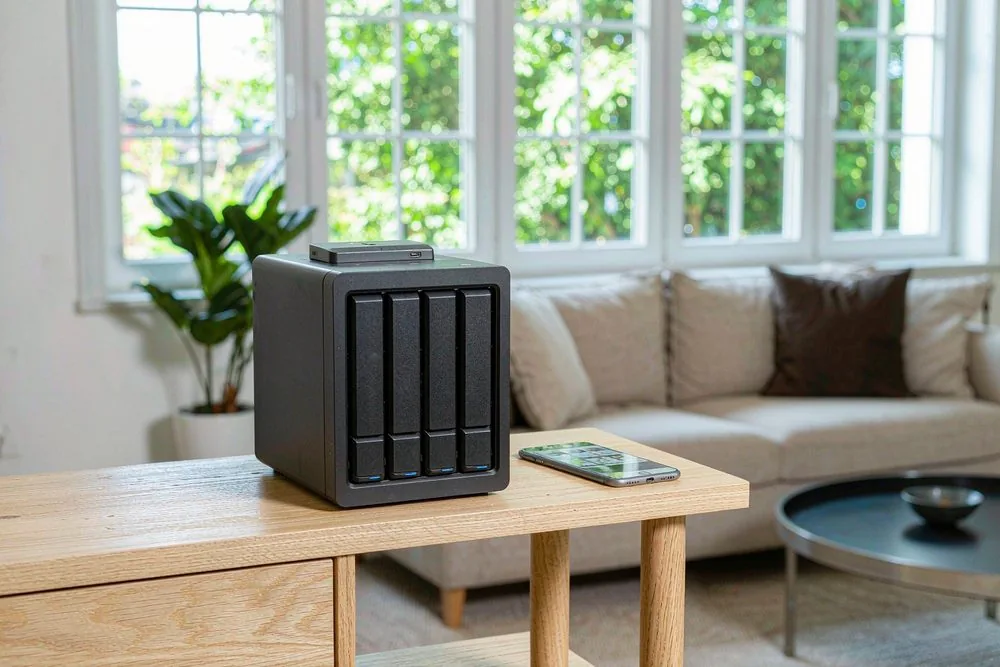
Direct answer up front, then the trade-offs that matter. This page covers how to save 4G battery camera footage to local NAS and answers: What is a NAS and do I need one?.
By Anne · Storage and Home Tech Editor
Beat: Phone photo backup · How we review
Quick Answer
Point a 4G solar camera at your gate and the clips can land on a NAS you own instead of a vendor cloud: the camera writes to its microSD, then either pushes clips over FTP to a NAS share, bridges through the vendor hub (Reolink Home Hub) into an RTSP/ONVIF recorder like Frigate or Synology Surveillance Station, or gets pulled by Scrypted's Reolink plugin. You kill the monthly cloud fee, but you take on a SIM data plan, a NAS, and the honest fact that most 4G battery cams won't hand you a clean RTSP stream by themselves. Worth it if you already run a NAS or hate recurring subscriptions; skip it if you want a five-minute plug-and-play fix.
Key Takeaways
- Most 4G solar cameras record to a small microSD card, not your NAS. "Local storage" on the box almost never means network storage.
- A clean NAS pipeline needs RTSP or ONVIF. Reolink's 4G cams reach that only through the Reolink Home Hub or FTP upload; eufy's 4G Starlight is app-and-microSD only.
- Frigate is free and open source and runs in Docker on most NAS boxes; Synology Surveillance Station needs a paid camera licence per unit (we could not verify current pricing).
- Budget roughly $6–$10 a month of 4G data instead of the vendor's cloud fee, but we could not verify current pricing for either.
- Take it only if you already own or plan a NAS. A pure phone-app setup stays simpler for most renters.
Quick Answer in Context
Cloud subscriptions are the dirty secret of the security-camera business. Ring, Nest, and the camera divisions of Reolink and eufy all dangle a cheap box, then charge you forever to actually keep the clips. Skip the plan and your footage vanishes after a few hours. That model irritates anyone who already owns a NAS, because the hardware you paid for is sitting there with terabytes free.
The second trap is sneakier. A camera that brags "no monthly fees, local storage" usually means a microSD card you must physically pull to retrieve evidence. A 128GB card fills in days of motion recording. Retrieving it means a ladder and a card reader, not a search box. Calling that "local storage" is a stretch when your NAS is ten feet away doing nothing.
So the real question is not "should I avoid the cloud" — it's "how do I get a cellular, solar, off-grid camera to actually write its clips onto storage I control." That is harder than the marketing suggests, and the rest of this guide is the unfiltered version.
How It Works
A 4G solar camera is a normal IP camera bolted to a cellular modem and a battery. It sends live view and alerts over the mobile network to the vendor app. The footage itself lives on the camera's microSD card. To move it to a NAS you need one of three bridges.
The first bridge is FTP upload. Many Reolink cameras support pushing motion clips or snapshots to an FTP server. A NAS can share a folder over FTP or SMB, so the camera drops files straight into it. Simple, but you get clips, not a smooth scrubbable timeline, and FTP over 4G burns data.
The second bridge is the vendor hub. Reolink's Home Hub sits on your LAN, talks to the camera over its private protocol, and re-exposes the stream as RTSP (Real Time Streaming Protocol). RTSP is the open rulebook that lets any recorder pull a camera's live video over your network without the vendor's app. The hub also speaks ONVIF, the open standard profile that lets IP cameras from different brands and an NVR discover and trust each other. Pair a Go-series 4G cam with a Home Hub and your NAS suddenly sees a normal camera.
The third bridge is software. Scrypted is a free video platform with a Reolink plugin that rebroadcasts the stream; Frigate, another free tool, then records and runs AI detection. Both run as Docker containers on the NAS. Docker packs the recorder into a container you run on the NAS without touching its built-in OS.
Here is the uncomfortable part. The eufy 4G Starlight Camera records only to 8GB of built-in storage and the app — there is no microSD slot and no documented RTSP output. The Reolink Go PT Plus supports FTP and reaches RTSP only through the Home Hub, according to Reolink's spec notes (accessed 2026-10-19). So "4G camera to NAS" is a project, not a setting.
What to Look For
Backup automation
Look for RTSP or ONVIF support first. Without one of them, the camera can only reach your NAS through FTP or a vendor hub, and you lose timeline scrubbing. Reolink's Go PT Plus lists FTP and Home Hub bridging (accessed 2026-10-19); the eufy 4G Starlight lists neither, only 8GB onboard and the app. MicroSD capacity matters too: Reolink's Go PT Plus takes a card up to 128GB, the Argus 4 Pro up to 512GB. A larger card buys time before the NAS copy must run.
Local AI indexing
On-device AI filters false alarms (person, vehicle, pet), but it does not archive. The NAS side is where real search lives. Frigate runs object detection locally; a Coral USB accelerator is a small AI chip that runs detection on-device so the NAS CPU does not peg. Without that, a two-camera 4G setup will saturate a low-end NAS while decoding H.265 streams. H.265, also called HEVC, compresses video about 50% smaller than H.264 at equal quality, directly cutting both storage and 4G data.
Expandability
Your NAS needs spare compute and bays. A 2-bay box like the UGREEN NASync DXP2800 runs Docker and can host Frigate for a couple of cameras, but we could not verify current pricing. Four-bay units give headroom for more drives and longer retention. Confirm the NAS supports Docker or a package install for Frigate or Surveillance Station before you buy; some entry enclosures block third-party containers.
Noise and power
A NAS runs 24/7, so power draws add up. A two-drive NAS typically pulls 15–30W under load (we could not verify per-model figures). Solar keeps the camera free, but the NAS still needs mains or a UPS. Put the NAS on a UPS, because a power blip during a break-in is exactly when you need the recording. The camera's 4G radio and solar panel are separate from NAS power entirely.
Real-World Costs
The camera is the easy number. Reolink lists the Go PT Plus at £159.99 on its UK store (accessed 2026-10-19). The eufy 4G Starlight Camera launched at $249 in the US (solarpowerconference.com press, accessed 2026-10-19). The Reolink Argus 4 Pro, a Wi-Fi 6 dual-lens 4K sibling rather than a 4G model, is listed at US $214.99 on Reolink's site (accessed 2026-10-19). The Tapo C420S2 two-camera hub kit carried a $199.99 MSRP at launch (TP-Link press, 2022-11-16).
The NAS is the unclear number. We could not verify current pricing for NAS enclosures, and you must add two hard disks on top. Software splits cleanly: Frigate is free and open source (frigate.video, accessed 2026-10-19). Scrypted's free core rebroadcasts RTSP, but its NVR recording plugin costs about $40 per year for four cameras according to a 2026 billing-portal write-up (privacysmarthome.com, accessed 2026-07-29). Synology Surveillance Station needs a per-camera device licence; we could not verify current pricing.
The recurring cost is mobile data, not a cloud plan. eufy's own example pegs light use near 500MB a month; an EIOTCLUB top-up runs about $6 for 500MB (shoptheworld.ca, accessed 2026-10-19). Over a year that is roughly $70 of data versus, in our view, the cumulative cost of a camera cloud subscription you would otherwise pay forever.
Recommended Setups
Budget setup
Buy one Reolink Go PT Plus (4G, solar, about £159.99, accessed 2026-10-19) and an existing two-bay NAS you already own. Enable FTP upload to a NAS share and set the camera to push motion clips only. No hub, no Docker, minimal data. Choose this if you want the cheapest path and can live with clip folders instead of a timeline. Skip it if you expect to scrub footage smoothly or add a second camera soon.
Family setup
Pair a Reolink Go PT Plus with a Reolink Home Hub so the stream appears as RTSP, then run Frigate in Docker on a four-bay NAS like the UGREEN NASync DXP4800-class box (we could not verify current pricing). You get timeline playback, AI detection, and zero cloud fees across the property. Choose this if you already run a NAS and value searchable history. Skip it if you have never touched Docker; the first config evening is real work.
Creator setup
Run two or three 4G cams (mix Reolink Go PT Plus and eufy 4G Starlight for gate and outbuildings) into Scrypted for rebroadcast, then Frigate for retention on a capable NAS with a Coral accelerator. Use the NAS as the single archive and back it up to a second disk. Choose this if you manage a remote site and want one searchable vault. Skip it if a single front-door cam covers your needs; the complexity is overkill.
Common Mistakes
Buying on the "local storage" label and assuming it means the NAS. It means a microSD card. Forgetting the SIM: a 4G camera needs a nano-SIM and a data plan, or it is just an expensive paperweight. Underestimating data — continuous 4G streaming to a NAS will blow past 500MB fast, so record on the card and sync clips, not live view. Skipping the vendor hub when the camera has no RTSP. Trusting the NAS but not backing up the NAS itself; a single drive failure erases the one copy of the evidence.
Real-World Scenario: Off-Grid 4G Solar Camera Writing Clips to a Local NAS (No Cloud Subscription)
What this changes for the use case
Picture a smallholding with a gate half a mile from the house and no usable Wi-Fi. A wired PoE camera is impossible and a Wi-Fi cam drops out. A 4G solar camera is the only practical eye on that gate. The change is ownership: instead of paying a vendor to hold your gate footage, the clips land on a NAS in the barn, searchable from your phone, with no monthly bill and no account that can be suspended.
Hardware and software requirements
You need a 4G solar camera with a SIM and data plan, such as the Reolink Go PT Plus (about £159.99, accessed 2026-10-19) or the eufy 4G Starlight ($249 launch, accessed 2026-10-19). For a clean NAS archive, add a Reolink Home Hub so the stream becomes RTSP, then run Frigate in Docker on any NAS that supports containers. A UPS protects the NAS during the very outages you are filming. Solar keeps the camera alive; the NAS still needs mains or a UPS.
Limits, caveats, and who should skip it
Data caps are the hard limit. Continuous 4G upload is expensive and slow; record to microSD and FTP or sync clips on a schedule. The eufy 4G Starlight offers no documented RTSP, so it suits app-only monitoring more than a true NAS archive. The Coral accelerator and Docker learning curve are real. Who should skip it: renters with one door, or anyone who wants a five-minute setup. Worth it if you already own a NAS and refuse to rent storage from a vendor forever.
Frequently Asked Questions
What is a NAS and do I need one?
A NAS (network-attached storage) is a small always-on box that holds your hard drives and shares files across your home network. You need one here only if you want camera clips on storage you control rather than a microSD card or a vendor cloud. If a single app-viewed camera covers you, skip it. For multiple cameras, off-grid sites, or searchable history, a NAS is the piece that turns scattered clips into one archive you own outright.
How much does a home NAS cost?
We could not verify current pricing for NAS enclosures, and you must add two hard disks on top of the box. Camera-side costs are clearer: the Reolink Go PT Plus lists at about £159.99 (accessed 2026-10-19) and the eufy 4G Starlight launched at $249. Software is mostly free — Frigate costs nothing, while Scrypted's NVR plugin runs about $40 a year for four cameras (accessed 2026-07-29). Budget the NAS, two drives, and a SIM plan as separate line items.
How many bays do I need?
For one or two 4G cameras, a 2-bay NAS with two matched drives in mirror is enough and keeps a copy if one disk dies. Add a third or fourth camera, or want longer retention, and a 4-bay unit earns its price through headroom. The deciding factor is retention, not camera count: H.265 clips at 2K still eat terabytes over months. Start with two bays if you archive motion clips; jump to four if you keep continuous footage.
Can a NAS replace cloud storage?
Yes, for storage and playback, and that is the whole point of this guide. A NAS holds your clips, serves them to your phone, and keeps them through a vendor outage. It does not replace the cloud's off-site copy, so a fire or theft that takes the NAS also takes the evidence. The honest fix is a second NAS or an offline disk at another site. In our view, local-first with a separate off-site backup beats renting cloud space you never actually own.
Can a 4G solar camera work without Wi-Fi?
That is the entire reason to buy one. A 4G solar camera uses a nano-SIM and a cellular data plan for its link, so it works anywhere with coverage and no router. The catch is data cost and the lack of a clean LAN stream: most 4G cams talk to the vendor app over the mobile network, not your home network. To reach a NAS you still use FTP, a vendor hub, or a plugin, because the camera has no reason to touch your LAN at all.
Do I need a SIM card and a data plan?
Yes. A 4G camera is a cellular device, so it needs a nano-SIM and a data-only plan from a carrier or an MVNO like EIOTCLUB. Light use runs near 500MB a month, and a 500MB top-up costs about $6 (accessed 2026-10-19). You do not need a voice plan, just data. The plan is your real recurring cost now instead of a cloud subscription, so price it against what the vendor would have charged you per month.
Why won't my 4G camera stream straight to my NAS?
Because most 4G battery cams are built to talk to the vendor app, not your network. The eufy 4G Starlight records only to 8GB onboard and the app; the Reolink Go PT Plus needs either FTP upload or a Reolink Home Hub to become an RTSP camera your NAS can see (accessed 2026-10-19). Vendors lock the stream to keep you in their ecosystem and, often, their paid cloud. The workaround is the hub, FTP, or a Scrypted plugin — not a setting buried in the app.
Sources
- Reolink Go PT Plus product page — specifications, 4G LTE, solar, FTP, Home Hub bridging, microSD up to 128GB. Reolink (UK store), accessed 2026-10-19. https://reolink.com/gb/product/reolink-go-pt-plus
- Reolink Argus 4 Pro product page — Wi-Fi 6 dual-lens 4K, solar, microSD up to 512GB, RTSP via Home Hub, listed at US $214.99. Reolink, accessed 2026-10-19. https://reolink.com/us/product/argus-4-pro/
- eufy 4G Starlight Camera launch — 4G LTE, 2K, 8GB built-in, $249 US launch, IP67, solar optional. solarpowerconference.com, accessed 2026-10-19. https://solarpowerconference.com/eufy-security-unveils-4g-outdoor-security-camera/
- eufy 4G Starlight specifications — 8GB built-in only, no microSD slot, app-and-onboard storage. horizonstore.com.au, accessed 2026-10-19. https://horizonstore.com.au/products/eufy-security-2k-lte-starlight-camera-white
- Tapo C420S2 two-camera hub kit — $199.99 MSRP at launch, 2K, hub-based local storage. TP-Link press release, 2022-11-16. https://www.tp-link.com/us/press/news/20310
- Frigate NVR — free, open-source local NVR with on-device AI detection, Docker install, MIT licensed. frigate.video, accessed 2026-10-19. http://frigate.video/
- Scrypted NVR pricing — free core; NVR plugin about $40/year for four cameras per a 2026 billing-portal write-up. privacysmarthome.com, accessed 2026-07-29. https://www.privacysmarthome.com/guides/scrypted-offline-setup-air-gapped-2026
- EIOTCLUB 4G data top-up — about $6 for 500MB / 30 days. shoptheworld.ca, accessed 2026-10-19. https://shoptheworld.ca/eufy-4g-lte-cellular-wireless-security-camera-2k-color-night-v/p/4811041308
- Reolink Go PT Plus integration note — no open RTSP/ONVIF without the vendor hub; app and microSD only otherwise. cctv-database.com, accessed 2026-10-19. https://www.cctv-database.com/camera/reolink-go-pt-plus
Run your own 5-year cost comparison with the on-site calculator
Every figure above is attributed in the Sources list — put your own drive count and subscription tiers into the calculator to see where you land.
Open the cost calculator →Related reading
Was this article helpful?
One tap, no account and no comment box. It tells us which guides are actually worth updating.
How many drive bays is your NAS?
This is how we decide which setups to cover next.
Thanks.
Need help with a specific setup?
Storage choices depend on your drives, your budget and how many people share the box. Tell us what you are building and we will point you at a configuration that fits — no obligation, no sales script.
Related reading
- CCTV Storage Calculator: NVR & Camera Storage Math — Estimate surveillance storage from cameras, bitrate and retention.
Affiliate Disclosure: SecureNAS Hub may earn a commission from qualifying purchases made through links on this page, at no extra cost to you. Facts and figures are attributed in the Sources list; nothing on this page is a fabricated test result. See our full disclosure. Product images are either supplied by the manufacturer or clearly labelled as illustrative renders; each one is captioned accordingly. Last reviewed 2026-10-19.