NAS Guides · Published 2026-10-16
Apple Watch Health Data: An Archive That Outlives Your iPhone
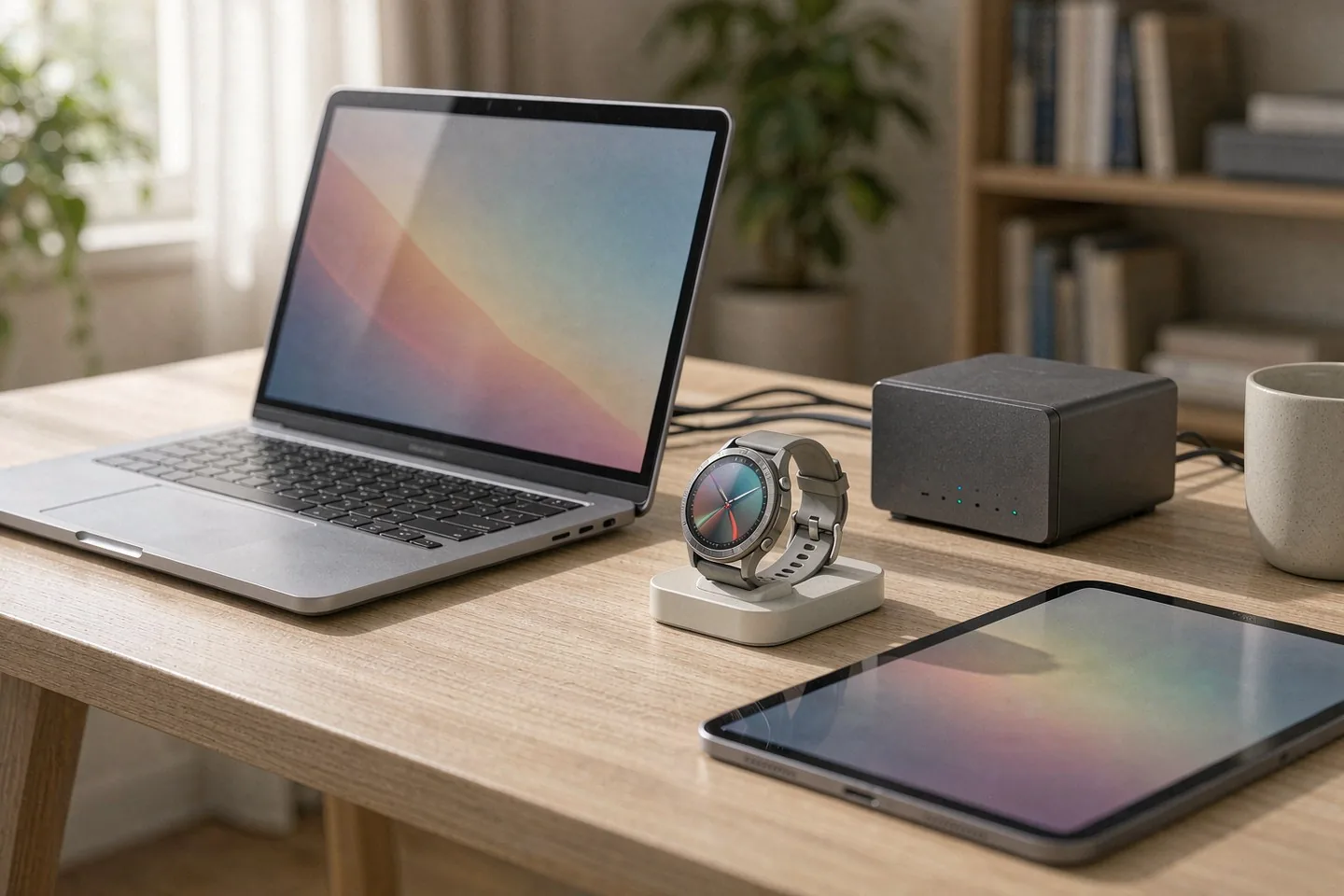
Direct answer up front, then the trade-offs that matter. This page covers apple watch and answers: What is a NAS and do I need one?.
By Konpin · Founder / Lead Analyst
Beat: Private-cloud economics · How we review
Quick Answer
Your Apple Watch does not store your health history in a file you can copy. Apple Health keeps its database in a private system area with no Files path, and the only full copy leaves the phone through an encrypted backup or the Export All Health Data option, which writes a single XML archive (File Path Geek, updated 8 October 2026). If you want that history to survive a lost, wiped, or replaced iPhone without renting more iCloud storage, a NAS on your own network is the practical answer. It is not a one-click sync, though. Apple gives you no automatic health-data export, so the job in 2026 is a scheduled manual bridge.
Key Takeaways
- Apple Health has no user-visible file path. Exports come from the profile screen, and the output is XML, not CSV or JSON (File Path Geek, 8 October 2026).
- An unencrypted iPhone backup skips health data entirely. Portability depends on one checkbox: Encrypt local backup, or iCloud Backup with Health switched on.
- A health export is small on paper and large in practice. Community reports describe a 150 MB archive expanding into 2.5-4.5 GB of plain-text XML (DEV Community, October 2026). We could not verify that figure independently.
- The Apple Watch Ultra 4, announced 9 September 2026, raises HRV sampling to "up to 24 times more often" and lasts up to 50 hours, which is what makes overnight records continuous (Apple Newsroom).
- A NAS gives you a local destination for those archives, but it cannot pull them off your iPhone by itself. Something has to be scheduled to push them.
What Changed
Two things moved at once this autumn, and they point in opposite directions.
The first is the hardware. Apple announced the Apple Watch Ultra 4 on 9 September 2026 and put it on sale 18 September, priced from $799 in the United States (Apple Newsroom). Apple's own phrasing for the headline health change is precise: HRV "is now measured up to 24 times more often" and is split into Recovery HRV and overall HRV. Battery life rises to "more than two days," up to 50 hours, or 84 in Low Power Mode. Reviewers agree the battery is the real story. Windows HQ, reviewing the Ultra 4 in October 2026, measured battery life rising from 42 hours on the Ultra 2 to 50 hours, and found average heart-rate readings close to a chest strap while flags a slightly lower maximum reading. ONDA Life, which scored it 7.7/10 on 10 October 2026, states plainly that it did not test the watch hands-on and that no independent validation of Recovery or Overall HRV against ECG was found as of October 2026.
The second is the data. More frequent sampling means a bigger record. An Apple Watch that samples HRV up to 24 times more often, worn night after night, produces a health timeline that is worth more the longer it runs, and worth exactly nothing if the phone that holds it is reset.
Who Is It For
There are three people this matters to, and the first one is not a homelab enthusiast.
The first is a long-term Apple Watch wearer with three or more years of history. That history is the actual asset. A trend line on resting heart rate or HRV is only useful against a baseline, and the baseline grows with the record. Someone who upgrades an iPhone every two or three years resets that clock each time unless the health data was carried across deliberately.
The second is a household that is already paying for iCloud. Apple's 2 TB iCloud+ tier costs $9.99 a month, checked 2 October 2026 against Apple's own price page, and the 200 GB tier costs $2.99. Health data is not the reason most people buy those tiers, but it is one more thing riding on a subscription that never ends.
The third is the person who has already decided to keep health records locally for privacy reasons. That group is smaller and more deliberate, and the rest of this article is mostly for them. If you are happy with iCloud Backup and you have verified that Health is switched on inside it, you already have a copy and you can stop reading.
Key Specifications
Apple Watch Ultra 4 has no entry in our specification ledger, so nothing below is a bay count, a memory figure or a port list. The only numbers we can attribute are the ones Apple and the reviewers published, and we name each source.
Capacity and bays
Apple does not market the Apple Watch on storage capacity, and we could not verify a specification for on-device health-data storage. What matters for archiving is the size of the record at the other end, after export. DEV Community reported in October 2026 that a 150 MB Health archive can expand into 2.5 GB to 4.5 GB of plain-text XML, and that a year of continuous heart-rate tracking can produce more than four million XML nodes. That is a community estimate, not an Apple figure, and we could not verify it independently. Treat it as a planning number with a wide error bar, and expect it to grow with the higher HRV sampling rate on the Ultra 4.
Connectivity
The archive does not move itself. Apple Support document HT211229 describes the two supported routes for getting Health data off an iPhone: a local backup to a Mac or iTunes with Encrypt local backup selected and a password set, or an iCloud backup with Health switched on. Apple's own documentation states that if you want to save Health and Activity data, you must select the encrypted option, and that the backup cannot be restored without that password.
Neither route writes to a NAS. That gap is the whole engineering problem, and it is a software gap, not a hardware one.
Software stack
What works on a NAS side is a shared folder the iPhone can reach. SMB is the reliable protocol on a home network, and a NAS exposes one by default. The push side is where you have a choice. Options we can describe without overclaiming: a Shortcuts automation that triggers the export and saves the file to a mounted share, a third-party health-export app that writes to a network destination on a schedule, or a manual export that you copy across once a month.
We have not benchmarked these three against each other, so we are not going to rank them. The one thing worth saying is that the manual route is the only one that cannot silently fail.
What Is New
The new part is not the NAS. It is the shape of the data leaving the phone.
Before watchOS 27, an Apple Watch produced a modest health record, mostly resting heart rate and a sleep estimate. The Apple Watch Ultra 4, and the Apple Watch Series 12 it shares a sensor system with, sample HRV far more often and split the result into two metrics: Recovery HRV for daily stress and recovery signals, and overall HRV for a broader view that Apple links to cardiovascular health. Apple's newsroom wording is "up to 24 times more often," and we are quoting it rather than paraphrasing, because it is a vendor claim and the multiplier depends on conditions.
More samples means a denser file, and a denser file is a better archive. It is also a file that is more painful to lose. Apple's export format has not changed to match: it is still the XML archive produced from the Health profile screen. MundoBytes describes the same export as a ZIP containing export.xml plus a folder of workout GPS routes, and notes that the XML cannot be opened in Excel or Google Sheets without a conversion step. That conversion, on a 2 GB-plus file, is where most people give up.
How It Compares
Three places a health archive can live. The costs below come from our own price ledger, each with the date we last checked it.
| Destination | Recurring cost | What you control | Main catch |
|---|---|---|---|
| iCloud Backup with Health on | iCloud+ 2 TB at $9.99/mo (Apple, checked 2026-10-02) | Almost nothing | Data sits in Apple's account; restoring needs the same Apple ID |
| Encrypted local backup to a Mac | $0 in software; Mac required | The backup file | Needs the Mac present, the password remembered, and the phone physically connected |
| NAS on your LAN | One-time cost; no subscription | The files, the retention, the offsite copy | No native Apple sync; you build and monitor the push yourself |
The middle row is the one people forget, and it is genuinely good. An encrypted local backup is a complete copy, and it is free if you already own a Mac. Its weakness is that it is tied to a device you have to connect. The third row trades that convenience for control, and it is the only row where you can keep a second copy at another address.
A NAS does not have to be expensive to make this useful. Our ledger lists the Synology DS925+ at $749.76 on Amazon as of 2 October 2026, and a pair of 8 TB NAS drives at $431 (WD Red Plus, DatacenterDisk listing) and $347 (Seagate IronWolf, Amazon), both checked 2 October 2026. Set that against $9.99 a month forever and the arithmetic is not close over five years, but this is not a cost argument in disguise. The subscription buys convenience you will not get from the NAS. The NAS buys a copy you can hold.
We did not verify current pricing for the Apple Watch Ultra 4 through our ledger, so the only figure we quote for that product is the $799 US starting price Apple published in its September 2026 newsroom post.
Who Should Consider It
Worth it if you have more than two years of Apple Watch history, you have an iPhone you intend to replace eventually, and you would rather own the copy than rent it. Worth it if you already run a NAS for photos or media and the health archive is one more folder on a share you already maintain. Worth it if your household has a second address where a copy could live.
Skip it if the health data is a nice-to-have rather than a record you consult. Skip it if you are not willing to check a schedule once a month, because the failure mode here is silent. A NAS that stops receiving exports does not send you an alert about your health data. It just holds an old folder, and you find out when you need it.
The honest trade-off: you are buying durability with maintenance. iCloud asks nothing of you and keeps charging. A local archive asks you to build a small process and keeps asking you to keep it running.
What Existing Users Should Know
If you already own an Apple Watch and an iPhone, you can start today without buying anything.
First, check whether you currently have a usable copy. Open Settings on the iPhone, go to your name, then iCloud, then iCloud Backup, and confirm whether Health is included. If it is off, and if you have never made an encrypted local backup, then your health history has exactly one copy, and it is on the device in your hand. File Path Geek makes the same point bluntly: unencrypted backups skip Health entirely, and that single checkbox decides whether the history survives.
Second, make one encrypted local backup now, before anything else. Apple's HT211229 spells out the steps, and the password is the part to write down somewhere a family member can find it. A password you cannot recover turns a backup into a brick.
Third, if you are upgrading to an Apple Watch Ultra 4 or a Series 12, keep the old watch paired long enough to confirm that the history transferred. The higher sampling rate on the new watch does not backfill the years it was not present.
Real-World Scenario: Automatic Lossless Photo Backup for Mobile
The broader use case here is automatic, lossless backup, and it is worth being clear that Apple Watch health data is the awkward cousin of the family. Photos and videos flow into a NAS easily, because every phone platform exposes a photo pipeline that background apps can hook into. Health data does not work that way. The database is private, the export is manual, and the file format is one most people cannot open. Free unlimited photo backup from a phone to a NAS is a solved problem in 2026. Health data is not.
What this changes for the use case
If you treat the health archive as a fourth backup target alongside photos, documents and home video, the practical change is that it gets a schedule instead of an intention. A monthly export lands on the NAS share, the NAS snapshots it, and the previous month's copy stays untouched. Over two years you accumulate a dated series of health archives, each one a complete snapshot of the record at that point. That dated series is worth more than a single current copy, because it lets you see a metric move against its own past.
For a household, this also removes a specific anxiety from device upgrades. Replacing an iPhone stops being a moment where years of watch history hangs on one checkbox being remembered correctly.
Hardware and software requirements
A two-bay NAS is enough. The archive is small next to a photo library, and a pair of drives in a mirrored setup covers the daytime disk-failure case. Our ledger prices the Synology DS925+ at $749.76 on Amazon as of 2 October 2026 and a 4-bay Synology DS923+ at $599 on the US street as of the same check date, so the entry point is lower than the model names suggest. If you already own a NAS, the requirement is a shared folder with a write-capable account.
On the phone side you need the export itself, which works on any iPhone that runs the current Health app, plus a way to reach the share. SMB over the local network is the simplest, and it keeps the traffic inside the house. You do not need a public IP address or any remote-access configuration to do this, which is the point: the archive never has to leave your own network to be safe.
Limits, caveats, and who should skip it
Be clear about what this does not do. It does not encrypt anything for you. An SMB share on a home network is convenient and it is not a secure channel, so if the archive matters, put it on an encrypted volume or an encrypted container on the NAS rather than a plain folder. It also does not protect against fire, theft or ransomware at the same address, so a second copy elsewhere is the actual durability step, not the first one.
We could not verify a supported way to have Apple push Health exports into a NAS automatically. Every route we found requires something on the iPhone side to initiate it, which means the automation can fail without telling you.
Skip this if you want automatic and hands-off. Apple has not built that, and no third-party tool we can point to makes it fully automatic in a way we have tested. If your real requirement is "set it and forget it," pay for the iCloud tier and move on. Skip it too if you are not prepared to keep the archive encrypted. A plain health database on a network share is a worse idea than an old archive in Apple's account.
Frequently Asked Questions
Where does Apple Health actually store my data?
Apple Health keeps its database in a private system area on the iPhone, reported as /var/mobile/Library/Health, and there is no path to it in the Files app (File Path Geek, 8 October 2026). Apps can only exchange data through HealthKit permissions, one prompt at a time. Direct file access is not available without removing the device's security model, which defeats the purpose.
How big is a full Apple Health export?
Apple's Export All Health Data produces a ZIP containing export.xml and a folder of workout GPS routes. Community reporting in October 2026 described a 150 MB archive expanding into 2.5-4.5 GB of plain-text XML, with a year of continuous heart-rate tracking generating more than four million nodes (DEV Community). We could not verify those numbers independently, and an Apple Watch Ultra 4 sampling HRV more often will likely push them higher.
Can I back up Apple Health without iCloud?
Yes, and the route is the encrypted local backup. Apple Support document HT211229 states that to save Health and Activity data from your iPhone or Apple Watch, you must select Encrypt local backup and set a password. We back up the copy, but we do not keep the password. Unencrypted backups skip health data entirely, which is the single most common way people lose years of history during a phone upgrade.
Does a NAS give me automatic health data backup?
No. A NAS provides a destination, not a source. You have to schedule something on the iPhone side to produce the export and send it to a network share. A Shortcuts automation or a third-party export app can do part of this work, and we could not confirm a route that runs with no iPhone-side step at all. Plan for a monthly check, not a set-and-forget.
Sources
- Apple Newsroom, "Apple unveils Apple Watch Ultra 4," 9 September 2026 — https://www.apple.com/newsroom/2026/09/apple-unveils-apple-watch-ultra-4/ (accessed 2026-10-16). Used for the $799 US starting price, the "up to 24 times more often" HRV wording, the 50-hour and 84-hour battery figures, and the 18 September 2026 on-sale date.
- Apple Support, "How to back up your iPhone or iPad with your Mac," document HT211229 — https://support.apple.com/en-hk/HT211229 (accessed 2026-10-16). Used for the encrypted-local-backup requirement for Health and Activity data.
- ONDA Life, "Apple Watch Ultra 4 review," scored 7.7/10, updated 10 October 2026 — https://onda-life.com/reviews/apple-watch-ultra-4 (accessed 2026-10-16). Used for the reviewer's disclosure that the piece was not hands-on tested and that no independent ECG validation of Recovery or Overall HRV had been found as of October 2026.
- Windows HQ, "Apple Watch Ultra 4 Review: Improved Battery Life and Health Features," October 2026 — https://windows-hq.com/apple-watch-ultra-4-review-improved-battery-life-and-health-features (accessed 2026-10-16). Used for the battery comparison against the Ultra 2 and the heart-rate accuracy observation against a chest strap.
- File Path Geek, "Where Is Apple Health Data Stored?," last updated 8 October 2026 — https://filepathgeek.com/posts/apple-health-data-location (accessed 2026-10-16). Used for the private database location, the absence of a Files path, and the encrypted-backup condition.
- DEV Community (Vaultbeat), "Why Apple Health export.xml Fails for AI (And the Real-Time Fix)," October 2026 — https://dev.to/vaultbeat/why-apple-health-exportxml-fails-for-ai-and-the-real-time-fix-4doe (accessed 2026-10-16). Used, with attribution and an explicit caveat, for the community-reported archive expansion figures and node counts.
- MundoBytes, "Exporting Apple Health data: a step-by-step guide to CSV and Sheets" — https://mundobytes.com/en/How-to-export-medical-data-from-Apple-Health (accessed 2026-10-16). Used for the contents of the export ZIP and the need for a conversion step before spreadsheet use.
- SecureNAS Hub price ledger, checked 2 October 2026. Used for iCloud+ 2 TB at $9.99/month, iCloud+ 200 GB at $2.99/month, Synology DS925+ at $749.76 (Amazon), Synology DS923+ at $599 (US street), WD Red Plus 8 TB at $431 (DatacenterDisk listing) and Seagate IronWolf 8 TB at $347 (Amazon).
Run your own 5-year cost comparison with the on-site calculator
Every figure above is attributed in the Sources list — put your own drive count and subscription tiers into the calculator to see where you land.
Open the cost calculator →Related reading
Was this article helpful?
One tap, no account and no comment box. It tells us which guides are actually worth updating.
How many drive bays is your NAS?
This is how we decide which setups to cover next.
Thanks.
Need help with a specific setup?
Storage choices depend on your drives, your budget and how many people share the box. Tell us what you are building and we will point you at a configuration that fits — no obligation, no sales script.
Affiliate Disclosure: SecureNAS Hub may earn a commission from qualifying purchases made through links on this page, at no extra cost to you. Facts and figures are attributed in the Sources list; nothing on this page is a fabricated test result. See our full disclosure. Product images are either supplied by the manufacturer or clearly labelled as illustrative renders; each one is captioned accordingly. Last reviewed 2026-10-16.