NAS Guides · Published 2026-10-19
Synology NAS Backup: The Job an All-Flash Ad Never Shows
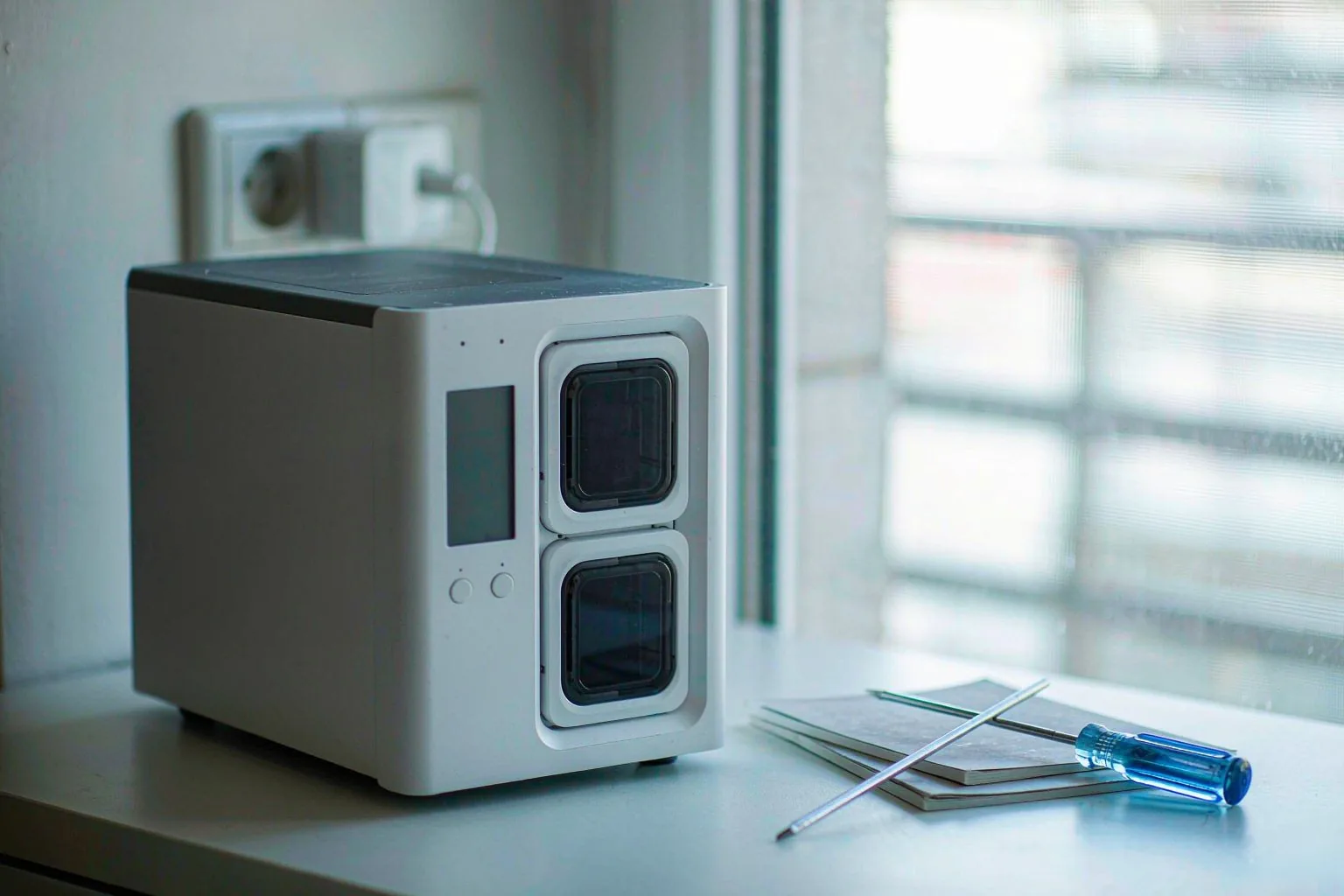
Direct answer up front, then the trade-offs that matter. This page covers synology nas and answers: What is a NAS and do I need one?.
By Leo · Hardware Reviewer
Beat: Drive bays, RAID and expandability · How we review
Quick Answer
No. A $599 all-flash NAS gives you faster reads, not a second copy. Minisforum's S5, announced on 16 October 2026, is a five-slot M.2 box that ships without drives, without redundancy and without a backup target. Backup starts when Synology Photos pulls phone originals onto the NAS and Hyper Backup writes a versioned copy somewhere else.
Key Takeaways
- A NAS is storage. A backup is a second copy on separate hardware, and the S5 does not include one.
- Synology Photos drops phone uploads in
/home/Photos/MobileBackup(Personal Space) or/photo/MobileBackup(Shared Space); on iOS 16 and later those default folders readiPhoneoriPad. - Hyper Backup can hold up to 65,533 versions of a folder, prune them with Smart Recycle, and encrypt the copy with AES-256 before it leaves the NAS.
- A two-bay DS225+ listed at $364.99 (Amazon, checked 2026-10-02) survives one drive failure. It does not survive a deleted folder.
What Changed
Minisforum announced the S5 on 16 October 2026. It is a fanless aluminium chassis with five M.2-2280 slots, PCIe 4.0 on each, 8 TB per slot and 40 TB in total. The processor is an Intel Core 3 304 with five cores, paired with 12 GB LPDDR5X-7467 and a dedicated NPU rated at 15 TOPS. Networking runs to one 10GbE port and one 2.5GbE port, plus Wi-Fi 7 and two USB4 ports at 40 Gbps. HotHardware reports $599 as the introductory price against a $749 list.
The interesting number is not the slot count. It is the price. Five NVMe bays and 10GbE used to be workstation-NAS territory, and Minisforum has pushed that combination into four-bay disk-NAS territory.
Its performance claims need a label. The 6x sequential and 100x random read figures come from Minisforum's own lab, measured against averaged results from five Western Digital hard drives. We have not tested an S5, and no independent benchmark was public on 19 October 2026. That does not make the numbers wrong. It makes them conditional. A sequential read figure depends on the test file size, the queue depth and the drive behind it, and a random read comparison against spinning disks flatters any SSD with a DRAM cache. Fill all five slots with budget QLC drives and the gap narrows, though it stays wide. Buyers who care about the 100x number should ask which drives produced it, because Minisforum did not name them in the material we read.
What the S5 signals matters more than what it scores. Cheap flash is arriving in the small-NAS bracket, which means the storage layer gets faster for everyone. Nothing in that shift creates a second copy of anything.
Who Is It For
Two buyers will look at this box and see different things. A video editor sees a 40 TB scratch volume with 10GbE and no fan noise. A household sees another place to lose photos.
Minisforum built the S5 for the first buyer. The launch material leans on 4K and 8K project files, RAW libraries and always-on local agents, and the 20 TB pre-populated bundle it says will ship in early November is aimed at the same crowd. A 15 TOPS NPU running a resident agent is a real feature for someone who wants semantic search over a media library.
That buyer still needs a backup. An agent that indexes a volume reads the same blocks a bad rm -rf deletes. If you plan to put the only copy of a client project on an S5, the box is a fast single point of failure.
For the second buyer, the S5 answers a question nobody asked. Household photo archives are small, read rarely and matter for decades. A 2-bay Synology with two 8 TB drives in RAID 1 costs less, runs DSM, and can push a versioned copy to a USB disk on a schedule.
Key Specifications
Both Synology models below are disk-based towers; neither competes with the S5 on throughput. They compete on recovery, which is the part of the job that gets tested at the worst moment. The table is generated from our spec and price ledgers, and a dash means we hold no verified reading for that field, not that the field is empty on the product.
| Field | Synology DS225+ (2025) | Synology DiskStation DS925+ |
|---|---|---|
| Price (tracked) | Amazon $364.99 (2026-10-02) | Amazon $749.76 (2026-10-02) |
| Drive bays (SATA) | 2 bays | 4 bays |
| M.2 NVMe slots | 0 slots | 2 slots |
| Max bays with expansion | 7 bays | 9 bays |
| Hot-swap bays | Yes | Yes |
| CPU | Intel Celeron J4125 | AMD Ryzen V1500B |
| CPU cores | 4 cores | 4 cores |
| Installed RAM | 2 GB | 4 GB |
| Max RAM | 6 GB | 32 GB |
| RAM slots | 1 slot | 2 slots |
| ECC RAM | No | Yes |
| 1GbE ports | 1 port | — |
| 2.5GbE ports | 1 port | 2 ports |
| USB ports | 2 ports | 2 ports |
| Form factor | Desktop tower | Desktop tower |
| Weight | 1.3 kg | 2.26 kg |
| Internal filesystem | — | Btrfs, ext4 |
| Warranty | 3 years | 3 years |
Capacity and bays
Two bays means two drives, and RAID 1 spends the second drive on redundancy rather than capacity. Buy two 8 TB disks and you get 8 TB of usable space with one-drive tolerance. The DS925+ takes four drives, which is where RAID 5 or SHR starts to make sense for a household with phones, laptops and a camera.
Thirty-two terabytes raw is not thirty-two usable.
Connectivity
The DS225+ is a two-bay unit with one 1GbE port and one 2.5GbE port. The DS925+ is a four-bay unit with two 2.5GbE ports and two M.2 slots; the DS225+ has none. For phone backup over Wi-Fi, 1GbE is not the bottleneck. For the first full upload of a 200 GB photo library, it is. Both models carry a 3-year warranty, which matters more than it sounds once a drive dies in year two.
Software stack
Synology Photos handles capture-to-NAS transfer, and Hyper Backup handles the second copy. Both run on DSM, and the help pages we read cover DSM 7.x. The DS925+ lists Btrfs and ext4 in our ledger. The DS225+ file-system field is missing there, so we could not verify whether that model ships with Btrfs.
What Is New
"Agent NAS" is the phrase Minisforum uses. The S5 runs MinisCloud OS with an edge-cloud architecture, where a local agent handles wake-up, retrieval and data scheduling on the NPU while a cloud model takes the heavier reasoning.
Treat that as a vendor description, not a measured capability. No independent review of the agent features was available when this was written.
Here is what the agent framing does not change. A local agent is a consumer of your files, not a custodian of them. It reads the volume. It does not notice that the volume is the only copy.
The other new item is mundane and more useful: the 20 TB bundle. Minisforum says it ships in early November, and the coverage we read did not include a price for it. A pre-populated all-flash NAS removes the step where buyers discover that five 8 TB M.2 drives cost more than the chassis.
How It Compares
Speed is the wrong axis for a backup decision, so compare the three boxes on what happens after a failure.
The S5 wins on throughput by a wide margin and loses on recovery options. It holds five NVMe drives, and MinisCloud OS may well support parity RAID, but we could not verify which RAID levels it offers, whether it supports snapshots, or how a restore works from its own interface. Those are the questions that matter at 2 a.m.
The DS225+ is the cheapest path into a known recovery workflow, at $364.99 diskless (Amazon, checked 2026-10-02). Two bays, 2 GB of RAM, no ECC and no M.2 slots put a ceiling on it. Hyper Backup still runs on it, and that is the point.
The DS925+ at $749.76 (Amazon, checked 2026-10-02) doubles the bays, adds ECC memory up to 32 GB, two 2.5GbE ports and two M.2 slots. Compared with the S5's $599 introductory price, it is slower and more expensive per gigabyte of raw flash, and it is the box I would trust with a photo archive. The gap is not small. An S5 with five 8 TB NVMe drives holds 40 TB before parity. A DS925+ with four 8 TB SATA drives holds 32 TB raw, and after a drive swap the array has to read every surviving disk in full before protection returns. What the DS925+ buys with that slowness is a recovery procedure Synology documents line by line.
Neither Synology price includes drives. A WD Red Plus 8 TB was listed at $431 (DatacenterDisk, checked 2026-10-02), so a two-drive DS225+ build lands well above the chassis price. That gap is the trade-off buyers skip when they compare a diskless NAS to a $599 flash box with no drives either.
There is a third Synology worth naming for anyone who wants five bays without going all-flash. The DS1525+ was listed at $1,309.99 on Amazon (checked 2026-10-02), with five SATA bays, two M.2 slots, 8 GB of RAM, dual 2.5GbE and expansion to 15 bays. It sits between the DS925+ and a full rack unit on price, and it is the closest thing here to the S5's bay count. The comparison is not flattering to the flash box on cost per terabyte, and it is not meant to be. Where the DS1525+ loses is noise and latency: five spinning drives in a desktop chassis are audible across a room, and a 4K project opened straight from the array will feel slower than the same file on NVMe. Buyers who edit from the NAS rather than copy from it should weigh that before the price difference decides anything.
Who Should Consider It
Worth it if you want a silent, fast local volume for active video projects and you already keep a separate backup. The S5's fanless design and 10GbE fit an edit bay where fan whine lands in the microphone.
Skip it if the plan is "put the family photos on it and stop paying iCloud." Five M.2 slots do not add redundancy by themselves, and the box has no drive included at $599.
Our take: the S5 is a good second machine and a poor first backup. Buy it to work from, not to archive to.
The argument for buying one anyway is real, and it goes like this: five NVMe slots already give me redundancy if I run parity, and the box is silent, so why add a second device? Redundancy answers a dead drive. It does not answer a deleted folder, a bad sync, a power surge through both drives, or a ransomware process holding write access to the share. A second device on a different power circuit answers all four. That is the whole case for keeping a slow Synology next to a fast Minisforum, and it costs one extra box.
What Existing Users Should Know
Three settings decide whether a restore takes two hours or two days.
The first is version retention. Hyper Backup's Smart Recycle keeps the earliest version from each hour for the past 24 hours, the earliest from each day for a month, and the earliest from each week beyond that. Set a version cap and the older copies disappear on schedule.
The second is the encryption password. Hyper Backup can encrypt client-side with AES-256, and Synology's own documentation warns that losing the password means permanent data loss. Store it somewhere that is not the NAS.
The third is format lock-in. Multi-version backups are written as .hbk files, and only Hyper Backup, Hyper Backup Explorer or Hyper Backup Vault can read them. Keep the desktop Explorer build with the drive you rotate offsite, or a restore years later becomes an archaeology project.
A restore drill is the only proof a backup exists. Pick one folder, restore it to a spare share, and compare the file count against the source. Fifteen minutes of work answers a question that a green check mark does not. Synology's spec page also says an interrupted task resumes without retransmitting data already written, which is why a nightly job that dies at 80 percent on a slow USB link is annoying rather than fatal.
One more limit worth naming: the destination needs at least 8 GB free before a task will start. That sounds trivial until a full USB disk silently rejects the nightly job.
Real-World Scenario: Automatic Lossless Photo Backup for Mobile
Phone photos are the one dataset nobody manages. They arrive at a rate of dozens a day, they sit in a camera roll, and the first sign of trouble is usually a full-storage warning. The scenario here is the ordinary household version: two phones, one NAS, no laptop in the loop. If you have not picked software yet, our free phone backup walkthrough covers the options beyond Synology Photos.
What this changes for the use case
Once Photo Backup is enabled in the Synology Photos app, the phone stops being the only copy. Uploads land in a predictable place: /home/Photos/MobileBackup when the destination is Personal Space, /photo/MobileBackup when it is Shared Space, and a custom path if you set one.
The folder structure is worth knowing before you enable anything. On iOS 16 and later, Apple's privacy rules mean the default folders use the generic names iPhone and iPad instead of the device name, so two phones in one house merge into the same folder path. Photos from both still carry their own capture dates, and the timeline view sorts them back into order, but folder-level separation has to be created by hand.
What changes in practice is the recovery story. A lost phone becomes a re-download instead of a loss, and the originals stay in their original format rather than a re-compressed copy. That re-download is not instant. Sixty gigabytes of photos over household Wi-Fi is an overnight job, and the NAS has to be reachable when you start it. The format point matters more than the speed: Synology Photos stores the file the phone produced, so HEIC stays HEIC and the capture timestamp survives the trip.
Hardware and software requirements
Any Synology NAS running DSM 7.x with the Synology Photos package will do, which puts the DS225+ at the low end. The phone needs the Synology Photos app, a Wi-Fi network that reaches the NAS, and enough free space for the queue. The iPhone side of this setup has its own quirks, and our iPhone 17 to NAS backup guide walks through the first-run sequence.
The second copy needs its own hardware: a USB drive attached to the NAS, a second Synology NAS, or a cloud destination that Hyper Backup supports. Multi-version tasks write .hbk files, which cost less space than the source but are unreadable without Synology's tools.
For Android, two settings decide reliability. Battery optimisation has to be set to unrestricted for the Synology Photos app, and some manufacturers require autostart to be enabled before background uploads run consistently. Synology documents both.
Limits, caveats, and who should skip it
RAID 1 tolerates one drive failure. It does not tolerate a deleted album, a ransomware process with write access to the share, or a power event that takes both drives. The second copy is the part that covers those, and it is the part most owners never finish.
Ransomware deserves a plain sentence. A mapped network share is writable by whatever runs on the machine that mounts it. Hyper Backup's versioning helps only if the backup target was offline or read-only when the encryption ran. We covered the failure sequence in what a NAS backup actually saves after a ransomware strike.
Two-bay owners hit a wall at expansion. The DS225+ supports seven bays with an expansion unit, but the first step is buying one, and the second is rebuilding an array. Anyone storing more than about 6 TB of photos should start at four bays.
Skip this setup if you want zero maintenance. Phone backup through a NAS needs the app to keep running, the NAS to stay powered, and someone to check the task log once a month. That is less than a subscription, and it is not nothing.
Frequently Asked Questions
Does a NAS back up my phone automatically?
Yes, once Photo Backup is enabled in the Synology Photos app. Uploads run in the background to the destination you choose, and the app shows a status icon per photo. The phone must stay on Wi-Fi and the app must retain background permission. On Android, battery optimisation set to restricted will stall uploads without an obvious error.
How much does a Synology NAS cost for photo backup?
A two-bay DS225+ was listed at $364.99 diskless on Amazon (checked 2026-10-02), and a four-bay DS925+ at $749.76. Drives are extra: a WD Red Plus 8 TB was listed at $431 (DatacenterDisk, checked 2026-10-02). A workable two-drive build therefore costs more than the NAS itself, which is the number most buying guides leave out.
How many bays do I need for a photo archive?
Two bays are enough for a household under roughly 6 TB, with RAID 1 using the second drive for redundancy. Four bays make more sense when you want RAID 5 capacity, room to swap in larger drives later, or a second volume for Hyper Backup. The DS925+ expands to nine bays, the DS225+ to seven.
Can a NAS replace iCloud or Google Photos?
For storage, yes. For the sync and sharing behaviour people actually use, partly. Apple's 2 TB iCloud+ tier is $9.99 a month (Apple Support, checked 2026-10-02) and includes photo sync across devices that a NAS does not replicate out of the box. A NAS replaces the storage bill, not the sharing features.
Sources
- HotHardware, report on the Minisforum S5 launch with pricing, slot count and NPU rating: https://hothardware.com/news/minisforum-launches-fanless-40tb-all-flash-local-ai-nas-599 (accessed 2026-10-19)
- Minisforum, S5 press release as syndicated, covering MinisCloud OS and the November bundle: https://newsak.org/news/details/pr-minisforum-announces-the-s5-a-5-bay-all-flash-agent-nas (accessed 2026-10-19)
- Synology Knowledge Center, Synology Photos on iOS, covering Photo Backup and iOS 16 folder naming: https://kb.synology.com/en-global/DSM/help/SynologyPhotos/iPhone?version=7 (accessed 2026-10-19)
- Synology Knowledge Center, Synology Photos on Android, covering battery optimisation and autostart: https://kb.synology.com/en-global/DSM/help/SynologyPhotos/Android (accessed 2026-10-19)
- Synology, Hyper Backup software specification, covering destinations,
.hbkformat, version ceiling and encryption: https://www.synology.com/en-global/dsm/software_spec/hyper_backup (accessed 2026-10-19) - Synology Knowledge Center, Hyper Backup walkthrough for local folders and USB drives: https://kb.synology.com/en-global/DSM/tutorial/How_to_back_up_your_data_to_local_shared_folders_or_USB_with_Hyper_Backup (accessed 2026-10-19)
- Synology, DS225+ product page: https://www.synology.com/en-global/products/DS225+ (accessed 2026-10-19)
- Synology, DS925+ product page: https://www.synology.com/en-global/products/DS925+ (accessed 2026-10-19)
Run your own 5-year cost comparison with the on-site calculator
Every figure above is attributed in the Sources list — put your own drive count and subscription tiers into the calculator to see where you land.
Open the cost calculator →Related reading
Was this article helpful?
One tap, no account and no comment box. It tells us which guides are actually worth updating.
How many drive bays is your NAS?
This is how we decide which setups to cover next.
Thanks.
Need help with a specific setup?
Storage choices depend on your drives, your budget and how many people share the box. Tell us what you are building and we will point you at a configuration that fits — no obligation, no sales script.
Affiliate Disclosure: SecureNAS Hub may earn a commission from qualifying purchases made through links on this page, at no extra cost to you. Facts and figures are attributed in the Sources list; nothing on this page is a fabricated test result. See our full disclosure. Product images are either supplied by the manufacturer or clearly labelled as illustrative renders; each one is captioned accordingly. Last reviewed 2026-10-19.