NAS Guides · Published 2026-10-11
iPhone 17 Photo Backup: Automating a Local NAS
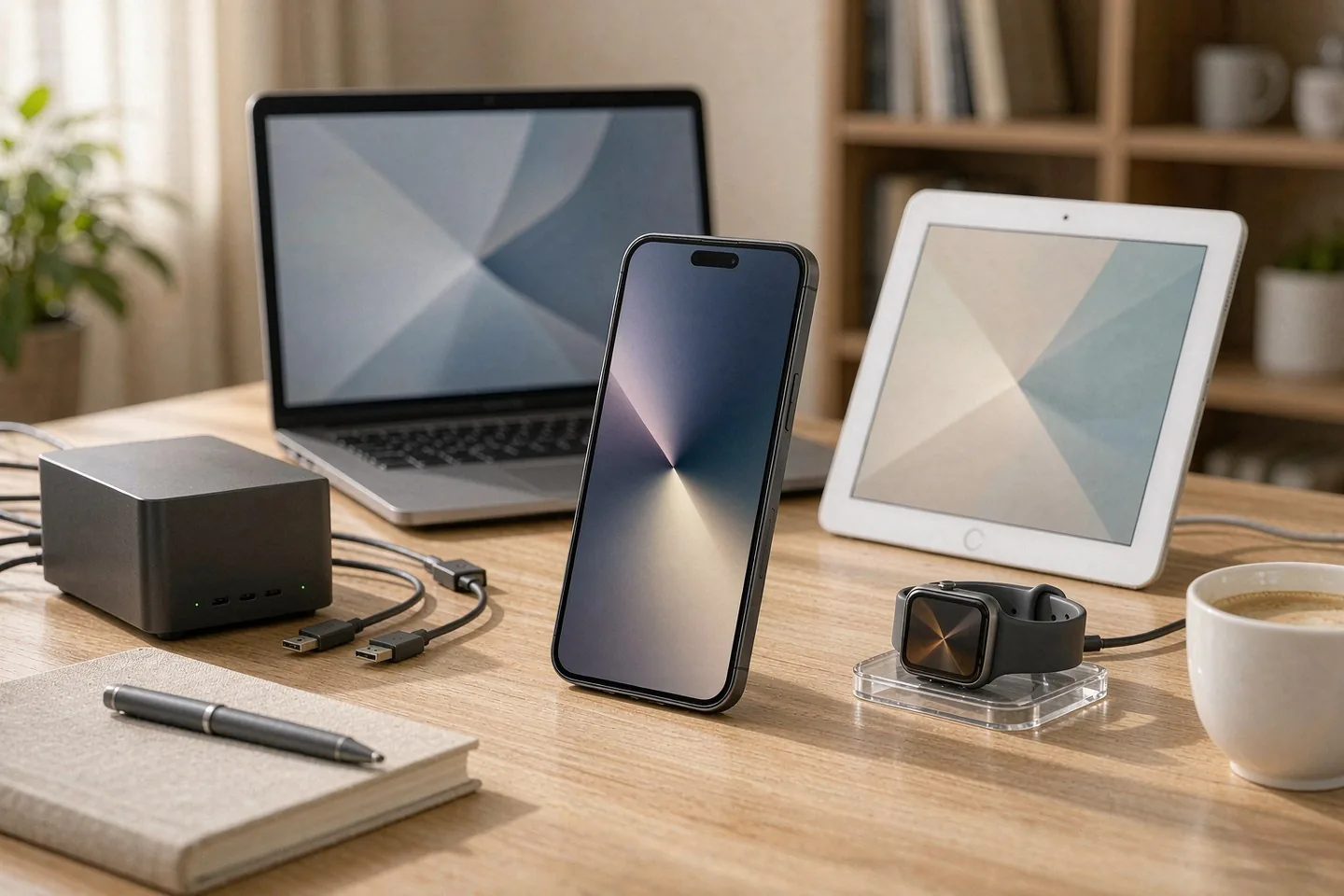
Direct answer up front, then the trade-offs that matter. This page covers iphone 17 and answers: What is a NAS and do I need one?.
By Lillian · Senior Editor, Buying Guides
Beat: Buying guides · How we review
Quick Answer
Point the iPhone 17's camera roll at a NAS and the phone stops being the limit on your library. The 256 GB inside the phone still fills up. The archive does not. Originals land on your own drives in the format the camera wrote, and nothing arrives with a monthly bill attached.
Key Takeaways
- Apple shipped the iPhone 18 Pro and Pro Max in September 2026, skipped a standard iPhone 18 and raised prices across the line, which leaves the iPhone 17 as the phone most buyers will actually come home with (CNET, updated 6 October 2026).
- The iPhone 17 comes in 256 GB or 512 GB and nothing in between (Apple, accessed 11 October 2026).
- iCloud Photos is a sync service, not a backup. Apple's documentation states that photos held in iCloud Photos are not duplicated in the iCloud backup and recommends keeping backup copies of the library (Apple Support, accessed 11 October 2026).
- Two 8 TB NAS drives cost $694 at the prices we track ($347 each at Amazon, checked 2 October 2026). A two-bay enclosure adds $364.99 to $389.99.
- A NAS is one copy. It survives a dead drive, not a fire or a theft, and anything irreplaceable needs a twin somewhere else.
What Changed
Apple's autumn reshuffle changed which iPhone people buy, not how photos are stored. The 18 Pro and Pro Max went on sale in September, the foldable iPhone Duo follows on 23 October, and the standard model sat the year out (CNET, accessed 11 October 2026). CNET's October buyers' guide now ranks the iPhone 17 first overall, after Apple lifted the whole line by $100 (CNET, accessed 11 October 2026).
That matters for storage because the iPhone 17 ships in two capacities: 256 GB and 512 GB (Apple, accessed 11 October 2026). Behind them sits a 48-megapixel main camera writing 4K video at 60 frames per second to the same space. Apple's ProRAW documentation puts a 48-megapixel ProRAW frame near 75 MB and says ProRAW files run 10 to 12 times the size of HEIF or JPEG (Apple Support, accessed 11 October 2026). ProRAW stays a Pro-model feature, so a standard iPhone 17 writes HEIF or JPEG only — but Apple publishes no HEIF file size at all, so nobody outside Cupertino can tell you exactly how many shots 256 GB holds.
The useful question is therefore not "how much storage do I need". It is where the library lives once the phone is full.
Who Is It For
Three groups hit this wall first.
- Families on a shared plan. One iCloud+ pool spreads across up to six people (Apple Support, accessed 11 October 2026), and the pool empties from the middle out.
- Anyone shooting 4K60. Apple rates ProRes at up to 30 times the size of HEVC and gates it to Pro models (Apple Support, accessed 11 October 2026). Plain 4K60 on a standard iPhone 17 is gentler than that, and still heavier per minute than any still.
- Households that outgrew the 200 GB tier years ago and have been paying for 2 TB a month ever since.
If your library fits inside the free 5 GB, skip this piece. No hardware beats free.
Key Specifications
Capacity and bays
The phone side is fixed. 256 GB on the base iPhone 17, 512 GB at the top, a 48-megapixel main camera, and the A19 doing the encoding (Apple, accessed 11 October 2026). The USB-C port runs at USB 2 speeds, 480 Mb/s — the same physical connector that Pro models use for external SSD recording at 10 Gbit/s. As arithmetic, 480 Mb/s is roughly 60 MB/s before protocol overhead, so offloading a 100 GB library by cable is a long coffee rather than a quick copy. Wireless is the practical route.
The NAS side is the part you choose. Two 8 TB drives in mirror give 8 TB usable, and either drive can die without taking the library with it. The two units in our ledger are the Seagate IronWolf 8 TB at $347 on Amazon and the WD Red Plus 8 TB at $431 through a DatacenterDisk listing, both checked 2 October 2026. Both are CMR — the recording method that tolerates a multi-drive chassis, which SMR drives do not.
Connectivity
Wire the box, leave the phone on Wi-Fi. The iPhone 17 carries Wi-Fi 7 and Thread alongside that USB 2 port (Apple, accessed 11 October 2026), and background upload runs over your wireless network while the phone charges, sleeps and gets used. Give the NAS a cable to the router anyway: a box that ingests a decade of photos should not compete with a video call for airtime.
Software stack
iOS 27 ships on the phone. On the NAS you need exactly one thing: an app that uploads originals and refuses to transcode. The self-hosted galleries people actually run — Immich, Synology Photos, Nextcloud — all offer background camera-roll upload from iOS, and our Immich vs Google Photos comparison covers where each one trades convenience for control.
What Is New
Two things are new this month, and neither is a camera.
The first is a pricing quirk worth knowing before checkout. Apple lists the iPhone 17 from $899 when a carrier connection is added at purchase, and the unlocked configuration rings up at $929 for 256 GB (Apple US store pricing tracked via MacPrices.net, checked 11 October 2026). Same phone, $30 apart, decided by one checkbox.
The second sits in Apple's own documentation: iCloud Photos stores originals at full resolution in HEIF, JPEG, RAW and HEVC, and those files are not duplicated in the iCloud backup (Apple Support, accessed 11 October 2026). Read that twice. The service people treat as their photo archive is, by Apple's own description, a synced copy in someone else's datacenter with a recommendation attached to keep backups of it.
How It Compares
Four routes cover most households. Three rent, one owns.
| Route | Recurring cost | What you keep | Our take |
|---|---|---|---|
| iCloud+ 200 GB | $2.99/month (Apple, checked 2 October 2026) | Originals in iCloud, synced across devices; 30-day Recently Deleted window | Cheapest paid tier for one person |
| iCloud+ 2 TB | $9.99/month (Apple, checked 2 October 2026) | Same, family-sized, shared with up to five others | The default family plan |
| Google One 2 TB | $9.99/month (Google, checked 2 October 2026) | Originals in Google's cloud | Same money, different company holding the copy |
| 2-bay NAS plus two 8 TB drives | $0/month; $1,058.99 once at October prices ($364.99 enclosure + $694 drives) | Originals on your drives, your retention policy | Wins against the top tiers, loses to the 2 TB tier over five years |
The arithmetic is short. Five years of the 2 TB iCloud+ plan is $598.80. Five years of the 12 TB plan is $3,599.40. The two-bay build above costs $1,058.99 once and crosses into cheaper territory against the 12 TB tier at about 18 months. Against the 2 TB tier it never catches up inside five years. Capacity and control are the real variables, not the monthly total — and if you want the fuller version of that argument, our public cloud vs private NAS breakdown runs it across more tiers.
On hardware, the two entry points we track differ in ways that matter once a phone writes to them daily:
| Field | Synology DS225+ (2025) | UGREEN NASync DXP2800 |
|---|---|---|
| Price (tracked) | Amazon $364.99 (2026-10-02) | Amazon $389.99 (2026-10-02) |
| Drive bays (SATA) | 2 bays | 2 bays |
| M.2 NVMe slots | 0 slots | 2 slots |
| Max bays with expansion | 7 bays | — |
| Hot-swap bays | Yes | Yes |
| CPU | Intel Celeron J4125 | Intel N100 |
| Installed RAM | 2 GB | 8 GB |
| 2.5GbE ports | 1 port | 1 port |
| USB ports | 2 ports | 4 ports |
| Warranty | 3 years | 2 years |
_Sources: Synology official comparison (DS225+) · UGREEN NASync DXP2800 product page_
Who Should Consider It
Worth it if three things are true at once: your library has outgrown 2 TB or will within a year, more than one person in the house shoots photos, and somebody is willing to update an app twice a year. Households in that position pay the hardware back against a 12 TB iCloud+ plan in under two years and keep the drives afterwards.
Skip it if your library fits in 200 GB, if you are the only shooter under the roof, or if "check the upload finished" sounds like a chore you would skip. The cloud tiers are the better product for that case, and saying otherwise would be bad advice.
Our take: buy the tier you need today and decide the archive separately. The iPhone 17 will hold a year of photos without complaint. The question the checkout never asks is where year six lives.
What Existing Users Should Know
If you already run iCloud Photos with Optimize Storage switched on, read this part twice. Apple documents that Optimize keeps space-saving versions on the device while iCloud holds the originals (Apple Support, accessed 11 October 2026). A backup app reads what is on the phone. Point one at an optimized library and you will archive the small versions, not the originals. Either turn Optimize off before the first local upload, or pull the originals out of iCloud to a computer first and seed the NAS from there.
Three habits beat any purchase here.
- Export in the format you shot. HEIF stays HEIF; a tool that converts to JPEG on the way out has already discarded data you cannot get back.
- Keep one copy off the NAS. A mirrored pair survives one dead disk. It does not survive a basement.
- Test a restore before you need one. Pull a photo from the archive onto a device that has never seen it.
Real-World Scenario: Automatic Lossless Photo Backup for Mobile
What this changes for the use case
Lossless, in this workflow, means one specific thing: the file on the NAS is byte-identical to the file the camera wrote. It does not mean HEIF is a lossless format — Apple's own figures imply the opposite, since ProRAW occupies 10 to 12 times the space of HEIF or JPEG from the same sensor (Apple Support, accessed 11 October 2026). The automation's only job is to move bytes without editing them.
That is the reason to distrust anything in the chain that re-encodes. A messaging app, a social upload, a "convert for compatibility" toggle inside a transfer tool — each can produce a fresh JPEG and call the result a backup. The original exists only where it was written.
For a household the change is dull, which is the point. Photos reach the NAS within hours of being taken, they are readable by anything that speaks SMB — the Windows file-sharing protocol every desktop and phone OS understands — and nobody has to remember a cable.
Hardware and software requirements
A two-bay NAS, two NAS-rated CMR drives, one Ethernet run to the router, and an iOS app that uploads originals in the background. That is the complete list. Both boxes in the comparison table fit; the UGREEN DXP2800 adds two M.2 slots and more memory at $389.99, the Synology DS225+ costs $364.99 with a three-year warranty (prices checked 2 October 2026). Our private cloud NAS shortlist covers larger chassis if four bays is the honest size for your house.
Two settings decide whether this is pleasant or a fight. Fix the NAS's address on your network so a router update cannot renumber it mid-upload. And set the retention policy on purpose — automatic upload plus an accidental delete propagation is how archives lose years.
Limits, caveats, and who should skip it
The first upload is the real cost. Apple says upload time for a photo collection depends on its size and your internet speed, and that larger collections take longer (Apple Support, accessed 11 October 2026); over home Wi-Fi, a decade of family photos means days, and the phone has to be charged and idle often enough for the app to finish.
Power is a running cost we have not measured. A two-bay box with two spinning drives draws current every hour of the year, and we will not invent a wattage. The monthly bill is not zero; it is just not a subscription.
Skip the local build if you want a copy that outlives a house fire without effort from you, if nobody in the house will ever open an admin page, or if the cheapest paid tier already covers your library. Those are reasonable answers, not failures.
Frequently Asked Questions
What is a NAS and do I need one?
A NAS is a small box on your network that holds drives and lets any device in the house read from or write to them. You need one if you want copies on hardware you control instead of on a subscription. If every photo you care about already sits in a cloud whose retention rules suit you, you do not.
How much does a home NAS cost?
At the prices we track for October 2026: $364.99 for a Synology DS225+ or $389.99 for a UGREEN DXP2800, plus two 8 TB drives at $347 each on Amazon. That is $1,058.99 for the Synology build, paid once, with no monthly fee. Budget for replacement drives years before the enclosure.
How many bays do I need?
Two, for a photo archive. One drive holds the data and the second mirrors it, so a single disk failure costs a replacement drive instead of the library. Four bays earn their keep when video joins the picture or several households share one box; for a camera roll they are extra money and extra noise.
Can a NAS replace cloud storage?
It replaces the storage, not the offsite copy. Apple states that iCloud Photos content is not duplicated in the iCloud backup and recommends keeping backup copies of the library (Apple Support, accessed 11 October 2026). The same logic applies to a NAS, which is one location with drives in it. Keep a second copy somewhere else, ideally in another building.
Sources
- Apple — iPhone 17 technical specifications: capacities of 256 GB and 512 GB, A19 chip, 48MP Dual Fusion camera system, HEIF and JPEG capture, USB-C at USB 2 (480 Mb/s), Wi-Fi 7 and Thread, iOS 27 — https://www.apple.com/iphone-17/specs/ (accessed 11 October 2026)
- Apple Support — set up and use iCloud Photos: originals stored at full resolution in HEIF, JPEG, RAW and HEVC; Optimize Storage keeps space-saving versions on the device; Recently Deleted holds items for 30 days; iCloud Photos content is not duplicated in the iCloud backup and Apple recommends keeping backup copies — https://support.apple.com/en-us/108782 (accessed 11 October 2026)
- Apple Support — iCloud+ plans and pricing: US monthly tiers, 5 GB free, sharing with up to five family members — https://support.apple.com/en-us/108047 (accessed 11 October 2026)
- Apple Support — about Apple ProRAW: a 12 MP ProRAW frame is approximately 25 MB, a 48 MP frame approximately 75 MB, and ProRAW files 10 to 12 times the size of HEIF or JPEG — https://support.apple.com/en-us/119916 (accessed 11 October 2026)
- Apple Support — about Apple ProRes on iPhone: ProRes files up to 30 times larger than HEVC, and ProRes recording restricted to Pro models — https://support.apple.com/en-us/109041 (accessed 11 October 2026)
- CNET — Best iPhone in 2026, updated 6 October 2026: iPhone 18 Pro and Pro Max on sale, no standard iPhone 18 this year, the iPhone 17 ranked first overall, prices up across the line — https://www.cnet.com/news/best-iphone/ (accessed 11 October 2026)
- CNET — Apple iPhone 2026 buying guide: the current lineup and the foldable iPhone Duo on sale 23 October — https://www.cnet.com/tech/mobile/apple-iphone-2026-buying-guide-decide-between-the-18-pro-pro-max-duo-air-17-17e/ (accessed 11 October 2026)
- MacPrices.net — Apple iPhone prices in the US: iPhone 17 listed from $899 with a carrier connection at purchase, $929 for the unlocked 256 GB configuration — https://www.macprices.net/apple-iphone (accessed 11 October 2026)
- SecureNAS Hub price ledger — iCloud+ 200 GB at $2.99/month and 2 TB at $9.99/month (Apple) plus Google One 2 TB at $9.99/month, checked 2 October 2026; Synology DS225+ at $364.99 and UGREEN NASync DXP2800 at $389.99 on Amazon, checked 2 October 2026; Seagate IronWolf 8 TB at $347 on Amazon and WD Red Plus 8 TB at $431 via a DatacenterDisk listing, checked 2 October 2026; iPhone 17 256 GB at $899 headline and $929 unlocked, checked 11 October 2026
Run your own 5-year cost comparison with the on-site calculator
Every figure above is attributed in the Sources list — put your own drive count and subscription tiers into the calculator to see where you land.
Open the cost calculator →Related reading
Was this article helpful?
One tap, no account and no comment box. It tells us which guides are actually worth updating.
How many drive bays is your NAS?
This is how we decide which setups to cover next.
Thanks.
Need help with a specific setup?
Storage choices depend on your drives, your budget and how many people share the box. Tell us what you are building and we will point you at a configuration that fits — no obligation, no sales script.
Affiliate Disclosure: SecureNAS Hub may earn a commission from qualifying purchases made through links on this page, at no extra cost to you. Facts and figures are attributed in the Sources list; nothing on this page is a fabricated test result. See our full disclosure. Product images are either supplied by the manufacturer or clearly labelled as illustrative renders; each one is captioned accordingly. Last reviewed 2026-10-11.