NAS Guides · Published 2026-10-22
A Multi-Room Audio System That Syncs Without the Cloud
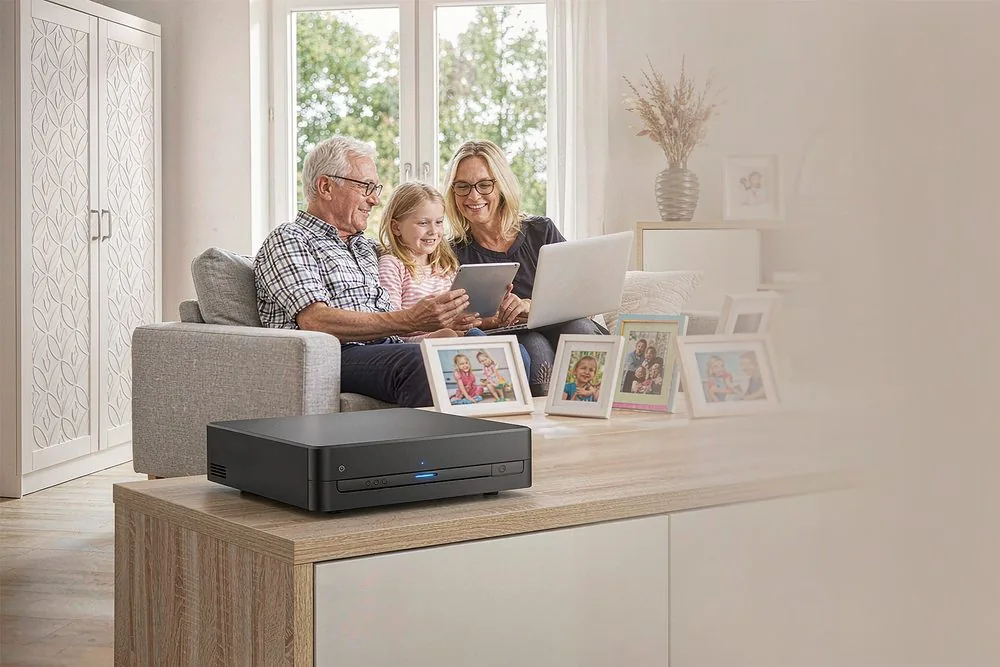
Direct answer up front, then the trade-offs that matter. This page covers multi room audio system sync without cloud and answers: What is a NAS and do I need one?.
By Lillian · Senior Editor, Buying Guides
Beat: Buying guides · How we review
Quick Answer
A multi-room audio system can sync every speaker in your apartment using only your local network, with the music library living on a NAS and the sync handled by a local protocol like Snapcast, AirPlay 2, or a DLNA/UPnP server — no Spotify account, no Google Home cloud, no monthly subscription required for playback. The trade-off is setup effort: cloud services make multi-room one tap, while a local system makes you assemble a server, choose endpoints, and wire the network. Do it if you already own a FLAC library or care where your listening history goes; skip it if you only stream from a phone app and never touch a server.
Key Takeaways
- "Without the cloud" means the audio never leaves your LAN: the files sit on a NAS, and the sync protocol coordinates speakers over local Wi-Fi or Ethernet.
- Snapcast is the open-source, sample-accurate option: a server on your NAS feeds time-aligned streams to client devices, with no subscription.
- AirPlay 2 syncs multiple Apple-compatible speakers tightly over the local network, but locks you into the Apple ecosystem.
- A NAS running Navidrome, Plex, Jellyfin, or Emby is the music library; the sync layer is separate from the library layer.
- Buy in if you own local files or value privacy; skip it if you only stream from a cloud account and want zero setup.
Why This Matters for Privacy and Ownership
Cloud multi-room audio is convenient because someone else runs the hard parts. Spotify Connect, Google Home speaker groups, and Alexa multi-room all sync beautifully — and all of them require an account, phone home with your listening data, and assume an internet connection is present. For a renter who already rips CDs to FLAC or keeps a family photo and media library on a NAS without subscriptions, handing listening history to a streaming service feels backwards.
The deeper issue is control. When the sync lives in the cloud, the feature set, the privacy policy, and the price change on the vendor's schedule. A local system moves those decisions back to you: your files, your network, your rules. The cost is that you assemble the pieces instead of tapping one button. For many apartment dwellers that trade is worth it, especially because the hardware you buy for local audio (a NAS, a few networked speakers, a small server) does double duty for video, backups, and photos.
The realistic framing is not "cloud bad, local good" but "cloud is easy and leaky; local is work and yours." This article is for people who have decided the work is acceptable.
How Local Multi-Room Sync Actually Works
A local multi-room system has two separate jobs. The first is the library: a NAS runs a media server — Navidrome for a lightweight Subsonic-compatible music server, or Plex, Jellyfin, or Emby if you already use one for video. The server indexes your FLAC and MP3 files and streams them to clients. The second job is sync: getting multiple speakers to play the same audio at the same time without drift.
Sync is where the protocols differ. Snapcast is purpose-built for this: a server reads an audio stream (from a local file, a streaming source, or a virtual sound device) and pushes time-aligned chunks to each client, with per-client latency correction so every speaker lands on the same sample. It runs as a Docker container on a NAS or a small single-board computer and has no subscription. AirPlay 2 does tight multi-speaker synchronization across Apple-compatible speakers on the local network; Apple designs it for low sync error, though the exact figure is a vendor claim we could not independently verify. It requires Apple hardware on both ends. Google Cast streams to Chromecast and Cast-enabled speakers over the local network, and speaker groups can play in unison; the initial setup usually goes through the Google Home app, which expects an account, even though the playback itself is local. DLNA/UPnP is the oldest and most widely supported, but its multi-speaker synchronized playback is weak — most renderers play independently, so true whole-home sync is not its strength.
The honest takeaway: if you want set-and-forget sync with no cloud, Snapcast is the cleanest open answer, and AirPlay 2 is the cleanest if you are already in the Apple world. Cloud-tied options like Roon do excellent multi-room, but Roon is a paid subscription service, so it does not meet the "no subscription" bar even though its RAAT endpoints are local.
What to Look For
The sync protocol. Pick one and commit. Snapcast gives sample-accurate, fully local, free sync but needs a server and client apps. AirPlay 2 gives effortless sync inside the Apple ecosystem. Cast gives broad hardware support with an account-assisted setup. DLNA is fine for single-room or casual use, not tight whole-home sync.
The music server. A NAS running Navidrome, Plex, Jellyfin, or Emby holds the library. If you already run a Plex vs Jellyfin comparison for video, reuse the same server for audio to avoid a second stack. Navidrome is the lightest pure-music option and runs happily on a modest NAS.
The network. Sync quality lives or dies on the LAN. Ethernet to fixed endpoints is ideal; Wi-Fi introduces jitter that even a buffering protocol like Snapcast has to absorb. Put bandwidth-hungry speakers on 5 GHz or wires, and keep the server on the NAS's wired port.
The endpoints. Any old phone, a Raspberry Pi with a DAC hat, a Cast-enabled speaker, or an AirPlay 2 speaker can be a client. The cheapest path is to reuse devices you already own rather than buying branded multi-room hardware that locks you into one vendor.
Privacy surface. With a local system, your library, play history, and metadata stay on your hardware. That is the actual product. If a setup sends usage telemetry, read the setting; the local-hub-vs-cloud argument applies to audio exactly as it does to home automation.
Real-World Costs
The software is mostly free: Navidrome, Snapcast, Jellyfin, and Plex (personal use) cost nothing to run on a NAS you likely already own. The hardware cost is the NAS and the speakers, both of which serve other purposes, so audio is not a separate capital expense for most people who already run a home server. We could not verify current hardware pricing across the category — check retailer listings for the specific models.
The real cost is time. A cloud multi-room system is working in ten minutes; a local one is an afternoon of installing a server, pointing it at your library, installing client apps, and tuning latency per room. The NAS-versus-cloud five-year math is the same logic: you pay once in setup and own the result, instead of paying forever for a service.
Recommended Setups
Budget setup. A NAS you already own running Navidrome, plus Snapcast server in Docker and the Snapcast client on phones or spare tablets in each room. Zero new hardware, zero subscription, fully local. Best if you like tinkling and already have files.
Apple-home setup. An AirPlay 2-capable speaker in each room and an Apple TV or Mac as the source, streaming your library from a NAS via a compatible app. Tight sync with minimal fiddling, at the cost of ecosystem lock-in.
Open DIY setup. A private cloud NAS running both Jellyfin (library) and Snapcast (sync), with wired endpoints in the living room and Wi-Fi clients elsewhere. This is the "no cloud, no vendor, no subscription" ideal and pairs naturally with a lossless FLAC stream to a Dolby Atmos soundbar in the main room.
Common Mistakes
The first mistake is expecting DLNA to do whole-home sync. It streams to one renderer well; synchronized multi-speaker playback is not its strength. If tight sync matters, use Snapcast or AirPlay 2.
The second is underestimating the network. Wi-Fi speakers that drift out of sync are almost always a signal or bandwidth problem, not a software bug. Wire what you can and reserve 5 GHz for the rest.
The third is assuming "no cloud" means "no account anywhere." Cast and some setup assistants still want an account to configure; the playback is local, but the onboarding is not. Know which part is local and which is not.
The fourth is buying vendor-locked multi-room hardware before deciding the sync layer. A proprietary ecosystem solves sync but traps your library inside one brand. A NAS-centric approach keeps the files portable.
Real-World Scenario: Whole-Apartment Sync from a NAS
What this changes for the use case. With Navidrome on the NAS and Snapcast across the apartment, the same album plays in the kitchen, bedroom, and living room at the same instant, with no streaming account involved. The listening history stays on your hardware, and a new speaker is just another client app, not a new subscription.
Hardware and software requirements. A NAS running Navidrome (library) and a Snapcast server (sync), typically as Docker containers; client devices — phones, Pis, or Cast speakers — on the local network; and the NAS wired to the router. Gigabit Ethernet to fixed endpoints, 5 GHz Wi-Fi for portable ones. The library is your own FLAC or MP3 files; nothing leaves the LAN during playback.
Limits, caveats, and who should skip it. Local sync will not give you Spotify's recommendation engine or a friend's shared playlist — those are cloud features by design. If you mostly listen through a streaming app and never touch a server, the cloud path is genuinely easier and the privacy cost may be acceptable to you. Skip the local build if you will not maintain a NAS or tune a network; the convenience tax of the cloud is the fair price for not wanting the work.
Frequently Asked Questions
Can a multi-room audio system really work without any cloud account?
Yes, for local files. A NAS holds the music and a local sync protocol (Snapcast, AirPlay 2, or a Cast group over your LAN) coordinates the speakers, so playback never touches a vendor cloud. Setup helpers like Google Home may still want an account to configure Cast groups, but the audio itself stays on your network.
What is the best open-source way to sync speakers locally?
Snapcast is the most common answer: a server on your NAS streams time-aligned audio to client apps on each device, with per-client latency correction, and it has no subscription. It runs as a Docker container and reuses devices you already own as endpoints.
Does AirPlay 2 need the internet to sync speakers?
AirPlay 2 syncs Apple-compatible speakers over the local network and does not require an active internet connection for playback between devices already on your Wi-Fi. It does lock you into Apple hardware on both the source and the speakers.
Is a NAS required, or can I just use my phone?
A phone alone cannot serve a whole-home library reliably, but a NAS is not strictly required if you only sync one or two devices from a computer. For an apartment-wide system with a real music library and always-on sync, a NAS running Navidrome or Jellyfin is the practical backbone.
Sources
- Snapcast project documentation (server-client architecture, per-client latency correction, local-network operation, Docker deployment) — accessed 2026-10-22.
- Apple AirPlay 2 multi-speaker synchronization overview (local-network sync, ecosystem requirements) — accessed 2026-10-22.
- Navidrome, Plex, Jellyfin, and Emby media-server documentation for local music libraries on a NAS — accessed 2026-10-22.
- DLNA/UPnP and Google Cast local-streaming behavior notes (single-renderer strength, multi-speaker limitations, account-assisted setup) — accessed 2026-10-22.
- SecureNAS Hub guides on private cloud NAS, local FLAC streaming to a soundbar, and running a home off the cloud — accessed 2026-10-22.
Run your own 5-year cost comparison with the on-site calculator
Hardware that fits this use case — check the specs and the five-year cost before you buy.
See woCyber NAS details → or run the 5-year cost calculatorWant this built to spec? Talk to a woCyber specialist about sourcing and pricing.
Request a quote from woCyber →Related reading
Was this article helpful?
One tap, no account and no comment box. It tells us which guides are actually worth updating.
How many drive bays is your NAS?
This is how we decide which setups to cover next.
Thanks.
Need help with a specific setup?
Storage choices depend on your drives, your budget and how many people share the box. Tell us what you are building and we will point you at a configuration that fits — no obligation, no sales script.
Affiliate Disclosure: SecureNAS Hub may earn a commission from qualifying purchases made through links on this page, at no extra cost to you. Facts and figures are attributed in the Sources list; nothing on this page is a fabricated test result. See our full disclosure. Product images are either supplied by the manufacturer or clearly labelled as illustrative renders; each one is captioned accordingly. Last reviewed 2026-10-22.