NAS Guides · Published 2026-10-28
Ransomware Protection for Home NAS: A Practical Checklist
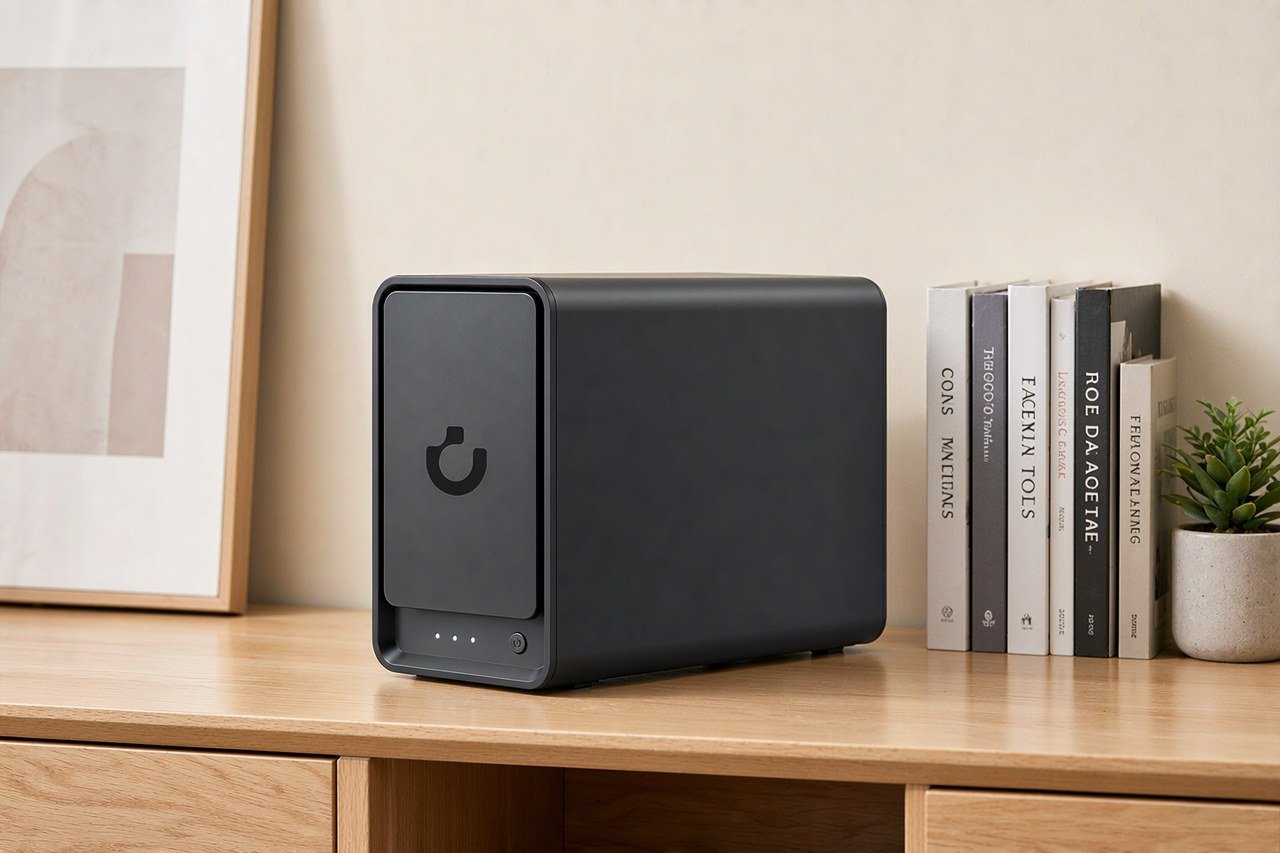
Direct answer up front, then the trade-offs that matter. This page covers ransomware protection for home nas and answers: What is a NAS and do I need one?.
By Konpin · Founder / Lead Analyst
Beat: Private-cloud economics · How we review
Quick Answer
Ransomware protection for a home NAS comes down to five controls: current firmware, no services exposed to the internet, one backup copy kept off the box, snapshots or versioned storage, and a restore you have actually tested. CISA's #StopRansomware Guide asks for offline, encrypted backups that get tested regularly (accessed 2026-10-28).
Key Takeaways
- Firmware is the cheapest control on this list. Synology runs a rolling product security advisory page (accessed 2026-10-28); checking it costs nothing.
- A NAS alone is not a backup. Encrypting the shares also hits the snapshots stored on the same box if the attacker gets admin rights.
- One ledger-priced setup that survives a full compromise: the UGREEN NASync DXP4800 Plus at $656.99 (Amazon, checked 2026-10-16) plus two WD Red Plus 8 TB drives at $431 each (DatacenterDisk, checked 2026-10-02), with one drive kept offline most of the week.
- The off-site copy can be cheap. Google One's 2 TB plan ran $9.99 per month (Google, checked 2026-10-02), which is $119.88 a year.
- An untested restore is a hope, not a plan. Run a drill every quarter.
Quick Answer in Context
Home NAS boxes concentrate everything worth stealing into one always-on device. Photographs from a decade, tax documents, family video — all behind one admin password that many owners set once and never touch again. CISA's ransomware guide lists phishing and exploitation of exposed services among the initial access routes it sees (accessed 2026-10-28), and a home NAS left with web login or file sharing reachable from the public internet fits the second route exactly.
The uncomfortable part: none of the five controls above is exotic, and none is sufficient alone. Patching closes known holes but not yesterday's. Snapshots roll back encryption, yet a determined attacker with admin rights deletes snapshots first. An off-site copy survives everything but adds monthly cost and restore-time friction. The checklist works as a stack, and the stack is the point.
Our take: treat the checklist like smoke alarms. Nobody enjoys buying them, and you will almost never need them, but the one night you do decides whether the story ends with a shrug or with ten years of family photos gone.
How It Works
Ransomware needs three things to ruin a NAS: a way in, admin rights, and write access to your files. The way in is usually a phished credential, a reused password, or a service you exposed for convenience. After that, encryption of the shares takes minutes, because the attacker is operating as you.
Each control cuts one of those three requirements. The shape most of them follow is the 3-2-1 rule: keep three copies of your data, on two different media, with one copy off-site (Backblaze, accessed 2026-10-28). Firmware patches shrink the attack surface that needs no password at all. CISA recommends keeping offline, encrypted backups of critical data and testing their integrity on a schedule (accessed 2026-10-28) — offline matters because ransomware that reaches a mounted backup share encrypts it too. Snapshot or immutable storage limits how far back an attacker can erase your history, though CISA notes some cloud vendors offer immutable storage and warns it does not meet compliance criteria for certain regulations, a caveat aimed at businesses rather than homes.
Worth it if you keep anything on the box you cannot re-download. Skip it if the NAS only holds transcoding scratch space and streaming media you could rebuild from discs.
What to Look For
Backup automation
The NAS should run backup jobs on a schedule without a laptop being awake. Look for built-in jobs that push to an external USB drive, to another NAS, or to a cloud target, and check that the job keeps its own log you can skim in one screen. A backup you configure and then never hear about again is a silent failure waiting for the worst week of your year.
Snapshots and versioning
Snapshots freeze the filesystem at points in time, so encrypted files can be rolled back to a clean state. The limit is placement: a snapshot on the same volume can be deleted by whoever holds admin rights. Vendors differ on how snapshots interact with their backup apps, and we could not verify from our ledger how each vendor's implementation survives a full admin compromise — treat vendor claims as claims.
Expandability
Storage that grows keeps the backup habit cheap. The DXP4800 Plus carries two M.2 NVMe slots alongside its four SATA bays (per the tracked specification sheet), which makes a local fast cache and slow archive split possible without a second box.
Vendor patch cadence
Security advisories are public evidence a vendor actually ships fixes. Synology's advisory index shows CVE-numbered entries with affected versions and patches (accessed 2026-10-28). Before buying any NAS, find that vendor's advisory page and check the last entry's date. A vendor whose last public advisory is a year old is either very clean or very quiet, and you cannot tell which from the product page.
Real-World Costs
A resilient setup has three price lines: the box, the drives, and the off-site copy. The table below comes straight from our tracked specification and price ledger — the dash means we have no verified reading for that field and we will not fill one in from a competitor's number.
| Field | UGREEN NASync DXP4800 Plus | Synology DiskStation DS925+ | QNAP TS-464 (8 GB) | TerraMaster F4-424 Pro |
|---|---|---|---|---|
| Price (tracked) | Amazon $656.99 (2026-10-16) | Amazon $749.76 (2026-10-02) | Amazon $639 (2026-10-02) | DatacenterDisk listing $730.99 (2026-10-02) |
| Drive bays (SATA) | 4 bays | 4 bays | 4 bays | 4 bays |
| M.2 NVMe slots | 2 slots | 2 slots | 2 slots | 2 slots |
| Max raw capacity | 144 TB | — | — | 88 TB |
| Max bays with expansion | — | 9 bays | — | — |
| Hot-swap bays | Yes | Yes | Yes | Yes |
| CPU | Intel Pentium Gold 8505 | AMD Ryzen V1500B | Intel Celeron N5095 | Intel Core i3-N305 |
| CPU cores | 5 cores | 4 cores | 4 cores | 8 cores |
| Installed RAM | 8 GB | 4 GB | 8 GB | 32 GB |
| Max RAM | 64 GB | 32 GB | 16 GB | 32 GB |
| RAM slots | — | 2 slots | 2 slots | 1 slot |
| ECC RAM | — | Yes | — | — |
| RAM soldered (not upgradeable) | No | — | — | — |
| 2.5GbE ports | 1 port | 2 ports | 2 ports | 2 ports |
| 10GbE ports | 1 port | — | — | — |
| PCIe slots | — | — | 1 slot | — |
| USB ports | 4 ports | 2 ports | 4 ports | 2 ports |
| HDMI output | 4K 60Hz | — | 4K 60Hz | 4K 60Hz |
| Form factor | Desktop tower | Desktop tower | Tower | Desktop tower |
| Weight | — | 2.26 kg | 2.26 kg | 3.4 kg |
| Internal filesystem | — | Btrfs, ext4 | — | — |
| Warranty | 2 years | 3 years | 3 years | 2 years |
The three-copy arithmetic on the UGREEN box: $656.99 for the DXP4800 Plus, $431 for one WD Red Plus 8 TB drive, $431 for a second — $1,518.99 in total, on retailer prices checked 2026-10-16 and 2026-10-02. Swap both WD drives for Seagate IronWolf 8 TB at $347 each (Amazon, checked 2026-10-02) and the same setup lands at $1,350.99. The off-site third copy runs $9.99 per month on Google One's 2 TB plan (checked 2026-10-02). For scale, the median tracked NAS price in our ledger sits at $648 across 12 models (n=12, as of 2026-10-24), so protection this article describes costs roughly the price of the box itself, once.
Recommended Setups
Budget setup
One two-drive NAS in mirror, one external USB drive on a weekly backup job that you unplug afterward, and a free-tier cloud folder for the irreplaceable folder only — scanned documents, tax PDFs, nothing else. This is the cheapest honest version of the stack, and the unplugged drive is your offline copy.
Family setup
A four-bay box with mirror storage plus the Google One 2 TB plan at $9.99 per month (checked 2026-10-02) as the off-site copy. Phones sync to the NAS; the NAS pushes the photo library to the cloud nightly. The monthly fee buys back the failure mode families hit most: a burglar takes the NAS and the USB drive sitting next to it.
Creator setup
Creators carry working files too large for consumer cloud plans, so the off-site copy moves to a second NAS at another location — a relative's house counts. Versioned storage on the primary box catches a bad render or an encrypted share before it spreads. The trade-off is restore time: pulling a multi-terabyte library across a home internet line takes days, so creators should also keep one offline drive for the current project only.
Common Mistakes
The most expensive mistake is trusting sync. A folder that syncs to the cloud propagates encryption upward with the same speed it propagates downward — CISA's guide distinguishes backup from sync for this reason (accessed 2026-10-28). Second: exposing the NAS admin page or SMB to the internet for remote access convenience, which turns the box into a publicly scannable target. Third: snapshots on the same volume treated as backups. Fourth: a restore procedure that has never been run. Fifth: buying a bigger drive instead of a second copy — capacity protects against nothing in this threat model.
A Recovery Drill You Can Run This Weekend
The drill takes about an hour and proves your stack works. Start by picking one folder that matters and deleting a file from it. Restore that file next, from your snapshot, your USB backup, or your cloud copy — whichever your plan says is primary. Then open the restored file and check it is the right version. Last, write down how long it took and what confused you.
Two things usually surface. Restores that depend on a client app you have not opened in a year, and credentials nobody remembers. Both are cheap to fix this weekend and expensive to discover during an incident. Run the drill quarterly; put it on the calendar next to the smoke-alarm battery.
Skip this drill if your NAS holds nothing you cannot re-download. Honest answer, most households still have at least one folder that fails that test.
Frequently Asked Questions
Can ransomware encrypt files on a home NAS?
Yes. If the malware runs with your user or admin credentials, it reads and writes the shares exactly as you would, so every mounted folder is fair game. Backups on the same box that are also mounted count as reachable too. That is why the offline copy and the tested restore exist in the checklist.
Are snapshots enough protection on their own?
No. Snapshots roll back accidental deletion and some encryption events, but an attacker with admin rights can delete snapshot schedules and data before encrypting. Snapshots are one layer, best paired with at least one backup copy the NAS cannot reach over the network — for example a USB drive that stays unplugged between jobs.
Do I still need cloud storage if I have a NAS?
For protection purposes, an off-site copy is the part a home NAS cannot be by itself. A $9.99 per month plan (Google One 2 TB, checked 2026-10-02) covers a small household's irreplaceable files; a fire or burglary takes the NAS and anything plugged into it together. Whether that trade is worth it depends on how much of your data is re-downloadable.
How often should I test my NAS backup restore?
Quarterly is a defensible cadence for a home setup, because it is frequent enough to catch silent job failures and rare enough to actually happen. CISA recommends regularly testing the availability and integrity of backups (accessed 2026-10-28); the drill above is a 60-minute home version of that requirement.
Sources
- CISA — #StopRansomware Guide — https://www.cisa.gov/stopransomware/ransomware-guide (accessed 2026-10-28)
- Backblaze — Data Backup Strategies: Why the 3-2-1 Backup Strategy is the Best — https://www.backblaze.com/blog/the-3-2-1-backup-strategy/ (accessed 2026-10-28)
- Synology — Product Security Advisory — https://www.synology.com/en-global/security/advisory (accessed 2026-10-28)
Run your own 5-year cost comparison with the on-site calculator
Every figure above is attributed in the Sources list — put your own drive count and subscription tiers into the calculator to see where you land.
Open the cost calculator →Related reading
Was this article helpful?
One tap, no account and no comment box. It tells us which guides are actually worth updating.
How many drive bays is your NAS?
This is how we decide which setups to cover next.
Thanks.
Need help with a specific setup?
Storage choices depend on your drives, your budget and how many people share the box. Tell us what you are building and we will point you at a configuration that fits — no obligation, no sales script.
Affiliate Disclosure: SecureNAS Hub may earn a commission from qualifying purchases made through links on this page, at no extra cost to you. Facts and figures are attributed in the Sources list; nothing on this page is a fabricated test result. See our full disclosure. Product images are either supplied by the manufacturer or clearly labelled as illustrative renders; each one is captioned accordingly. Last reviewed 2026-10-28.