Backup & Privacy · Published 2026-10-05
Google Photos Storage Costs vs a NAS: The Five-Year Math
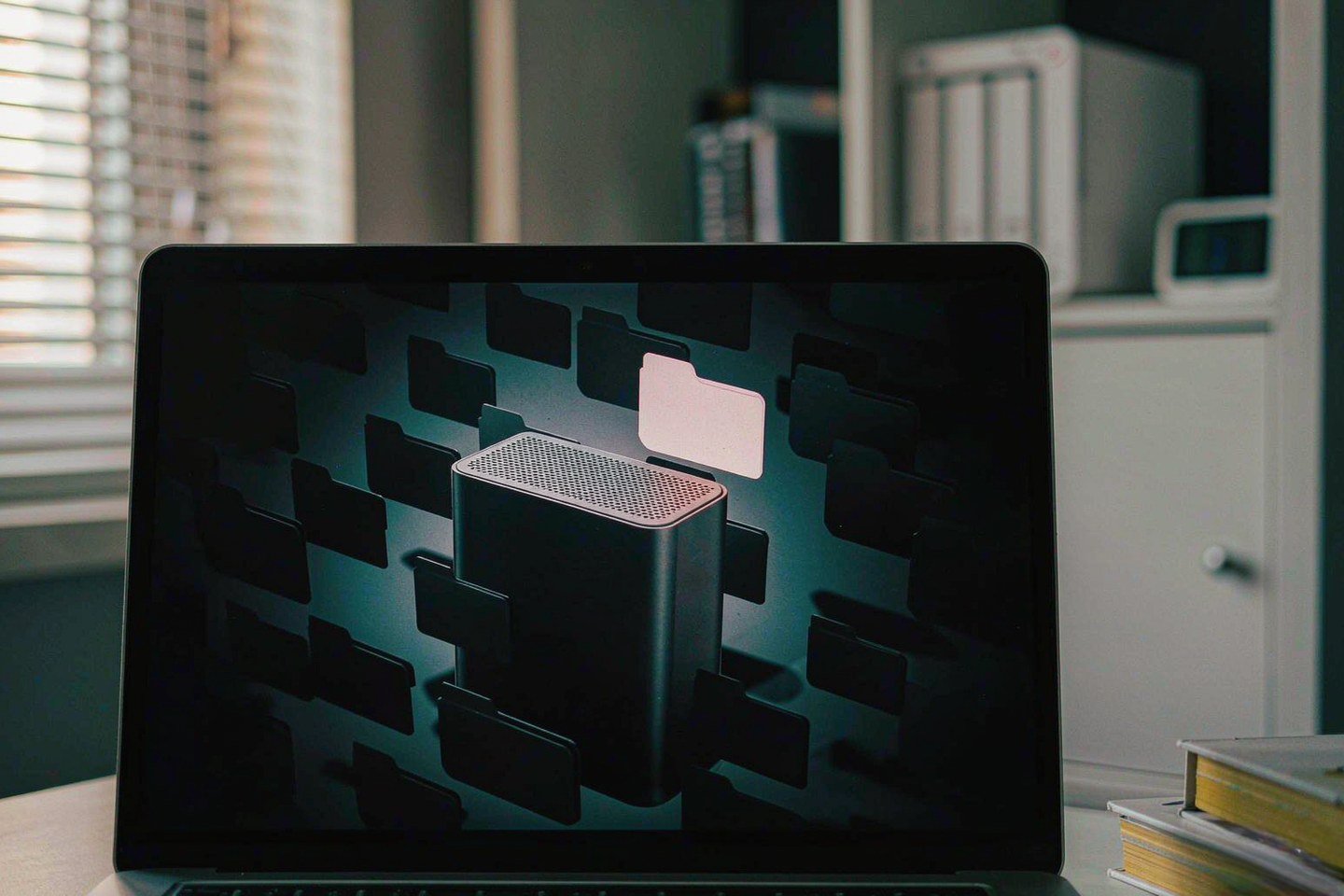
Direct answer up front, then the trade-offs that matter. This page covers google photos and answers: How do I secure a NAS on my network?.
By Jack Huang · Senior Writer, Local AI and Smart Home
Beat: On-device AI features · How we review
Quick Answer
Google has fixed the Photos bug that blocked deleting, sharing and editing inside the app: the repair shipped in Google Photos 7.94.0.988717361 on September 29, 2026, per a Google statement published by PetaPixel (accessed October 5, 2026). The five-year math behind the story: Google One's 2 TB tier costs $9.99 a month — $599.40 over five years on monthly billing (checked October 2, 2026) — while a Synology DS225+ plus one Seagate IronWolf 8 TB drive totals $711.99 and holds four times the data. Under 2 TB, rent. Past it, buy the box.
Key Takeaways
- The fault: after a crop or a rotate, the Share, Edit, Add to and Trash buttons went dead inside the Google Photos editor (Android Authority, September 28, 2026; accessed October 5, 2026).
- Reddit reports covered Pixel 8, Pixel 9, Pixel 10 and Pixel 11-series phones, and an Android Authority staffer reproduced it on a Samsung Galaxy S25 Ultra.
- Google's two workarounds before the fix landed: save new edits with "Save as copy", and delete or share already-edited shots on photos.google.com in a browser.
- Every price below comes from our price tracker, checked October 2, 2026: Google One 100 GB at $1.99/month, 200 GB at $2.99/month, 2 TB at $9.99/month (US, Google direct).
- A Synology DS225+ lists at $364.99 on Amazon and a Seagate IronWolf 8 TB (ST8000VN004) at $347 — $711.99 together, or $1,058.99 with a mirrored pair of drives.
- The catch: at exactly 2 TB the cloud is cheaper over five years. The NAS wins per terabyte, not on the sticker.
What Google Broke Last Week, and What It Fixed
Here is the sequence Android Authority documented. You crop or rotate a photo in the Google Photos editor, then tap Share, Edit, Add to or Trash. Nothing happens. The buttons are not slow; they are gone. Reports piled up on Reddit's r/pixel_phones during the last week of September across Pixel 8, Pixel 9, Pixel 10 and Pixel 11-series phones, and one Android Authority staffer hit the same wall on a Samsung Galaxy S25 Ultra (accessed October 5, 2026).
Google confirmed the fault to Android Authority and handed out two workarounds while the fix was in flight: save new edits with "Save as copy" so the original file stays untouched, and do your deleting or sharing of already-edited shots on photos.google.com instead of the app. A Google spokesperson said the Photos team was "working on rolling out a fix ASAP" in a statement PetaPixel published on September 29. By that evening the fix was live in version 7.94.0.988717361.
| What failed | Google's workaround | Where the fix landed |
|---|---|---|
| Share, Edit, Add to and Trash after a crop or rotate | "Save as copy" for new edits; photos.google.com for old ones | Google Photos 7.94.0.988717361, September 29, 2026 |
Two things we could not verify as of October 5, 2026: how many accounts were affected, and whether the update has finished reaching every regional Play Store. Google published no incident count.
The Part That Should Bother You Is Not the Bug
Delete is the verb that matters.
A broken editor is an inconvenience, and six days of it will not make headlines in a year. What the incident actually demonstrated is structural. When the only copy of fifteen years of family photos lives on Google's servers, the delete button is borrowed property. For the better part of a week, a chunk of Android owners could not remove a photo they wanted gone — and could not confirm what had or had not been removed, because there was no second copy to compare against. No archive loss appears in any report we read, and we will not claim otherwise. The point is narrower: the control plane sat on the other side of the network, and it failed without offering you a fallback.
The same logic runs through the storage tiers. Google Photos hands every account 15 GB of shared space across Photos, Gmail and Drive, per the app's Play Store listing (accessed October 5, 2026). That pool fills up. When it does, the upgrade path is a subscription, and the "free up space" button deletes your local copies so the cloud version becomes the only version. That loop is convenient. It is also the exact moment where owning a second copy stops being optional.
The Five-Year Math: Google One Tiers Against a NAS
$9.99 is the number to beat, so we ran it out for sixty months.
| US plan (Google direct) | Tracked monthly price | Five years, monthly billing | Five-year cost per TB |
|---|---|---|---|
| Google One 100 GB | $1.99 (checked 2026-10-02) | $119.40 | $1,194.00 |
| Google One 200 GB | $2.99 (checked 2026-10-02) | $179.40 | $897.00 |
| Google One 2 TB | $9.99 (checked 2026-10-02) | $599.40 | $299.70 |
The same tracker entry records annual billing for the 2 TB tier at $99.99 a year — $499.95 across five years — which is the honest best case for the cloud side. Google's US tiers have not moved since 2021 according to the dataset our tracker reads (vendor pages read September 28, 2026), so treat these as stable rather than sales prices.
Now the hardware side, using tracked prices from October 2, 2026:
| NAS build (tracked prices) | Cost | Usable capacity | Five-year cost per TB |
|---|---|---|---|
| Synology DS225+ (Amazon $364.99) + one Seagate IronWolf 8 TB (Amazon $347) | $711.99 | 8 TB, no redundancy | $89.00 |
| Same box with two mirrored IronWolf drives | $1,058.99 | 8 TB, survives one drive failure | $132.37 |
Per terabyte, the NAS wins by a factor of two to three. On the total bill at exactly 2 TB of need, the cloud wins: $499.95 to $599.40 against $711.99 of hardware you pay for today. Drive choice moves that number too — the same 8 TB class from WD (Red Plus, WD80EFPX) tracked at $431 on a DatacenterDisk listing versus $347 for the Seagate on Amazon, so check your retailer before you assume either figure.
Our take: the tiers earn their keep below 200 GB, where the arithmetic is lopsided in Google's favor and the convenience is real. If your library is already past 2 TB, or you shoot 4K video and expect it to keep growing, the box pays for itself inside the five-year window and everything after year three is yours. Skip the NAS if you are a single user under 100 GB who never opens a file offline — the subscription is cheaper and you have nothing to administer. Skip it too if you will not run a second copy; one drive in one box is not a backup, it is a single point of failure with a power cord.
What You Would Actually Be Buying
Numbers typed from memory are how spec errors happen, so here is the Synology comparison exactly as our spec ledger generated it — audited against Synology's own product pages, checked October 2, 2026.
| Field | Synology DS225+ (2025) | Synology DiskStation DS925+ | Synology DiskStation DS923+ | Synology DiskStation DS1525+ |
|---|---|---|---|---|
| Price (tracked) | Amazon $364.99 (2026-10-02) | Amazon $749.76 (2026-10-02) | US street (diskless) $599 (2026-10-02) | Amazon $1309.99 (2026-10-02) |
| Drive bays (SATA) | 2 bays | 4 bays | 4 bays | 5 bays |
| M.2 NVMe slots | 0 slots | 2 slots | 2 slots | 2 slots |
| Max bays with expansion | 7 bays | 9 bays | 9 bays | 15 bays |
| Hot-swap bays | Yes | Yes | Yes | Yes |
| CPU | Intel Celeron J4125 | AMD Ryzen V1500B | AMD Ryzen R1600 | AMD Ryzen V1500B |
| Installed RAM | 2 GB | 4 GB | 4 GB | 8 GB |
| 2.5GbE ports | 1 port | 2 ports | — | 2 ports |
| Warranty | 3 years | 3 years | 3 years | 3 years |
_Sources: Synology DS1525+ product page · Synology DS923+ product specification (PDF) · Synology official comparison (DS225+)_
For a photo library the two-bay DS225+ is the honest entry point, and its limits are real: 2 GB of installed RAM against a 6 GB ceiling, one 2.5GbE port, and a Celeron J4125 that will not win any transcoding contest. If your library is heading past 20 TB or you want headroom, the four-bay DS925+ at $749.76 is where the price-per-terabyte argument gets comfortable. We broke down how many bays people actually use if you want the longer version of that decision.
Real-World Scenario: Infinite Mobile/PC Storage Expansion & Auto-Release
Picture a Pixel 9 with 128 GB of storage and a 4-year-old camera roll. The phone is full. This is the scenario where the choice between a subscription tier and a NAS stops being abstract.
What this changes for the use case
With Google Photos alone, the loop is: back up, tap "free up space", and the local copies vanish. Your 128 GB phone becomes a viewport onto a rented 2 TB tier, and the delete button you tap every day belongs to a service that spent last week unable to delete anything. Put a NAS in the loop and the same tap has a different destination: the Synology Photos app on the DS225+ pulls the camera roll over your own Wi-Fi, keeps it on your own disks, and then the local copies can go. The phone stays empty. The second copy sits in a closet instead of a data center, and snapshots let you undo a mistake instead of discovering one.
Hardware and software requirements
The hardware list is short. A two-bay NAS — the DS225+ at $364.99 tracked, or the UGREEN DXP2800 at $389.99 if you want two M.2 slots and a 2.5GbE port for faster initial syncs — plus one NAS-class drive. Software-wise you want three things configured on day one: automatic camera-roll upload from every phone in the house, a snapshot schedule on the photo share, and a second copy somewhere off the box, because a closet fire does not care whose logo is on the enclosure. If you are also buying drives this quarter, read our notes on why hard-drive pricing looks irrational right now first.
Limits, caveats, and who should skip it
The trade-offs are physical, not philosophical. You pay $711.99 up front instead of $9.99 a month. Electricity is a real cost and we could not verify a US residential rate against these units' idle draw, so there is no power number in our tables — that gap is deliberate, not an omission we forgot to paper over. Drive failure is your problem to notice and your problem to fix. There is no offsite copy unless you build one. And Google's app does things a NAS photo suite still cannot: the AI editing tools, the sharing links your relatives will actually open, and the search that finds "dog in snow" without any tagging. Worth it if your library is large, your internet is capped, or your patience for subscriptions is thinner than your patience for setup. Not for you if you just want photos to appear on every device with zero administration.
What to Watch: Limits and Open Questions
Three things stay open as of October 5, 2026. Whether Google publishes any post-mortem on what the editor bug actually touched — so far there is only a fix note, no incident report. Whether the 7.94.0.988717361 build has completed its rollout to every region; users on older builds should keep using the two workarounds. And whether Google's US tier pricing holds through 2027, which our tracker will keep checking quarterly.
One more comparison worth having in your head: we ran the same five-year arithmetic on security camera subscriptions and reached a similar split — cheap at small scale, expensive per terabyte as libraries grow.
Frequently Asked Questions
Is the Google Photos bug fixed?
Yes. Google told Android Authority the fix rolled out in Google Photos version 7.94.0.988717361 as of September 29, 2026 (PetaPixel, accessed October 5, 2026). If your app is on an older build, use the two workarounds in the meantime: save edits with "Save as copy", and delete or share already-edited photos through photos.google.com in a browser. Force-stopping the app and updating from the Play Store is the quickest path to the fixed build.
How much does 2 TB of Google One cost over five years?
On monthly billing, $9.99 a month comes to $119.88 a year and $599.40 across five years (Google direct, checked October 2, 2026). The same tracker entry records annual billing at $99.99 a year, or $499.95 over five years. Both figures are US pricing; regional prices differ and we have not verified them.
Is a NAS actually cheaper than paying for cloud storage?
Per terabyte, yes — by roughly two to three times in our five-year table. In absolute dollars at exactly 2 TB of need, no: $499.95 to $599.40 of subscription beats $711.99 of hardware over the same window. The crossover comes from capacity. An 8 TB drive costs $347 tracked, so every terabyte after the second one pushes the math further toward the box.
Can a NAS fully replace Google Photos?
For backup, automatic phone upload and family viewing, mostly yes — Synology Photos and similar apps cover the daily loop. The app keeps real advantages in AI editing, one-tap sharing that non-technical relatives will open, and image search. A reasonable setup for many households is both: NAS as the primary and second copy, a small cloud tier for sharing, and no 2 TB subscription at all.
Sources
- Android Authority — "Google Photos editor buttons unresponsive after edits" — https://www.androidauthority.com/google-photos-editor-unresponsive-buttons-fix-3716225/ — accessed October 5, 2026
- Android Authority — "Google Photos options unresponsive after crop or rotate" — https://www.androidauthority.com/google-photos-options-unresponsive-3715622/ — accessed October 5, 2026
- 9to5Google — "Google confirms Photos bug, fix coming ASAP" — https://9to5google.com/2026/09/28/google-confirms-photos-bug-that-prevents-editing-and-deleting-fix-coming-asap/ — accessed October 5, 2026
- PetaPixel — "Google fixes Photos bug that blocked sharing and deleting" — https://petapixel.com/2026/09/29/google-photos-bug-leaves-users-unable-to-share-delete-or-edit-images — accessed October 5, 2026
- Google Photos — Play Store listing (15 GB shared free tier, app versions) — https://www.appbrain.com/app/google-photos/com.google.android.apps.photos — accessed October 5, 2026
- Deldur — "US cloud storage prices dataset, September 28 2026" — https://deldur.com/cloud-storage-prices-dataset-september-28-2026 — accessed October 5, 2026
- Synology — official comparison pages for DS225+, DS923+, DS925+, DS1525+ — https://www.synology.com/en-us/products/compare/DS225+/DS425+/DS725+/DS925+ — checked October 2, 2026
Run your own 5-year cost comparison with the on-site calculator
信息型内容且无合作相关标签 → 不放商业位
Open the cost calculator →Related reading
Was this article helpful?
One tap, no account and no comment box. It tells us which guides are actually worth updating.
How many drive bays is your NAS?
This is how we decide which setups to cover next.
Thanks.
Need help with a specific setup?
Storage choices depend on your drives, your budget and how many people share the box. Tell us what you are building and we will point you at a configuration that fits — no obligation, no sales script.
Affiliate Disclosure: SecureNAS Hub may earn a commission from qualifying purchases made through links on this page, at no extra cost to you. Facts and figures are attributed in the Sources list; nothing on this page is a fabricated test result. See our full disclosure. Product images are either supplied by the manufacturer or clearly labelled as illustrative renders; each one is captioned accordingly. Last reviewed 2026-10-05.