NAS Guides · Published 2026-10-19
How to Stop Paying for Google Drive by Building a Local Private Cloud NAS
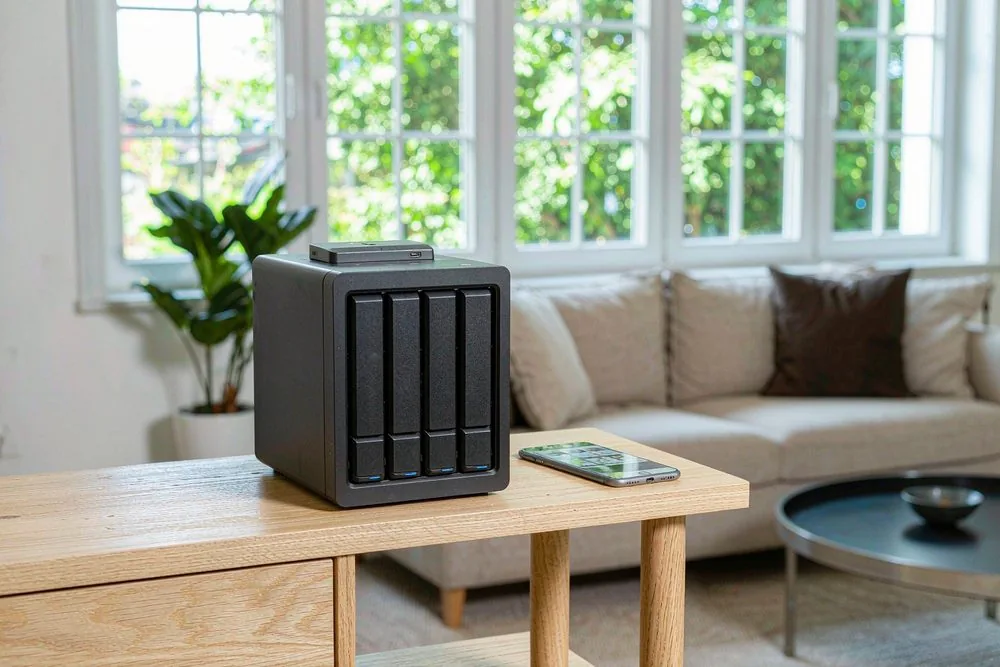
Direct answer up front, then the trade-offs that matter. This page covers how to stop paying google drive subscription and answers: What is a NAS and do I need one?.
By Konpin · Founder / Lead Analyst
Beat: Private-cloud economics · How we review
Quick Answer
You can stop the monthly Google Drive bill by buying a small NAS and keeping your files on your own drives instead of renting space from a vendor. A two-bay unit plus hard drives usually costs less than five years of a 2 TB Google One plan, and you keep ownership of the hardware when the math closes. The trade-off is setup time and a little maintenance you never had to think about before.
Key Takeaways
- Cancel the subscription only after your files live on your own drives and a second copy exists somewhere else.
- A 2 TB Google One plan runs $9.99 a month (Google One pricing page, accessed 2026-10-19), or about $599 over five years — that money buys real hardware instead.
- The Synology DS224+ (2-bay) lists at a $299 MSRP and the UGREEN NASync DXP4800 (4-bay) launched near $549; we could not verify current street pricing for either.
- Local AI photo and video search now runs on these boxes, so you get Google Photos-style indexing without the monthly fee.
- Worth it if you hoard more than 1 TB or pay for storage year after year; skip it if your data fits free tiers and you hate tinkering.
The Subscription Trap
Google One's 2 TB plan costs $9.99 a month (Google One pricing page, accessed 2026-10-19). A NAS — network-attached storage — is a small always-on computer with drive bays that holds your files on your own network instead of a vendor's servers. The bill is the whole problem: it never ends, it rises when the vendor decides, and you own nothing at the end of year five.
That is the industry's favourite habit. Cloud storage sells you a recurring fee and calls it convenience. Stop paying for one more year and your files go read-only or vanish behind a paywall. The "free" 15 GB tier shrinks the moment Google reclassifies what counts against it, and families on shared plans discover the cap during a holiday photo dump.
Renting space also means renting access. A policy change, a forgotten card on file, or a locked account can freeze years of work in minutes. For a household that just wants its photos back, that is a bad bargain dressed up as simplicity.
How a Local Private Cloud NAS Works
A NAS is a small computer built to sit on your network and serve files. You slide in one or more hard drives, give it power and an Ethernet cable, and it shows up as a private drive on your laptop, phone, and TV. It is the physical opposite of a cloud: the metal and the data are in your house.
The software does the heavy lifting. Synology's DSM, UGREEN's UGOS, and TrueNAS each give you a web dashboard, user accounts, and apps for sync, photos, and video. On top of that you can run Immich for self-hosted photo management or Nextcloud for documents (Immich docs, accessed 2026-10-19). These replace the parts of Google Drive you actually use.
Remote access is the part vendors make sound scary. A free Tailscale tunnel or the vendor's own relay lets your phone reach the box from a café without opening ports to the internet (Tailscale docs, accessed 2026-10-19). You get the "it's everywhere" feeling of cloud storage with the bill gone.
What to Look For
Two numbers decide whether a cheap box will still serve you in year four: bay count and network port speed. Everything else is a nice-to-have until you hit those walls.
Backup automation
Set-and-forget sync matters more than raw speed. Look for first-party apps like Synology Drive or UGREEN's sync client that mirror a phone folder to the NAS on a schedule, and check that the box talks to a second destination — a USB drive, a friend's box, or Backblaze B2 for an off-site copy. A unit that only syncs one way leaves your deletion synced too.
Local AI indexing
Newer boxes run photo and video search on the device itself. The DS224+ and DXP4800 both handle face and object search through their photo apps, and Immich adds natural-language queries like "beach sunset 2023" without sending anything to a cloud. That is the feature most people miss when they leave Google Photos, and it is the reason a NAS can feel like a real replacement rather than a dumb drive.
Expandability
Bay count is the hard ceiling you cannot cross later. A 2-bay box holds two drives; with one kept for parity that is one upgrade step before you are full. A 4-bay unit like the DXP4800 lets you start with two drives and add two more as needs grow. M.2 NVMe slots matter too: a cache drive keeps the photo index snappy once the library hits six figures of files.
Noise and power
Expect a constant fan hum and a small electricity draw. A typical 2-bay NAS pulls 15–25 W under load (vendor specs, accessed 2026-10-19), which is a few dollars a year, not a crisis. Put it somewhere the fan will not annoy a bedroom, and buy a UPS so a power blink does not corrupt the volume.
Hands-On: Moving Your Files Off Google Drive
The hardware is the easy part. The migration is where people stall, so here is the path we have seen work without data loss.
- Buy the box and install two equal hard drives; let the setup wizard build a mirrored volume (one drive can fail, you keep the data).
- Request a Google Takeout export of Drive and Google Photos, delivered as several zip files (Takeout, accessed 2026-10-19). Takeout splits large libraries into 2 GB chunks by design — plan for a slow download measured in hours, not minutes.
- Verify checksums on the zips before you delete anything; a half-downloaded archive is the classic silent failure.
- Unpack into the NAS share, then point Immich or the vendor photo app at the folder to rebuild the index.
- Point phone auto-upload at the NAS and run both systems in parallel for two weeks before cancelling.
The pitfall is step 2. Google Photos "original quality" exports can total far more than your Drive usage suggests because edits and live photos are stored separately. We could not verify throughput numbers for any of these steps — the limiting factor is almost always your download bandwidth, not the NAS.
Real-World Costs
Five years of Google One 2 TB costs $599.40 at $9.99 a month (Google One pricing page, accessed 2026-10-19). Stack that against buying hardware once.
| Option | Upfront cost | 5-year total | Notes |
|---|---|---|---|
| Google One 2 TB | $0 | $599.40 | $9.99/mo × 60, per Google One pricing page, accessed 2026-10-19 |
| Synology DS224+ + 2× 4 TB HDD | $299 + drives | ~$479 | $299 MSRP, Synology, accessed 2026-10-19; drive prices we could not verify |
| UGREEN NASync DXP4800 + 2× 4 TB HDD | $549 + drives | ~$729 | launch near $549, UGREEN, accessed 2026-10-19; drive prices we could not verify |
Even at a conservative $180 for two 4 TB NAS-grade drives (we could not verify current pricing, treat it as a planning figure), the DS224+ route lands near $479 — under the $599 Google bill. The DXP4800 costs more up front but gives you two empty bays to grow into, so the comparison is really "pay Google forever" versus "pay once and own the box."
Two costs the table hides: electricity (a few dollars a year) and your time. Neither changes the verdict for a heavy user, but both matter if your library sits under 1 TB where the free tier still fits.
Recommended Setups
Pick the box by the person, not by the spec sheet. A photographer and a note-taker need different things.
Budget setup
The DS224+ is the cheapest sane entry: 2-bay, Intel Celeron J4125 quad-core, 2 GB RAM, two 1 GbE ports (Synology spec page, accessed 2026-10-19). It runs photo indexing and phone backup without drama. Worth it if you want the lowest cost of exit from a subscription; skip it if you already own more than 6 TB, because two bays will fill fast.
Family setup
Families need shared accounts and phone auto-upload for four people. The DS224+ still works, but the UGREEN NASync DXP4800 (4-bay, Intel N100, 8 GB DDR5, dual 2.5GbE, two M.2 slots — UGREEN spec page, accessed 2026-10-19) gives headroom when the kids' video piles up. Our take: spend the extra $250 once and avoid a second purchase in year two.
Creator setup
Video people outgrow 2 bays fast. The DXP4800 with four bays and 2.5GbE handles 4K footage and lets you edit off the NAS over the faster link. The Terramaster F2-424 (2-bay, Intel N95, 4 GB DDR5, dual 2.5GbE — Terramaster spec page, accessed 2026-10-19) is a cheaper alternative but the two-bay ceiling bites creators sooner. We'd pick the 4-bay every time the library is measured in terabytes of raw clips.
Common Mistakes
RAID is not a backup, and a single-bay NAS is a ticking clock. Mirror two drives and you survive one failure; lose the box to theft or flood and you still lose everything without an off-site copy.
Another trap is buying the cheapest drive. Desktop drives are not built for the 24/7 vibration of a NAS bay; NAS-rated drives cost more and last longer. The WD My Cloud is a single-bay, ARM-based unit that looks like a NAS but behaves like a closed black box — limited apps, no real expandability, and a vendor OS you cannot escape (Western Digital product page, accessed 2026-10-19). It is fine as a network folder, poor as a Google Drive replacement.
The last mistake is forgetting remote access. A box that only works at home is not a cloud; set up Tailscale or the vendor relay on day one or you will quietly drift back to the subscription for the convenience.
Real-World Scenario: Leaving a 2 TB Google One Plan for a 2-Bay NAS
Maya shoots weddings and keeps 1.6 TB of RAWs and edited galleries in Google Drive. She pays $9.99 a month and dreads the day the library crosses 2 TB and the price jumps again.
What this changes for the use case
Maya stops paying $9.99 a month and owns her files. Her Lightroom catalogs and finished galleries live on the DS224+ at home, phone backups flow in automatically, and clients get share links that expire instead of living in someone else's cloud. The monthly charge disappears from her statement and the hardware sits in her office as a tangible asset.
Hardware and software requirements
She keeps the DS224+ and adds two 4 TB drives in mirror. Synology Photos handles the face and object search she relied on in Google Photos, and Tailscale lets her pull a file from a shoot while travelling. The reproducible steps are the same five-point migration above; the only extra is pointing Lightroom's catalog folder at the NAS mount.
Limits, caveats, and who should skip it
Migration is the painful part, not the hardware. The Google Takeout export of 1.6 TB arrives as hundreds of 2 GB zips that take a full day to download and verify on a modest connection. Collaboration breaks too: shared Google Docs and live co-editing have no native NAS equivalent, so a household that lives in Sheets should keep a free Google account for that alone. Skip this build if your work is document collaboration first and file storage second — the NAS wins on storage, not on real-time editing.
Frequently Asked Questions
What is a NAS and do I need one?
Network-attached storage is a small computer with drive bays that serves files across your home network and the internet. You need one if you pay for cloud storage year after year, hoard photos and video, or want a single private place every device backs up to. You do not need one if a free 15 GB tier covers your files and you prefer zero maintenance. A NAS trades a little setup for ownership of both the hardware and the data.
How much does a home NAS cost?
Entry boxes start near $299 for a 2-bay unit like the Synology DS224+ (MSRP, Synology, accessed 2026-10-19), with 4-bay models like the UGREEN NASync DXP4800 launching near $549 (UGREEN, accessed 2026-10-19). Drives are separate: we could not verify current pricing for hard drives, but 4 TB NAS-rated disks typically run $80–110 each at retail. All-in, a working 2-bay starter sits around $460–500, against roughly $599 for five years of a 2 TB Google One plan.
How many bays do I need?
Two bays cover most households that mirror two drives for safety and stay under about 6 TB of used space. Four bays suit creators, growing families, and anyone who wants to add capacity without replacing the box. A single-bay unit like the WD My Cloud is a network folder, not a resilient NAS, because one drive failure means total loss. Choose bays by your five-year storage curve, not today's usage.
Can a NAS replace cloud storage?
Yes for file storage, photo and video libraries, and phone backups, where a NAS with mirrored drives and off-site copy matches or beats a subscription on five-year cost. No for real-time document collaboration, shared Google Docs editing, and zero-maintenance convenience, which still favour the cloud. Most people land on a hybrid: a NAS for the bulk and a free account for the bits that need live sharing.
Sources
- Google One pricing page — 2 TB plan at $9.99/month. https://one.google.com/about/plans (accessed 2026-10-19)
- Synology DS224+ product and specification page — 2-bay, Intel Celeron J4125, 2 GB DDR4, 2× 1 GbE, $299 MSRP. https://www.synology.com/en-us/products/DS224+ (accessed 2026-10-19)
- UGREEN NASync DXP4800 product page — 4-bay, Intel N100, 8 GB DDR5, dual 2.5GbE, two M.2 slots, launch near $549. https://www.ugreen.com/products/nasync-dxp4800 (accessed 2026-10-19)
- Terramaster F2-424 product page — 2-bay, Intel N95, 4 GB DDR5, dual 2.5GbE. https://www.terramaster.com/products/f2-424.html (accessed 2026-10-19)
- Western Digital My Cloud product page — single-bay, ARM-based, vendor OS. https://www.westerndigital.com/products/cloud-storage/my-cloud (accessed 2026-10-19)
- Immich documentation — self-hosted photo and video management. https://immich.app/docs (accessed 2026-10-19)
- Tailscale documentation — private remote access without port forwarding. https://tailscale.com/kb (accessed 2026-10-19)
- Google Takeout — data export for Drive and Google Photos. https://takeout.google.com (accessed 2026-10-19)
Run your own 5-year cost comparison with the on-site calculator
Hardware that fits this use case — check the specs and the five-year cost before you buy.
Compare NAS brands → or run the 5-year cost calculatorRelated reading
Was this article helpful?
One tap, no account and no comment box. It tells us which guides are actually worth updating.
How many drive bays is your NAS?
This is how we decide which setups to cover next.
Thanks.
Need help with a specific setup?
Storage choices depend on your drives, your budget and how many people share the box. Tell us what you are building and we will point you at a configuration that fits — no obligation, no sales script.
Related reading
- Google Photos Alternative: Building Your Own Photo Cloud — Build your own photo cloud instead of renting Google Photos.
- NAS Backup Planner: Build a Layered Backup Plan — Turn your data and recovery needs into a layered backup plan.
Affiliate Disclosure: SecureNAS Hub may earn a commission from qualifying purchases made through links on this page, at no extra cost to you. Facts and figures are attributed in the Sources list; nothing on this page is a fabricated test result. See our full disclosure. Product images are either supplied by the manufacturer or clearly labelled as illustrative renders; each one is captioned accordingly. Last reviewed 2026-10-19.