NAS Guides · Published 2026-10-17
Google Photos or Your Own NAS: The Remote Access Divide
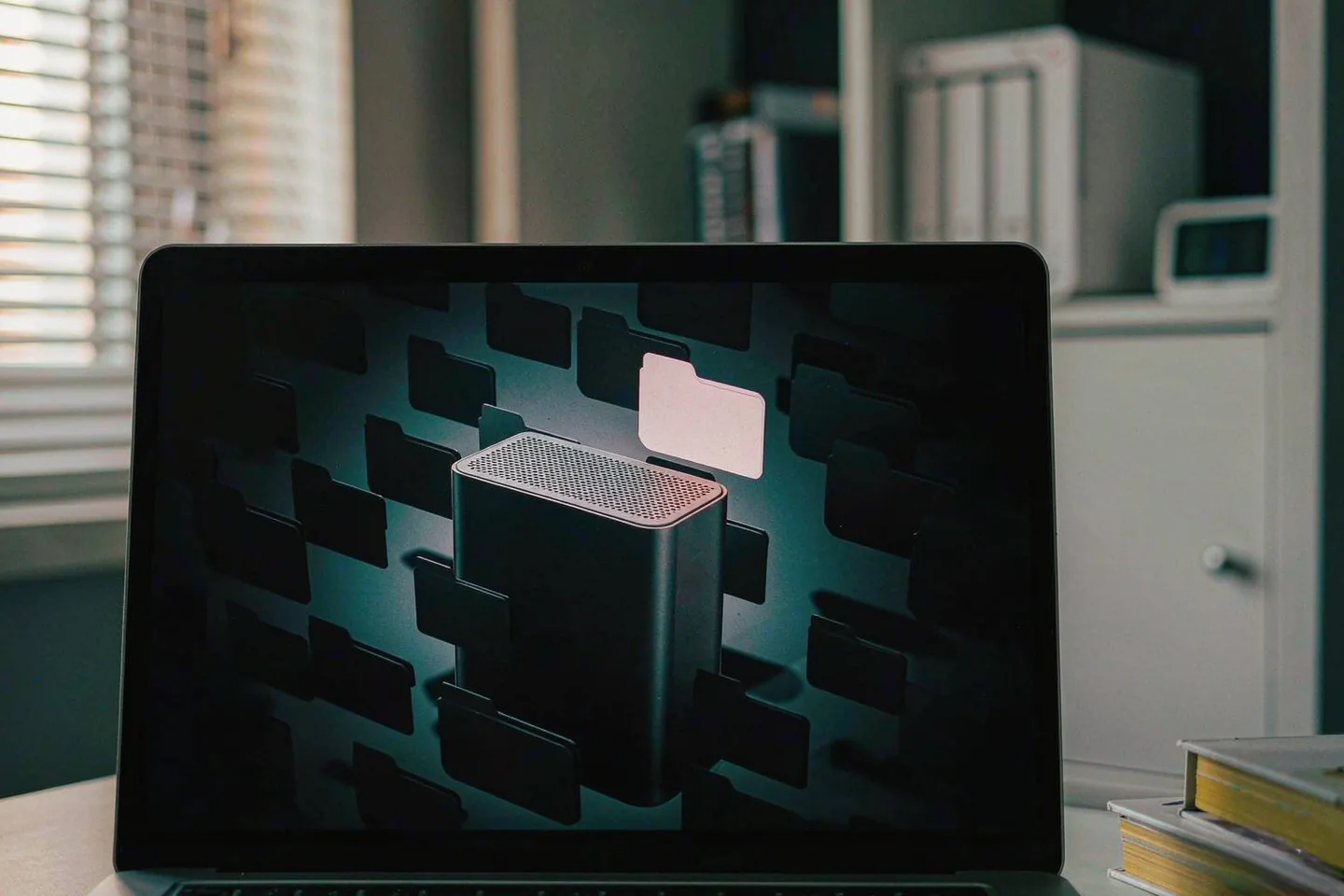
Direct answer up front, then the trade-offs that matter. This page covers google photos and answers: What is a NAS and do I need one?.
By Lillian · Senior Editor, Buying Guides
Beat: Buying guides · How we review
Quick Answer
The gap between Google Photos and a home NAS is not storage and it is not price. It is the last hop: who can open your library from a network you do not control. Google answers that with its own servers. A NAS answers it with a mesh VPN, a vendor relay, or not at all.
Key Takeaways
- Google Photos is testing a "Group Camera" in build 7.97 and in-album face filters in 7.96.0. Both are teardown findings, not shipped features, and neither changes who holds the originals.
- Google Drive for desktop stopped pushing photo folders into Photos on 10 August 2026. The browser replacement only runs while the Google Photos site or its installed web app stays open.
- A NAS fails the remote-access test by default. Carrier-grade NAT removes port forwarding, Synology's QuickConnect relay is slow by Synology's own wording, and Tailscale drops to a relay when direct NAT traversal fails.
- Two bays plus two 8 TB drives cost $1,226.99 at tracked prices. Five years of Google One 2 TB costs $599.40. You are buying custody, not savings.
What Google Actually Shipped This Month
Version 7.97 is not a launch. It is a teardown. Android Authority found strings for a "Group Camera" in the Android build, and Beebom published the details on 14 October 2026: a host schedules an event, the default session runs eight hours, invitees get a notification, and their shots land in one shared album. Code also points at a lock-screen shortcut. Google has not announced the feature, and no release date exists.
A second set of strings, from build 7.96.0, describes "Filter photos by face" inside a single album, plus a "People & pets" selector and plural counters for stacked filters.
That one is unconfirmed too.
Then the part that did ship. Google Drive for desktop stopped backing up photo folders into Google Photos on 10 August 2026, as How-To Geek reported at the time. The replacement sits at photos.google.com: plus button, "Back up folders", choose a directory. It keeps running only while that tab or the installed web app stays open. Shut the laptop and the upload stops.
Read the three items together. Google keeps tightening the sharing layer while stepping back from always-on desktop ingestion. Neither move hands you a file you can hold.
The Test That Actually Separates Them
Ask one question. Can you open a specific folder, from a network you do not control, on a device that is not yours?
Google Photos passes without effort.
That is the product. You pay with a subscription and with the fact that the originals sit in a Google data centre, indexed by Google's face models, governed by Google's terms.
A NAS fails that test by default.
A Synology DS225+ behind a home router is unreachable from outside until you open a path in. On a growing number of connections the ISP has already taken that option away: carrier-grade NAT puts many subscribers behind one public IPv4 address, and port forwarding is not hard there, it is unavailable.
So the comparison reduces to how you cross that gap. Storage maths already has its own piece on this site — the five-year cost comparison — and price is not where this decision turns.
Three Routes Across the NAT Gap
Route 1: Google Photos only. Zero setup. The library opens on any device with a browser and your password. The trade-off is custody: one copy, in one company's account, unless you export.
Route 2: NAS with a vendor relay. Synology's QuickConnect connects clients to the NAS without port-forwarding rules, and when a direct path fails it pushes traffic through a Synology relay server. Synology's help page warns that a relayed connection "may be slow due to longer network latency" and recommends port forwarding per service for better performance.
Convenient, then. Not fast.
Route 3: NAS behind a mesh VPN. Tailscale builds a peer-to-peer mesh on WireGuard and crosses NAT without port forwarding. Its engineering blog is blunt about the fallback. DERP relays are used "only in cases where direct connections fail", they run over HTTP so they survive strict outbound rules, and relayed paths carry more latency and possibly less bandwidth. That post estimates direct connections succeed more than 90% of the time, with relays guaranteeing some connectivity.
| Google Photos | NAS + QuickConnect | NAS + Tailscale | |
|---|---|---|---|
| Public IP required | No | No | No |
| Device setup | Sign in | QuickConnect ID plus account | Install client, sign in |
| Traffic path | Google servers | Direct, else Synology relay | Direct peer-to-peer, else DERP relay |
| Speed limit | Your downlink, Google's uplink | Relay is slower, per Synology | Direct limited by your uplink; relay slower |
| Holds the originals | You | You | |
| Recurring fee | A Google One plan | None for the tunnel | None for the Personal tier |
We would run Route 3.
It is also the one that asks you to install a client on every phone and laptop that needs the library, and to keep that client logged in.
Real-World Scenario: Virtual LAN & Remote Secure Access without Public IP
What this changes for the use case
A birthday party ends with forty people holding forty partial albums. Under Google's Group Camera model the host stops chasing files in a group chat: guests shoot into one album, on Google's camera interface, at Google's quality settings. That fixes collection. It does nothing about custody.
Put a NAS on a tailnet and the same evening ends differently. Phones upload originals when they reach home Wi-Fi. The album lives on 8 TB of mirrored disk in the hall cupboard. The host's sister in another country opens that folder on her laptop through the mesh, with no port forwarding, no public IP and no third-party face index. The link points at your device, not at a data centre.
Scenario 30 is precisely this: the library becomes reachable, not merely stored. The practical test is a hotel network that blocks everything except HTTP and DNS, and a folder that still opens.
Hardware and software requirements
Minimum kit: a 2-bay NAS, two drives, a router you can leave alone, and one device that stays on. The DS225+ lists at $364.99 and the UGREEN DXP2800 at $389.99 (Amazon, checked 2 October 2026 and 16 October 2026). Two WD Red Plus 8 TB drives add $862 at the DatacenterDisk listing checked 2 October 2026, which gives 8 TB usable in RAID 1.
Software: the NAS vendor's OS for the share, Tailscale on the NAS and on each client, and a photo app that writes into a watched folder — Synology Photos, Immich in Docker, or the phone's own uploader. Tailscale's Personal tier is free for up to 6 users, with unlimited user devices (tailscale.com/pricing, accessed 17 October 2026). If your phone side is the weak point, the workflow is the same one covered in the iPhone 17 backup walkthrough.
Uplink bandwidth matters more than the NAS.
A 20 Mbps upload moves roughly 9 GB an hour, so a 60 GB first sync is a three-hour job, not a five-minute one.
Limits, caveats, and who should skip it
Skip it if you only share photos and never need to prove you hold the originals. Skip it if nobody in the house will run firmware updates, check drive health, or restart a service at 11 pm. Skip it if the library is 300 GB of phone snapshots and has never been lost.
The technical limits are concrete. Hard NAT at both ends can defeat direct traversal, and the fallback is a relay with worse latency. Guest networks that allow only DNS and HTTP push you onto DERP or block you. Synology notes that relay availability can vary by ISP and region. A single NAS is also one copy: RAID 1 survives a dead drive, not a fire, a theft or ransomware, so a second copy elsewhere is not optional for irreplaceable work.
Face search is the other gap. Google's in-album filters, once they ship, will search a library Google has already indexed. On a NAS you get Synology's or Immich's recognition, which handles "show me the dog" and struggles with unnamed faces across a 4,000-shot wedding album. We could not verify parity, and we would not claim it.
The Bill, Using Tracked Prices
Specs and prices below come from this site's tracking ledgers, not from a retailer page read once.
| Field | Synology DS225+ (2025) | UGREEN NASync DXP2800 |
|---|---|---|
| Price (tracked) | Amazon $364.99 (2026-10-02) | Amazon $389.99 (2026-10-16) |
| Drive bays (SATA) | 2 bays | 2 bays |
| M.2 NVMe slots | 0 slots | 2 slots |
| Max raw capacity | — | 80 TB |
| Max bays with expansion | 7 bays | — |
| Hot-swap bays | Yes | Yes |
| CPU | Intel Celeron J4125 | Intel N100 |
| CPU cores | 4 cores | 4 cores |
| Installed RAM | 2 GB | 8 GB |
| Max RAM | 6 GB | 16 GB |
| RAM slots | 1 slot | — |
| ECC RAM | No | — |
| RAM soldered (not upgradeable) | — | No |
| 1GbE ports | 1 port | — |
| 2.5GbE ports | 1 port | 1 port |
| USB ports | 2 ports | 4 ports |
| HDMI output | — | 4K 60Hz |
| Form factor | Desktop tower | Desktop tower |
| Weight | 1.3 kg | — |
| Warranty | 3 years | 2 years |
Two drives at $862 plus a $364.99 chassis is $1,226.99 before any backup drive. Five years of Google One 2 TB at the tracked $9.99 a month (Google, checked 2 October 2026) is $599.40. The NAS costs about twice as much across that window, before electricity, and the DS225+ ships with 2 GB of RAM against the DXP2800's 8 GB.
So "a NAS saves money" is the wrong pitch at 2 TB.
It does not. The case for the NAS is that the library keeps working when you stop paying, when a policy changes, or when an account gets locked. The case against it is that you become the support desk, a point we made at length in the ease-of-use audit.
Our Take: Rent the Sharing, Own the Archive
Run both and split the jobs. Let Google Photos do group albums, face search and link-sharing with your cousin. Keep originals on the NAS, reachable over a mesh VPN, and treat Google as a convenience layer rather than the archive.
Worth it if you hold more than 2 TB of photos, shoot RAW, or have a policy reason to keep files yourself. Skip it if the convenience is the whole point and the library is replaceable.
Frequently Asked Questions
Can you reach a NAS without a public IP address?
Yes, through a relay or a mesh VPN. Synology's QuickConnect relays traffic through Synology servers when a direct path fails, and Tailscale builds a direct peer-to-peer link where NAT allows, falling back to its DERP relays otherwise. A port-forward on the router is not required for either route. Speed is the price: relayed paths carry more latency than a direct connection.
Is a NAS cheaper than Google Photos?
Not at 2 TB. Two 8 TB drives plus a 2-bay chassis came to $1,226.99 at tracked prices, against $599.40 for five years of Google One 2 TB at $9.99 a month. The NAS only wins on cost when the library is large enough that cloud tiers above 2 TB, or several family subscriptions, would run for years.
Do I still need Tailscale if the NAS has QuickConnect?
Only if relay speed bothers you. QuickConnect works without an account on every client beyond the Synology one, and it is the simpler setup for occasional file access. Synology itself recommends port forwarding for better performance, which is the option carrier-grade NAT removes. A mesh VPN restores a direct path when port forwarding is impossible.
What happens to my photos if I cancel Google One?
They stay in the account, but uploads stop once you exceed the free 15 GB tier, and Google can restrict new uploads until you free space or resubscribe. Google Drive for desktop no longer mirrors folders into Photos automatically. A local copy on a NAS is what keeps the library readable if the subscription lapses.
Sources
- Beebom Gadgets, "Google Photos could soon let you share group photos with a new camera feature", 14 October 2026 — https://gadgets.beebom.com/news/google-photos-let-you-share-group-photos-with-new-camera-feature-report (accessed 17 October 2026)
- Analytics Insight, "Google Photos Group Camera: how the upcoming feature could change photo sharing", 16 October 2026 — https://www.analyticsinsight.net/news/google-photos-group-camera-how-the-upcoming-feature-could-change-photo-sharing (accessed 17 October 2026)
- The News International, "Google Photos tests shared camera for group events upgrade", 16 October 2026 — https://www.thenews.com.pk/amp/1419870-google-photos-tests-shared-camera-for-group-events-upgrade (accessed 17 October 2026)
- Beebom Gadgets, "Google Photos could soon let you find any person in an album instantly", 7 October 2026 — https://gadgets.beebom.com/news/google-photos-in-album-face-filters-for-people-pets-testing (accessed 17 October 2026)
- How-To Geek, "Google Drive removed Photos backups, but it's still possible (if you know where to look)" — https://www.howtogeek.com/google-drive-removed-photos-backups-but-its-still-possible-if-you-know-where-to-look/ (accessed 17 October 2026)
- How-To Geek, "Google Drive ends Photos backups on August 10: here's what you can do" — https://www.howtogeek.com/google-drive-photo-backups-end-date (accessed 17 October 2026)
- The Eastern Herald, "Google Drive ends automatic photo backup to Google Photos", 11 August 2026 — https://easternherald.com/2026/08/11/google-drive-photos-backup-ends-what-to-do/ (accessed 17 October 2026)
- Synology Knowledge Center, "QuickConnect" — https://kb.synology.com/en-global/DSM/help/DSM/AdminCenter/connection_quickconnect (accessed 17 October 2026)
- Tailscale Docs, "What is Tailscale?" — https://tailscale.com/kb/1151/what-is-tailscale (accessed 17 October 2026)
- Tailscale Blog, "How NAT traversal works", 21 August 2020 — https://tailscale.com/blog/how-nat-traversal-works (accessed 17 October 2026)
- Tailscale, pricing page — https://tailscale.com/pricing (accessed 17 October 2026)
- Synology, DS225+ product comparison — https://www.synology.com/en-us/products/compare/DS225+/DS425+/DS725+/DS925+ (accessed 17 October 2026)
- UGREEN, NASync DXP2800 product page — https://ai.ugreen.com/products/ugreen-nasync-dxp2800-nas-storage (accessed 17 October 2026)
Run your own 5-year cost comparison with the on-site calculator
Every figure above is attributed in the Sources list — put your own drive count and subscription tiers into the calculator to see where you land.
Open the cost calculator →Related reading
Was this article helpful?
One tap, no account and no comment box. It tells us which guides are actually worth updating.
How many drive bays is your NAS?
This is how we decide which setups to cover next.
Thanks.
Need help with a specific setup?
Storage choices depend on your drives, your budget and how many people share the box. Tell us what you are building and we will point you at a configuration that fits — no obligation, no sales script.
Affiliate Disclosure: SecureNAS Hub may earn a commission from qualifying purchases made through links on this page, at no extra cost to you. Facts and figures are attributed in the Sources list; nothing on this page is a fabricated test result. See our full disclosure. Product images are either supplied by the manufacturer or clearly labelled as illustrative renders; each one is captioned accordingly. Last reviewed 2026-10-17.