NAS Guides · Published 2026-10-14
Google Photos Alternative: Building Your Own Photo Cloud
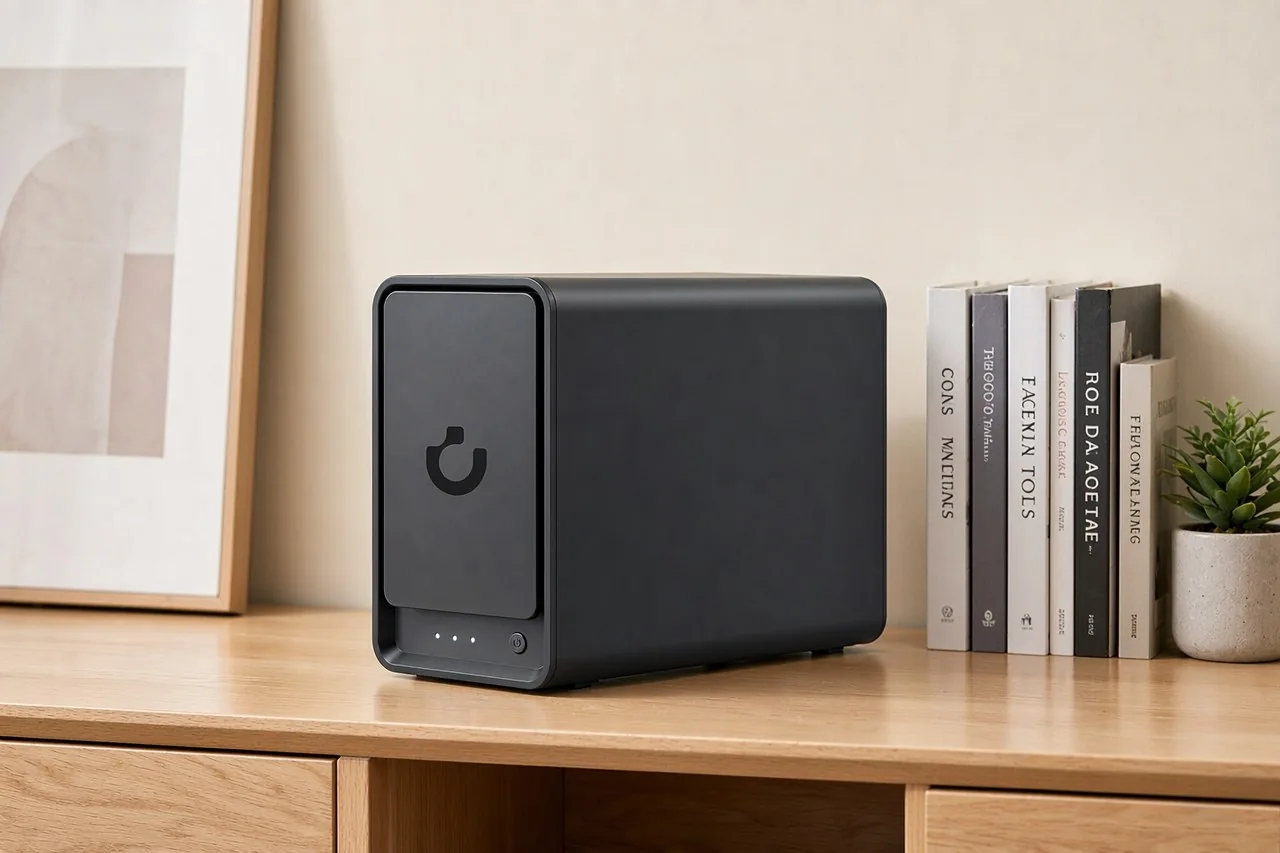
Direct answer up front, then the trade-offs that matter. This page covers google photos alternative and answers: What is a NAS and do I need one?.
By Leo · Hardware Reviewer
Beat: Drive bays, RAID and expandability · How we review
Quick Answer
A NAS you own, running Immich or Synology Photos, turns Google Photos' monthly fee into one hardware purchase. The UGREEN NASync DXP4800 Plus was listed at $656.99 on Amazon (checked 2026-10-02), and the drives cost extra.
Key Takeaways
- Google One's 2 TB tier is $9.99/month (checked 2026-10-02). A NAS is a one-time cost you keep.
- Immich's own documentation asks for at least 6 GB of RAM and a 4-core CPU (accessed 2026-10-14).
- A twin-drive box suits one or two people. A family shooting 4K video needs more drives and more memory.
- RAID is not backup. One box holding every photo is one flood away from nothing.
Quick Answer in Context
A NAS is a small computer that holds your own hard drives and serves them across your home network. Google Photos is a rented service on Google's servers. That gap widened in 2021, when Google ended unlimited free "high quality" uploads; Android Authority's Robert Triggs describes hitting the free 15 GB ceiling and refusing to rent storage while idle disks sat at home (accessed 2026-10-14).
So the question is no longer whether self-hosting works.
It is whether you want to run hardware.
Three numbers settle it for most people: how many photos and videos you keep, what you pay Google or Apple today, and how much of your evening you will spend keeping the thing alive. We think maintenance is the honest deciding cost, and it is the one most "NAS vs cloud" pieces leave out. The arithmetic is not flattering, either. Google One 2 TB at $9.99/month is $119.88 a year, or $599.40 across five years, while a 4-bay DXP4800 Plus at $656.99 plus two 8 TB drives costs more than that on day one.
You are not buying a discount. You are buying ownership, local search, and no per-gigabyte ceiling.
How It Works
Three layers have to line up: storage, software, and sync.
Storage is the box itself. UGREEN's DXP4800 Plus is a 4-bay desktop tower with two M.2 NVMe slots, 8 GB of DDR5 installed and 64 GB maximum, and the memory is not soldered. It carries one 10GbE port plus one 2.5GbE port, four USB ports, HDMI at 4K 60Hz, and a 2-year warranty (UGREEN NASync product page, checked 2026-10-02). Those ports matter in year two, not week one.
Software is where people stall. Immich is the closest open-source match to Google Photos, and it deploys as a Docker container set. Its documentation is blunt about prerequisites: Docker with the Compose plugin, the docker compose command rather than the retired docker-compose, and a Unix-style filesystem that supports user and group ownership (Immich docs, accessed 2026-10-14). Synology Photos does the same job inside DSM without Docker, if you would rather stay inside a vendor app store (Synology, accessed 2026-10-14).
Sync is the mobile half, and it is the part rivals keep botching. Immich ships Android and iOS clients that back up the folders you choose, the same shape as Google Photos. Android Authority's reviewer found PhotoPrism lacks the multi-user support a family needs and offers no first-party backup app, then called Immich the closest thing to a daily driver (accessed 2026-10-14).
What to Look For
Ignore the adjectives on the product page. Four things decide whether you still like this box in year three.
Backup automation
Automatic phone upload is table stakes, not a feature. Real automation means the NAS copies itself somewhere else on a schedule, whether that is an external USB drive, a second NAS, or an encrypted offsite target. Buy hardware that can run that job without you logging in.
Local AI indexing
Face grouping and semantic search run on your own CPU, not in a data center. Immich's docs are explicit about the load: thumbnails and transcoded video grow the library by 10-20% on average, the Postgres database runs 1-3 GB and demands local SSD storage plus at least 2 GB of RAM of its own, and it should never sit on a network share. That last warning is the one people ignore, then debug for a weekend.
Expandability
Two variables are worth checking before checkout. Is the RAM soldered, and how many M.2 slots does the chassis actually hide? The DXP4800 Plus gives you two M.2 slots and upgradeable memory. Cheaper enclosures solder 4 GB and leave you nothing to work with.
Noise and power
A NAS lives in a cupboard, a closet, or beside the television, and it runs 24 hours a day. Read the drive noise ratings, not the box's. A 7200 RPM drive is louder than the chassis fan in most small units.
Real-World Costs
The table below is generated from our tracked spec and price ledger; the — entries mean we have no verified reading for that field, and we do not fill gaps with another model's numbers.
Tracked prices and specs, same day
| Field | UGREEN NASync DXP4800 Plus | Synology DiskStation DS925+ | QNAP TS-464 (8 GB) | TerraMaster F4-424 Pro |
|---|---|---|---|---|
| Price (tracked) | Amazon $656.99 (2026-10-02) | Amazon $749.76 (2026-10-02) | Amazon $639 (2026-10-02) | DatacenterDisk listing $730.99 (2026-10-02) |
| Drive bays (SATA) | 4 bays | 4 bays | 4 bays | 4 bays |
| M.2 NVMe slots | 2 slots | 2 slots | 2 slots | 2 slots |
| Max raw capacity | 144 TB | — | — | 88 TB |
| Max bays with expansion | — | 9 bays | — | — |
| Hot-swap bays | Yes | Yes | Yes | Yes |
| CPU | Intel Pentium Gold 8505 | AMD Ryzen V1500B | Intel Celeron N5095 | Intel Core i3-N305 |
| CPU cores | 5 cores | 4 cores | 4 cores | 8 cores |
| Installed RAM | 8 GB | 4 GB | 8 GB | 32 GB |
| Max RAM | 64 GB | 32 GB | 16 GB | 32 GB |
| RAM slots | — | 2 slots | 2 slots | 1 slot |
| ECC RAM | — | Yes | — | — |
| RAM soldered (not upgradeable) | No | — | — | — |
| 2.5GbE ports | 1 port | 2 ports | 2 ports | 2 ports |
| 10GbE ports | 1 port | — | — | — |
| PCIe slots | — | — | 1 slot | — |
| USB ports | 4 ports | 2 ports | 4 ports | 2 ports |
| HDMI output | 4K 60Hz | — | 4K 60Hz | 4K 60Hz |
| Form factor | Desktop tower | Desktop tower | Tower | Desktop tower |
| Weight | — | 2.26 kg | 2.26 kg | 3.4 kg |
| Internal filesystem | — | Btrfs, ext4 | — | — |
| Warranty | 2 years | 3 years | 3 years | 2 years |
Four 4-bay boxes, four different answers, and the price spread is $110.99 between the cheapest and dearest tracked figure. The DXP4800 Plus is the only one in this group with a 10GbE port onboard, which is why we would pick it over the DS925+ despite the price.
Drives change the picture. The WD Red Plus 8 TB (WD80EFPX) was listed at $431 on DatacenterDisk (checked 2026-10-02), so a four-drive array adds $1,724 by itself. That is where the "NAS is cheaper" story usually breaks: people compare a diskless chassis to a monthly subscription, forget the spindles, and then discover that recurring costs do not vanish either. Electricity runs continuously, drives wear out after a few years, and Immich's upgrade path occasionally breaks a container version, so the honest five-year comparison is a one-time chassis plus drives plus a backup target against $599.40 of Google One, with your own evenings somewhere in between. None of that is a subscription. None of it is free, either.
Recommended Setups
Budget setup
One person, mostly photos, no 4K video. A twin-drive enclosure in a mirrored pair, or a 2-bay model such as the UGREEN DXP2800, plus two CMR drives. This is worth it if you mainly want your phone uploads off Google's servers.
Family setup
Several phones, shared albums, a few hundred gigabytes a year. The DXP4800 Plus fits here: 4 bays, 8 GB installed, and room to add memory later. Run Immich if you want the Google Photos feel, Synology Photos if you want a vendor to manage the update cycle for you.
Creator setup
Video footage changes the requirements, not the preferences. A 10GbE port moves a 60 GB shoot in a reasonable time, an 8-core TerraMaster F4-424 Pro or the DXP4800 Plus handles transcodes better than a 4-core box, and you should budget 20% extra capacity for thumbnails and proxies.
Common Mistakes
Four mistakes show up in almost every build thread.
Buying drives before reading the compatibility list. Vendor QVL pages exist for a reason, and a drive that works in one chassis can drop out of a mirror in another.
Treating RAID as a backup. A mirror survives a dead disk, not a deleted folder, a power surge, or ransomware. Keep a second copy.
Underbuying RAM to save $40. Immich's floor is 6 GB, its recommendation is 8 GB, and machines with only 4 GB have to run with machine learning switched off. That removes the feature you probably wanted.
Putting the database on the network. Immich's documentation warns that Postgres should sit on local SSD and never on a network share. Follow it and skip the troubleshooting thread.
Real-World Scenario: AI Online Subtitle Search & Embedded Adjustment
Your photo cloud also holds video, and video is where search gets interesting.
A local subtitle pipeline transcribes spoken words, aligns them to a timeline, and lets you search your own footage for a phrase instead of scrubbing a timeline.
What this changes for the use case
Family videos, kid performances, and client footage turn into text you can search. Ask for the clip where someone mentions a holiday, and the index points at the timestamp. Adjustments — fixing a mistimed line, switching between embedded and sidecar subtitle tracks — are edits on files you already own, with no upload step.
Hardware and software requirements
The photo stack gets you most of the way. Subtitle generation runs as another Docker container beside Immich, and it leans on the same CPU and RAM. The 5-core Intel Pentium Gold 8505 in the DXP4800 Plus covers light workloads; the 8-core Intel Core i3-N305 in the TerraMaster F4-424 Pro has more headroom. Whisper-class models are the usual engine, and their runtime on these boxes is something we have not measured ourselves.
Limits, caveats, and who should skip it
Transcription quality drops with accents, background noise, and mixed-language audio, and nobody should treat an auto-generated subtitle file as final without a read-through. Skip the subtitle layer if you shoot no video, if your library is photos only, or if you want zero maintenance. This is an enthusiast feature, not a household appliance.
Frequently Asked Questions
What is a NAS and do I need one?
A NAS is a small always-on computer that holds your own hard drives and serves files to your home network. You need one if you want to stop renting storage, keep local AI search, and accept maintenance in exchange. You do not need one if you only store a few thousand photos and already trust a cloud provider.
How much does a home NAS cost?
The chassis is the small half. The UGREEN NASync DXP4800 Plus was listed at $656.99 on Amazon (checked 2026-10-02), and four WD Red Plus 8 TB drives at $431 each (DatacenterDisk, checked 2026-10-02) add $1,724. Budget for a chassis, drives, and an external backup target as three separate purchases.
How many bays do I need?
Match bays to growth, not to today's library. Two is enough for one or two people with photos. Four suits a family shooting video, and it lets you swap a failed drive without rebuilding from scratch. More bays raise the cost of the drives, which is where the real money sits.
Can a NAS replace cloud storage?
For your own library, usually yes; for sharing with people outside your house, not gracefully. Immich and Synology Photos both handle family accounts and shared albums. Remote access demands a tunnel or a reverse proxy, and that is the piece most people underestimate before they buy.
Sources
- Immich documentation, "Requirements" — https://docs.immich.app/install/requirements/ (accessed 2026-10-14)
- Android Authority, Robert Triggs, "I tried a self-hosted Google Photos alternative but still can't switch" — https://www.androidauthority.com/google-photos-alternatives-3353286 (accessed 2026-10-14)
- Android Authority, "I (finally) ditched Google Photos for self-hosted; here's how it went" — https://www.androidauthority.com/google-photos-vs-immich-3628122/ (accessed 2026-10-14)
- Synology, "Synology Photos" product page — https://www.synology.com/en-global/dsm/feature/photos (accessed 2026-10-14)
- UGREEN NASync DXP4800 Plus product page — https://nas.ugreen.com/products/ugreen-nasync-dxp4800-plus-nas-storage (checked 2026-10-02)
- SecureNAS Hub price ledger: UGREEN NASync DXP4800 Plus at $656.99 (Amazon), Google One 2 TB at $9.99/month, Apple iCloud+ 2 TB at $9.99/month, WD Red Plus 8 TB (WD80EFPX) at $431 (DatacenterDisk) — all checked 2026-10-02
- SecureNAS Hub spec ledger: bays, M.2 slots, CPU, memory, ports and warranty figures for the DXP4800 Plus, DS925+, TS-464 and F4-424 Pro, sourced from the vendors' own specification pages (checked 2026-10-02)
Run your own 5-year cost comparison with the on-site calculator
Hardware that fits this use case — check the specs and the five-year cost before you buy.
Compare NAS brands → or run the 5-year cost calculatorRelated reading
Was this article helpful?
One tap, no account and no comment box. It tells us which guides are actually worth updating.
How many drive bays is your NAS?
This is how we decide which setups to cover next.
Thanks.
Need help with a specific setup?
Storage choices depend on your drives, your budget and how many people share the box. Tell us what you are building and we will point you at a configuration that fits — no obligation, no sales script.
Affiliate Disclosure: SecureNAS Hub may earn a commission from qualifying purchases made through links on this page, at no extra cost to you. Facts and figures are attributed in the Sources list; nothing on this page is a fabricated test result. See our full disclosure. Product images are either supplied by the manufacturer or clearly labelled as illustrative renders; each one is captioned accordingly. Last reviewed 2026-10-14.