NAS Guides · Published 2026-10-08
Best NAS for Video Editing and 4K Footage in 2026
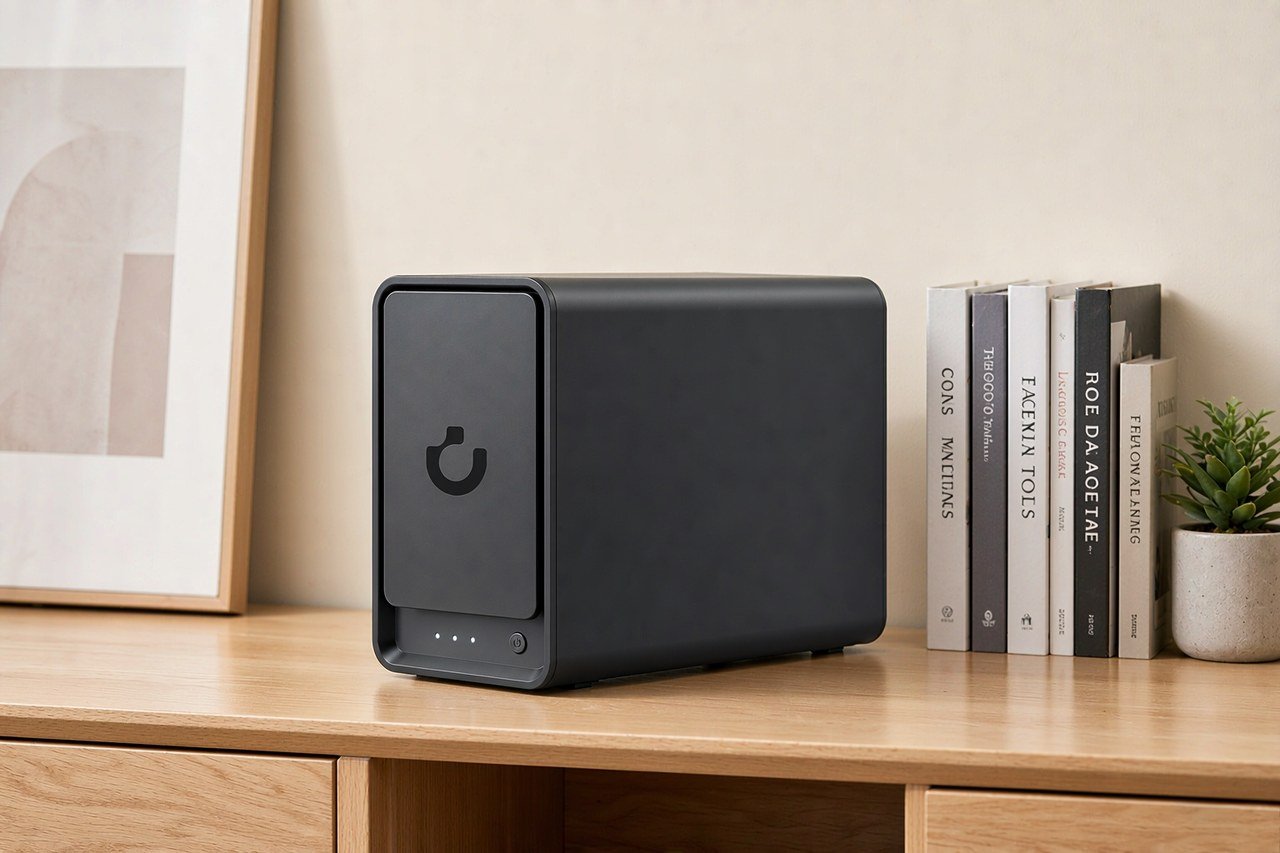
Direct answer up front, then the trade-offs that matter. This page covers nas for video editing and answers: What is a NAS and do I need one?.
By Lillian · Senior Editor, Buying Guides
Beat: Buying guides · How we review
Quick Answer
For most editors the right box is a 4-bay NAS with a built-in 10GbE port, not the largest one you can afford. A NAS is shared storage that sits on your network instead of inside your workstation, and the port on the back decides whether it behaves like a local drive or a nightly copy job. UGREEN's NASync DXP4800 Plus was listed at $656.99 on Amazon (checked 2026-10-02), and it carries four SATA bays, two M.2 slots and one 10GbE port. Worth it if you cut ProRes or hand a project to a second machine. Skip it if you only export H.265 from one laptop.
Key Takeaways
- Apple's 4K source guidance puts ProRes 422 HQ at an expected variable bitrate near 880 Mbps — about 110 MB/s, which is essentially one gigabit Ethernet link's entire capacity (Apple, accessed 2026-10-08).
- The four 4-bay boxes worth comparing were tracked between $639 and $749.76: QNAP TS-464-8G at $639, UGREEN NASync DXP4800 Plus at $656.99, TerraMaster F4-424 Pro at $730.99 and Synology DS925+ at $749.76 (all checked 2026-10-02).
- Exactly one of those four — the DXP4800 Plus — ships a 10GbE port in the base spec. The other three are 2.5GbE only (site spec ledger, checked 2026-10-02).
- NASCompares measured 500–600 MB/s over 10GbE on a four-drive RAID 5 DXP4800 Plus, roughly half of the 1,250 MB/s line rate the port can theoretically carry.
- Budget for drives separately: an 8 TB Seagate IronWolf (ST8000VN004) was $347 and an 8 TB WD Red Plus (WD80EFPX) was $431 (checked 2026-10-02).
Quick Answer in Context
Three numbers decide this purchase: the bitrate of your codec, the speed of your link, and the number of bays you can actually fill.
Work the bitrate out first. Apple's guidance for 4K source delivery lists ProRes 422 HQ at roughly 880 Mbps, ProRes 4444 at 1,320 Mbps and ProRes 4444 XQ at 2,000 Mbps (Apple, accessed 2026-10-08). Divide by eight and you get about 110 MB/s, 165 MB/s and 250 MB/s per stream at 23.976–30 fps.
Then measure the wire against it. Gigabit Ethernet delivers about 110–118 MB/s in practice. One 4K ProRes 422 HQ stream therefore eats the whole link. A 10GbE port has a line rate of 1,250 MB/s, so the same stream leaves roughly 90 percent of the pipe free for a second editor, a card ingest and a render.
That gap is why "NAS for video editing" is a different question from "NAS for backups". Backups tolerate waiting. Bins, proxies and thumbnails do not — every scrub sends a fresh read at the array.
Here is the part spec sheets hide. The network is rarely the slowest part. Four SATA spindles in RAID 5 are. NASCompares measured 500–600 MB/s in both directions on a four-drive RAID 5 DXP4800 Plus over 10GbE with the MTU left at 1500, and hit the same ceiling when an M.2 NVMe drive was the target — the reviewer read that as a shared internal path in the pre-release software (NASCompares, published 2024, accessed 2026-10-08). We could not verify whether current UGOS firmware has lifted that cap. Treat 500–600 MB/s as the realistic starting point for a 4-bay spinning array, not as a defect unique to this brand.
How It Works
A 4K timeline does not ask the NAS to be clever. It asks for a sustained number of megabytes per second, for as long as the edit lasts.
Size the array from the codec, not from the bay count. The arithmetic that matters is roughly:
required throughput ≈ bitrate per stream × simultaneous streams × headroom for ingest and export
Three steps turn that into a shopping decision.
- Count the concurrent streams of your highest-bitrate format. Two editors in 4K ProRes 422 HQ come to about 220 MB/s, which a 2.5GbE link can just about carry on a good day — and not while a third operation is running.
- Add the background load. Card offloads, exports and Time Machine jobs all read or write the same pool.
- Check what the drives can feed. A 4-bay SATA array is the limit long before a 10GbE port is.
Two levers change the answer more than any CPU upgrade.
An M.2 NVMe tier for the files you touch today. The DXP4800 Plus has two M.2 2280 PCIe 4.0 x4 slots (site spec ledger, checked 2026-10-02). TechPowerUp confirmed those slots run at x4 bandwidth and recorded roughly 7 GB/s in short synthetic SSD runs, with the caveat that repeated 1 GB transfers between the two slots fell to about 2.4 Gb/s — around 300 MB/s — which points at a shared path rather than at the drives (TechPowerUp, published 2024-04-27, accessed 2026-10-08).
Proxies. Cut the timeline on low-bitrate copies and relink the masters for the grade. A ProRes Proxy stream is a fraction of the bitrate of the camera original, which is what lets three people work on one project over 2.5GbE. If most of your week is proxies, you can spend the 10GbE money on bays instead.
What to Look For
Four things separate a NAS you still own in five years from one you outgrow in eighteen months.
Backup automation
RAID is not a backup, and this is where most editing setups quietly fail. RAID 5 survives one dead drive; it does not survive a deleted bin, a bad sync or a lightning strike. The DXP4800 Plus supports Single Disk, JBOD and RAID 0, 1, 5, 6 and 10 (TechPowerUp, accessed 2026-10-08), so the redundancy level is yours to choose. The plan around it is not optional.
What to demand: scheduled snapshots you can restore from, a second copy on a drive or machine you keep offline, and one offsite copy. A pair of 8 TB Seagate IronWolf drives at $347 each (checked 2026-10-02) in a mirror in a second enclosure is a cheap third leg.
Local AI indexing
For editors the useful "AI" is not photo face-tagging. It is asset indexing: thumbnails, scene detection, transcript search and proxy generation, all of which run on the NAS CPU whether you like it or not. UGREEN's UGOS Pro ships an on-device photo album that recognises faces, scenes and objects, and the Pentium Gold 8505 in this box is listed for 4K video transcode (site spec ledger, checked 2026-10-02). Expect that work to compete with your editing traffic. If you want a self-hosted library with proper search, the details are in our Immich vs Google Photos comparison.
Expandability
Count the bays, then count the ports you cannot add. Four SATA 6 Gbps bays — 3.5-inch or 2.5-inch — plus two M.2 2280 PCIe 4.0 x4 slots is the whole expansion story on the DXP4800 Plus (site spec ledger, checked 2026-10-02). There is no PCIe slot in the ledger entry for this model, unlike the QNAP TS-464, which lists one. That means no add-in 25GbE card later, and no second HBA.
Raw capacity also moves with drive size. UGREEN's page claims up to 144 TB with four bays (checked 2026-10-02); TechPowerUp's April 2024 review listed 88 TB, which was four 22 TB drives at the time (accessed 2026-10-08). Same enclosure, different drives. Buy the chassis for its bays, and treat any capacity ceiling as "as of the day it was written".
Noise and power
TechPowerUp measured about 50 W in operation and roughly 26 W with the drives idle on a unit holding four WD Red Plus 4 TB drives, with cooling handled by one 140 mm fan and the enclosure weighing 3.9 kg (accessed 2026-10-08). That is a mild electricity bill and a real noise source. Four spinning drives plus a 140 mm fan belong in a cupboard, a garage or a rack — not on the desk where you record voiceover.
Real-World Costs
$656.99 is the cheap part.
Fill the tracked DXP4800 Plus with four 8 TB IronWolf drives at $347 each (checked 2026-10-02) and you are at $2,044.99 for about 24 TB usable in RAID 5. Run two drives in a mirror instead and the maths changes to $1,350.99 for 8 TB usable. Both figures exclude a 10GbE switch and a matching NIC on the workstation.
That last omission is the one people forget. The DXP4800 Plus uses a 10GBASE-T port — copper RJ45, not SFP+ (TechPowerUp, accessed 2026-10-08) — so the cable is ordinary Cat6, but the switch and the editing machine still need 10GbE ports of their own before any of this matters. A single 2.5GbE port is on board as a second lane.
Spend less and you give something up. The cheaper DXP2800 was tracked at $389.99 and the QNAP TS-464-8G at $639 (checked 2026-10-02); both move you to 2.5GbE, which caps you near 280 MB/s. If your library is mostly your own phone footage and a few 4K clips, that is not a sacrifice. If you share projects, it is.
Paying more does not automatically buy speed either. The Synology DS925+ at $749.76 and the TerraMaster F4-424 Pro at $730.99 (checked 2026-10-02) are both 2.5GbE-only in the ledger — no 10GbE port — so a 10GbE upgrade means a different SKU entirely. For a wider look at whether the whole outlay beats renting storage, see our 5-year NAS vs cloud cost comparison.
Recommended Setups
Match the box to the footage, not the other way round. This table is generated from the site's specification and price ledgers, so every figure below carries a source and a check date; a dash means the ledger has no verified entry for that field.
| Field | UGREEN NASync DXP4800 Plus | Synology DiskStation DS925+ | QNAP TS-464 (8 GB) | TerraMaster F4-424 Pro |
|---|---|---|---|---|
| Price (tracked) | Amazon $656.99 (2026-10-02) | Amazon $749.76 (2026-10-02) | Amazon $639 (2026-10-02) | DatacenterDisk listing $730.99 (2026-10-02) |
| Drive bays (SATA) | 4 bays | 4 bays | 4 bays | 4 bays |
| M.2 NVMe slots | 2 slots | 2 slots | 2 slots | 2 slots |
| Max raw capacity | 144 TB | — | — | 88 TB |
| Max bays with expansion | — | 9 bays | — | — |
| Hot-swap bays | Yes | Yes | Yes | Yes |
| CPU | Intel Pentium Gold 8505 | AMD Ryzen V1500B | Intel Celeron N5095 | Intel Core i3-N305 |
| CPU cores | 5 cores | 4 cores | 4 cores | 8 cores |
| Installed RAM | 8 GB | 4 GB | 8 GB | 32 GB |
| Max RAM | 64 GB | 32 GB | 16 GB | 32 GB |
| RAM slots | — | 2 slots | 2 slots | 1 slot |
| ECC RAM | — | Yes | — | — |
| RAM soldered (not upgradeable) | No | — | — | — |
| 2.5GbE ports | 1 port | 2 ports | 2 ports | 2 ports |
| 10GbE ports | 1 port | — | — | — |
| PCIe slots | — | — | 1 slot | — |
| USB ports | 4 ports | 2 ports | 4 ports | 2 ports |
| HDMI output | 4K 60Hz | — | 4K 60Hz | 4K 60Hz |
| Form factor | Desktop tower | Desktop tower | Tower | Desktop tower |
| Weight | — | 2.26 kg | 2.26 kg | 3.4 kg |
| Internal filesystem | — | Btrfs, ext4 | — | — |
| Warranty | 2 years | 3 years | 3 years | 2 years |
_Sources: QNAP TS-464 hardware specifications · Synology official comparison (DS925+) · TerraMaster F4-424 Pro specification · UGREEN NASync DXP4800 Plus product page_
_— = no verified ledger entry for that field. Missing figures are never borrowed from comparable models._
Budget setup
One editor, compressed footage, no shared project. Buy the cheapest 4-bay in the table — the QNAP TS-464-8G at $639 (checked 2026-10-02) — and two 8 TB drives in a mirror. The TS-464 lists one PCIe slot in the ledger, so a 10GbE card stays possible later. Skip this tier if you ever grade straight off the NAS; 2.5GbE tops out near 280 MB/s, and the drives will not reach that on writes anyway.
Family setup
The requirement here is backup, not throughput, so stop paying for ports you will not use. A DXP2800 at $389.99 (checked 2026-10-02) with two drives in a mirror covers phones, laptops and photos. Add bays only when the drive you want to buy next is bigger than the one you are filling.
Creator setup
This is the tier where 10GbE is worth the premium, and where the DXP4800 Plus at $656.99 earns its place: four bays, two M.2 slots, one 10GbE port and a 5-core CPU, with 8 GB of DDR5 fitted and two SO-DIMM slots to reach 64 GB (site spec ledger, checked 2026-10-02). Fill the M.2 slots first for the current project, then grow the spinning pool as the archive builds. If your budget only stretches to one of the two, buy the M.2 drives before the fourth hard drive — hot files benefit more than cold ones. Bay sizing is a longer argument; we walked through it in how many drive bays you actually need.
Common Mistakes
The most expensive mistake is not the hardware. It is the network and the backup plan.
Buying a 10GbE NAS onto a gigabit switch is the first one. Nothing improves, and the ports sit idle.
Ingesting camera cards over Wi-Fi is the second. Sustained high-bitrate writes are exactly the workload wireless handles worst.
Filling all four bays with the cheapest drives is the third. With four 8 TB drives you cap usable capacity near 24 TB in RAID 5 and there is nowhere to expand except by replacing every drive. The 144 TB figure on UGREEN's page needs 24 TB drives that did not exist when the box launched.
Leaving the MTU at 1500 is the fourth. Jumbo frames cut CPU overhead on large sequential transfers, and reviewers found the launch software would not let them raise it to 9000 (NASCompares, accessed 2026-10-08). Check it now rather than after the first complaint.
The fifth is treating RAID 5 as a backup. It is not one, and the failure mode — you notice the deleted bin two days later — is the same on every brand.
Real-World Scenario: 4K/8K Ultra-HD Local HDMI TV Output
HDMI on a NAS sounds like a gimmick until your Wi-Fi drops mid-screening and the film keeps playing.
The DXP4800 Plus lists a 4K 60Hz HDMI output (site spec ledger, checked 2026-10-02), and so do the QNAP TS-464 and the TerraMaster F4-424 Pro. That single port changes a screening room: playback leaves the network entirely, so a saturated 10GbE link, a rebooted switch or a congested Wi-Fi band cannot interrupt what is on screen.
What this changes for the use case
Two things, and only two. Your television stops depending on the network path, and the NAS stops having to transcode. Both matter when the box is also the edit server: if someone opens a 40 GB project while a film is playing, the render path and the playback path no longer compete for the same link.
Hardware and software requirements
You need the HDMI port, a cable long enough to reach the display, and a client to drive playback. On this class of hardware that usually means the vendor's own mobile app acts as the remote while the NAS renders to the screen — a phone as remote control, the TV as output. Read-only access to the media share is enough for playback; nobody needs write permission to watch.
Limits, caveats, and who should skip it
Here is where the feature gets narrower than the marketing.
The output is app-driven, not a desktop. Which codecs, HDR profiles and subtitle formats pass through depends on that app, and we could not verify the current list for UGOS Pro — treat the vendor's app documentation as the authority, not this article.
4K 60Hz is a ceiling, not a floor. There is no HDMI 2.1 path to 8K on this box, so the "8K" in a title like this one applies to what you store, not to what you can play out of it.
And the port only helps if the NAS sits near the TV. If your enclosure lives in a rack in another room, HDMI out is a cable run you will never make. Skip it if everyone watches on phones and tablets — there, a 2.5GbE box and Plex or Jellyfin will do everything you need for less.
Frequently Asked Questions
Do I need 10GbE for 4K video editing on a NAS?
It depends on the codec, not the resolution. Apple's 4K guidance puts ProRes 422 HQ near 880 Mbps, about 110 MB/s, which consumes a whole gigabit link (accessed 2026-10-08). Compressed H.264 and H.265 camera files at 50–200 Mbps are fine over 1GbE. If you cut ProRes, ProRes RAW or Blackmagic RAW masters straight off the server, plan on 10GbE.
How many bays do I need for video editing?
Four is the practical floor, and it is a redundancy decision more than a capacity one. Four bays let you run RAID 5, survive one drive failure and still have usable space to work in. A mirrored pair costs you half of your raw capacity to redundancy. Six or more bays only pay off once you can also feed them, which means 10GbE and probably an SSD tier.
Can I edit directly off a NAS over 2.5GbE?
Sometimes, and slowly. 2.5GbE tops out around 280–295 MB/s in practice, which is enough for a single compressed 4K stream and enough for proxies at any resolution. Two editors on ProRes 422 HQ will stutter at around 220 MB/s of combined demand. The realistic answer is: edit proxies over 2.5GbE, relink masters locally for the grade.
Is a NAS cheaper than cloud storage for video footage?
For real footage libraries, usually yes on a five-year view, and the gap widens with volume. A tracked DXP4800 Plus plus four 8 TB drives comes to $2,044.99 once, with no monthly bill (checked 2026-10-02). The trade is that you own the uptime, the drive replacements and the backups. We worked the full comparison in our five-year cost breakdown.
What drives should go in a video editing NAS?
NAS-rated CMR drives, bought identically. In the tracked ledger an 8 TB Seagate IronWolf (ST8000VN004) was $347 and an 8 TB WD Red Plus (WD80EFPX) was $431 (checked 2026-10-02) — the same capacity, a 24 percent price gap. Buy one model and buy it in the quantity your RAID level needs, so a later replacement matches the array. Avoid SMR drives in any parity pool.
Sources
- Apple, video and audio asset guide — 4K source delivery, ProRes 422 HQ / 4444 / 4444 XQ expected bitrates (accessed 2026-10-08)
- TechPowerUp — Ugreen NASync DXP4800 Plus review: specifications, 10GBASE-T port, RAID levels, power draw, warranty (published 2024-04-27, accessed 2026-10-08)
- NASCompares — UGREEN NASync DXP4800 Plus pre-release review: measured 10GbE throughput, MTU limitation, software state (published 2024, accessed 2026-10-08)
- PCMag — Ugreen NASync DXP4800 Plus review: four-bay layout, app catalogue, launch MSRP (accessed 2026-10-08)
- UGREEN NASync DXP4800 Plus official product page — bays, M.2 slots, CPU, memory, ports, capacity claim (checked 2026-10-02, via the site spec ledger)
- QNAP TS-464, Synology DS925+ and TerraMaster F4-424 Pro official specification pages (checked 2026-10-02, via the site spec ledger)
- Site price ledger — tracked US retail prices for the UGREEN, QNAP, Synology, TerraMaster, Seagate and WD models quoted above (checked 2026-10-02)
Run your own 5-year cost comparison with the on-site calculator
与合作方产品高度相关(标签:ai-storage)
See woCyber NAS details → or run the 5-year cost calculatorRelated reading
Was this article helpful?
One tap, no account and no comment box. It tells us which guides are actually worth updating.
How many drive bays is your NAS?
This is how we decide which setups to cover next.
Thanks.
Need help with a specific setup?
Storage choices depend on your drives, your budget and how many people share the box. Tell us what you are building and we will point you at a configuration that fits — no obligation, no sales script.
Affiliate Disclosure: SecureNAS Hub may earn a commission from qualifying purchases made through links on this page, at no extra cost to you. Facts and figures are attributed in the Sources list; nothing on this page is a fabricated test result. See our full disclosure. Product images are either supplied by the manufacturer or clearly labelled as illustrative renders; each one is captioned accordingly. Last reviewed 2026-10-08.
