NAS Guides · Published 2026-10-07
Immich vs Google Photos: Self-Hosted Photo Backup Compared
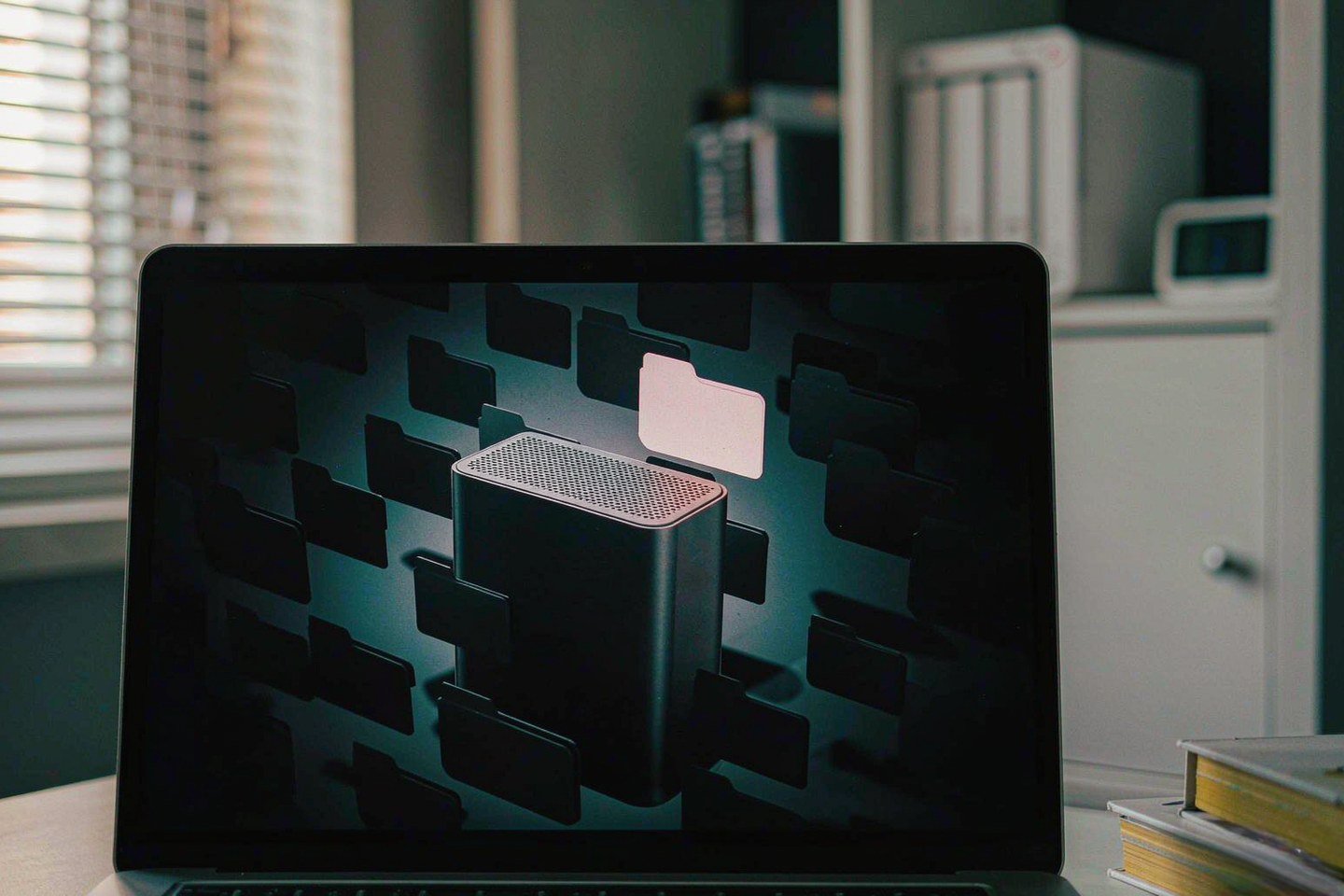
Direct answer up front, then the trade-offs that matter. This page covers immich vs google photos and answers: What is a NAS and do I need one?.
By Konpin · Founder / Lead Analyst
Beat: Private-cloud economics · How we review
Quick Answer
Pick Immich if you want automatic phone backup without a subscription and you are willing to run the server yourself. Stick with Google Photos if you would rather not administer anything and you are fine paying $9.99 a month for 2 TB. Immich is free software; the money moves from a monthly bill to hardware you own once. Since the v2.0 stable release in October 2025, the project has promised that any v2.x mobile app works with any v2.x server, which is what makes it usable by people who are not sysadmins.
Key Takeaways
- Immich is AGPL-licensed and free. Your cost is a server plus drives, not a licence.
- Google One storage in the US runs $1.99/month for 100 GB, $2.99/month for 200 GB and $9.99/month for 2 TB (Google, checked 2026-10-02).
- Immich's official minimum is 6 GB of RAM with machine learning enabled; 8 GB is comfortable (vendor documentation, accessed 2026-10-07).
- A Synology DS925+ with two 8 TB drives came to $1,611.76 in tracked pricing — more than ten years of the 2 TB Google One plan, but the drives are yours after year one.
- You are the backup plan. Immich holds your library; it does not back it up for you.
The Short Version
Immich is a self-hosted photo and video library that copies the parts of Google Photos people actually use: background upload from the phone, a scrolling timeline, albums and shared albums, a map view, face recognition, and natural-language search. The apps are first-party iOS and Android builds, not a wrapped web page.
The difference is where the software runs. Google Photos runs on Google's servers and reads your library through its own models. Immich runs in Docker containers on a machine in your house.
The machine-learning container does the face clustering and CLIP-style semantic search locally. Nothing is uploaded to a third party. That is the whole pitch, and it is also the whole cost: you now own the uptime, the updates, and the backups.
The project crossed its v2.0 stable milestone in October 2025, after roughly four years of development. How-To Geek reported that v2.0 brought semantic versioning — major versions can break things, minor versions are safe to auto-update, and any v2.x client talks to any v2.x server. That guarantee matters more than any single feature. It is what stops a routine container pull from leaving your phone app unable to log in.
Two honest caveats before you decide.
There is no end-to-end encryption in Immich today; your trust boundary is your own hardware, not mathematics. And the project's own developers tell users not to treat the library as a backup — it is the primary copy that itself needs a 3-2-1 strategy, including an offsite target.
Side-by-Side Comparison
Upfront cost
Google Photos starts at zero. Every Google account gets 15 GB shared across Gmail, Drive and Photos, and original-quality uploads count against that cap. The first paid step is Google One 100 GB at $1.99/month, and the 2 TB tier sits at $9.99/month (Google, checked 2026-10-02).
Immich starts at whatever your hardware costs. The software is free. A workable 4-bay box is not: the Synology DS925+ was listed on Amazon at $749.76 (checked 2026-10-02), and the DS923+ — the previous generation, still sold — was tracked at $599 from a US street listing (checked 2026-10-02).
Drives are the second invoice. An 8 TB Seagate IronWolf (ST8000VN004) was $347 on Amazon and an 8 TB WD Red Plus (WD80EFPX) was $431 from a DatacenterDisk listing, both checked 2026-10-02. Two IronWolf drives in a mirror is 8 TB usable.
Ongoing cost
Google's side is a recurring line. $9.99/month is $119.88 a year, and it does not stop.
Google has kept the core US storage tiers at the same price since launch, though the company has repeatedly reshuffled the AI tiers built on top of them. The promotional 50% first-year offers that ran in early 2026 were for new subscribers only, and renewal returns to the list price (9to5Google, accessed 2026-10-07). Assume the number can change on Google's schedule, not yours.
Immich's side is electricity, replacement drives, and your time.
That last item is the one people underestimate. Minor releases ship often, sometimes several in a month, and the project warns against running outdated versions because database migrations are tied to releases. Budget an hour a month for updates and a restore test you actually run.
Privacy and ownership
Here the two options are not close. Immich's machine-learning container processes faces and embeddings on your hardware in PostgreSQL with a vector extension; no image leaves the box for indexing. Google Photos' search quality comes precisely from Google's servers seeing your library.
Ownership cuts both ways, though. With Immich you can point the app at an external library folder and index files in place, which means your folder structure survives even if you abandon the software later. With Google, leaving means a Takeout export, an importer run, and a metadata-verification pass. It is a copy job plus an overnight machine-learning pass, not a five-minute switch.
| Field | Synology DS225+ (2025) | Synology DiskStation DS925+ | Synology DiskStation DS923+ | Synology DiskStation DS1525+ |
|---|---|---|---|---|
| Price (tracked) | Amazon $364.99 (2026-10-02) | Amazon $749.76 (2026-10-02) | US street (diskless) $599 (2026-10-02) | Amazon $1309.99 (2026-10-02) |
| Drive bays (SATA) | 2 bays | 4 bays | 4 bays | 5 bays |
| M.2 NVMe slots | 0 slots | 2 slots | 2 slots | 2 slots |
| Max bays with expansion | 7 bays | 9 bays | 9 bays | 15 bays |
| Hot-swap bays | Yes | Yes | Yes | Yes |
| CPU | Intel Celeron J4125 | AMD Ryzen V1500B | AMD Ryzen R1600 | AMD Ryzen V1500B |
| CPU cores | 4 cores | 4 cores | 2 cores | 4 cores |
| Installed RAM | 2 GB | 4 GB | 4 GB | 8 GB |
| Max RAM | 6 GB | 32 GB | 32 GB | 32 GB |
| RAM slots | 1 slot | 2 slots | 2 slots | 2 slots |
| ECC RAM | No | Yes | Yes | Yes |
| 1GbE ports | 1 port | — | 2 ports | — |
| 2.5GbE ports | 1 port | 2 ports | — | 2 ports |
| PCIe slots | — | — | 1 slot | 1 slot |
| USB ports | 2 ports | 2 ports | 2 ports | 2 ports |
| Form factor | Desktop tower | Desktop tower | Desktop tower | Desktop tower |
| Weight | 1.3 kg | 2.26 kg | 2.24 kg | 2.67 kg |
| Internal filesystem | — | Btrfs, ext4 | Btrfs, ext4 | Btrfs, ext4 |
| Warranty | 3 years | 3 years | 3 years | 3 years |
_Sources: Synology DS1525+ product page · Synology DS923+ product specification (PDF) · Synology official comparison (DS225+) · Synology official comparison (DS925+)_
_— = no verified ledger data for that field (never substitute a sibling model's number)._
Read that table with the target in mind rather than the spec sheet.
A 2-bay DS225+ at $364.99 takes two drives, and 2 GB of installed RAM is thin for Immich's machine-learning container — you are looking at a RAM upgrade before you are looking at a library.
The DS925+ and DS923+ both give four bays, two M.2 NVMe slots and 32 GB RAM ceilings, and both carry ECC memory, which the DS225+ does not. ECC matters here. Immich's PostgreSQL database holds your albums, face assignments and embeddings, and a silent bit flip in a database is a much worse afternoon than a corrupted photo file. The DS1525+ adds a fifth bay and ships with 8 GB, for $1,309.99 (Amazon, checked 2026-10-02).
The DS923+ is the price/performance pick in this table: $599 tracked against the DS925+'s $749.76, with the same 4 bays and 2 M.2 slots, at the cost of two CPU cores instead of four and no 2.5GbE. If your Immich box is also the machine that runs a media server, the faster link on the DS925+ is worth paying for. If it only ingests photos overnight, it is not.
Where Each Option Wins
Google Photos wins on setup time and on the out-of-office problem. There is nothing to install, nothing to patch, and your photos are reachable from a hotel Wi-Fi network because someone else runs the edge. Search across a decade of images is fast, the face grouping is better than anything you will run locally on a $500 box, and Google can add features like Magic Eraser without asking you to change a container.
Immich wins on the parts of the bill that recur.
Your library does not get more expensive when it grows, and no product manager can reprice it. The natural-language search is genuinely good — a CLIP-style model embeds photos and text into the same vector space, so "red car on a beach" returns matches without you tagging anything. Face recognition, object detection and duplicate detection all run in the same machine-learning container.
Immich also wins on reach. Your server does not rate-limit uploads, does not count devices, and does not decide that a shared album is a premium feature. Put it behind a reverse proxy or a mesh VPN and it is available wherever you are.
Cost Over 5 Years
Five years of Google One at 2 TB is $599.40 — $9.99 a month times sixty. That number is real and it is small, which is why "just pay Google" is a legitimate answer for a lot of households.
The Immich side depends almost entirely on what you already own. If you have a spare mini PC and two drives, you are at $0 of new hardware and the comparison is unfair. Starting from nothing, two reference builds:
| Build | Hardware | Five-year total |
|---|---|---|
| Lean: DS923+ + 2× 8 TB WD Red Plus | $599 + $862 | $1,461 |
| Standard: DS925+ + 2× 8 TB WD Red Plus | $749.76 + $862 | $1,611.76 |
| Google One 2 TB | none | $599.40 |
Both Synology prices are Amazon/DatacenterDisk listings checked 2026-10-02; drive prices are the tracked WD80EFPX figure of $431 each.
Neither build includes electricity (a 4-bay NAS idles in the tens of watts, so call it modest but not zero), and neither includes the value of your own time on updates and restore drills.
The break-even logic is therefore upside-down from the usual framing. Self-hosting does not save money at 2 TB over five years — it costs roughly two and a half times the subscription. It breaks even further up the capacity ladder, where cloud pricing climbs and a fixed drive count does not, and it starts to win outright once you are comparing against a tier you would actually need rather than the one you are on today.
That is the trade, stated plainly: you are buying an asset instead of renting a service, and you are paying a premium for the privilege.
Which Should You Choose
Worth it if you already have the hardware, you are already comfortable with Docker Compose, and your photo library is the one dataset you genuinely care about owning. Worth it if your library is large enough that you would be paying for a cloud tier well above $9.99 a month.
Skip it if you want zero maintenance.
Skip it if you are the household's only technical person and everyone else depends on the photos being available — the moment you are on holiday is the moment a drive will be the one to fail.
Skip it if your library is under about 1 TB and $1.99 a month buys you enough room, because the hardware will never pay for itself.
Our take: run them in parallel for a quarter before you commit. Keep Google Photos as the primary for one season, stand Immich up alongside it, and point the phone at Immich as a second backup target. You will learn in a few weeks whether you actually enjoy running the box — and that answer, not the price table, is what should decide this.
Real-World Scenario: Cross-Terminal Seamless Video/Audio Streaming
The assigned scenario for this comparison is the one Google Photos never really solved: getting the same library to play well on a phone, a laptop, a tablet and a TV, without a per-device subscription and without a server-side transcode bill.
What this changes for the use case
Google Photos is a photo service with video bolted on. It stores your clips, plays them in the app, and that is roughly the end of it. It is not a media library, and it has no opinion about your TV.
An Immich box is a file server that happens to have a photo app on top.
That means the same library that backs up your camera roll is also reachable over SMB from a laptop, and — if you add Jellyfin, Plex or a similar front end pointed at the same storage — from a TV or a console. One copy of the data, several clients, no second subscription. If your household has ever paid for cloud storage and a separate media subscription for what is physically the same set of files, this is the part of the setup that stops the double billing.
Hardware and software requirements
Immich itself is a multi-container Docker Compose stack: the app (Node.js), a separate Python machine-learning container, PostgreSQL with a vector extension, and Redis for the job queue. The vendor's documented minimum is 6 GB of RAM with machine learning enabled, and 8 GB is the comfortable number; the DS1525+ ships with 8 GB, while the DS925+ and DS923+ ship with 4 GB and have two RAM slots to fix that. Face recognition and semantic search can use a GPU, but CPU-only works — indexing just takes longer on a large library.
Plan the storage layout before you import anything.
Photos land in the upload folder, metadata and embeddings land in PostgreSQL, and a separate library folder can hold an existing archive you want indexed read-only in place.
Hardware acceleration for transcodes depends on the CPU: the AMD Ryzen V1500B in the DS925+ and DS1525+ handles hardware transcoding, while the older R1600 in the DS923+ is a weaker bet for multiple simultaneous streams.
Limits, caveats, and who should skip it
Streaming is where the cheap hardware shows its seams. A 2-bay DS225+ with 2 GB of RAM and a single 1GbE port will back up photos fine and struggle the moment two people open different 4K files. The R1600 in the DS923+ has two cores; transcode two high-bitrate streams on it and you will notice.
Remote streaming is a networking problem you now own. Without a reverse proxy with a valid certificate, or a mesh VPN such as Tailscale, you can watch things at home and nowhere else. Expose it to the open internet carelessly and you have handed your photo library to whatever scans port 443 that week.
Skip this shape if anyone in the house needs playback to just work on a TV without configuration. Skip it if your library is small and your streaming happens one device at a time — a $9.99 subscription plus a $40 streaming stick will cost less and bother you less. Choose the NAS route if you want one library serving every screen and you accept that the setup weekend is the entry fee.
Frequently Asked Questions
Is Immich a full replacement for Google Photos?
For most people, close.
It matches background phone backup, the timeline, albums, shared albums, a map view, face recognition and semantic search. What it does not match is zero maintenance — you own updates, disk health and backups. It also has no end-to-end encryption today, so your trust boundary is your own hardware rather than mathematics.
Does Immich cost anything?
The software is free under AGPL-3.0, including the iOS and Android apps. Your costs are hardware, electricity, replacement drives, and the time you spend administering it.
As of 2026-10-07 the project had announced plans for paid add-ons — starting with an end-to-end encrypted offsite backup service — but those services were not yet available, and the core product does not depend on them.
Can I move an existing Google Photos library into Immich?
Yes, in two passes. Request a Google Takeout export, extract it, then run the immich-go importer against the extracted folder rather than copying files by hand — it preserves albums and metadata far better than a plain filesystem copy and skips files it already has by content hash.
Expect a copy job measured in hours, followed by a background machine-learning pass that indexes faces and objects.
How much RAM and storage does Immich actually need?
The vendor documents 6 GB as the minimum with machine learning enabled and 8 GB as comfortable. Storage depends entirely on the library: a phone photo runs 3–8 MB and a video 30–150 MB, so 100,000 photos plus a few thousand clips lands somewhere between 500 GB and 1.5 TB.
Buy hardware you can expand — spare drive bays beat a bigger single disk, because RAID needs two drives to survive one failure.
Sources
- How-To Geek — "Google Photos alternative Immich gets first stable release" (accessed 2026-10-07)
- ServeTheHome — self-hosted infrastructure and photo-library hardware requirements (accessed 2026-10-07)
- Blocks & Files — cloud storage economics and subscription pricing context (accessed 2026-10-07)
- PetaPixel — self-hosted libraries for photographers (accessed 2026-10-07)
- Android Authority — break-even framing for cloud storage versus a NAS (accessed 2026-10-07)
- Google One US storage tiers, tracked in the site price ledger (checked 2026-10-02)
- Synology product pages and official comparison sheets, tracked in the site spec ledger (checked 2026-10-02)
- Seagate IronWolf ST8000VN004 and WD Red Plus WD80EFPX 8 TB prices (checked 2026-10-02)
Run your own 5-year cost comparison with the on-site calculator
标签 home-server 不在允许集合 ai-nas, ai-storage, backup, digital-home, nas-hardware, private-cloud, security-storage 内
Open the cost calculator →Related reading
Was this article helpful?
One tap, no account and no comment box. It tells us which guides are actually worth updating.
How many drive bays is your NAS?
This is how we decide which setups to cover next.
Thanks.
Need help with a specific setup?
Storage choices depend on your drives, your budget and how many people share the box. Tell us what you are building and we will point you at a configuration that fits — no obligation, no sales script.
Affiliate Disclosure: SecureNAS Hub may earn a commission from qualifying purchases made through links on this page, at no extra cost to you. Facts and figures are attributed in the Sources list; nothing on this page is a fabricated test result. See our full disclosure. Product images are either supplied by the manufacturer or clearly labelled as illustrative renders; each one is captioned accordingly. Last reviewed 2026-10-07.