NAS Guides · Published 2026-11-03
Do You Need 10GbE? 2.5GbE vs 10GbE on a Home NAS
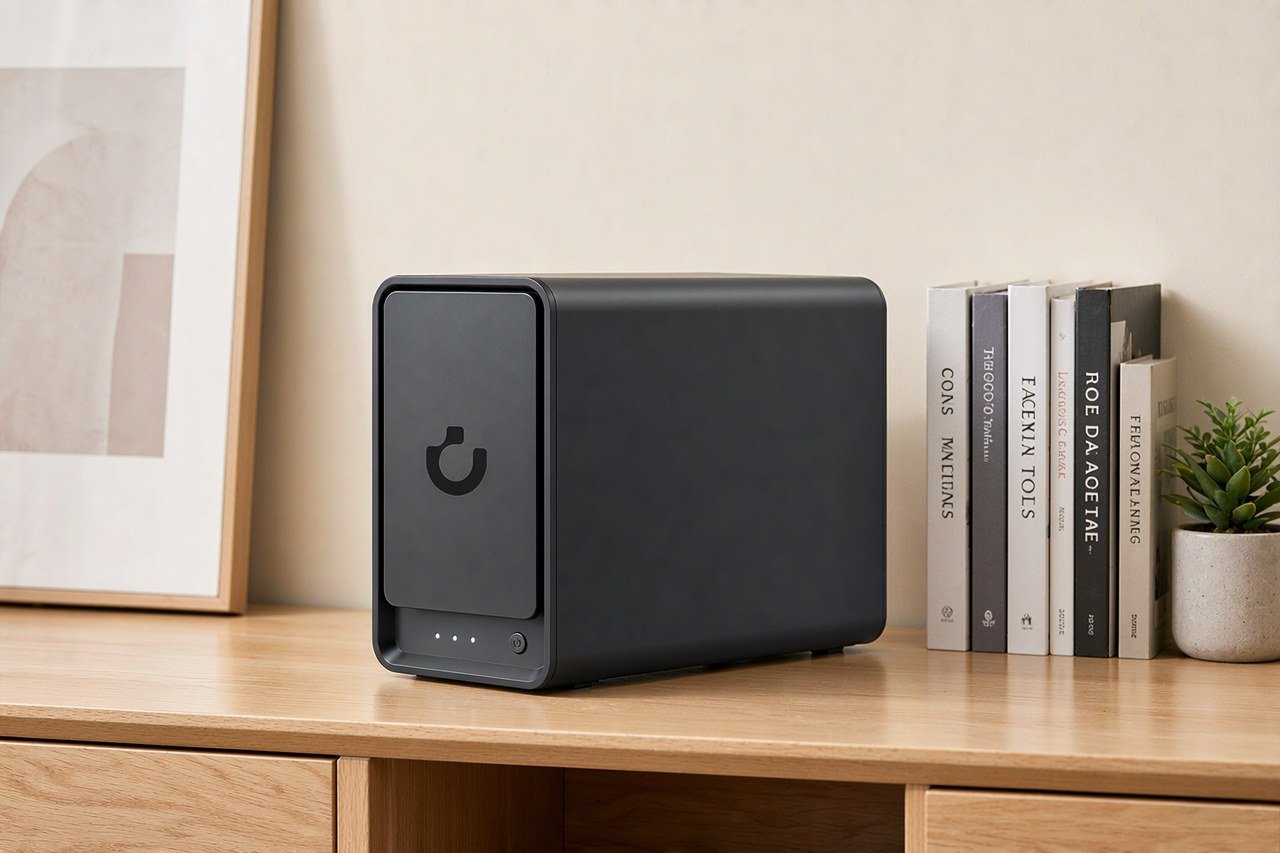
Direct answer up front, then the trade-offs that matter. This page covers 2.5gbe vs 10gbe home nas and answers: What is a NAS and do I need one?.
By Jack Huang · Senior Writer, Local AI and Smart Home
Beat: On-device AI features · How we review
Quick Answer
Buy 2.5GbE. Choose 10GbE only when you edit video straight off the array or several people pull large files at once, and only if the switch, the client network card and the cable all match. 2.5 Gbps is 312 MB/s of line rate over the Cat5e already in your walls.
Both are copper Ethernet tiers above Gigabit, and both use the same RJ45 plug. The 2.5G tier became IEEE 802.3bz in September 2016, largely because Gigabit ports had turned into the cheapest bottleneck in a fast home network (Teldat, accessed 2026-11-03).
Key Takeaways
- The UGREEN DXP4800 Plus pairs one 2.5GbE port with one 10GbE port. The Synology DS925+, QNAP TS-464 and TerraMaster F4-424 Pro stop at 2.5GbE, with no 10GbE port on the box at all (site spec ledger, checked 2026-10-02).
- A "Gigabit" link delivers 500–900 Mbps after overhead, never a full 1,000. That gap is why 2.5GbE feels faster than the spec sheet suggests (Dong Knows Tech, accessed 2026-11-03).
- Consumer 10GbE gear sustains 6.5–9.5 Gbps after overhead, so budget for roughly two-thirds of the headline number (Dong Knows Tech, accessed 2026-11-03).
- Copper 10Gbps needs Cat6a for a 100 m run. Cat6 gets about 55 m and Cat5e about 45 m at that speed; 2.5Gbps still runs the full 100 m on Cat5e (Dong Knows Tech; Teldat, accessed 2026-11-03).
- UGREEN's own US store listed the DXP4800 Plus at $619.99 on 2026-11-03, against a $729.99 regular price. Amazon had the same box at $656.99 on 2026-10-16.
The Short Version
2.5GbE is not half of 10GbE in any way that matters at home.
The reason is the rest of the chain. A link always runs at the speed of the slowest party in it: plug a Cat5e cable into two 10G ports and you get Cat5e behaviour, and a 2.5G switch between a 10G NAS and a 10G desktop drags the whole transfer down to 2.5G (Dong Knows Tech, accessed 2026-11-03).
Speed is a property of the path, not the box.
What each tier actually gives you, in file-copy terms:
- 2.5Gbps is 312 MB/s of raw line rate. Strip the SMB and TCP overhead and you are working with something in the high 200s, which is still roughly three times what a healthy Gigabit link does.
- 10Gbps is 1,250 MB/s of raw line rate. Dong Knows Tech measured consumer 10G hardware sustaining 6.5–9.5 Gbps after overhead, which lands between 812 MB/s and 1,187 MB/s.
Ten meters of Cat6a and a 10G switch are the parts people forget. Teldat notes that 10Gbps over copper "consumes more power and the equipment is considerably more expensive", which is the honest short version of why 2.5GbE took over the home market instead (accessed 2026-11-03).
That is the trap: the last two items on the list get bought last, after the NAS is already on the desk and the slow copy has been blamed on the drives.
One number we will not give you: a single "your array will do X MB/s" figure. Drive count, RAID level, file size and SMB version all move it, and we have not run a benchmark on your hardware. Copy a 20 GB folder across the LAN before you buy a 10G switch. If that copy is already slower than 280 MB/s, the network was never your problem.
Side-by-Side Comparison
$619.99 bought four bays and a 10GbE port on UGREEN's own store on 2026-11-03. Nothing else in our ledger does that at any price.
This table comes from the site's spec and price ledgers; every figure carries a source and a check date, and a dash means the ledger has no verified entry for that field. Stale prices are marked as such rather than passed off as current.
| Field | UGREEN NASync DXP4800 Plus | Synology DiskStation DS925+ | QNAP TS-464 (8 GB) | TerraMaster F4-424 Pro |
|---|---|---|---|---|
| Price (tracked) | Amazon $656.99 (2026-10-16);UGREEN official store (US), sale price $619.99 (2026-11-03) | Amazon $749.76 (2026-10-02, stale) | Amazon $639 (2026-10-02, stale) | DatacenterDisk listing $730.99 (2026-10-02, stale) |
| Drive bays (SATA) | 4 bays | 4 bays | 4 bays | 4 bays |
| M.2 NVMe slots | 2 slots | 2 slots | 2 slots | 2 slots |
| Max raw capacity | 144 TB | — | — | 88 TB |
| Max bays with expansion | — | 9 bays | — | — |
| Hot-swap bays | Yes | Yes | Yes | Yes |
| CPU | Intel Pentium Gold 8505 | AMD Ryzen V1500B | Intel Celeron N5095 | Intel Core i3-N305 |
| CPU cores | 5 cores | 4 cores | 4 cores | 8 cores |
| Installed RAM | 8 GB | 4 GB | 8 GB | 32 GB |
| Max RAM | 64 GB | 32 GB | 16 GB | 32 GB |
| RAM slots | — | 2 slots | 2 slots | 1 slot |
| ECC RAM | — | Yes | — | — |
| RAM soldered (not upgradeable) | No | — | — | — |
| 2.5GbE ports | 1 port | 2 ports | 2 ports | 2 ports |
| 10GbE ports | 1 port | — | — | — |
| PCIe slots | — | — | 1 slot | — |
| USB ports | 4 ports | 2 ports | 4 ports | 2 ports |
| HDMI output | 4K 60Hz | — | 4K 60Hz | 4K 60Hz |
| Form factor | Desktop tower | Desktop tower | Tower | Desktop tower |
| Weight | — | 2.26 kg | 2.26 kg | 3.4 kg |
| Internal filesystem | — | Btrfs, ext4 | — | — |
| Warranty | 2 years | 3 years | 3 years | 2 years |
Upfront cost
Every price in that table is diskless. Add drives and the bill roughly triples.
On 2026-10-02 the WD Red Plus 8 TB (WD80EFPX) was listed at $431 and the Seagate IronWolf 8 TB (ST8000VN004) at $347. Four IronWolf drives plus a $619.99 enclosure comes to $2,007.99; the same build on WD Red Plus comes to $2,343.99. Those drive prices are from 2026-10-02 and we have not re-checked them today, so treat them as a dated reading rather than this morning's number.
The 10GbE premium, where it exists at all, is smaller than people assume. UGREEN sells the DXP4800 Plus with the port already on the board at the same price as competitors' 2.5GbE-only boxes. That is the argument for buying the port, not for buying 10G switches.
Ongoing cost
No subscription sits on either tier. Ethernet ports do not expire.
Power is the recurring difference, and it is small. Teldat flags higher consumption for 10Gbps copper, and the PHY in a 10G port does run warmer than a 2.5G one, but a single port will not show up on your bill the way four spinning drives do. Our calculation of a 24/7 NAS bill puts the drives and the CPU far ahead of the NIC (see the power-cost piece linked below).
The real running cost is the switch. A 10G switch that does not throttle the NAS is the part that keeps costing money, and we could not verify current switch pricing against a first-hand source, so we are not quoting a figure for it.
Cabling and what the ports do not fix
Cat5e in the wall is fine for 2.5Gbps. It is not fine for 100 m of 10Gbps.
Dong Knows Tech puts the 10Gbps ceiling at 45 m on Cat5e, 55 m on Cat6 and the full 100 m on Cat6a. Most apartments will never hit 45 m, which is exactly why the "you must rewire" warning is overstated for 2.5G and understated for 10G.
Your wall decides.
Where Each Option Wins
Where does 10GbE actually pay for itself? Three places, and none of them is "because it is faster".
Editing off the array. A video project that reads proxies and source clips from the NAS keeps the timeline responsive only while the link stays ahead of the stream. At 2.5GbE you are working inside a 280–300 MB/s budget; a single 4K ProRes 422 HQ stream sits around 110 MB/s, so two or three simultaneous streams eat it. This is the case where the 10G port on the DXP4800 Plus earns its place.
Several clients at once. Two people backing up laptops plus a Plex transcode plus a Time Machine run is a queue, not a stream. Aggregate demand crosses 2.5G before any single transfer looks slow.
NAS-to-NAS replication. Copying a library between two boxes over 2.5G is fine for a nightly job and painful for a one-off move of 20 TB.
2.5GbE wins nearly everywhere else. Phone photo offload is limited by the phone's Wi-Fi, not the wire. Plex clients pull one stream each. A laptop docked to a 1G port will never see either upgrade. And every NAS in the table above already exceeds what a Gigabit port can deliver, which makes 2.5G the cheapest real improvement available to a home user.
One honest limit: the TS-464 carries a PCIe slot, so QNAP owners can add a 10G card later. The DS925+ does not, and the F4-424 Pro does not in our ledger, so the port you buy is the port you keep.
Cost Over 5 Years
Start with the box, then add the parts nobody photographs.
For a four-bay build at today's tracked prices, the 2.5GbE path looks like this: $619.99 for the DXP4800 Plus, $1,388 for four IronWolf 8 TB drives at the 2026-10-02 reading, and a 2.5G unmanaged switch you can buy for less than the drives cost. That lands near $2,100 before cables.
The 10GbE path adds a 10G switch, Cat6a runs if your walls are old, and a 10G card or Thunderbolt adapter on the client side. None of those three items is in our price ledger, and we are not going to invent numbers for them. What we can tell you is the shape of the bill: the enclosure is the cheapest part of a 10G upgrade, and the client side is the most expensive. Watch out for that client side, because it is where the plan usually stalls; most desktops in an office still ship with a 1G port, so a 10G NAS ends up talking to a 1G desk unless you also buy cards.
Over five years the drive replacement cycle matters more than the port. Both tiers use the same disks, so the network choice adds cost once and then stops mattering. That is the argument for buying the port you will actually use rather than the one that looks bigger on a spec sheet.
Which Should You Choose
Buy 2.5GbE if the NAS lives in a closet and you reach it from a laptop, a phone and a TV. That covers most buyers, and the DXP4800 Plus at $619.99 is the pick because the 10G port is included rather than sold as an add-in.
Buy 10GbE if you cut video on a desktop with a 10G NIC, or if three or more people hit the same share at once. Skip it if your clients are laptops on Wi-Fi — you would be paying for a port that ends at a Wi-Fi radio.
Skip the DXP4800 Plus if you want a five-year warranty. It ships with two years; the DS925+ and TS-464 carry three, and that difference is worth more than 10GbE to some buyers.
Our take: 2.5GbE is the correct default in 2026, and 10GbE is a workflow decision, not an upgrade path. If you cannot name the file copy that is currently too slow, you do not need it.
Real-World Scenario: Five Engineers and a 300 MB Assembly
Five engineers, one shared folder, and a CAD assembly that takes 40 seconds to open over Gigabit.
That 40-second figure is the shape of the complaint we hear, not a measurement we ran. The mechanics are easy to reason about: opening an assembly pulls the parent file plus every referenced part, so a 300 MB assembly with a hundred links can move a few hundred megabytes before the first sketch appears. At Gigabit's real-world 500–900 Mbps that is minutes of waiting on a cold cache (Dong Knows Tech, accessed 2026-11-03).
What this changes for the use case
2.5GbE cuts the wait by roughly the ratio of the links: three times the bandwidth against a Gigabit port. If the same assembly opens in 40 seconds at Gigabit and the array can feed the link, the floor moves to about 13 seconds.
That is the difference between "open it and go get coffee" and "open it and wait". It is not the difference between local and network storage — a local NVMe drive still wins on latency, and no copper link changes that.
Hardware and software requirements
The NAS needs a 2.5GbE port, which every box in the comparison table has. The switch needs 2.5G ports and a 10G uplink if the server room and the desks are on different floors. Each workstation needs a 2.5G NIC; most business desktops ship with 1G, so budget for a PCIe card or a USB adapter per seat.
On the software side, SMB3 with large MTU and multi-channel helps, and the CAD application's own file-locking behaviour decides whether two engineers can touch the same assembly. Version control for CAD (SOLIDWORKS PDM, or a plain snapshot folder with dated copies) matters more than the port speed once files are shared. If you are starting from nothing, the setup walkthrough we link at the bottom covers the NAS side.
Limits, caveats, and who should skip it
A 10GbE upgrade for this team would cost more than the NAS. Five client cards, a 10G switch and Cat6a runs add up faster than the enclosure did, and the gain over 2.5G only appears when several engineers save at once.
Skip the whole upgrade if the assemblies live under 50 MB. At that size the file open is limited by the CAD application's parsing, not the wire. Skip it too if the team works from local copies and syncs at night — a nightly sync does not care whether it finishes in 4 minutes or 90 seconds.
Frequently Asked Questions
Is 2.5GbE enough for a home NAS?
For most homes, yes. 2.5Gbps moves about 312 MB/s at line rate, which is roughly three times a healthy Gigabit link and more than most single-drive transfers can use. It runs on the Cat5e already in your walls and needs no client card on many recent motherboards. The exception is video editing directly off the array, where 10GbE changes the workflow.
Do I need Cat6a for 2.5GbE?
No. 2.5GBASE-T was written to run 100 m over Cat5e, and Cat6 gives more margin without changing the plugs on either end. Cat6a becomes necessary at 10Gbps: Dong Knows Tech lists 45 m for Cat5e and 55 m for Cat6 at that speed, against the full 100 m on Cat6a (accessed 2026-11-03).
Will a 10GbE NAS make my transfers ten times faster?
Almost never. The link runs at the speed of the slowest part, so a 10G NAS behind a 1G switch, a 1G client port or a marginal Cat5e run delivers Gigabit results. Consumer 10G hardware also sustains 6.5–9.5 Gbps rather than 10. Measure a large file copy before you buy; the network is often not the bottleneck.
Is 10GbE worth it over 2.5GbE for a four-bay NAS?
Only with a specific reason: editing video in place, several simultaneous clients, or NAS-to-NAS copies. For a four-bay box serving phones, laptops and a TV, 2.5GbE is the better buy, and the enclosure money is better spent on drives. The UGREEN DXP4800 Plus includes a 10GbE port at $619.99 as of 2026-11-03, which makes the decision cheap either way.
Sources
- Dong Knows Tech — "Multi-Gig Ethernet, Explained": 802.3bz tiers, real-world 10GbE throughput of 6.5–9.5 Gbps, Gigabit's 500–900 Mbps ceiling, and 10Gbps cable limits per category (accessed 2026-11-03)
- Teldat — "What is Multi-Gig? 2.5G and 5G over same cabling": 802.3bz approval in September 2016, Cat6a for 100 m at 10Gbps, and the power and equipment cost of the 10G jump (accessed 2026-11-03)
- IEEE Standards Association — IEEE 802.3bz-2016 standard page for 2.5GBASE-T and 5GBASE-T (accessed 2026-11-03)
- UGREEN NASync DXP4800 Plus official product page — four bays, two M.2 slots, one 10GbE plus one 2.5GbE port, $619.99 sale price against $729.99 regular on 2026-11-03 (accessed 2026-11-03)
- Site spec ledger — bays, M.2, CPU, memory, 2.5GbE and 10GbE port counts, PCIe slots and warranty for the UGREEN DXP4800 Plus, Synology DS925+, QNAP TS-464 and TerraMaster F4-424 Pro (checked 2026-10-02)
- Site price ledger — Amazon readings for the DXP4800 Plus ($656.99, 2026-10-16), DS925+ ($749.76), TS-464 ($639), F4-424 Pro ($730.99), WD Red Plus 8 TB ($431) and Seagate IronWolf 8 TB ($347), the last four from 2026-10-02
Run your own 5-year cost comparison with the on-site calculator
Every figure above is attributed in the Sources list — put your own drive count and subscription tiers into the calculator to see where you land.
Open the cost calculator →Related reading
- NAS HDD vs SSD: Which Drives Belong in a Home NAS · strong
- What a NAS Really Costs to Run 24/7 · strong
- How to Set Up a Home NAS in 15 Minutes · supporting
- What Is a NAS? A Plain-English Guide · supporting
Was this article helpful?
One tap, no account and no comment box. It tells us which guides are actually worth updating.
How many drive bays is your NAS?
This is how we decide which setups to cover next.
Thanks.
Need help with a specific setup?
Storage choices depend on your drives, your budget and how many people share the box. Tell us what you are building and we will point you at a configuration that fits — no obligation, no sales script.
Affiliate Disclosure: SecureNAS Hub may earn a commission from qualifying purchases made through links on this page, at no extra cost to you. Facts and figures are attributed in the Sources list; nothing on this page is a fabricated test result. See our full disclosure. Product images are either supplied by the manufacturer or clearly labelled as illustrative renders; each one is captioned accordingly. Last reviewed 2026-11-03.