NAS Guides · Published 2026-11-05
ZFS vs Btrfs for a Home Server: Which Should You Pick
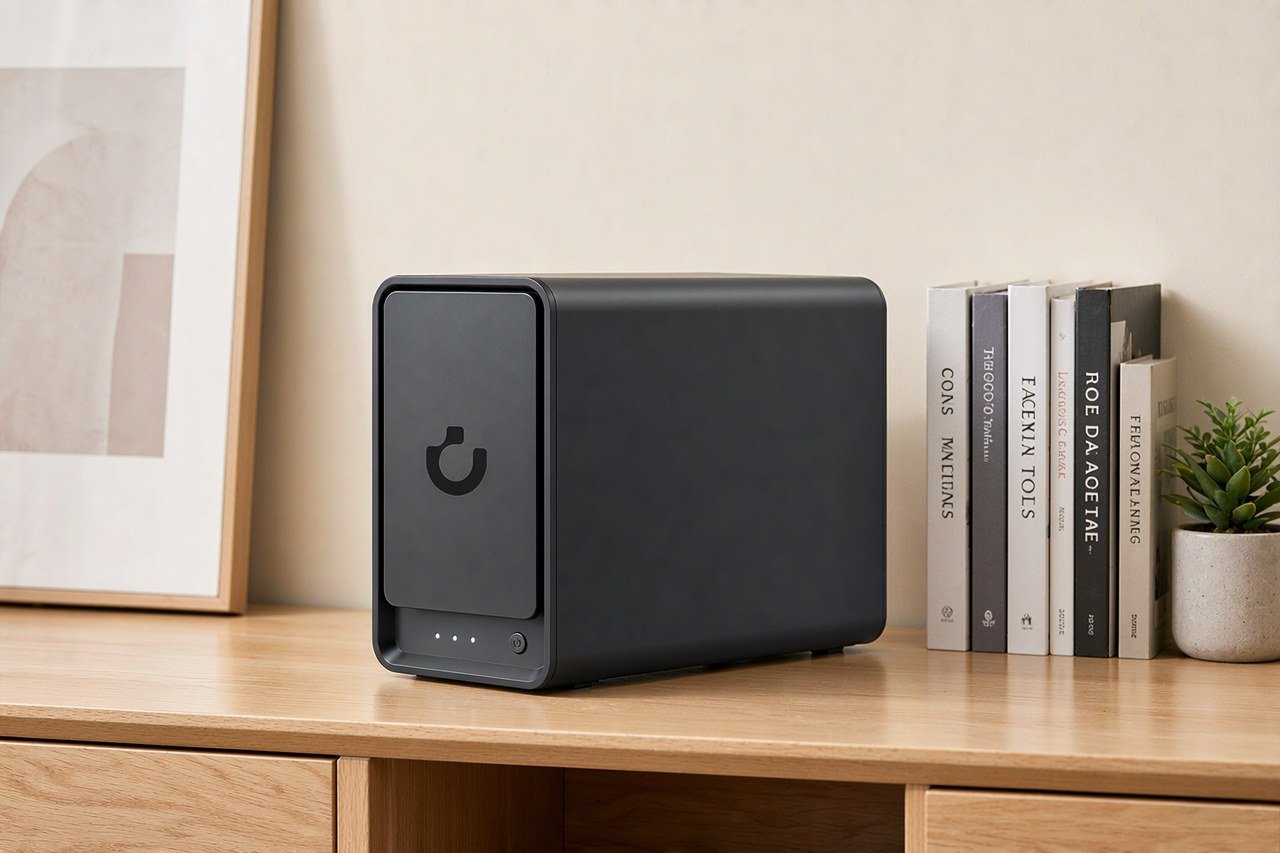
Direct answer up front, then the trade-offs that matter. This page covers zfs vs btrfs home server and answers: What is a NAS and do I need one?.
By Konpin · Founder / Lead Analyst
Beat: Private-cloud economics · How we review
Quick Answer
ZFS wins if you want parity RAID. The Btrfs project states that RAID5 and RAID6 should not be used in production, which leaves mirrors on a small box. Btrfs wins on flexibility: shrinking a volume, adding a disk without a full rewrite, and running on modest RAM.
Key Takeaways
- Btrfs RAID5 and RAID6 carry a write hole the project says it has not closed; its own manual recommends raid1 or raid1c3 for metadata even when data sits on parity.
- ZFS avoids that failure mode by never overwriting a live block, and raidz parity survives one, two, or three drive failures depending on the level you choose.
- A ZFS pool is painful to shrink. A top-level raidz vdev cannot be removed at all, so the drive count you pick at creation is close to permanent.
- The OpenZFS project recommends ECC memory but does not require it, and says eight gigabytes is enough for good performance rather than a hard floor.
The Short Version
Both filesystems are copy-on-write, both checksum every block, both snapshot instantly, and both build RAID into the filesystem instead of a controller card. That overlap is why the argument gets muddled in forum threads.
ZFS started at Sun and is now maintained as OpenZFS. It is the filesystem inside TrueNAS. Btrfs was written for Linux and ships in Synology's DSM: the DS925+ entry in our spec ledger lists "Btrfs, ext4" as its internal filesystem, taken from Synology's own comparison page (checked 2026-10-02).
Checksums are not the differentiator people claim. OpenZFS calls end-to-end checksums "a key feature" that separates it from other RAID implementations, and Btrfs' status page rates checksumming OK on both stability and performance (accessed 2026-11-05). Btrfs also repairs bad copies automatically from a good one, using DUP, RAID1, RAID10 or RAID56 redundancy.
Parity is where they split.
Side-by-Side Comparison
Parity, and the hole underneath it
A RAID5 stripe holds data plus one parity block. Cut the power mid-write and the two can disagree, with nothing on disk recording which half is current. That gap is the write hole.
Btrfs has it, and its documentation does not soften the point. The manual says RAID56 "should not be used in production, only for evaluation or testing", that power-failure safety for metadata "is not 100%", and that "write journal is not implemented" (btrfs(5) manual, accessed 2026-11-05). The same section recommends raid1 or raid1c3 for metadata regardless of what the data profile is.
ZFS dodges the problem through copy-on-write. New data goes to free space, the pointer tree flips once the write lands, and the old block stays intact until that flip. The OpenZFS RAIDZ page states that RAIDZ "eliminates the RAID-5 write hole", and a raidz group can carry single, double or triple parity (accessed 2026-11-05).
What that means on a desk: with four drives and Btrfs, you are realistically running RAID1 as two mirrored pairs and losing half your raw capacity. With ZFS you can spend one drive on parity and keep three drives of usable space at raidz1.
Half the capacity, or one drive of overhead. That is the whole argument, and everything after this paragraph is a footnote to it.
Adding and removing drives
Capacity planning is the second fault line, and it favours Btrfs.
Growing a ZFS raidz vdev used to require rebuilding the pool. The current OpenZFS documentation describes raidz expansion as a normal operation: zpool attach pool raidz2-0 sdX reads all allocated data and rewrites it across the wider group, keeps redundancy throughout, and pauses if a disk fails mid-flight. Two caveats come with it. Fault tolerance does not change, and old blocks keep their original data-to-parity ratio, so "reported free space may therefore be slightly pessimistic until old data is rewritten" (OpenZFS Changing Pool Layout, accessed 2026-11-05). Shrinking is the harder wall. The zpool-remove manual is explicit: top-level vdevs can only be removed when the pool contains no top-level raidz or draid vdev (accessed 2026-11-05). Mirrors detach cleanly. Parity groups do not.
Btrfs allows the reverse move. Its resize subcommand accepts a minus sign — btrfs filesystem resize -500g /mnt/pool — and shrinks the filesystem by that amount (btrfs-filesystem manual, accessed 2026-11-05). You can also add a device and rebalance data across the new geometry, which is what most consumer NAS boxes do behind a setup wizard.
Memory, and the ECC argument
The most repeated claim about ZFS is that it needs ECC memory. The project itself does not say that. OpenZFS lists ECC as "highly recommended" and then adds: "This isn't really a requirement". On RAM it is equally plain: "8GB+ of memory for the best performance. It's perfectly possible to run with 2GB or less (and people do)", with more needed only if you turn on deduplication (OpenZFS FAQ, accessed 2026-11-05).
For home use the same FAQ concedes that "the additional safety brought by ECC memory might not justify the cost".
Hardware support is uneven, and that matters more than the philosophy. Our ledger records ECC support as Yes on the Synology DS925+, and has no ECC entry at all for the UGREEN NASync DXP4800 Plus, so we cannot confirm whether its bundled module is ECC (spec sheet checked 2026-10-02). If ECC is a requirement for you, that single field narrows the shortlist fast.
Where Each Option Wins
ZFS wins on parity redundancy, on pool-wide integrity checking through scrub, and on predictability. Its rules are documented in one place and change slowly. A raidz2 pool on six drives survives any two failures, and ZFS will tell you which file is damaged rather than handing you a corrupt page.
Btrfs wins on day-two operations. Shrinking a volume, adding a disk to an existing set, converting a profile, and running on a low-power box with four gigabytes of RAM are all routine. Its snapshot and reflink behaviour is also friendlier to desktop-style workloads: copying a 40 GB virtual machine image costs metadata, not 40 GB.
Neither wins on speed in any way that matters for a home NAS. Both saturate a 2.5GbE link on sequential transfers with spinning disks, and both fall off a cliff on small random writes to parity. If throughput is your deciding factor, buy a faster network card before you pick a filesystem.
What the Hardware Actually Costs
The table below comes from our price and spec ledgers, not from a retailer page read this morning. Read the dates in the price row before you plan a budget: only the UGREEN figures are current.
| Field | UGREEN NASync DXP4800 Plus | Synology DiskStation DS925+ | QNAP TS-464 (8 GB) | TerraMaster F4-424 Pro |
|---|---|---|---|---|
| Price (tracked) | Amazon $656.99 (2026-10-16);UGREEN official store (US), sale price $619.99 (2026-11-03) | Amazon $749.76 (2026-10-02, stale) | Amazon $639 (2026-10-02, stale) | DatacenterDisk listing $730.99 (2026-10-02, stale) |
| Drive bays (SATA) | 4 bays | 4 bays | 4 bays | 4 bays |
| M.2 NVMe slots | 2 slots | 2 slots | 2 slots | 2 slots |
| Max raw capacity | 144 TB | — | — | 88 TB |
| Max bays with expansion | — | 9 bays | — | — |
| Hot-swap bays | Yes | Yes | Yes | Yes |
| CPU | Intel Pentium Gold 8505 | AMD Ryzen V1500B | Intel Celeron N5095 | Intel Core i3-N305 |
| CPU cores | 5 cores | 4 cores | 4 cores | 8 cores |
| Installed RAM | 8 GB | 4 GB | 8 GB | 32 GB |
| Max RAM | 64 GB | 32 GB | 16 GB | 32 GB |
| RAM slots | — | 2 slots | 2 slots | 1 slot |
| ECC RAM | — | Yes | — | — |
| RAM soldered (not upgradeable) | No | — | — | — |
| 2.5GbE ports | 1 port | 2 ports | 2 ports | 2 ports |
| 10GbE ports | 1 port | — | — | — |
| PCIe slots | — | — | 1 slot | — |
| USB ports | 4 ports | 2 ports | 4 ports | 2 ports |
| HDMI output | 4K 60Hz | — | 4K 60Hz | 4K 60Hz |
| Form factor | Desktop tower | Desktop tower | Tower | Desktop tower |
| Weight | — | 2.26 kg | 2.26 kg | 3.4 kg |
| Internal filesystem | — | Btrfs, ext4 | — | — |
| Warranty | 2 years | 3 years | 3 years | 2 years |
Two readings are live: Amazon listed the DXP4800 Plus at $656.99 on 2026-10-16, and UGREEN's own US store listed it at $619.99 on 2026-11-03 as a sale price. That gap for the same box on the same continent inside three weeks is the normal spread between a marketplace listing and a vendor promotion, and neither figure should be treated as the price next month. The Synology, QNAP and TerraMaster rows carry 2026-10-02 readings and are marked stale in the table. We are showing them as history, not as quotes, and we did not total a build cost from them, because adding a five-week-old price to a current one produces a number that looks precise and is not.
One hardware note changes the ZFS maths.
The DXP4800 Plus ships with eight gigabytes installed and supports up to 64 GB, with two M.2 slots free for a special-metadata vdev or an L2ARC cache device (ledger, checked 2026-10-02). The DS925+ lists four gigabytes installed and a 32 GB ceiling on the same date. If you plan to run deduplication on ZFS, budget for RAM before you budget for drives — the OpenZFS FAQ ties dedup memory to dataset size, and that is the one configuration where a small module becomes a real problem.
Which Should You Choose
Pick ZFS for a parity array. If your plan is four or more drives with one or two for redundancy, raidz1 or raidz2 is the only parity layout in this comparison that its own project stands behind, and the pool will tell you which block failed instead of silently returning bad data.
Pick Btrfs if the box is small, the RAM is fixed, and you expect to change your mind about capacity. Two mirrored pairs, weekly snapshots, and the ability to shrink later is a coherent plan for a photo archive that grows unevenly.
Worth it if: you are building a four-drive box with 8 TB drives and want three drives of usable space — ZFS raidz1. You are buying a two-drive Synology and want snapshots plus the option to add a disk later — Btrfs.
Skip it if: you want to start with three drives and shrink to two next year. Neither filesystem will do that gracefully, and Btrfs on a single device gives you no redundancy at all. Also skip ZFS parity if you cannot free a bay for a replacement drive during a resilver; a degraded raidz1 with no spare slot is a bad week.
The trade-off in one line: ZFS trades flexibility for integrity, Btrfs trades integrity guarantees on parity for flexibility.
Our take — for a first home server holding photos you cannot re-shoot, mirrors beat parity on both filesystems. Parity protects against a dead drive, not against a deleted folder, a ransomware process, or a controller that writes garbage. The 3-2-1 backup routine is the part that actually saves the files, and no filesystem choice replaces it.
A 20 TB Archive That Needs a Fifth Disk
Picture the common case. Three 8 TB drives in raidz1, roughly 14 TB usable after parity and formatting, and a photo library that crossed 12 TB this autumn. The box has one empty bay. Now what?
What changes
On ZFS, one command widens the array: attach a fourth drive to the existing raidz1 vdev and let it rewrite the allocated blocks across the wider group. Capacity does not jump to 24 TB on day one, because old blocks keep the ratio they were written with. Expect free space to look pessimistic until a rewrite passes over the old data. Redundancy holds during the process, and the operation pauses rather than proceeding if a drive drops out.
On Btrfs the same move is btrfs device add plus a rebalance, which spreads existing chunks across the new geometry. It finishes faster on a nearly full array and leaves the profile unchanged.
What you need on hand
A drive of the same class, and patience for a resilver. The 8 TB CMR drives in our ledger are the right shape for this: sustained-write NAS models rather than desktop drives, because a rebuild hammers every platter for hours. Our HDD versus SSD comparison covers why the cheap desktop drive is a false economy here.
ECC is optional on both, per the OpenZFS FAQ, but a rebuild is exactly the window where an undetected memory error turns into a silently corrupted block. That is a judgment call about your own risk tolerance, not a rule.
Where it breaks
Three places.
The first is bay count. Expansion needs a free slot, and a four-drive chassis that is already full cannot expand at all — you replace drives one at a time with larger ones and wait for each rebuild. Our bay-count guide exists because of this exact dead end.
The second is snapshot sprawl. Snapshots pin old blocks. A pool at 90% with hourly snapshots can refuse a resilver for lack of free space, which is the least helpful failure mode in storage.
The third is thermal. A rebuild runs every drive at full tilt for hours in a fanless or near-fanless enclosure, and drives that sat at 38 °C idle will climb well past that. Watch the temperature graph for the first hour of your first resilver, because that is when you find out whether your case moves air or just holds disks. We could not verify any specific enclosure's rebuild temperatures for this piece, so treat that as a design concern rather than a measured claim.
The common mistake, and the one worth avoiding before you buy: counting empty bays without counting the spare. If your plan needs a free slot for a replacement drive during a rebuild, buy the chassis one bay larger than the array you intend to run. You will pay for that bay once and use it twice.
Frequently Asked Questions
Is Btrfs RAID5 safe to use in 2026?
Not according to the Btrfs project. Its manual states RAID56 "should not be used in production, only for evaluation or testing" and that write journaling is not implemented, so the write hole remains open after an unclean shutdown (accessed 2026-11-05). Some distributions still offer it. Being offered is not the same as being recommended.
Does ZFS require ECC memory?
No. OpenZFS calls ECC "highly recommended" and immediately clarifies that it "isn't really a requirement", while noting that ECC costs more and is not always supported on consumer hardware. The realistic risk is an undetected bit flip landing in memory during a write. For a home archive, that risk is small but not zero.
Can I shrink a ZFS pool?
Only in narrow cases. Mirrors can be detached, and a top-level vdev can be removed when the pool has no top-level raidz or draid vdev. A raidz group cannot be shrunk or removed, which is why pool layout is the decision the OpenZFS documentation flags as hardest to change later.
Which is faster, ZFS or Btrfs, on a home NAS?
On sequential transfers, neither is the bottleneck; a 2.5GbE link caps out well below what four spinning drives deliver. On small random writes to parity, both are slow enough that mirrors are the better layout. Benchmark numbers depend on recordsize, ashift and drive model, and we have not run a controlled comparison of our own.
Sources
- OpenZFS FAQ — hardware requirements, ECC guidance, memory floor (https://openzfs.github.io/openzfs-docs/Project%20and%20Community/FAQ.html, accessed 2026-11-05)
- OpenZFS RAIDZ — parity levels, write-hole elimination (https://openzfs.github.io/openzfs-docs/Basic%20Concepts/Pool%20Structure/RAIDZ.html, accessed 2026-11-05)
- OpenZFS Changing Pool Layout — raidz expansion, vdev removal rules (https://openzfs.github.io/openzfs-docs/Basic%20Concepts/Pool%20Structure/Changing%20Pool%20Layout.html, accessed 2026-11-05)
- OpenZFS Checksums — end-to-end checksums and self-healing (https://openzfs.github.io/openzfs-docs/Basic%20Concepts/Data%20Storage/Checksums.html, accessed 2026-11-05)
- zpool-remove(8) manual — top-level vdev removal restricted when raidz is present (https://openzfs.github.io/openzfs-docs/man/master/8/zpool-remove.8.html, accessed 2026-11-05)
- Btrfs manual, btrfs(5) — RAID56 status, write hole, metadata recommendation (https://btrfs.readthedocs.io/en/latest/btrfs-man5.html, accessed 2026-11-05)
- Btrfs Status — feature stability table, auto-repair profiles, kernel 6.12 experimental option (https://btrfs.readthedocs.io/en/latest/Status.html, accessed 2026-11-05)
- btrfs-filesystem(8) — resize syntax including shrink (https://btrfs.readthedocs.io/en/latest/btrfs-filesystem.html, accessed 2026-11-05)
- Price and spec ledgers, SecureNAS Hub — DXP4800 Plus $656.99 Amazon (2026-10-16), $619.99 UGREEN official store sale (2026-11-03); DS925+/F4-424 Pro/TS-464 rows dated 2026-10-02 and marked stale (reports/PRICE_TRACKER.md, reports/SPEC_SHEET.md, accessed 2026-11-05)
Run your own 5-year cost comparison with the on-site calculator
Every figure above is attributed in the Sources list — put your own drive count and subscription tiers into the calculator to see where you land.
Open the cost calculator →Related reading
- How Many Drive Bays Do You Actually Need? · supporting
- NAS HDD vs SSD: Which Drives Belong in a Home NAS · supporting
- 3-2-1 Backup Strategy, With a Home Setup Example · strong
- What Is a NAS? A Plain-English Guide · supporting
Was this article helpful?
One tap, no account and no comment box. It tells us which guides are actually worth updating.
How many drive bays is your NAS?
This is how we decide which setups to cover next.
Thanks.
Need help with a specific setup?
Storage choices depend on your drives, your budget and how many people share the box. Tell us what you are building and we will point you at a configuration that fits — no obligation, no sales script.
Affiliate Disclosure: SecureNAS Hub may earn a commission from qualifying purchases made through links on this page, at no extra cost to you. Facts and figures are attributed in the Sources list; nothing on this page is a fabricated test result. See our full disclosure. Product images are either supplied by the manufacturer or clearly labelled as illustrative renders; each one is captioned accordingly. Last reviewed 2026-11-05.