NAS Guides · Published 2026-11-04
Synology NAS Video on Every Screen, Without Exposing DSM
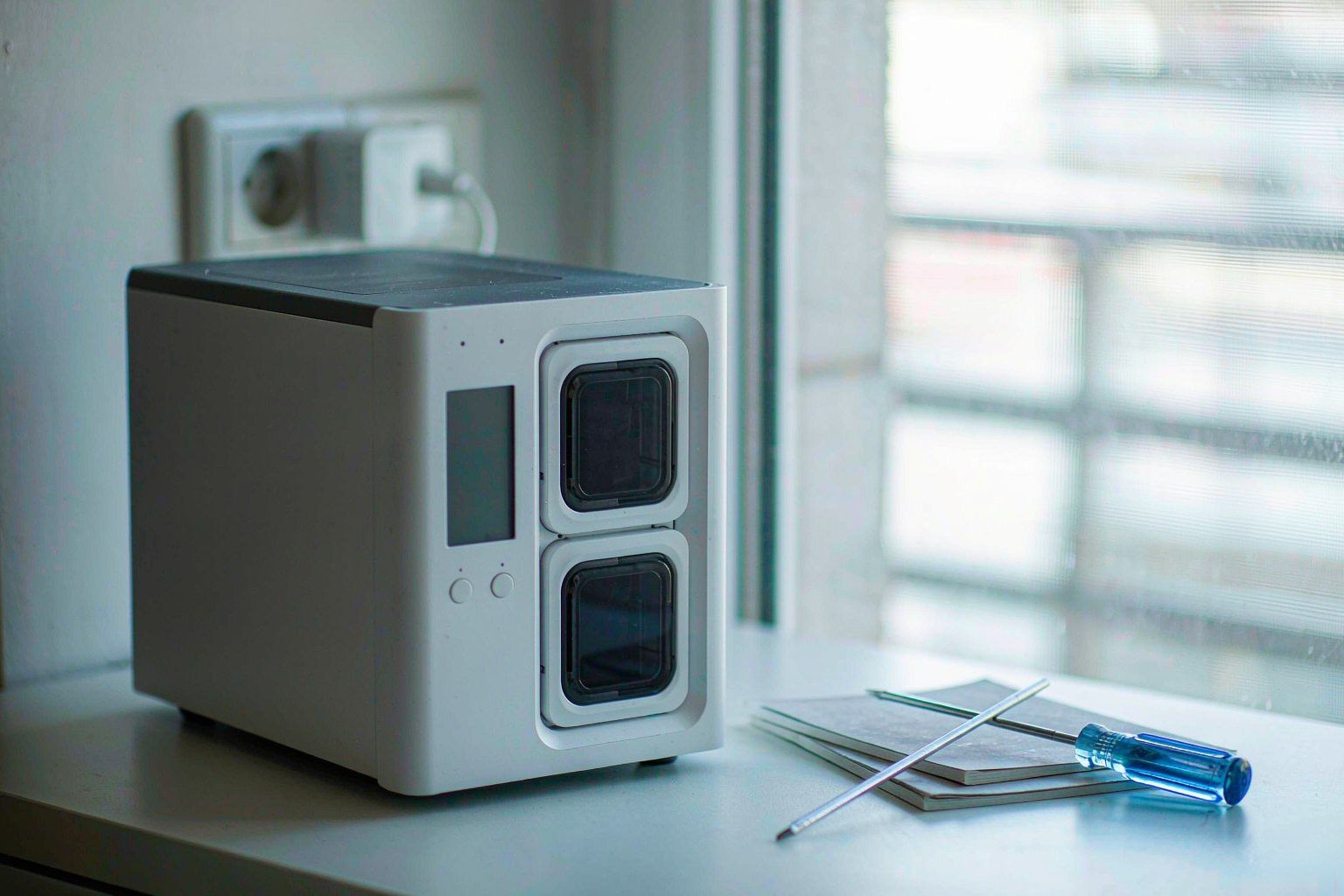
Direct answer up front, then the trade-offs that matter. This page covers synology nas and answers: how to synology nas backup.
By Jack Huang · Senior Writer, Local AI and Smart Home
Beat: On-device AI features · How we review
Quick Answer
Synology is telling owners to update DSM now: ransomware crews are encrypting internet-exposed NAS boxes that missed a patch Synology shipped back in December 2024. Your movie library does not have to go dark while you sort that out. Patch the box, keep DSM off the public internet, and every screen in your house can still pull video straight from it — no port forwarding required.
That is the whole job.
Key Takeaways
- The attacks abuse CVE-2024-10441, a CVSS 9.8 remote code execution flaw in DSM's system plugin daemon that Synology patched in December 2024 (The Hacker News, accessed 2026-11-04).
- C3RB3R renames encrypted files with a
.L0CK3Dextension and drops aread-me3.txtransom note in every folder it touches. - The DSM update screen can say "up to date" while critical fixes sit in Package Center waiting for a manual install — check the version number, not the badge.
Trust the digits.
- Multi-screen playback needs zero open ports: Plex, Jellyfin, or the built-in Media Server all serve your LAN from behind the router.
What Changed
Synology urged customers to update DiskStation Manager after watching attackers encrypt data and demand ransoms from boxes running outdated DSM builds. The flaw they are using, CVE-2024-10441, scored 9.8 on the CVSS scale and lets a remote attacker run code through the system plugin daemon without logging in. Synology fixed it in December 2024 under advisory SA-24:20, which also covered CVE-2024-50629 (CVSS 5.3) and CVE-2024-10445 (CVSS 4.3). Patched builds start at 7.2.2-72806-1, 7.2.1-69057-6, 7.2-64570-4, 7.1.1-42962-7, and 6.2.4-25556-8.
The strain hitting owners is called C3RB3R. It skips 27 directories and system file types, encrypts everything else, and leaves a ransom note in each folder. Every folder, every volume. Qihoo 360's researchers tie part of the wave to two different flaws — CVE-2026-13639 and CVE-2026-13684, both CVSS 9.8 — that Synology patched in September 2026 under SA-26:13. Minimum safe builds there are 7.4-90075, 7.3.2-86009-4, 7.2.2-72806-9, and 7.2.1-69057-12.
One thing nobody has published: which access path each victim used. Synology has not said, and we could not verify it either. What the documented cases share is a DSM login page reachable from the internet — which means your first check is whether yours is too.
Who Is It For
This piece is for the household whose NAS is the family movie shelf. You keep the rips and home videos on a Synology box, and you play them on a TV, a tablet, a phone, maybe a projector — and you would rather not stop because a ransom note showed up in File Station. You also do not want to trade that convenience for a wide-open attack surface.
If you never expose the NAS beyond your LAN, this wave should not scare you, but the setup habits below will still make your playback simpler and your evenings quieter. If you have ever forwarded a port "just for Plex," read the scenario section twice. Skip this article entirely if you do not run a NAS yet and just wanted breach news — our buying guide covers the hardware side separately.
Watch out for one trap before you touch anything: the update badge. Multiple owners report the DSM UI declaring "up to date" while security fixes sat uninstalled, because some updates land in Package Center or need a manual download. Tom's Hardware flagged the same behavior, and Synology's own manual says automatic updates only became standard on units made from 2025 onward. Your older box may need you to flip that switch yourself, and if your unit predates 2020 you may find the auto-update toggle is off by default — flipping it once, today, is cheaper than restoring a library from backups next month, and cheaper still than explaining to your family why every movie vanished overnight.
Key Specifications
Capacity and bays
Two boxes from the ledger frame the choice for a playback server. The DS225+ holds 2 drives and scales to 7 with an expansion unit; the DS925+ starts at 4 bays and stretches to 9. Both take hot-swappable trays, and both carry a 3-year warranty per the official comparison sheets, so whichever you pick, your trays and your warranty behave the same.
Connectivity
Here the split matters for your streaming. The DS225+ gives you one 1GbE port plus one 2.5GbE port; the DS925+ carries two 2.5GbE ports. The DS925+ also has 2 M.2 NVMe slots against zero on the DS225+, which affects cache and app responsiveness more than raw playback.
Software stack
You have three sane paths. Synology's built-in Media Server package serves DLNA to any TV that speaks it. Plex Media Server installs from Package Center, and we weighed it against Jellyfin separately in Plex vs Jellyfin on a Home NAS. Jellyfin runs free in Container Manager. For terminal-side playback behavior, our Roku OS 16 piece covers where direct play ends and transcoding begins. Plex's support docs add one hard rule: hardware-accelerated transcoding needs an active Plex Pass plus Intel Quick Sync, and Plex tells NAS users to expect "JasperLake or better" for reliable HEVC transcodes. The DS925+'s AMD chip has no Quick Sync at all, and the DS225+'s Celeron J4125 sits below that floor — plan on direct play, not transcoding, from either box.
What Is New
What is actually new this week is the confirmation, not the technique. Synology published its warning on October 29 and followed up days later, while The Hacker News reported the detail that matters: the exploit chain runs through a vulnerability patched nearly two years ago. That makes this a patching failure story, not a zero-day story. No evidence points to a live DSM flaw as of 2026-11-04.
The other new wrinkle landed on Reddit, where a system administrator documented losing files on a Synology DS918+ that had its web interface exposed and its patches about 18 months stale. Log review pointed to CVE-2024-10441. The same owner kept a 3-2-1 backup discipline and lost no data — the disks went onto a Proxmox machine, since DSM runs mdraid underneath. Backups did what they always do. Yours can too.
How It Compares
| Field | Synology DS225+ (2025) | Synology DiskStation DS925+ |
|---|---|---|
| Price (tracked) | Amazon $364.99 (2026-10-02, stale) | Amazon $749.76 (2026-10-02, stale) |
| Drive bays (SATA) | 2 bays | 4 bays |
| M.2 NVMe slots | 0 slots | 2 slots |
| Max bays with expansion | 7 bays | 9 bays |
| Hot-swap bays | Yes | Yes |
| CPU | Intel Celeron J4125 | AMD Ryzen V1500B |
| CPU cores | 4 cores | 4 cores |
| Installed RAM | 2 GB | 4 GB |
| Max RAM | 6 GB | 32 GB |
| RAM slots | 1 slot | 2 slots |
| ECC RAM | No | Yes |
| 1GbE ports | 1 port | — |
| 2.5GbE ports | 1 port | 2 ports |
| USB ports | 2 ports | 2 ports |
| Form factor | Desktop tower | Desktop tower |
| Weight | 1.3 kg | 2.26 kg |
| Internal filesystem | — | Btrfs, ext4 |
| Warranty | 3 years | 3 years |
_Sources: Synology official comparison (DS225+) · Synology official comparison (DS925+)_
_— = no verified reading in our spec ledger (never substitute another model's number). Strikethrough text would mark stale readings; this table has none._
If your playback stays inside your house, the DS225+ does your job: two drives in mirrored storage hold a family library, and direct play never taxes the J4125. The DS925+ earns its price when you also want snapshots, VMs, or headroom — its Btrfs support pairs cleanly with Synology's immutable snapshot tools. The trade-off is money versus ceiling, not streaming capability.
Who Should Consider It
Start from what you already own. If your DS224+ ($299.99, Synology MSRP, checked 2026-10-30) or DS225+ ($364.99 on Amazon as of 2026-10-02) is patched and LAN-only, you need nothing new — spend the money on a second backup target instead. The DS925+ ($749.76 on Amazon as of 2026-10-02) makes sense if your library outgrew two bays or you want the snapshot features that helped contain exactly this kind of incident.
Worth it if: your household streams from the NAS daily and you want the media apps reachable on every screen without touching the router. Skip it if: you stream mostly away from home and need server-side transcodes to phones on cellular — that workload wants a Jasper Lake or newer Intel box, per Plex's own guidance, and neither model here clears it.
What Existing Users Should Know
Check your build number today. Open Control Panel, read the full DSM version, and compare it against the minimums in SA-24:20 and SA-26:13 above — the badge lies sometimes, so trust the digits. Then turn on automatic installation of important updates, and update your packages too: the PHP2Shell fixes from October landed in Package Center, separate from the main DSM update.
Patch first. Then look at your exposure — what does your router actually forward? Do you actually need the DSM login page on the internet? Your household almost certainly does not. Playback apps work inside the LAN with no forwarding at all, and when you are away, a VPN path beats an open port — Tom's Hardware notes Tailscale's free plan covers most home installations. And keep an off-box copy of anything you cannot re-rip. The one documented victim in this wave with real backups walked away clean. You can be that person, and it costs you nothing but an evening.
Real-World Scenario: Cross-Terminal Seamless Video/Audio Streaming
What this changes for the use case
Your library stays in one place and every screen plays from it — TV, tablet, phone, the projector in the kids' room. The ransomware wave changes the topology, not the goal. Instead of forwarding a media port so apps work over the internet, you leave the NAS unreachable from outside and let playback happen on your own network. Inside the house, nothing is slower. Outside it, you connect through a VPN tunnel when you truly need a file, which is far rarer than the habit of leaving ports open suggests.
Think about it. How often do you actually stream from a hotel room?
Hardware and software requirements
Any patched Synology box on your LAN covers it: the built-in Media Server package handles DLNA TVs with no extra cost, while Plex or Jellyfin cover phones and streaming sticks. Direct play needs no GPU muscle — the client decodes the file for you, the server just serves bytes. For away-from-home access, a mesh VPN such as Tailscale runs on the NAS or an always-on device, and its free plan covers most home installations per Tom's Hardware. A TV that supports DLNA and one phone app is your whole hardware list. You probably own both already.
Limits, caveats, and who should skip it
Honest limits: DLNA offers no watch-state sync and a bare metadata wall, so it feels dated next to Plex. Remote transcodes from this hardware will disappoint — Plex wants a Jasper Lake-class or newer Intel chip for reliable HEVC transcodes, and both models in the table miss that bar. We could not verify whether Synology's QuickConnect relay featured in any confirmed infection; Synology has not published per-victim access paths. Skip this setup if you share a library with relatives in other cities who need server-side transcodes — you want a different hardware tier, not a different firewall.
Frequently Asked Questions
How do I access my Synology NAS safely?
Inside your home, open a browser and type the NAS local IP or hostname, then log into DSM. That works on any device on your LAN, and you keep your credentials off the public internet. For access from outside, run a VPN — a mesh VPN like Tailscale or your router's own VPN server — instead of forwarding port 5000 or 5001. The documented victims in this wave had their DSM login reachable from the public internet, and that is the exposure to avoid.
What is a NAS and do I need one?
A NAS is a small server that holds hard drives and serves files to every device on your network. For most households it means one place for photos, movies, and PC backups instead of copies scattered across laptops and phones. You need one if you keep large media collections, want automatic backups from several devices, or dislike paying monthly for cloud storage. If you only stream subscription services, you probably do not.
How much does a home NAS cost?
The empty box starts at $299.99 for a Synology DS224+ (MSRP, checked 2026-10-30), with the 2-bay DS225+ listed at $364.99 on Amazon as of 2026-10-02 and the 4-bay DS925+ at $749.76 as of the same date — prices move, so treat these as historical readings before you budget your build. Add NAS-rated hard drives, which the quotes above do not include. A functional two-bay setup with drives typically lands well under the cost of several years of cloud storage subscriptions.
How do I back up a Synology NAS so ransomware cannot take everything?
Keep at least one copy that your NAS itself cannot rewrite: an external USB drive you disconnect after each backup job, or an off-site copy at a relative's house or a cloud provider. Snapshots on a Btrfs volume help too, because immutable snapshots resist tampering for their retention window. The one documented victim in this wave who kept a 3-2-1 setup recovered without paying anyone.
Sources
- The Hacker News (3 Nov 2026): Synology urges customers to update DSM after ransomware attacks; attackers exploit a flaw patched in December 2024; SA-24:20 lists CVE-2024-10441 (CVSS 9.8), CVE-2024-50629, CVE-2024-10445; C3RB3R behavior and Qihoo 360 attribution — https://thehackernews.com/2026/11/synology-nas-devices-targeted-in.html (accessed 2026-11-04)
- Tom's Hardware: Reddit user's internet-exposed Synology DS918+ encrypted after roughly 18 months without patches; log review pointed to CVE-2024-10441; 3-2-1 backups prevented data loss; update UI reported as misleading; auto-updates standard from 2025 onward; Tailscale free plan covers most home installations — https://www.tomshardware.com/tech-industry/cyber-security/tech-whizzs-internet-accessible-synology-nas-gets-bit-by-ransomware-attack-from-18-month-old-remote-code-execution-flaw-security-updates-neglected-in-a-series-of-catastrophic-errors (accessed 2026-11-04)
- Synology Security Advisories, Synology-SA-24:20 (official): output encoding flaw in the DSM system plugin daemon (CVE-2024-10441, CVSS 9.8) with related findings; fixed builds listed per DSM branch — https://www.synology.com/en-global/security/advisory/Synology_SA_24_20 (accessed 2026-11-04)
- Synology Security Advisories, Synology-SA-26:13 (official, released 18 September 2026): eight DSM vulnerabilities patched; minimum patched builds 7.4-90075, 7.3.2-86009-4, 7.2.2-72806-9, 7.2.1-69057-12 — https://www.synology.com/en-global/security/advisory/Synology_SA_26_13 (accessed 2026-11-04)
- Plex Support, "Using Hardware-Accelerated Streaming": hardware acceleration requires an active Plex Pass, uses Intel Quick Sync Video, and notes NAS users need JasperLake or better for reliable HEVC transcode output — https://support.plex.tv/articles/115002178853-using-hardware-accelerated-streaming/ (accessed 2026-11-04)
- Synology Knowledge Center, Media Server package description: DLNA/UPnP media serving for network devices — https://kb.synology.com/en-us/DSM/help/MediaServer/mediaserver_desc (accessed 2026-11-04)
- Synology Knowledge Center, accessing a NAS with DSM in a web browser — https://kb.synology.com/en-us/DSM/tutorial/How_can_I_access_my_Synology_NAS_with_DSM_Desktop_Assistant_or_web_browser (accessed 2026-11-04)
Run your own 5-year cost comparison with the on-site calculator
Every figure above is attributed in the Sources list — put your own drive count and subscription tiers into the calculator to see where you land.
Open the cost calculator →Related reading
Was this article helpful?
One tap, no account and no comment box. It tells us which guides are actually worth updating.
How many drive bays is your NAS?
This is how we decide which setups to cover next.
Thanks.
Need help with a specific setup?
Storage choices depend on your drives, your budget and how many people share the box. Tell us what you are building and we will point you at a configuration that fits — no obligation, no sales script.
Affiliate Disclosure: SecureNAS Hub may earn a commission from qualifying purchases made through links on this page, at no extra cost to you. Facts and figures are attributed in the Sources list; nothing on this page is a fabricated test result. See our full disclosure. Product images are either supplied by the manufacturer or clearly labelled as illustrative renders; each one is captioned accordingly. Last reviewed 2026-11-04.