NAS Guides · Published 2026-10-28
Roku TV as a NAS Client: What OS 16 Changes for Local Playback
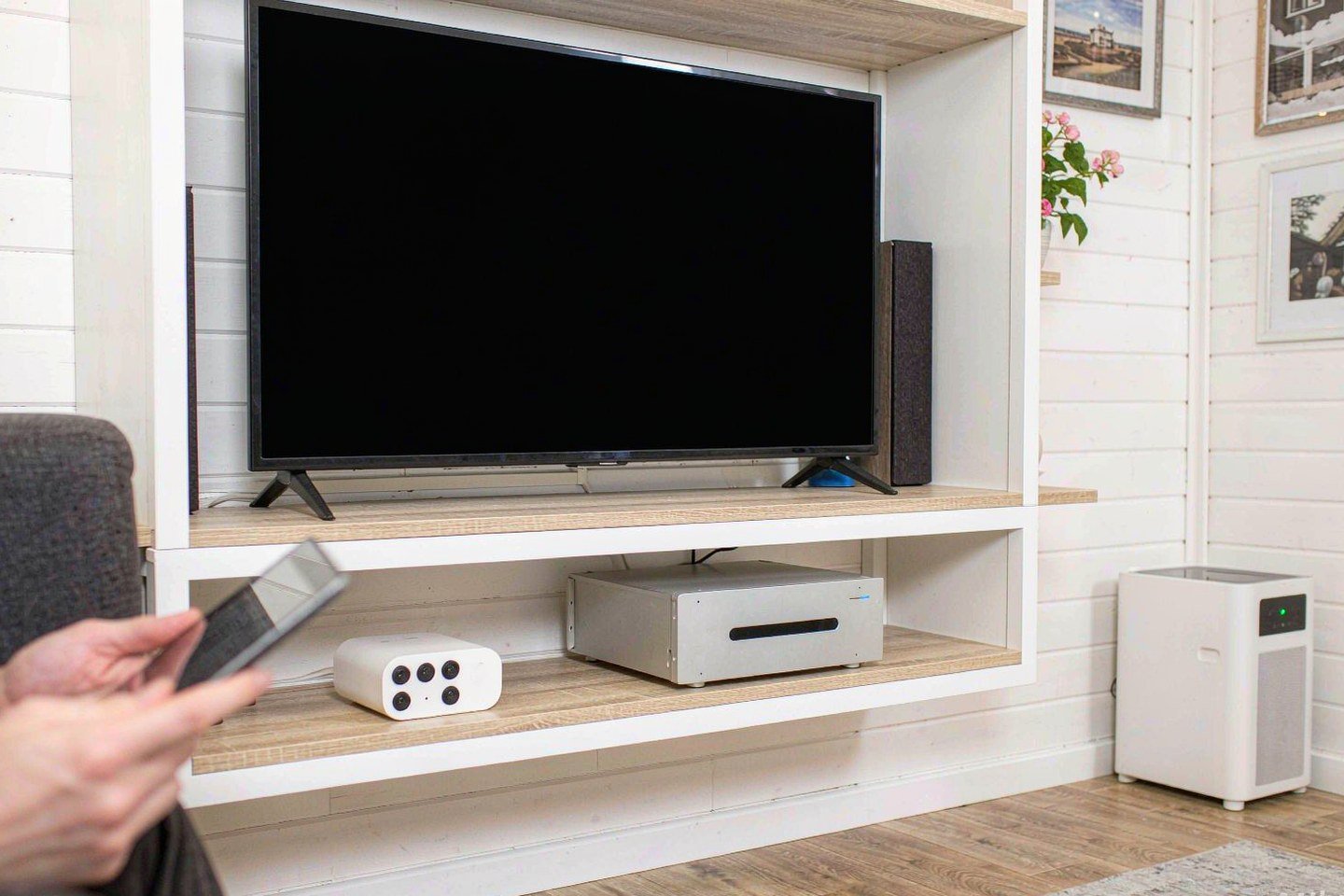
Direct answer up front, then the trade-offs that matter. This page covers roku and answers: how to roku remote to tv.
By Leo · Hardware Reviewer
Beat: Drive bays, RAID and expandability · How we review
Quick Answer
Roku OS 16 is rolling out now to Roku TVs and players, and the company's first OLED TV just landed in reviews at $1,000. Neither event changes how local playback works: the terminal plays what its chip can decode directly and hands everything else to your Plex Media Server for transcoding. If your NAS library is mostly HEVC or VP9, your 4K files play natively on it. H.264 4K does not — Plex transcodes it down to 1080p, and a low-power NAS may not keep up.
Key Takeaways
- Roku OS 16 began reaching devices in phases around October 19, 2026; its headline features are developer-facing, not playback features.
- Native 4K direct play on these devices requires HEVC (8- or 10-bit) or VP9 at 3840×2160 or smaller; H.264 4K gets transcoded to 1080p (Plex Support, accessed 2026-10-28).
- The Pro Series OLED is Roku's first OLED TV, listed at $1,000 on Amazon as of 2026-10-28, with an Ethernet port and Wi-Fi 5 — not Wi-Fi 6.
- If your library is H.264-heavy, budget for a NAS that can transcode for you, or remux your files before they hit your TV.
What Changed
Roku OS 16 is rolling out now to Roku TVs and Roku players. The rollout started in phases around October 19, 2026, so your device may not see it for weeks (Cord Cutters News, accessed 2026-10-28). The company tested the update with app developers first, and most of what shipped is aimed at them: an Effect node that draws rounded corners and gradients with the device's graphics hardware, server-sent events for pushed updates like live scores, and WebSocket connections for two-way features such as live chat.
Nothing in the coverage mentions media playback. We read the reports twice to be sure. The redesigned home screen ships separately over the coming months. Early users have reported two rough edges — Windows screen casting that fails, and a clock that vanished from the home screen. Roku has not issued a broad statement on either, so treat both as unconfirmed until the company says otherwise.
Your NAS library will not notice this update. That is the honest summary.
Who Is It For
This guide is for you if you already run a Plex Media Server (or plan to) and you are choosing the terminal that hangs off your TV. The platform is the cheap, boring, reliable pick, and because these TVs hold a large slice of the US market, many households do not choose one so much as discover they already own it.
One question settles most of the decision: what encoding is your library? Direct play — where the TV decodes the file untouched — only happens when the file matches what the hardware supports. Get that match right and even a modest NAS works, and you never hear the fans spin up. Get it wrong and your server does the work, on its own CPU, in real time, while you stare at a spinner.
We could not verify whether OS 16 adds any new codecs; Roku's developer notes focus elsewhere. If you have not picked the server side yet, our guide to the best private cloud NAS of 2026 covers the boxes themselves.
Key Specifications
Panel and ports
The Pro Series OLED comes in two sizes: 55 inches (55RAD5) and 65 inches (65RAD5). CNET's review lists four HDMI 2.1 inputs, one of them eARC. WIRED adds that two of those inputs carry 120Hz for gaming. You also get an Ethernet (LAN) port, two USB ports, and Wi-Fi 5 (802.11ac) — a spec WIRED flagged as disappointing in 2026, when Wi-Fi 6 is common at this price.
Connectivity
For a NAS client like yours, that Ethernet port matters more than the OLED panel. Wired networking removes the Wi-Fi variable from 4K playback, and high-bitrate files are exactly where your wireless link will fall over. If you can run a cable from your router, do it; your picture will not stall forty minutes into a film. RTINGS measured low input lag, no ghosting behind fast motion, and perfect blacks. The same lab found the panel too dim for bright rooms, so you will want curtains or a dim lamp behind you, and it saw stutter in slow panning shots.
Software stack
The TV runs Roku OS, so it serves the Plex channel under the same playback rules as every other device in the family. Plex's Roku settings expose Direct Play as Auto, Force, or Disable, and the app caps H.264 at level 4.1 by default. There is also an AAC Stutter Workaround that forces direct streaming instead of direct play for MKV files with AAC audio on Roku OS 10 (Plex Support, accessed 2026-10-28).
What Is New
Roku's first OLED television is the other half of October's news. Reviewers give it a guarded welcome. CNET measured the lowest 4K gaming input lag the site has seen in more than ten years of testing, and still scored it 7.9 because last year's mini-LED LCD Pro delivers a better picture and better sound. RTINGS praises the perfect blacks and color accuracy, then lists sub-par peak brightness as the trade. WIRED lands on 7 out of 10 and calls it an appealing, affordable upgrade if you have been curious about OLED but wary of the prices.
The price is $1,000 at Amazon as of 2026-10-28. WIRED also notes a recent October Prime Day deal that cut $300 off. If you want this TV as a NAS terminal, buying it on a discount is the rational move for your budget; paying full price for a panel this dim is harder to defend.
How It Compares
Here is the ledger comparison between the new OLED and the terminal most NAS guides recommend:
| Field | Roku Pro Series OLED TV (55RAD5/65RAD5) | Apple TV 4K (3rd gen, 2022) |
|---|---|---|
| Price (tracked) | Amazon (as listed in CNET review) $1000 (2026-10-28) | Apple Store (US) $249 (2026-10-13) |
| CPU | — | A15 Bionic |
| 1GbE ports | — | 1 port |
| Wi-Fi standard | Wi-Fi 5 (802.11ac) | — |
| USB ports | 2 ports | 1 port |
| HDMI output | 4x HDMI 2.1 (2x support 120Hz, 1x eARC) | HDMI 2.1 |
| Dual-band Wi-Fi | — | Yes |
| Base storage | — | 64 GB |
| Max storage | — | 128 GB |
The Apple TV 4K figures come from Apple's official spec sheet (checked 2026-10-13). The table cannot capture everything that matters. The new TV counters with four HDMI inputs and an Ethernet port of its own, while its Wi-Fi 5 radio trails the Apple TV's dual-band Wi-Fi on paper. Our take: if your library is already HEVC, the Plex channel on any recent set from this platform does the job for you, and the new screen adds a fine gaming panel to the same equation. If you rip Blu-ray remuxes with lossless audio tracks, get the Apple TV — we could not verify lossless audio passthrough on either device from the sources above, so treat audio support as a check-before-you-buy item.
Who Should Consider It
- Worth it if: you want one screen that handles both streaming services and a NAS library, your files are HEVC or VP9, and you can run Ethernet to the TV.
- Skip it if: your library is H.264 4K and your NAS has a weak CPU — every play becomes a 1080p transcode, and the OLED's picture advantage dies at that resolution.
- The trade-off: you get Roku's simple interface and strong port selection, and you accept Wi-Fi 5 plus a panel RTINGS measured as too dim for sunny rooms.
- Our take: the OLED panel is the luxury here. The Ethernet port is the reason a NAS household should look at this TV at all.
What Existing Users Should Know
Check for OS 16 on your own set under Settings > System > System update > Check now. The rollout is gradual, so an "update unavailable" screen on your set means wait, not broken.
Two things to test after the update lands on your device: play a 4K HEVC file from your library and confirm Plex reports Direct Play in the playback info, then try screen casting from your Windows PC — early OS 16 reports describe failures there. If either breaks, a restart clears most post-update glitches (Cord Cutters News, accessed 2026-10-28). Keep your expectations modest. OS 16 is an app-platform update, not a media-server update. Watch out for the classic new-screen mistake, too: you play an H.264 4K file, it works, and you assume the set handles everything you throw at it. Plex is quietly transcoding that file to 1080p on your NAS, and the picture you are admiring is not the file you stored.
Real-World Scenario: Cross-Terminal Seamless Video/Audio Streaming
What this changes for the use case
A household keeps its movie collection on a NAS and watches on the living room TV, a tablet, and a laptop. The Roku terminal decides, file by file, whether the NAS ships the original bits or the server re-encodes on the fly. With HEVC 4K, your TV decodes natively and your NAS just serves bytes — quiet, cool, instant. You hear the drives spin up, and that is all. With H.264 4K, Plex transcodes down to 1080p, which costs server CPU and adds startup delay. October's news does not alter that split. It just refreshed the hardware you can hang on your rack.
Hardware and software requirements
You need a NAS running Plex Media Server, a terminal on the same network (a Roku TV or a streaming player), and preferably a wired link. Creators building a bigger pipeline can start with our guide to the best private cloud NAS for content creators. Plex's own documentation warns that transcoding 4K is CPU-intensive and that some NAS devices cannot do it in real time — that single vendor sentence is the whole planning exercise. Match the terminal to your library: HEVC library, any recent screen will serve you; H.264 library, remux your files or strengthen your server.
Limits, caveats, and who should skip it
Three limits. First, native 4K stops at 3840×2160 and at HEVC or VP9; anything else falls back to the server. Second, Wi-Fi 5 is the networking ceiling on the new OLED, so high-bitrate files really want that Ethernet cable. Third, OS 16's early rollout carries unconfirmed casting complaints, and we could not verify a fix date. Skip this setup if you want lossless audio bitstreaming to an AV receiver — we could not verify that capability for Roku from the sources above, and a wrong assumption here costs a rewire.
Frequently Asked Questions
What is a NAS and do I need one?
A NAS (network-attached storage) is a small box of hard drives that sits on your home network and serves files to every device on it. You need one if you want your movie, photo, or music library in one place, playable on a Roku, a phone, or a laptop without copying files around. If you are weighing it against cloud storage, see our public cloud vs. private NAS comparison.
How much does a home NAS cost?
We could not verify current NAS pricing for this guide. The terminals you plug into it are easier to pin down: the Roku Pro Series OLED TV lists at $1,000 on Amazon (checked 2026-10-28), and the Apple TV 4K box lists at $249 on Apple's US store (checked 2026-10-13). Check our price tracker for current NAS figures before you buy.
How does the Roku remote control the TV?
The Pro Series OLED ships with a push-to-talk backlit voice remote that has side-mounted volume and mute controls (CNET and WIRED, accessed 2026-10-28). Both reviews note it runs on replaceable batteries rather than charging. For step-by-step pairing of after-market or replacement remotes, Roku's own support site is the authoritative source; we did not verify those steps here.
Sources
- Cord Cutters News reported the phased rollout of Roku OS 16 since October 19, 2026, the developer-facing feature set (Effect node, server-sent events, WebSockets), the separately shipped home screen redesign, and the early casting and clock complaints — https://cordcuttersnews.com/rokus-major-fall-update-roku-os-16-is-rolling-out-now-to-roku-tvs-roku-players/ (accessed 2026-10-28)
- WIRED reviewed the Pro Series OLED as Roku's first OLED at a $1,000 starting price, noted the October Prime Day discount window, and flagged Wi-Fi 5, the Ethernet port, and the two 120Hz HDMI inputs — https://www.wired.com/review/roku-pro-series-oled (accessed 2026-10-28)
- CNET lab-tested the 65-inch model: four HDMI 2.1 inputs including one eARC, 802.11ac Wi-Fi, an Ethernet LAN port, the lowest 4K gaming lag in its decade of measurements, and the $1,000 Amazon listing — https://www.cnet.com/tech/home-entertainment/roku-pro-series-oled-tv-review-great-for-gamers-but-not-the-best-roku-tv/ (accessed 2026-10-28)
- RTINGS measured the 55RAD5/65RAD5: VRR support, HDMI 2.1 bandwidth on two inputs, low input lag, sub-par peak brightness, and stutter in slow panning shots — https://www.rtings.com/tv/reviews/roku/pro-series-oled (accessed 2026-10-28)
- Plex Support documents the playback rules above: native 4K limited to HEVC (8/10-bit) or VP9 at up to 3840×2160, H.264 4K transcoded down to 1080p, and the warning that some NAS devices cannot transcode 4K in real time — https://support.plex.tv/articles/214577427-is-4k-content-supported-on-the-roku/ (accessed 2026-10-28)
- Plex Support also documents the app settings for its player: Direct Play Auto/Force/Disable, the H.264 level 4.1 default, and the AAC Stutter Workaround for MKV files on Roku OS 10 — https://support.plex.tv/articles/204275243-settings-plex-for-roku/ (accessed 2026-10-28)
Run your own 5-year cost comparison with the on-site calculator
Every figure above is attributed in the Sources list — put your own drive count and subscription tiers into the calculator to see where you land.
Open the cost calculator →Related reading
Was this article helpful?
One tap, no account and no comment box. It tells us which guides are actually worth updating.
How many drive bays is your NAS?
This is how we decide which setups to cover next.
Thanks.
Need help with a specific setup?
Storage choices depend on your drives, your budget and how many people share the box. Tell us what you are building and we will point you at a configuration that fits — no obligation, no sales script.
Affiliate Disclosure: SecureNAS Hub may earn a commission from qualifying purchases made through links on this page, at no extra cost to you. Facts and figures are attributed in the Sources list; nothing on this page is a fabricated test result. See our full disclosure. Product images are either supplied by the manufacturer or clearly labelled as illustrative renders; each one is captioned accordingly. Last reviewed 2026-10-28.