Backup & Privacy · Published 2026-09-30
Check Point Warns of Exploited Management Server Zero-Day
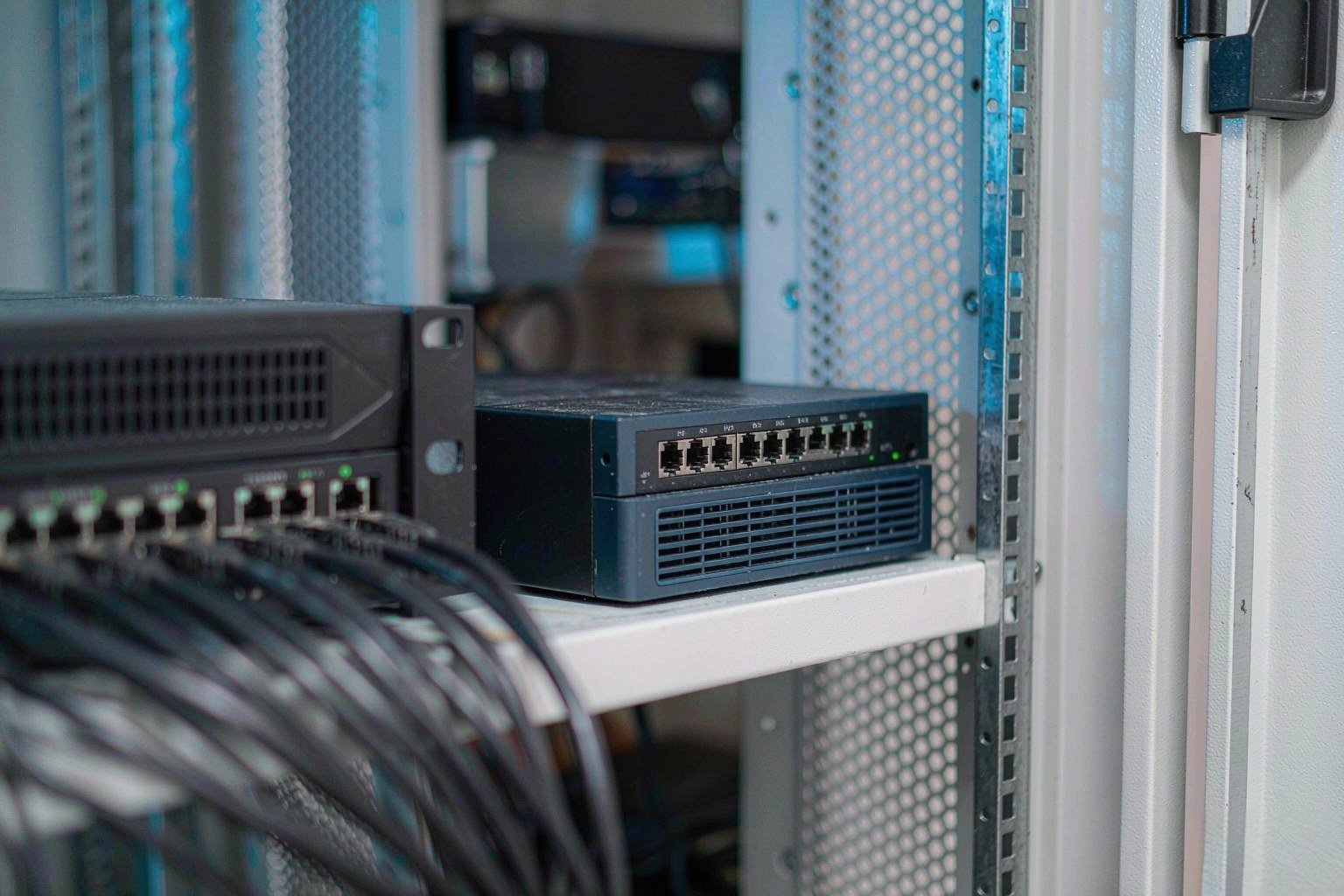
Direct answer up front, then the trade-offs that matter. This page covers check point warns and answers: How do I secure a NAS on my network?.
By Konpin · Founder / Lead Analyst
Beat: Private-cloud economics · How we review
Quick Answer
Check Point patched CVE-2026-93616, a pre-authentication path traversal flaw in its Security Management web service, on 22 September 2026 after attackers used it against a handful of customers (eSecurity Planet, accessed 2026-09-30). The flaw scores 9.8 under CVSS, needs no login and no user interaction, and lets an intruder get scripts and Java classes executed on a server that holds firewall policy for every gateway it manages (Check Point Blog, accessed 2026-09-30). A second bug, CVE-2026-85102, is a remote code execution flaw in Security Gateway VPN certificate handling that Check Point fixed on 9 September 2026 and that is now being probed in the wild (BleepingComputer, accessed 2026-09-30).
Key Takeaways
- CVE-2026-93616 is the more serious of the two for organisations that run on-premises security management: it was a genuine zero-day, exploited before any fix existed, with attacks traced back to 23 July 2026 (Check Point Blog, accessed 2026-09-30).
- The affected server is a policy controller, not an edge device. Security Management Server, Multi-Domain Security Management Server, Log Server, Multi-Domain Log Server and SmartEvent all require remediation (eSecurity Planet, accessed 2026-09-30).
- Emergency fixes exist, but the hotfix take numbers matter. R82.20 needs Security Hotfix Take 1; R82.10 needs Jumbo Hotfix Take 45; R82 needs Take 127; R81.20 needs Take 170; and R81.10 needs Take 192 (eSecurity Planet, accessed 2026-09-30).
- LivePatch Take 28 and Take 29 do not address CVE-2026-93616, and Check Point states that no LivePatch is available for this specific flaw, so a maintenance window is required (Check Point Blog, accessed 2026-09-30).
- The 9 September VPN fix and the 22 September management fix are separate. Administrators who patched for CVE-2026-91843 the previous week are not covered for this one (Sabr Learning Labs, accessed 2026-09-30).
What happened: a management-server zero-day that ran for two months
The sequence is short and worth reading in order. Check Point's own advisory describes CVE-2026-93616 as a pre-authentication path traversal issue in the web service of Check Point Security Management, rated 9.8 under CVSS, that allows an attacker to execute a script from an arbitrary path and load an arbitrary Java class (Check Point Blog, accessed 2026-09-30). In plain terms that means an unauthenticated visitor to the management web interface could get code of their choosing to run on the machine that defines firewall policy.
The exploitation window is the uncomfortable part. Check Point traced pinpointed attacks on affected systems to 23 July 2026, roughly two months before the advisory and the fixes were published on 22 September 2026 (Check Point Blog, accessed 2026-09-30; Sabr Learning Labs, accessed 2026-09-30). The vendor describes the number of victims as a handful of customers, a deliberately narrow characterisation that reflects confirmed cases rather than a measured total. CISA added the flaw to its Known Exploited Vulnerabilities catalog, and federal civilian agencies working to Binding Operational Directive 26-04 faced a 25 September 2026 remediation deadline (eSecurity Planet, accessed 2026-09-30).
The two flaws side by side
| Detail | CVE-2026-93616 | CVE-2026-85102 |
|---|---|---|
| Component | Security Management web service | Security Gateway VPN certificate handling |
| Class of flaw | Pre-authentication path traversal (CWE-22) | Pre-authentication remote code execution |
| CVSS score | 9.8 | 9.8 |
| Fix published | 22 September 2026 | 9 September 2026 |
| Exploited in the wild | Yes, traced to 23 July 2026 | Yes, attempts observed from 12 September 2026 |
| LivePatch covers it | No — no LivePatch available | LivePatch Take 26 or later on supported releases |
Why the management server is the target worth worrying about
A firewall rulebase is only as trustworthy as the console that writes it. The management server holds policy, administrator accounts and logs for every gateway in its estate, so whoever controls it can push rules, read configurations and pivot outward into the firewalls themselves (Sabr Learning Labs, accessed 2026-09-30). Published analysis of the flaw notes the practical consequences: firewall policy manipulation, credential theft, network reconnaissance and lateral movement (Security News, accessed 2026-09-30).
Check Point has not disclosed what the attackers did after gaining access, and coverage is explicit that compromise of any managed gateway should not be treated as confirmed (eSecurity Planet, accessed 2026-09-30). That gap is the reason the finding matters more than the patch: two months of undetected access to a policy controller is a compromise-assessment question, not only a maintenance ticket.
What it means for home and creator storage
Very few households and small studios run a Check Point management server, so the honest question is why an enterprise firewall advisory belongs on a storage site. The answer is that the failure pattern here is not a firewall pattern. It is the pattern of one privileged interface with broad rights, reachable by anyone who can get to it, and a recovery layer that depends on the same device.
Home and studio setups reproduce that shape constantly. The router administration page, the NAS web console, the hypervisor management UI, the remote-access VPN endpoint and the container dashboard on a home server are all management planes in miniature. Each one can rewrite how everything behind it behaves, and each one is often left on its default port with a shared password and no second factor. That is the same architecture that made a Check Point management server worth two months of patience, scaled down.
There is a second, quieter parallel. The flaw needed no credentials at all. A pre-authentication bug removes the login prompt from the equation, which is why exposure is the deciding variable rather than password strength. If an administration interface answers on the open internet, then the difficulty of the password is not the control that protects it. Restricting TCP port 19009 to trusted addresses is exactly the compensating control Check Point recommends for the management flaw (eSecurity Planet, accessed 2026-09-30), and the home equivalent is limiting console access to the local network or a tunnel you control.
The storage-specific version of that advice concerns the backup credential, not the storage brand. A copy that a compromised account can reach is not a backup. If the same login that runs the household NAS also mounts the only external copy, then one stolen secret produces one total loss. Choosing between public cloud and a private NAS changes which failure mode you inherit, not whether a second, independently controlled copy is needed. The protection that survives is a copy under separate credentials, kept offline or on media that the primary account cannot modify. That is the transferable lesson, and it does not depend on which platform you chose.
The same reflex, applied at home
- Close the management interface. Reach the NAS, router or hypervisor console from the local network or a VPN you control, and change default ports and default accounts if they are still in place.
- Separate the identities. The account that runs daily backups should not be the account you browse with, and it should not be an administrator.
- Keep one copy out of reach. Offline, or on media with its own credentials and no delete rights from the primary account.
- Patch the management component first. In mixed deployments the controller is the higher-value target, because it decides policy for everything behind it.
- Rotate anything ever exposed. A secret that was pasted into a forum, a ticket or a public repository stays a working key after it is deleted from view.
Managed appliance vs self-hosted stack: what this changes
The useful question is not whether commercial firewalls or home-built storage are better. It is which management surface you are actually able to keep closed, and which copy of your data survives a bad afternoon.
| Consideration | Vendor-managed appliance | Self-hosted home or studio stack |
|---|---|---|
| Who ships the fix | The vendor; you wait and schedule | You; updates are often optional and easy to postpone |
| Typical patch window | Days, once LivePatch is available — here it was not, so a maintenance window was required | Immediate, but only if you act |
| Management plane exposure | Console reachable per your firewall rules | Console often published through a quick port-forward for remote access |
| Detection of abuse | Vendor advisories, IOCs and log-hunting guidance provided | Whatever logging you enabled yourself |
| Recovery if the controller is lost | Vendor documentation, support, sometimes archived config | Your own backups — if they are readable and off-device |
| Cost of being two months late | Confirmed exploitation window on a policy controller | Silent drift with no advisory to warn you |
The comparison cuts in both directions. Vendors discover and publish flaws, which creates the warning signal; that signal does nothing until the fix is installed. Self-hosted stacks receive no advisory at all, so the same exposure can persist indefinitely without anyone describing it as a vulnerability. Neither column is safe by default, and neither is unsafe by design.
What to watch: the limits and open questions
Several details are unresolved, and smoothing them over would mislead.
Check Point has confirmed that the flaw was exploited but has not described what the attackers did afterwards, so downstream compromise is unproven rather than ruled out (eSecurity Planet, accessed 2026-09-30). The victim count is a vendor characterisation, not an audit, so the real spread may be larger. The take numbers required to close CVE-2026-93616 sit one to four builds above those that fixed the separate management-server login issue addressed the previous week, which means the earlier patch does not carry over (Sabr Learning Labs, accessed 2026-09-30). And the absence of a LivePatch is itself a finding: for organisations that lean on LivePatch to avoid reboot windows, the usual shortcut is unavailable, and the gap between the 23 July exploitation date and the 22 September fix cannot be closed retroactively by installing anything.
The destructive half of the pattern is already familiar from the previous week, when attackers used stolen cloud credentials to delete more than 100 storage accounts in roughly seven minutes and then went after the locks that protect backups (SecureNAS Hub's write-up of that campaign). Different platform, same weak link: broad permissions reached through a credential that should never have been reachable.
The VPN flaw deserves a separate decision. Exploitation attempts against CVE-2026-85102 have been observed since 12 September 2026, arriving through VPN services and proxies, with certificates using subjects such as CN=vpn, CN=vpn-user and CN=vpnuser under OU=users, O=global (Check Point Blog, accessed 2026-09-30). Those strings are a starting point for log review, not a complete detection list. Logs are the only place the two months of exposure can still be examined, so reviewing certificate-based Mobile Access logins and following any suspicious session into internal port scans is the practical step that remains (Check Point Blog, accessed 2026-09-30).
Frequently Asked Questions
What is CVE-2026-93616 in plain terms?
CVE-2026-93616 is a pre-authentication path traversal vulnerability in the web service of Check Point Security Management — a server product that stores and distributes firewall policy. A path traversal flaw is one that lets an attacker step outside the directory a web service intends to serve; here that weakness allowed a script to be executed from an arbitrary path and an arbitrary Java class to be loaded, without any login (Check Point Blog, accessed 2026-09-30). It is rated 9.8 under CVSS and was exploited before a fix existed.
Which products and versions need attention?
On the management side, Security Management Server, Multi-Domain Security Management Server, Log Server, Multi-Domain Log Server and SmartEvent are in scope. Affected builds include R82.20 without Security Hotfix Take 1, R82.10 through Jumbo Hotfix Take 44, R82 through Take 126, R81.20 through Take 166 and R81.10 through Take 190, along with several end-of-support branches (eSecurity Planet, accessed 2026-09-30). Smart-1 Cloud was patched by the vendor, and Quantum Force and Quantum Spark firewalls are not directly affected — but standalone deployments that combine management and firewall roles still need remediation for the management component (eSecurity Planet, accessed 2026-09-30).
Is CVE-2026-85102 part of the same incident?
No. The two are separate flaws with separate timelines, disclosed by the same vendor within two weeks of each other. CVE-2026-85102 sits in VPN certificate handling on Security Gateway and was patched on 9 September 2026; attempts to exploit it have been observed since 12 September 2026 (Check Point Blog, accessed 2026-09-30). CVE-2026-93616 sits in the management web service and was patched on 22 September 2026 after attacks traced back to 23 July (eSecurity Planet, accessed 2026-09-30). Treating one fix as covering the other is the mistake to avoid.
Does this affect a home NAS or a small studio setup?
Not through these CVEs — neither flaw is a NAS vulnerability, and Check Point management servers are not consumer equipment. What transfers is the shape of the risk. A home server, router or NAS with an administration console reachable from the internet presents an equivalent surface, and a backup copy that the everyday account can delete presents an equivalent recovery problem. The practical response is the same in both cases: close the management interface to trusted access, split the identities, and keep one copy beyond the reach of the primary account.
What should be done first if patching has to wait?
Check Point's guidance is to restrict TCP port 19009 so that it is reachable only from trusted IP addresses, which is available through the Trusted Clients setting in SmartConsole, and to treat that as a reduction in exposure rather than a replacement for the security update (eSecurity Planet, accessed 2026-09-30). Hunting guidance points at management logs for unusually long usernames, error messages involving ReflectionUtils and file paths containing traversal patterns (Security News, accessed 2026-09-30). For a home setup the equivalent first move is to take the admin console off the open internet, then confirm that at least one backup copy is not reachable with the credentials you use every day.
Sources
- Security Advisory – Action Required – Active Exploitation of CVE-2026-85102 and a Management Pre-Authentication Vulnerability CVE-2026-93616 — Check Point Blog, https://blog.checkpoint.com/security/security-advisory-action-required-active-exploitation-of-cve-2026-85102-and-a-management-pre-authentication-vulnerability-cve-2026-93616/ (accessed 2026-09-30)
- CVE-2026-93616 Check Point Zero-Day Vulnerability Explained — eSecurity Planet, https://www.esecurityplanet.com/cybersecurity-threats/news-check-point-cve-2026-93616-zero-day (accessed 2026-09-30)
- Check Point warns of Management Server zero-day exploited in attacks — BleepingComputer, https://www.bleepingcomputer.com/news/security/check-point-patches-management-server-zero-day-exploited-in-attacks/ (accessed 2026-09-30)
- Check Point Warns of Management Server Zero-Day Exploited in Targeted Attacks — The Hacker News, https://thehackernews.com/2026/09/check-point-warns-of-management-server.html (accessed 2026-09-30)
- Check Point Management Servers Were Exploited as a Zero-Day Since July — Sabr Learning Labs, https://sabr-labs.com/article/check-point-cve-2026-93616-management-zero-day-since-july (accessed 2026-09-30)
- Critical Check Point VPN and Security Management Flaws Under Active Exploitation — Security News, https://secnews.in/article/article-checkpoint-vpn-and-mgmt-flaws-active-exploitation (accessed 2026-09-30)
- Check Point rushes a hotfix for a management server zero-day — Cybersecurity Beat, https://cybersecuritybeat.com/2026/09/24/check-point-rushes-a-hotfix-for-a-management-server-zero-day (accessed 2026-09-30)
Run your own 5-year cost comparison with the on-site calculator
信息型内容且无合作相关标签 → 不放商业位
Open the cost calculator →Related reading
Was this article helpful?
One tap, no account and no comment box. It tells us which guides are actually worth updating.
How many drive bays is your NAS?
This is how we decide which setups to cover next.
Thanks.
Need help with a specific setup?
Storage choices depend on your drives, your budget and how many people share the box. Tell us what you are building and we will point you at a configuration that fits — no obligation, no sales script.
Affiliate Disclosure: SecureNAS Hub may earn a commission from qualifying purchases made through links on this page, at no extra cost to you. Facts and figures are attributed in the Sources list; nothing on this page is a fabricated test result. See our full disclosure. Product images are either supplied by the manufacturer or clearly labelled as illustrative renders; each one is captioned accordingly. Last reviewed 2026-09-30.