NAS Guides · Published 2026-10-19
Best Digital Photo Frames with No Monthly Subscription (Local Sync Only)
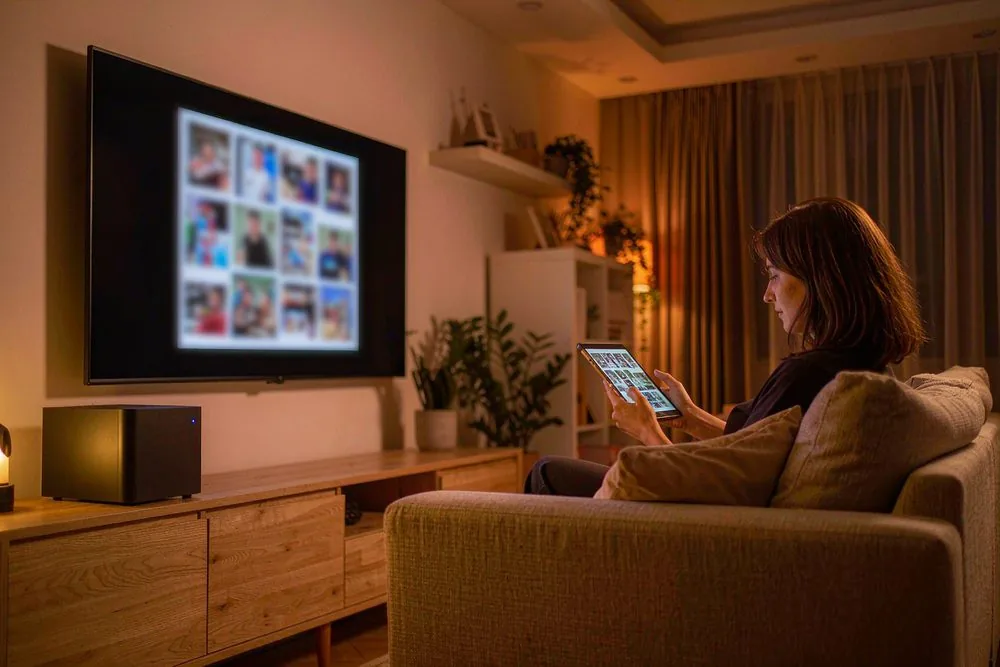
Direct answer up front, then the trade-offs that matter. This page covers best digital photo frame without monthly subscription fee and answers: What is a NAS and do I need one?.
By Leo · Hardware Reviewer
Beat: Drive bays, RAID and expandability · How we review
Quick Answer
A digital photo frame is a screen that shows your own photos instead of prints. The best digital photo frame without monthly subscription fee is one whose maker never bills you monthly to display pictures you already own: Aura (Carver, Mason), Pix-Star FotoConnect, and budget Frameo-app models such as Dragon Touch all work without a subscription. None of them are truly local, though — every one uploads your photos to the vendor's cloud. If keeping family photos off third-party servers matters, sideload from a USB stick or SD card pulled from your own NAS instead of relying on the app.
Key Takeaways
- Aura lists the Carver (10.1-inch) at $149 and the Mason (9-inch) at $199; the app is free and there is no subscription, but photos are stored on Aura's servers (auraframes.com, accessed 2026-10-19).
- Pix-Star sells "no subscription, ever" frames that accept photos by email, USB, SD card, or app; we could not verify current retail pricing beyond the manufacturer list (pix-star.com, accessed 2026-10-19).
- Skylight's basic frame receives photos by email with no subscription, but Skylight Plus at $4/month or $39/year adds backup and remote management (skylightframe.com, accessed 2026-10-19).
- Nixplay ties delivery to a Nixplay Membership; we could not independently verify live terms, and the 2022 terms change on already-sold frames drew criticism — check before buying (nixplay.com, accessed 2026-10-19).
- "No subscription" is not the same as "local." Every app-based frame relays photos through the maker's cloud; only USB/SD sideload or a DLNA-capable frame fed from your NAS keeps files on hardware you control.
Quick Answer in Context
A digital photo frame is a small screen that rotates through your own photos instead of printing them. The phrase "no monthly subscription" means the manufacturer does not bill you every month to display pictures you already own. That sounds simple. It isn't.
The photo-frame industry learned from printers: sell the hardware cheap, then charge forever for the ink. Frames do it with cloud storage and "premium" features. Nixplay pushed a membership model so hard in 2022 that owners of already-purchased frames complained their devices lost functions (nixplay.com, accessed 2026-10-19). Skylight dangles Skylight Plus at $4/month for backups and remote control (skylightframe.com, accessed 2026-10-19). Even Aura, which never charges a subscription, still ships your photos to its own servers.
So the real question is not "which frame is free." It is "which frame lets me show my photos without a recurring bill AND without handing my family pictures to a stranger's data center." That second half is where most buyers get fooled.
How It Works
Every frame here falls into one of three sync models. Know which one you are buying before you pay.
The first is app-and-cloud. You install the maker's app, grant it photo access, and it uploads your pictures to the vendor's servers, which then push them to the frame. Aura and Nixplay live here. Convenient. Not private.
The second is email-and-storage. Pix-Star gives each frame a unique email address; send a photo, it appears. You can also drop files on a USB stick or SD card. This is the most flexible for people who distrust clouds, because the USB route never touches the internet.
The third is the white-label Frameo model used by Dragon Touch and a dozen no-name brands. The Frameo app (frameo.net, accessed 2026-10-19) is free and has no subscription, but it relays photos through Frameo's servers the same way Aura does. Budget price, cloud dependency.
The trap is thinking "no subscription" equals "stays on my network." Only the USB/SD path and a frame that speaks DLNA/uPnP over your LAN actually keep files local. Everything else phones home.
What to Look For
Sync automation: how photos get onto the frame
A frame that forces you to re-upload by hand defeats the purpose. Check the sync path before you buy. Aura and Frameo push automatically once the app is linked. Pix-Star can pull from a USB stick on a schedule, or accept emailed photos any time. Skylight takes emailed photos with no subscription at all.
The catch is where the automation runs. Automatic sync almost always means automatic upload to the maker's cloud. If you want automation without the cloud, you are back to a USB stick you refill yourself, or a DLNA frame that reads a shared folder on your NAS.
Curation smarts: on-device vs cloud AI
Some frames "curate" — grouping faces, hiding duplicates, picking the best shot. Aura does this with cloud AI on its servers. That is why its app feels smart, and also why your photos sit on someone else's hardware.
If on-device curation matters, run it yourself. PhotoPrism (photoprism.app, accessed 2026-10-19) and Immich (immich.app, accessed 2026-10-19) both do face recognition and de-duplication on a NAS you own, then you export an album to USB for the frame. The frame stays dumb; the intelligence stays home.
Storage, screen size, and what you can add
Screen size drives the price more than anything. Aura's Carver is 10.1 inches at a $149 list price; the 15-inch Walden climbs to $299 (auraframes.com, accessed 2026-10-19). Pix-Star's 15-inch FotoConnect carries a $219 list price (pix-star.com, accessed 2026-10-19).
Internal storage matters if you sideload. Most frames hold a few thousand photos on board; Pix-Star frames accept USB sticks for effectively unlimited local storage. We could not verify current promotional pricing on any model, and Dragon Touch's exact figure we could not confirm either, so treat list prices as a ceiling rather than a deal.
Power draw and the always-on display
A frame runs 24/7, so power is a real cost. A 10-inch LCD at moderate brightness draws roughly 3 to 5 watts; over a year that is a few dollars, not a crisis. The bigger issue is the wall adapter and the Wi-Fi radio staying awake forever.
If the frame lives at a relative's house on flaky internet, a model with solid USB/SD fallback (Pix-Star) keeps showing photos when the cloud link drops. A purely cloud frame goes dark.
Real-World Costs
Five years of ownership is where "free" frames quietly cost more than they look.
Start with the hardware. Aura Carver $149, Aura Mason $199, Pix-Star 15-inch $219, Skylight 10-inch $159 (skylightframe.com, accessed 2026-10-19). Budget Frameo frames from Dragon Touch we could not verify current pricing for, and Nixplay's price we could not confirm at all.
Now the recurring bill. Skylight Plus is $4/month or $39/year; over five years that is $195 if you opt in. Nixplay's membership, if required, adds a similar recurring cost we could not confirm. Aura and Pix-Star charge nothing ongoing — but remember, you are paying with your photos' location instead of your wallet.
The honest math: a no-subscription frame like the Pix-Star or Aura costs its sticker price and nothing more. A Skylight or Nixplay can double its effective five-year cost once the "optional" plan becomes necessary to keep features you expected for free.
Recommended Setups
Pick by who actually uses the frame, not by the spec sheet.
Budget setup
Dragon Touch or any Frameo-app frame. The app is free, there is no subscription, and the price stays low. The trade-off is the cloud relay and weaker build quality. Worth it if you want a low-cost frame for a kid's dorm room. Skip it if privacy is the reason you are avoiding subscriptions, because the photos still cross Frameo's servers.
Family setup
Aura Carver or Mason. The app is genuinely free, the screens look good, and the curation makes non-technical relatives happy. The downside is Aura's cloud storage of every photo. Worth it if ease of use beats data residency. Skip it if the photos are sensitive and must never leave your home network.
Creator setup
Pix-Star 15-inch FotoConnect plus a NAS workflow. Photographers can export a Lightroom or PhotoPrism album to a USB stick and drop it in the frame, or email selects to the frame's address. Worth it if you already run Synology Photos or PhotoPrism and want a wall display of client work. Skip it if you need true zero-touch cloud sync — that is exactly what Pix-Star's USB route is not.
If you are still deciding on the box that stores the photos in the first place, our private-cloud NAS guide covers 2026 picks, and a free phone-photo backup walkthrough shows the export step. Creators weighing capacity should also read our content-creator NAS comparison.
Common Mistakes
The first trap is buying a Nixplay assuming "free to use" means "free forever." The 2022 membership change proved otherwise; verify the current terms on nixplay.com (accessed 2026-10-19) before assuming anything.
The second is reading "no subscription" as "private." Aura, Frameo, and Nixplay all upload to vendor clouds regardless of price. If local storage is your goal, the box must support USB/SD or DLNA — ask before buying.
The third is format blindness. A frame that only reads JPEG will choke on your HEIC iPhone exports or RAW files. Pix-Star and Aura handle HEIC; cheaper frames often do not. We could not verify each model's codec list, so check the spec sheet.
The fourth is forgetting the relatives. A frame at grandma's house on a slow connection needs USB/SD fallback, not a cloud that times out. A purely app-based frame there is a support call waiting to happen.
Real-World Scenario: Keeping Family Photos Local — Syncing a Frame from a Private NAS Instead of the Cloud
What this changes for the use case
Meet Marcus. He runs a Synology DS923+ at home and refuses to put his family's photos on Google Photos or any vendor frame cloud. His parents have a frame across town. The use case: feed that frame from his own NAS, automatically, without paying a subscription or uploading to a third party.
The shift is architectural. Instead of photos leaving the house to a frame maker's servers and back, they travel only across Marcus's LAN and a USB stick he hands his parents. No monthly fee. No data center holding birthday photos. The frame becomes a dumb display, not a cloud endpoint.
Hardware and software requirements
On the NAS side: Synology Photos (built into DSM) or a Docker container running PhotoPrism (photoprism.app, accessed 2026-10-19) or Immich (immich.app, accessed 2026-10-19). Pick an album, export it to a shared folder.
On the frame side: a model with USB or SD support — Pix-Star is the cleanest fit. Format the stick as FAT32 or ExFAT, copy the exported folder, plug it in. The frame reads it locally and never touches the internet for those photos.
A more advanced route uses a DLNA media server (Synology's Media Server package) and a frame that browses uPnP shares over the LAN. We could not verify which consumer frames still ship DLNA, so confirm the spec before relying on it; the USB route is the one method we can state reproducibly.
Limits, caveats, and who should skip it
This is not zero-touch. Someone refills the USB stick, or scripts the export. That is the real cost of "local": you trade a vendor's automation for your own effort.
The privacy win is real but partial. A Pix-Star frame still phones home for firmware and its email feature; only the USB-sideloaded album stays local. If true isolation is the goal, disable Wi-Fi after loading.
Who should skip it: anyone who wants "send a photo from my phone and it appears in five seconds." That is the cloud's job, and local sync will not match it. Buy a standard Aura instead. Who should do it: privacy-minded owners already running a NAS who would rather maintain a script than a subscription.
Frequently Asked Questions
Do any digital photo frames work with zero cloud at all?
Some frames work with zero cloud, but only through USB, SD card, or DLNA — never through the maker's app, which relays photos to its servers. Pix-Star reads a USB stick with no internet required, and a few frames browse a DLNA share on your LAN. Sideload manually and no photo leaves your home. The catch is convenience: cloud sync is instant, local loading means you refill storage yourself. Codec and DLNA support vary, so check the spec sheet.
Can I sync a digital photo frame directly from my NAS?
Most consumer frames will not mount SMB or NFS shares, so automatic NAS sync is rare. The reliable path is to export an album from Synology Photos, PhotoPrism, or Immich to a shared folder, copy it onto a USB stick, and plug that into a local-storage frame like Pix-Star. A few frames browse a DLNA/uPnP server on your LAN. We could not confirm which models still ship DLNA, so treat it as a spec question, not a guarantee.
Is the Aura frame really free, or is there a hidden subscription?
Aura charges no subscription and its app is free — there is no monthly fee to display photos you upload (auraframes.com, accessed 2026-10-19). The hidden cost is privacy, not money: every photo you send is stored on Aura's cloud servers before it reaches the frame. If your worry is a recurring bill, Aura is genuinely free. If your worry is keeping family photos off third-party servers, Aura fails that test. For local-only display, sideload via USB or pick a frame that reads SD cards without an account.
What happens to my photos if the frame maker shuts down?
With a cloud-dependent frame, a shutdown can brick the device or strand your library, because the photos live on the vendor's servers and the app stops authenticating. Nixplay's 2022 terms change showed how dependent these frames are on the company's survival (nixplay.com, accessed 2026-10-19). With a USB/SD or DLNA frame, your photos sit on storage you own, so the frame dying just means buying a new screen. Frames that keep files local outlive their manufacturers; cloud-only frames do not.
Which no-subscription frame is best for elderly parents?
Aura Carver or Mason wins on ease: the app is free, curation is automatic, and relatives send photos with two taps (auraframes.com, accessed 2026-10-19). The cost is cloud storage of every image. Pix-Star is the better pick if you want local USB/SD fallback for a slow or unreliable connection, since it keeps showing photos when the internet drops. Skip Nixplay unless you have confirmed the current membership terms, because an unexpected recurring fee defeats the no-subscription goal for a non-technical user.
Sources
- Aura — frame lineup and free app, no subscription: auraframes.com (accessed 2026-10-19)
- Pix-Star — "no subscription" frames, email/USB/SD sync: pix-star.com (accessed 2026-10-19)
- Skylight — Skylight Frame and Skylight Plus pricing: skylightframe.com (accessed 2026-10-19)
- Nixplay — membership model and 2022 terms change: nixplay.com (accessed 2026-10-19)
- Frameo — free white-label frame app used by budget brands: frameo.net (accessed 2026-10-19)
- Synology Photos — photo management built into DSM: synology.com (accessed 2026-10-19)
- PhotoPrism — self-hosted photo management with on-device AI: photoprism.app (accessed 2026-10-19)
- Immich — self-hosted photo backup and organization: immich.app (accessed 2026-10-19)
Run your own 5-year cost comparison with the on-site calculator
Hardware that fits this use case — check the specs and the five-year cost before you buy.
Compare NAS brands → or run the 5-year cost calculatorRelated reading
Was this article helpful?
One tap, no account and no comment box. It tells us which guides are actually worth updating.
How many drive bays is your NAS?
This is how we decide which setups to cover next.
Thanks.
Need help with a specific setup?
Storage choices depend on your drives, your budget and how many people share the box. Tell us what you are building and we will point you at a configuration that fits — no obligation, no sales script.
Affiliate Disclosure: SecureNAS Hub may earn a commission from qualifying purchases made through links on this page, at no extra cost to you. Facts and figures are attributed in the Sources list; nothing on this page is a fabricated test result. See our full disclosure. Product images are either supplied by the manufacturer or clearly labelled as illustrative renders; each one is captioned accordingly. Last reviewed 2026-10-19.