NAS Guides · Published 2026-11-03
UGREEN NASync DXP6800 Ultra review: the best 6-bay NAS
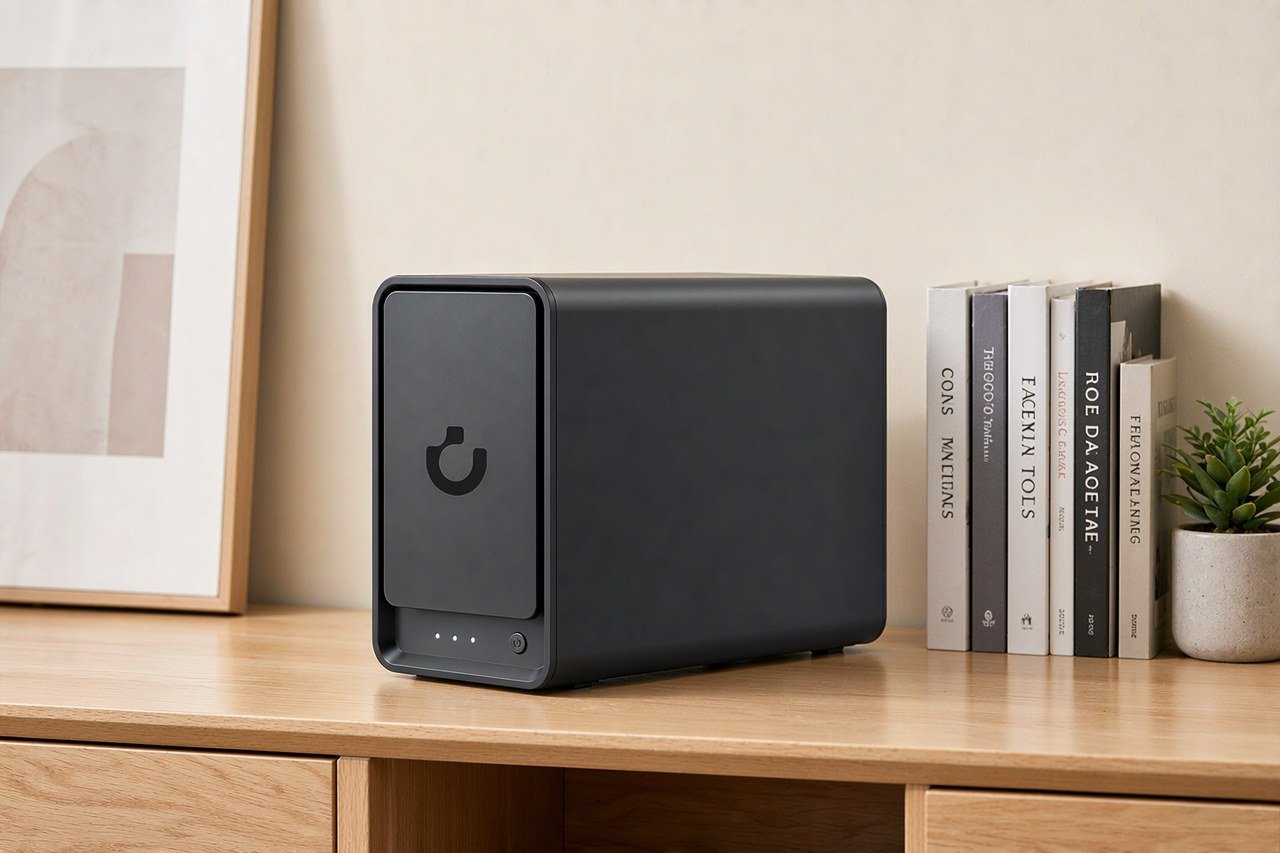
Direct answer up front, then the trade-offs that matter. This page covers ugreen nasync dxp6800 and answers: What is a NAS and do I need one?.
By Konpin · Founder / Lead Analyst
Beat: Private-cloud economics · How we review
Quick Answer
The UGREEN NASync DXP6800 Ultra is a six-bay desktop NAS built around an Intel Core 5 120U processor, dual 10GbE ports, and a stated 208 TB of raw capacity. UGREEN positions it for small teams and prosumers who have outgrown four-bay units. We verified the hardware against UGREEN's official product page and the US retail price against UGREEN's official US store. UGREEN's US store listed the DXP6800 Ultra at $1,449.99 as of October 21, 2026, and JD.com listed it at ¥7,599 in China as of November 3, 2026. Outside those two channels, you should still confirm local availability before you buy.
Key Takeaways
- Six SATA bays plus two M.2 slots give 208 TB of raw headroom, well above the four-bay DXP4800 Plus.
- Dual 10GbE ports and two Thunderbolt 4 ports make the DXP6800 Ultra a strong local-share and editing box.
- The Intel Core 5 120U with Iris Xe graphics handles 8K transcoding on paper, but we have not benchmarked it.
- UGREEN's US store lists it at $1,449.99 (checked 2026-10-21); JD.com lists ¥7,599 in China (checked 2026-11-03).
- Skip it if you only need single-drive backup or want a vendor with deep US retail and warranty support.
What This Product Is
UGREEN launched the NASync line in 2024 and has since expanded from two-bay and four-bay units into six-bay and eight-bay hardware. The DXP6800 Ultra sits at the top of the six-bay tier. UGREEN describes it as a high-performance private cloud for creators and small businesses (UGREEN NAS official, accessed 2026-11-03).
The chassis holds six 3.5-inch or 2.5-inch SATA drives and two M.2 NVMe sticks. UGREEN ships it with 8 GB of DDR5 memory and advertises expansion to 96 GB through two SO-DIMM slots (UGREEN NAS official, accessed 2026-11-03). The Intel Core 5 120U is a 10-core, 12-thread part that boosts to 5.0 GHz and carries Iris Xe graphics with 80 execution units.
This is not a bare entry box. The dual 10GbE ports can be link-aggregated to a theoretical 20 GbE, and two Thunderbolt 4 ports each run at 40 Gbps. For a home or small-office team moving large video files, that fabric matters more than any single CPU benchmark. Compared with UGREEN's own DXP4800 Plus, you gain two bays and a second 10GbE port. Against Synology's and QNAP's six-bay units, the DXP6800 Ultra leans on price and port selection rather than a long software track record.
Specifications
Hardware
UGREEN lists the DXP6800 Ultra with an Intel Core 5 120U (10 cores, 12 threads, up to 5.0 GHz, Intel 7 process) and Intel Iris Xe graphics (80 EU) (UGREEN NAS official, accessed 2026-11-03). Base memory is 8 GB DDR5, expandable to 96 GB across two slots. A 128 GB SSD handles the system partition.
Networking is the headline: two 10GbE RJ45 ports plus two Thunderbolt 4 ports, one HDMI 2.1 output rated to 8K at 60 Hz, an SD 4.0 card reader, and a PCIe x4 expansion slot for a 10GbE or other card (UGREEN NAS official, accessed 2026-11-03). USB layout is front 2× Thunderbolt 4 plus 1× USB 3.2 Gen 2, rear 1× USB 3.2 Gen 2 and 2× USB 2.0.
Storage options
The box takes six SATA drives at up to 32 TB each and two M.2 2280 NVMe sticks at up to 8 TB each, for a stated 208 TB ceiling (UGREEN NAS official, accessed 2026-11-03). It supports JBOD, Basic, and RAID 0, 1, 5, 6, and 10. We could not verify real-world sustained throughput beyond UGREEN's own lab claims, so treat the 208 TB figure as a theoretical maximum built on today's largest drives.
Software and apps
UGREEN's NAS OS bundles Docker, an AI photo album with face and object recognition, and a personal media library. The OS supports virtual machines, remote access, and role-based user permissions for teams (UGREEN NAS official, accessed 2026-11-03). You get a phone app, a desktop client, and a web console. We have not independently tested the AI album accuracy, and the experience can vary by firmware version.
Setup Experience
The DXP6800 Ultra boots from the 128 GB system SSD, and UGREEN's setup wizard walks through drive insertion, RAID choice, and account creation. Drive bays use a physical lock key, a small but real advantage in shared offices where someone might pull the wrong disk.
We could not run the setup ourselves, so we rely on UGREEN's documented flow. First-time users should expect a phone or desktop client pairing step and a remote-access toggle. The Thunderbolt 4 and 10GbE ports need matching switches or direct cabling to show their speed; on a plain 1GbE network they behave like any other NAS. Plan your RAID before you load data, because changing it later means wiping the array.
Everyday Performance
On paper the Core 5 120U and Iris Xe handle 8K 60 fps transcoding, and UGREEN claims large gains over the older N100 found in the DXP4800 (UGREEN NAS official, accessed 2026-11-03). Those numbers come from UGREEN's lab, not our tests, so read them as marketing ceilings rather than guarantees.
Where the hardware clearly helps is concurrency. Dual 10GbE plus Thunderbolt 4 lets several editors pull 4K footage while Docker containers run backups and the AI album indexes photos. Picture a three-person video team: one exports while another ingests card footage and a third streams a proxy, all without saturating a single link. For that kind of parallel load, the DXP6800 Ultra earns its six bays. A solo user will rarely feel the difference from a four-bay unit.
Limitations
The biggest limitation is regional. The DXP6800 Ultra is sold through UGREEN's US store at $1,449.99 (checked 2026-10-21) and through JD.com in China at ¥7,599 (accessed 2026-11-03), but we could not confirm broad global retail or a uniform warranty outside those channels.
Storage is another caveat. UGREEN lists 208 TB as the raw ceiling, which assumes six 32 TB drives that are expensive and not always easy to source. Real-world arrays land far lower unless you buy max-capacity disks, so budget for the drives separately from the chassis.
We also could not verify long-term reliability or fan-noise claims. Independent reviews we found were limited, so treat endurance as unproven until more testing appears.
Watch out for one common mistake: buying the empty chassis and assuming the quoted capacity is usable. RAID 5 or 6 eats one or two drives for parity, and a six-bay array built on modest disks may give you less than half the headline number. You should size your drives to the array you actually want, not the sticker maximum.
Who Should Buy It
Buy it if you run a small creative team or home business that hammers large files and wants local control instead of cloud subscriptions. The six bays, dual 10GbE, and Thunderbolt 4 give headroom that four-bay units cannot match, and you keep your data on-site.
Skip it if you are a solo user who mainly backs up documents and photos; a two-bay unit costs far less and meets that need. Also skip it if you require strong US retail support and a confirmed local warranty, because that coverage is not something we could fully verify. If you want a vendor with a decade of NAS software maturity, Synology or QNAP will feel safer.
Real-World Scenario: Collaborative Team Shared Cloud Disk & Role-Based Permissions
What this changes for the use case
A six-bay NAS with role-based permissions lets your team replace a shared cloud folder with a local one. UGREEN's OS lets an admin assign roles so editors read and write while clients get view-only links (UGREEN NAS official, accessed 2026-11-03). For a video team, that means footage stays on-site and leaves only when someone shares a link.
Hardware and software requirements
You need the DXP6800 Ultra, at least two drives in RAID 1 or 5 for safety, and a 10GbE switch or direct Thunderbolt 4 link to feel the speed. The role feature is built into the stock OS, so no extra license is required. Docker adds self-hosted tools if your team wants them, and the 96 GB memory ceiling gives those containers room to breathe.
Limits, caveats, and who should skip it
Role-based sharing helps only if you actually set permissions; an open share defeats the point, and a misconfigured admin account is worse than no NAS at all. Teams that must meet specific data-residency rules should confirm UGREEN's compliance stance, which we did not verify. If your collaborators are mostly remote over slow links, a local NAS will not beat a cached cloud for them.
Frequently Asked Questions
What is a NAS and do I need one?
A NAS is a box of drives on your network that acts like a private cloud. You need one if you want shared storage, backups, or media serving without paying monthly cloud fees.
How much does a home NAS cost?
Entry two-bay units start at a few hundred dollars, while six-bay performance hardware like the DXP6800 Ultra runs $1,449.99 at UGREEN's US store (checked 2026-10-21) and ¥7,599 on JD.com in China (accessed 2026-11-03). Drive costs are separate.
How many bays do I need?
Two bays suit solo backups. Four covers most families. Six, as on the DXP6800 Ultra, suits small teams and heavy media work where you want growth room.
Can a NAS replace cloud storage?
For local sharing and backup, yes. For easy remote access from anywhere, a NAS needs configuration and is not a drop-in cloud replacement for everyone.
How much storage can the DXP6800 Ultra hold?
UGREEN lists a 208 TB raw ceiling using six 32 TB SATA drives and two 8 TB M.2 sticks (UGREEN NAS official, accessed 2026-11-03). Real arrays are smaller once you reserve parity and avoid max-capacity disks.
What warranty does the DXP6800 Ultra carry?
JD.com's UGREEN flagship listing describes a three-year device warranty (JD.com, accessed 2026-11-03). We could not confirm whether that warranty applies outside China or through the US store.
Sources
- UGREEN NAS official product specification (DXP6800 Ultra) — https://www.ugnas.com/products-parameter/id-51.html (accessed 2026-11-03)
- UGREEN official US store (DXP6800 Ultra, $1,449.99, checked 2026-10-21) — https://www.ugreen.com (accessed 2026-11-03)
- JD.com UGREEN flagship listing (DXP6800 Ultra, ¥7,599) — https://www.jd.com (accessed 2026-11-03)
- Google News RSS — NAS (aggregated Neowin review of UGREEN NASync DXP6800 Ultra) — https://news.google.com/rss/search?q=NAS+storage (accessed 2026-11-03)
Run your own 5-year cost comparison with the on-site calculator
Hardware that fits this use case — check the specs and the five-year cost before you buy.
See woCyber NAS details → or run the 5-year cost calculatorWant this built to spec? Talk to a woCyber specialist about sourcing and pricing.
Request a quote from woCyber →Related reading
Was this article helpful?
One tap, no account and no comment box. It tells us which guides are actually worth updating.
How many drive bays is your NAS?
This is how we decide which setups to cover next.
Thanks.
Need help with a specific setup?
Storage choices depend on your drives, your budget and how many people share the box. Tell us what you are building and we will point you at a configuration that fits — no obligation, no sales script.
Affiliate Disclosure: SecureNAS Hub may earn a commission from qualifying purchases made through links on this page, at no extra cost to you. Facts and figures are attributed in the Sources list; nothing on this page is a fabricated test result. See our full disclosure. Product images are either supplied by the manufacturer or clearly labelled as illustrative renders; each one is captioned accordingly. Last reviewed 2026-11-03.