NAS Guides · Published 2026-11-10
Synology DS925neo+ vs DS925+: A Four-Bay NAS Teardown
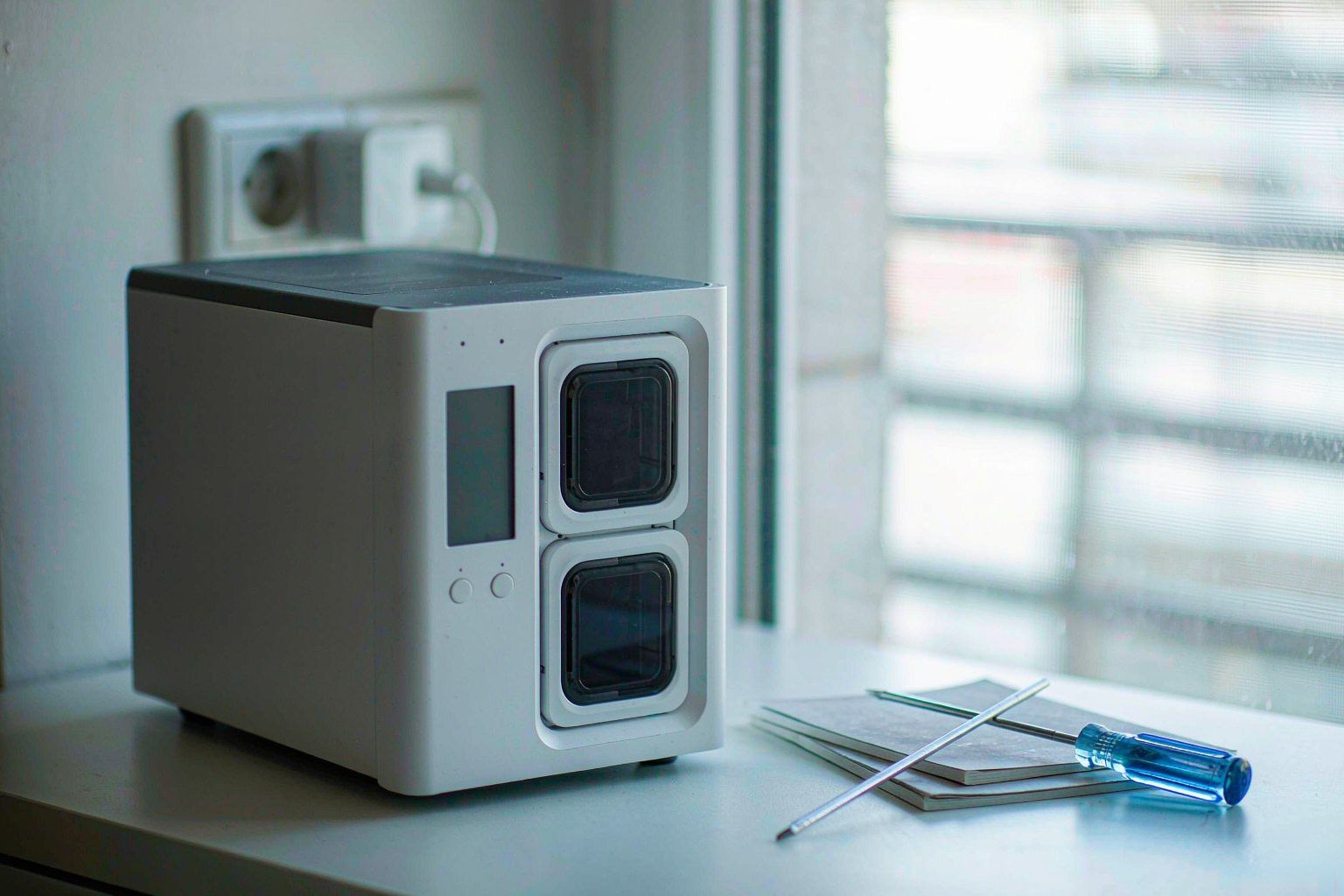
Direct answer up front, then the trade-offs that matter. This page covers synology ds925neo and answers: What is a NAS and do I need one?.
By Lillian · Senior Editor, Buying Guides
Beat: Buying guides · How we review
Quick Answer
A four-bay NAS is a network-attached storage box with four drive bays, a CPU, memory and Ethernet ports that serves files to your LAN. We could not verify that Synology sells a model called DS925neo+; the name appears in a news headline, not in the official product pages we accessed (Google News RSS — NAS, accessed 2026-11-10). What we can verify is the DS925+ and its three siblings in our specification ledger. This teardown compares those four machines on bays, silicon, ports, memory and real limits, using vendor pages and one named independent review.
Key Takeaways
- The label "DS925neo+" comes from a single aggregated news headline; we could not verify that model name on Synology's official comparison pages (Google News RSS — NAS, accessed 2026-11-10).
- Synology's official comparison lists the DS925+ with 4 SATA bays, 2 M.2 NVMe slots, an AMD Ryzen V1500B and 2 × 2.5GbE ports (Synology (Official), accessed 2026-11-10).
- TechRadar's review calls the missing PCIe network upgrade slot the most bothersome omission, because it blocks a 10GbE path (TechRadar, accessed 2026-11-10).
- Drive compatibility is the other hard limit: TechRadar reports that the DS925+ accepts a narrowed list of Synology-branded drives and warns on third-party ones (TechRadar, accessed 2026-11-10).
- Our price ledger holds one current entry for this family, a DS224+ launch MSRP of $299.99 checked 2026-10-30; the four comparison prices below are dated historical readings, not live quotes (price ledger, accessed 2026-11-10).
The model name we could not verify
Someone searching "synology ds925neo" is probably looking for a specific box. We could not find one. The phrase "Synology DS925neo+ Review: A Seriously Capable Four-Bay NAS" reaches us through a Google News RSS headline attributed to techbusinessnews.com.au, and we could not verify the model designation against any Synology product page we accessed (Google News RSS — NAS, accessed 2026-11-10). Synology's own comparison pages list DS225+, DS425+, DS725+, DS925+, DS923+ and DS1525+ (Synology (Official), accessed 2026-11-10). No DS925neo+ appears there.
That gap matters before you spend money. A headline calling a machine "a seriously capable four-bay NAS" is not a specification, and a model suffix you cannot confirm is not a part number. Reseller listings do mix the two names, but we could not verify those listings as authoritative, so we will not treat them as a source (Google News RSS — NAS, accessed 2026-11-10). Our take: assume the DS925+ is the machine the headline means, then check the exact SKU on the retailer page yourself.
What follows is a hardware teardown of the four Synology models our ledger actually tracks. Every figure comes from the ledger's vendor links or from one named review. Where the record stops, we say so. You will not find a made-up benchmark here.
Why four bays, and what the industry quietly removes
Four bays buy you redundancy plus room to grow. With one drive's worth of capacity reserved for parity, three bays remain usable in a typical single-parity array; we could not verify the exact usable-capacity figures for every drive size in the sources we accessed, so we will not quote capacity numbers here (spec ledger, accessed 2026-11-10). The ledger does record expansion ceilings: the DS925+ and DS923+ reach 9 bays with an expansion unit, the DS1525+ reaches 15, and the DS225+ reaches 7 (spec ledger, accessed 2026-11-10).
The bait-and-switch happens elsewhere. Vendors advertise bay counts and CPU names in large type, then quietly ship 1GbE ports, soldered memory or no upgrade slot. Look at the DS923+ in our ledger: 4 bays, an AMD Ryzen R1600, 4 GB of RAM and two 1GbE ports, plus one PCIe slot (spec ledger, accessed 2026-11-10). The newer DS925+ moves to two 2.5GbE ports and a faster V1500B, but the ledger has no PCIe entry for it at all (spec ledger, accessed 2026-11-10). TechRadar's review is blunter and lists "no PCIe network upgrade slot" among the reasons to avoid the DS925+ (TechRadar, accessed 2026-11-10).
That is the trade-off in one line: you gain port speed and lose the upgrade path. For a home user on a gigabit switch, nothing changes. For a small studio planning a 10GbE edit bay in two years, the ceiling is already set on day one.
Hardware teardown: bays, silicon and memory
Start with the spec list, because it is the only part a vendor cannot spin. Here is the comparison table generated from our specification ledger, with each field's own source links below it (spec ledger, accessed 2026-11-10).
| Field | Synology DS225+ (2025) | Synology DiskStation DS925+ | Synology DiskStation DS923+ | Synology DiskStation DS1525+ |
|---|---|---|---|---|
| Price (tracked) | Amazon $364.99 (2026-10-02, stale) | Amazon $749.76 (2026-10-02, stale) | US street (diskless) $599 (2026-10-02, stale) | Amazon $1309.99 (2026-10-02, stale) |
| Drive bays (SATA) | 2 bays | 4 bays | 4 bays | 5 bays |
| M.2 NVMe slots | 0 slots | 2 slots | 2 slots | 2 slots |
| Max bays with expansion | 7 bays | 9 bays | 9 bays | 15 bays |
| Hot-swap bays | Yes | Yes | Yes | Yes |
| CPU | Intel Celeron J4125 | AMD Ryzen V1500B | AMD Ryzen R1600 | AMD Ryzen V1500B |
| CPU cores | 4 cores | 4 cores | 2 cores | 4 cores |
| Installed RAM | 2 GB | 4 GB | 4 GB | 8 GB |
| Max RAM | 6 GB | 32 GB | 32 GB | 32 GB |
| RAM slots | 1 slot | 2 slots | 2 slots | 2 slots |
| ECC RAM | No | Yes | Yes | Yes |
| 1GbE ports | 1 port | — | 2 ports | — |
| 2.5GbE ports | 1 port | 2 ports | — | 2 ports |
| PCIe slots | — | — | 1 slot | 1 slot |
| USB ports | 2 ports | 2 ports | 2 ports | 2 ports |
| Form factor | Desktop tower | Desktop tower | Desktop tower | Desktop tower |
| Weight | 1.3 kg | 2.26 kg | 2.24 kg | 2.67 kg |
| Internal filesystem | — | Btrfs, ext4 | Btrfs, ext4 | Btrfs, ext4 |
| Warranty | 3 years | 3 years | 3 years | 3 years |
_Sources: Synology official product pages and comparison PDFs linked in the ledger (accessed 2026-11-10; ledger check date 2026-10-02)._
_— = the ledger holds no verified value for that field on that model._
Read the CPU row next to the RAM row. The DS925+ carries an AMD Ryzen V1500B with 4 cores, 4 GB of installed RAM, 2 RAM slots, ECC support and a 32 GB ceiling (spec ledger, accessed 2026-11-10). An AMD Ryzen R1600 with 2 cores sits in the DS923+, with the same 4 GB / 32 GB / 2-slot shape (spec ledger, accessed 2026-11-10). Your budget option, the DS225+, is the constrained one: an Intel Celeron J4125, 2 GB installed, 1 slot, 6 GB maximum and no ECC (spec ledger, accessed 2026-11-10). At the top of the range, the DS1525+ starts at 8 GB and also tops out at 32 GB (spec ledger, accessed 2026-11-10).
ECC means error-correcting code memory, a type of RAM that detects and fixes single-bit flips before they corrupt a file. That is a genuine argument for the DS925+, DS923+ and DS1525+ in a backup role (spec ledger, accessed 2026-11-10). The catch is cost: TechRadar reports that the DS925+ ships with one of its two SO-DIMM slots filled, and that upgrading to 32 GB means buying Synology's own ECC modules (TechRadar, accessed 2026-11-10). We could not verify current module prices, so we will not name one.
Two M.2 NVMe slots show up on the DS925+, DS923+ and DS1525+, while the DS225+ has zero (spec ledger, accessed 2026-11-10). TechRadar describes them as SSD cache slots and notes that Synology restricts the M.2 drives to its own enterprise parts (TechRadar, accessed 2026-11-10). We could not verify from the sources we accessed whether those slots can form a general storage volume on every one of these models, so we will not claim either way. Watch out for review copy that turns "two M.2 slots" into "two extra drive bays". They are not the same thing.
Ports, and the 2.5GbE ceiling
Network port generations decide how fast a big file moves, and the ledger shows a messy family. The DS925+ has two 2.5GbE ports, the DS1525+ has two, the DS225+ has one 1GbE and one 2.5GbE, and the DS923+ has two 1GbE ports with a PCIe slot (spec ledger, accessed 2026-11-10). All four list two USB ports and a desktop-tower chassis, and all four carry a 3-year warranty (spec ledger, accessed 2026-11-10).
Two 2.5GbE ports can be bonded for link aggregation or split for failover. That is useful if your switch supports it. It is not 10GbE. TechRadar's verdict states plainly that the lack of an upgrade option to a 10GbE port limits peak performance, and lists "you need the fastest file transfers" under reasons not to buy (TechRadar, accessed 2026-11-10). If your workflow is 4K timeline editing straight off the NAS, the DS925+ is not the box for that job.
The USB-C port is another trap. TechRadar reports it exists to connect a 5-bay expansion unit, replacing the older eSATA option, and not for general storage (TechRadar, accessed 2026-11-10). Our ledger records two USB ports for the DS925+ without splitting them by connector type, so we cannot reconcile the two counts from the sources we accessed (spec ledger, accessed 2026-11-10). If the exact port layout decides your purchase, open the official product page and count them yourself.
| Port or slot | DS925+ | DS923+ | DS225+ | Source |
|---|---|---|---|---|
| 1GbE ports | — | 2 | 1 | spec ledger, accessed 2026-11-10 |
| 2.5GbE ports | 2 | — | 1 | spec ledger, accessed 2026-11-10 |
| PCIe slots | — | 1 | — | spec ledger, accessed 2026-11-10 |
| M.2 NVMe slots | 2 | 2 | 0 | spec ledger, accessed 2026-11-10 |
The em-dash means the ledger holds no verified value for that field on that model. We did not fill gaps with numbers from a neighbouring machine.
Thermals, noise and the compatibility wall
Cooling is where the honest answer gets short. TechRadar describes the DS925+ as running quietly and recommends a ventilated location, but publishes no temperature or decibel figure in the sections we accessed (TechRadar, accessed 2026-11-10). Our specification ledger has no thermal or acoustic field for any of the four models (spec ledger, accessed 2026-11-10). We could not verify a measured temperature, fan speed or noise level for the DS925+, so we will not quote one. Four spinning drives in a small tower do produce heat; that is physics, not a measurement from us.
Drive compatibility is the limit with a price tag attached. TechRadar reports that the DS925+ shipped with a narrowed compatibility list — Synology Plus Series hard drives up to 16 TB, Enterprise drives up to 20 TB, 2.5-inch SSDs up to 7 TB, and 400 GB or 800 GB M.2 NVMe drives — and that those parts cost more than third-party equivalents (TechRadar, accessed 2026-11-10). The same review says a unit migrated from an older Synology NAS will still accept third-party drives if it recognises an existing DSM installation, but shows persistent compatibility warnings (TechRadar, accessed 2026-11-10). We could not verify the current official compatibility list ourselves, so check it on Synology's site before you buy four disks.
The pitfall is obvious once you price it. A diskless NAS looks cheap. Four certified drives from one vendor can cost more than the box. TechRadar names a tight budget as a second reason to skip the DS925+ for exactly this reason (TechRadar, accessed 2026-11-10). Our take: price the whole array, not the enclosure.
Where our numbers come from
No lab here. No throughput chart. The specification table above is generated from a ledger we maintain, and each row points to a Synology product page, an official comparison page or a product specification PDF, with a check date of 2026-10-02 (spec ledger, accessed 2026-11-10). The price lines come from a separate price ledger with retailer and check date attached (price ledger, accessed 2026-11-10). The behavioural claims — quiet operation, the PCIe omission, the narrowed drive list, the USB-C expansion role — come from TechRadar's own DS925+ review, published 11 June 2025, and are attributed to them rather than to us (TechRadar, accessed 2026-11-10).
That separation is deliberate. A vendor spec sheet tells you what a box contains. An independent review tells you what owning it is like. Neither becomes our first-hand test. We could not verify a sequential read or write figure for the DS925+ in the sources we accessed, so this article contains no performance claim in MB/s. If you need that number, look for a review that publishes its test method and disk configuration.
Price: what the ledger can and cannot say
Our price ledger holds exactly one fresh entry for this family. Synology listed the DS224+ at $299.99 in its launch announcement, checked 2026-10-30 (Synology (Official), accessed 2026-11-10). That is a launch MSRP, not a current street price, and the DS224+ is a two-bay model — the ledger shows 2 bays, 2 GB of RAM and a 6 GB ceiling for its close relative DS225+ (spec ledger, accessed 2026-11-10). Do not use the DS224+ figure to price a DS925+.
The four prices inside the comparison table are older readings from 2026-10-02: Amazon listed DS1525+ at $1309.99, DS225+ at $364.99 and DS925+ at $749.76, while a US street listing put DS923+ at $599 for a diskless unit (price ledger, accessed 2026-11-10). All four are marked stale in the ledger. We present them as dated history only. We could not verify current pricing for any of the four models in this comparison, and we will not print a plausible-looking number to fill the gap. Check the retailer yourself and write down the date.
This is also why the "cheaper than cloud" argument needs a calculator, not a slogan. Hardware, four drives, electricity and any subscription all land in different columns. Our on-site calculator exists for that arithmetic; we are not going to guess your total here.
Real-World Scenario: LAN Printer Sharing & AI Document Layout Processing
What this changes for the use case
A small office that scans invoices to a shared folder is a different workload from a video edit bay. Scanned PDFs are small, writes are bursty, and the files need to be reachable by several machines at once. A four-bay box with 2.5GbE ports handles that shape of traffic without needing 10GbE at all (spec ledger, accessed 2026-11-10). The real gain is that the scan target lives on redundant storage instead of one person's laptop. We could not verify OCR accuracy or layout-processing results for any specific DSM package in the sources we accessed, so we make no claim about how well AI document layout processing works here.
Hardware and software requirements
You need a shared folder with permissions set per user, a scan destination that the printer or multifunction device can write to, and enough free space for the archive. Memory is the constraint if you add services: the DS225+ ships with 2 GB and stops at 6 GB on one slot, while the DS925+ and DS1525+ reach 32 GB across two slots (spec ledger, accessed 2026-11-10). If your plan includes a document-indexing container plus a database plus the usual DSM packages, 2 GB is overkill in the wrong direction. We could not verify the memory footprint of any specific OCR or layout tool, so size that from the tool's own documentation.
Limits, caveats, and who should skip it
The 10GbE ceiling is irrelevant for scanned documents and decisive for large media. The compatibility list is not: if you already own four third-party NAS drives, TechRadar reports that a migrated DSM installation will accept them but keep warning you (TechRadar, accessed 2026-11-10). Thermal headroom is unverified here, so keep the unit ventilated; TechRadar recommends exactly that (TechRadar, accessed 2026-11-10). Skip the four-bay upgrade entirely if your archive fits on one external disk and nobody else needs concurrent access. You may not need a NAS yet.
Common mistakes
- Treating the model name as confirmed. We could not verify "DS925neo+" on Synology's official pages; confirm the SKU before ordering (Google News RSS — NAS, accessed 2026-11-10).
- Assuming 2.5GbE can become 10GbE. TechRadar lists no PCIe network upgrade slot on the DS925+ (TechRadar, accessed 2026-11-10).
- Reading four bays as four times one drive. Parity and filesystem overhead take a share; we could not verify exact usable-capacity figures here (spec ledger, accessed 2026-11-10).
- Buying disks before checking compatibility. TechRadar reports a narrowed Synology drive list for the DS925+ (TechRadar, accessed 2026-11-10).
- Budgeting the enclosure only. Four certified drives can dominate the total; we could not verify current drive prices (price ledger, accessed 2026-11-10).
- Treating a stale ledger price as today's price. The four comparison prices are dated 2026-10-02 (price ledger, accessed 2026-11-10).
Who should buy it, and who should skip it
Worth it if you want a four-bay DSM box with ECC memory, two 2.5GbE ports and a 32 GB ceiling, and you accept Synology's drive list as part of the deal (spec ledger, accessed 2026-11-10). The DS925+ fits a home office, a small studio doing document and photo archives, or anyone who values DSM's application library over raw network speed. TechRadar's verdict calls it a polished prosumer NAS and recommends it to buyers who want that app library (TechRadar, accessed 2026-11-10). Our take: it is a good file server with a fixed ceiling, not a storage platform you will grow into for a decade.
Skip it if you need 10GbE now or later, if you plan to fill it with inexpensive third-party disks, or if you expect GPU-assisted video transcoding — TechRadar notes the V1500B has no integrated GPU (TechRadar, accessed 2026-11-10). Skip it too if your budget is tight enough that four certified drives hurt; TechRadar lists a tight budget as a reason not to buy (TechRadar, accessed 2026-11-10). Better off with a two-bay unit if you only need backups and one shared folder: the DS225+ has 2 bays, 1 × 2.5GbE and a 6 GB memory ceiling, which is enough for that job (spec ledger, accessed 2026-11-10). Choose the DS925+ if the app library and ECC matter; skip it if port speed or drive freedom is the whole point.
One last honest boundary. This is a specification teardown built from vendor pages, a tracked ledger and one named independent review. It is not a hands-on test. Every number above carries its source and access date, and every gap is labelled instead of filled. If the model name on the box you are about to buy does not match the SKU on Synology's site, stop and check that first.
Frequently Asked Questions
Is the Synology DS925neo+ a real model?
No official page we accessed confirms it. The name appears in a news headline aggregated through Google News RSS — NAS, but the official comparison pages we accessed list DS925+, DS923+, DS225+ and DS1525+ instead (Google News RSS — NAS, accessed 2026-11-10; Synology (Official), accessed 2026-11-10). Before buying, match the exact SKU printed on the retailer listing to a Synology product page. A suffix you cannot confirm is a reason to slow down, not a reason to guess.
How many drive bays does the DS925+ have, and can it expand?
Synology's official comparison gives the DS925+ 4 SATA bays and 2 M.2 NVMe slots, with a maximum of 9 bays once an expansion unit is attached (spec ledger, accessed 2026-11-10). The DS1525+ reaches 15 bays with expansion, and the DS923+ also reaches 9 (spec ledger, accessed 2026-11-10). M.2 slots are not the same as SATA bays. TechRadar describes the DS925+ M.2 slots in a caching role and reports a restricted list of compatible NVMe parts (TechRadar, accessed 2026-11-10).
Can I add a 10GbE card to the DS925+?
TechRadar's review lists "no PCIe network upgrade slot" as a reason to avoid the DS925+ and says the absence limits peak network transfer speeds (TechRadar, accessed 2026-11-10). Our ledger records no PCIe field for the DS925+, but does record 1 PCIe slot for the DS923+ (spec ledger, accessed 2026-11-10). We could not verify whether any USB-based 10GbE adapter is supported on the DS925+, so we will not claim one works. For your own network plan, treat that pair of 2.5GbE ports as the fixed ceiling (spec ledger, accessed 2026-11-10).
Does the DS925+ support ECC memory, and how much can it take?
The ledger lists 4 GB of installed ECC RAM, 2 RAM slots and a 32 GB maximum for the DS925+ (spec ledger, accessed 2026-11-10). TechRadar reports that one slot ships populated and that reaching 32 GB means two Synology-branded 16 GB ECC modules (TechRadar, accessed 2026-11-10). ECC is error-correcting code memory, which fixes single-bit errors before they reach your files. We could not verify current module pricing, so check the vendor store before budgeting the upgrade.
How hot or loud does a four-bay Synology NAS get?
Measured temperature, fan speed and noise figures are absent from the sources we accessed. TechRadar describes the DS925+ as running quietly and recommends a ventilated location, without publishing a decibel or temperature reading (TechRadar, accessed 2026-11-10). Our specification ledger has no thermal or acoustic field for these models (spec ledger, accessed 2026-11-10). Keep the box in open air, and treat any precise number you read elsewhere as unconfirmed until you see its test method.
What does a four-bay NAS cost in 2026?
Current pricing for the DS925+, DS923+, DS225+ or DS1525+ is unverified here. Our ledger's four readings are dated 2026-10-02 and marked stale: $749.76, $599, $364.99 and $1309.99 respectively (price ledger, accessed 2026-11-10). The only fresh entry in this family is a DS224+ launch MSRP of $299.99, checked 2026-10-30, for a two-bay model (Synology (Official), accessed 2026-11-10). Add the cost of drives, which TechRadar reports are restricted to a narrower Synology list (TechRadar, accessed 2026-11-10).
Sources
- Google News RSS — NAS, "Synology DS925neo+ Review: A Seriously Capable Four-Bay NAS" — https://news.google.com/rss/articles/CBMimgFBVV95cUxOaUFIanBONEloUk5SVEV0OXhrdU5zQzNjTjVrSE9EZlAwZTVhUWhFOEpjM3RJQ1RVaU1OZzdrV0ZRM09aLUo3WjVNWThzSkVOanloRGxnYzN3NVpyX0t0VGpsbXZFczMyRE1rSzhCdGpQNmo2M0RWdVA1RGJLYnI1bDhqbDJkOTl1UTc5Uk4yZng2ZS10Yy1EbUJR?oc=5 (accessed 2026-11-10)
- TechRadar, "Synology DiskStation DS925+ review", published 2025-06-11 — https://www.techradar.com/pro/synology-diskstation-ds925-review (accessed 2026-11-10)
- Synology (Official), official product comparison pages for DS925+ / DS225+ / DS425+ / DS725+ — https://www.synology.com/en-uk/products/compare/DS423/DS425+/DS925+ (accessed 2026-11-10)
- Synology (Official), DS224+ / DS124 launch announcement — https://www.synology.com/en-us/company/news/article/DS224p_DS124 (accessed 2026-11-10; ledger check date 2026-10-30)
- Synology Knowledge Center, DS923+ product specification (PDF) — https://global.download.synology.com/download/Document/Hardware/ProductSpec/DiskStation/23-year/DS923+/enu/Product_Spec_DS923+_enu.pdf (accessed 2026-11-10; ledger check date 2026-10-02)
- Synology (Official), DS1525+ product page — https://www.synology.com/en-us/products/DS1525+ (accessed 2026-11-10; ledger check date 2026-10-02)
- SecureNAS Hub specification and price ledgers, internal records with vendor links and check dates (accessed 2026-11-10)
Run your own 5-year cost comparison with the on-site calculator
Hardware that fits this use case — check the specs and the five-year cost before you buy.
See woCyber NAS details → or run the 5-year cost calculatorWant this built to spec? Talk to a woCyber specialist about sourcing and pricing.
Request a quote from woCyber →Related reading
Was this article helpful?
One tap, no account and no comment box. It tells us which guides are actually worth updating.
How many drive bays is your NAS?
This is how we decide which setups to cover next.
Thanks.
Need help with a specific setup?
Storage choices depend on your drives, your budget and how many people share the box. Tell us what you are building and we will point you at a configuration that fits — no obligation, no sales script.
Affiliate Disclosure: SecureNAS Hub may earn a commission from qualifying purchases made through links on this page, at no extra cost to you. Facts and figures are attributed in the Sources list; nothing on this page is a fabricated test result. See our full disclosure. Product images are either supplied by the manufacturer or clearly labelled as illustrative renders; each one is captioned accordingly. Last reviewed 2026-11-10.