NAS Guides · Published 2026-10-24
Steam Deck Recordings on a NAS: Play Your Clips on Every Screen
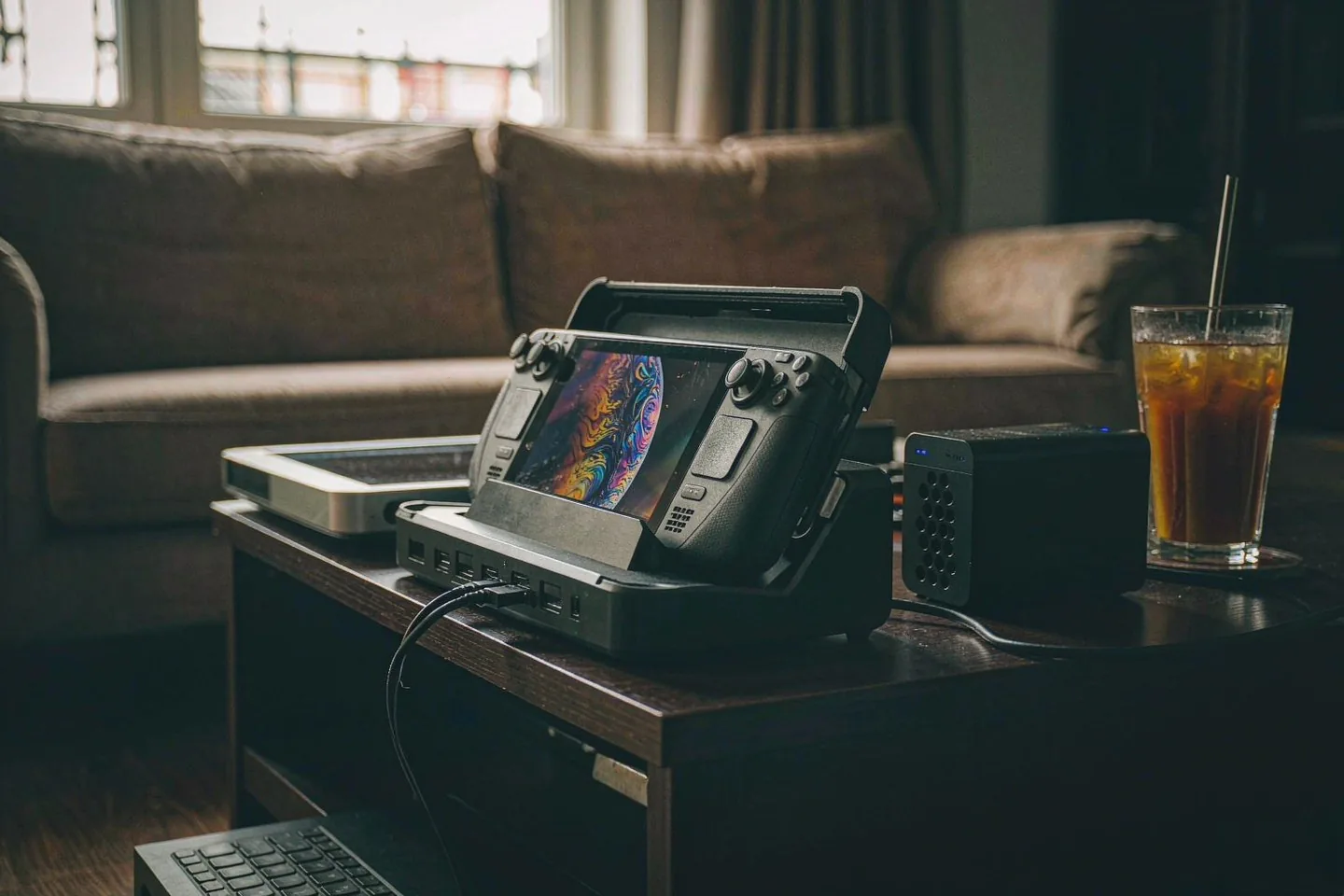
Direct answer up front, then the trade-offs that matter. This page covers steam deck and answers: What is a NAS and do I need one?.
By Anne · Storage and Home Tech Editor
Beat: Phone photo backup · How we review
Quick Answer
Steam Deck recordings live and die on the device. Your background captures are a rolling buffer that overwrites itself once the disk quota fills, your saved clips stay in the handheld's local Media library, and Valve's official escape hatches are a 2-day share link or a 2-week transfer window — not a backup. The fix is unglamorous: export the clips you want to keep as MP4 files, put them on a NAS, and let Jellyfin, Plex, or DLNA serve them to your TV, your phone, and your laptop. The timing matters because Valve confirmed Steam Deck 2 development on September 14, 2026, while RAM costs pushed the 512GB OLED from $549 to $789.
Key Takeaways
- Steam's background recording is a circular buffer: once the disk quota you set fills up, your older footage gets overwritten while you play (Steam Support FAQ, accessed 2026-10-24).
- Your recordings have no automatic cloud copy. Clips sit in the Deck's Media library until you move them yourself.
- Valve's own sharing paths are short-term: hosted share links expire after 2 days, and Send-to-PC only reaches devices signed into Steam in the past 2 weeks.
- A NAS turns those fragile clips into a permanent library that every screen in the house can play; the Plex-vs-Jellyfin choice is the main fork in the road.
- Valve has confirmed the next Deck is in development but has named no chip, price, or release date as of 2026-10-24.
What Changed
On September 14, 2026, IGN interviewed two Valve software engineers, Pierre-Loup Griffais and Jeff Leinbaugh, and asked whether the ongoing RAM crisis had altered the Steam Deck 2 plan. Griffais's answer was "not really." Valve still wants a clearly delineated performance jump before it ships a successor. No chip, no price, and no release window were attached to the confirmation. Kotaku covered the same interview independently and added a second quote: Griffais acknowledged that higher prices "for sure" impact demand.
The prices show why he said that. IGN reported the 512GB Steam Deck OLED at $789, up from $549 before the May 27, 2026 increase (re-checked 2026-10-24). The 1TB model tracked at $949 on 2026-10-09 via Tom's Guide. Both figures match our price ledger, which records the increase as a RAM and storage cost pass-through.
So the handheld you already own costs more to replace, and the next one is at least a generation away. Meanwhile your Deck keeps producing the most fragile files in your house: gameplay recordings with no cloud copy and a self-overwriting buffer behind them.
How Steam Deck Recording Actually Stores Clips
Valve's Game Recording FAQ is blunt about the mechanics (accessed 2026-10-24). Background recording captures everything while you play, inside a disk quota you configure in Settings. Once that quota fills, older background footage gets overwritten during play. Only clips you explicitly save are protected from the churn.
Three limits deserve your attention:
- The clips live on the device. The FAQ describes MP4 export and device-to-device transfer; it does not describe automatic cloud backup of recordings, and we could not find any Steam Cloud sync for them.
- The official sharing paths expire. A share link that Valve hosts dies after 2 days. Send-to-PC lists only devices signed into Steam within the past 2 weeks.
- Native recording is a Game Mode feature. Desktop Mode needs third-party tools, as How-To Geek documented.
Export the moments you want to keep and you get ordinary MP4 files. After that, the files are no longer Steam's problem. The question is where you put them.
Who Is It For
Recording players, mostly. If you clip boss fights for a Discord post, record bug reports for developers, or keep a personal highlight reel, the Deck's buffer already does half your work. The other half — keeping your clips past the quota, past the 2-day link, past the 2-week transfer window — is where a NAS earns its shelf space. Households with one Deck and one TV also benefit: the recording that starts in your hands ends up watchable on the big screen without anyone copying files by hand. If you never record gameplay, nothing here applies to you, and that is a legitimate answer.
Key Specifications
The hardware doing this work is modest. Valve's tech specs page (checked 2026-10-09) lists 16 GB of onboard LPDDR5 memory on the Steam Deck OLED; the APU is a 6 nm part with 4 Zen 2 cores and 8 threads, the unit weighs about 0.64 kg, and the chassis measures 298 x 117 x 49 mm. The successor's specifications do not exist publicly yet, so we could not verify any Steam Deck 2 numbers — if you see a chip, a RAM figure, or a date quoted for it, that is an unconfirmed rumor.
How It Compares
Numbers first: your Deck captures the footage, the NAS keeps it, and the two devices barely overlap on hardware. The table below comes straight from our tracked spec ledger; a dash means we have no verified value for that field and we do not borrow numbers from other products.
| Field | Valve Steam Deck OLED | Synology DS225+ (2025) |
|---|---|---|
| Price (tracked) | US store (price reported by Tom's Guide) $789 (2026-10-09);US store (price reported by IGN) $789 (2026-10-24) | Amazon $364.99 (2026-10-02) |
| Drive bays (SATA) | — | 2 bays |
| M.2 NVMe slots | — | 0 slots |
| Max bays with expansion | — | 7 bays |
| Hot-swap bays | — | Yes |
| CPU | 6 nm AMD APU (Zen 2, 4c/8t) | Intel Celeron J4125 |
| CPU cores | 4 cores | 4 cores |
| Installed RAM | 16 GB | 2 GB |
| Max RAM | — | 6 GB |
| RAM slots | — | 1 slot |
| ECC RAM | — | No |
| 1GbE ports | — | 1 port |
| 2.5GbE ports | — | 1 port |
| USB ports | — | 2 ports |
| Form factor | Handheld, 298 x 117 x 49 mm | Desktop tower |
| Weight | 0.64 kg | 1.3 kg |
| Warranty | — | 3 years |
_Sources: Synology official comparison (DS225+) · Valve — Steam Deck tech specs_
_Sources: Synology official comparison (DS225+) · Valve — Steam Deck tech specs_
The trade-off is storage economics. The Deck's 512GB of internal storage was $789 as of 2026-10-24; the two-bay DS225+ tracked at $364.99 on 2026-10-02 before drives, and that is before you add disk space that costs a fraction per terabyte of what handheld storage costs.
Real-World Scenario: Cross-Terminal Seamless Video/Audio Streaming
A concrete setup makes this easier to judge.
What this changes for the use case
You finish a two-hour session, clip the good thirty seconds, and export it as MP4. The file lands on your NAS overnight through a shared folder. From that point the clip stops being a Deck file. Your living-room TV opens it through Jellyfin or Plex, your phone plays it in bed, your office laptop streams it over the browser, and a DLNA renderer can pick it up without installing anything. One copy, every screen you own — that is the whole pitch of scenario 04, and your game clips follow the same rules as home movies.
Hardware and software requirements
The demands are light. A two-bay NAS with a 1GbE port handles a handful of your 800p clips without breaking a sweat, since Steam Deck footage tops out well below the bitrates of 4K remuxes. Your software side is one server app — Jellyfin is free, Plex is freemium — plus a client on each screen you care about. The Deck itself needs nothing extra from you: export MP4 from the Media tab, copy the file over the network, done. Our Plex versus Jellyfin guide covers the fork in detail.
Limits, caveats, and who should skip it
Transcoding is the catch. If a client of yours cannot direct-play the file, a low-power NAS CPU transcodes on the fly, and a Celeron-class chip handles roughly one stream at a time. Your remote playback away from home depends on your upload bandwidth, not the NAS. And the sync step is manual: Steam will not push recordings to the NAS for you, so the workflow survives only if your export habit survives. Skip this whole setup if you record once a month and never rewatch; a USB-C stick does the same job for you with less machinery.
Our Take
Worth it if you record every session and actually rewatch your clips on more than one screen; the NAS pays for itself in clips you never lose to the buffer. Skip it if your footage's only destination is a Discord message — the 2-day share link exists for exactly that. Our take: treat your Deck like a camera. A camera without a memory-card workflow loses your photos, and a Deck without an archive loses the boss kill you will never play the same way again.
Frequently Asked Questions
Does Steam Deck back up recordings to the cloud automatically?
No. Valve's Game Recording FAQ describes local storage, MP4 export, device transfer, and hosted share links, but no automatic cloud backup of gameplay recordings (accessed 2026-10-24). How-To Geek reached the same conclusion: clips stay in the local Media library until you move them. Saved clips survive the background buffer's overwrite cycle, but they still live only on the device until you export or transfer them somewhere else yourself.
How do I get clips from the Deck to a NAS?
Export the clip as MP4 from the Media tab, then copy the file to a NAS shared folder over your network — SMB from Desktop Mode is the direct route. Valve's Send-to-PC transfer only reaches devices signed into Steam in the past 2 weeks, so it is a relay, not an archive path. Once the MP4 sits in the NAS folder, your media server indexes it like any other video file.
Can a NAS play game clips on every screen without a subscription?
Yes, and no vendor subscription is involved. Jellyfin is free and open source; Plex runs free with optional paid features; DLNA works with no account at all. Compare that with Steam's hosted share links, which expire after 2 days by design. The NAS keeps the file, so playback never depends on a link, a login window, or a service tier — the same reason we recommend local archives for camera footage.
Do I still need this if Steam Deck 2 is coming?
The recordings problem does not disappear with new hardware. Valve has confirmed active development but has announced no chip, price, or release date as of 2026-10-24, and nothing in its statements mentions cloud backup for recordings. A library you build now — MP4 files on a NAS, playable everywhere — carries forward to any future device, because MP4 is not tied to the Deck or to Steam.
Sources
- IGN, published 2026-09-14 (accessed 2026-10-24): interview with Valve software engineers Pierre-Loup Griffais and Jeff Leinbaugh confirming Steam Deck 2 plans are unchanged amid the RAM crisis; reports the 512GB OLED at $789, previously $549. https://www.ign.com/articles/valve-says-ram-crisis-hasnt-affected-plans-for-steam-deck-2
- Kotaku (accessed 2026-10-24): independent coverage of the same interview, including Griffais's remark that higher prices impact demand. https://kotaku.com/valve-says-its-steam-deck-2-plans-havent-changed-despite-ongoing-ram-crisis-2000734366
- Steam Support (Valve), Game Recording FAQ (accessed 2026-10-24): documents the background recording disk quota and overwrite behavior, MP4 clip export, 2-day share link expiry, and the 2-week sign-in window for Send-to-PC. https://help.steampowered.com/en/faqs/view/23B7-49AD-4A28-9590
- How-To Geek (accessed 2026-10-24): details on native Game Mode recording, the local Media library, and the absence of automatic cloud sync for recordings. https://www.howtogeek.com/how-to-record-gameplay-on-the-steam-deck
Run your own 5-year cost comparison with the on-site calculator
Every figure above is attributed in the Sources list — put your own drive count and subscription tiers into the calculator to see where you land.
Open the cost calculator →Related reading
Was this article helpful?
One tap, no account and no comment box. It tells us which guides are actually worth updating.
How many drive bays is your NAS?
This is how we decide which setups to cover next.
Thanks.
Need help with a specific setup?
Storage choices depend on your drives, your budget and how many people share the box. Tell us what you are building and we will point you at a configuration that fits — no obligation, no sales script.
Affiliate Disclosure: SecureNAS Hub may earn a commission from qualifying purchases made through links on this page, at no extra cost to you. Facts and figures are attributed in the Sources list; nothing on this page is a fabricated test result. See our full disclosure. Product images are either supplied by the manufacturer or clearly labelled as illustrative renders; each one is captioned accordingly. Last reviewed 2026-10-24.