NAS Guides · Published 2026-11-07
How to Connect a Steam Deck to a NAS: SMB Setup and Limits
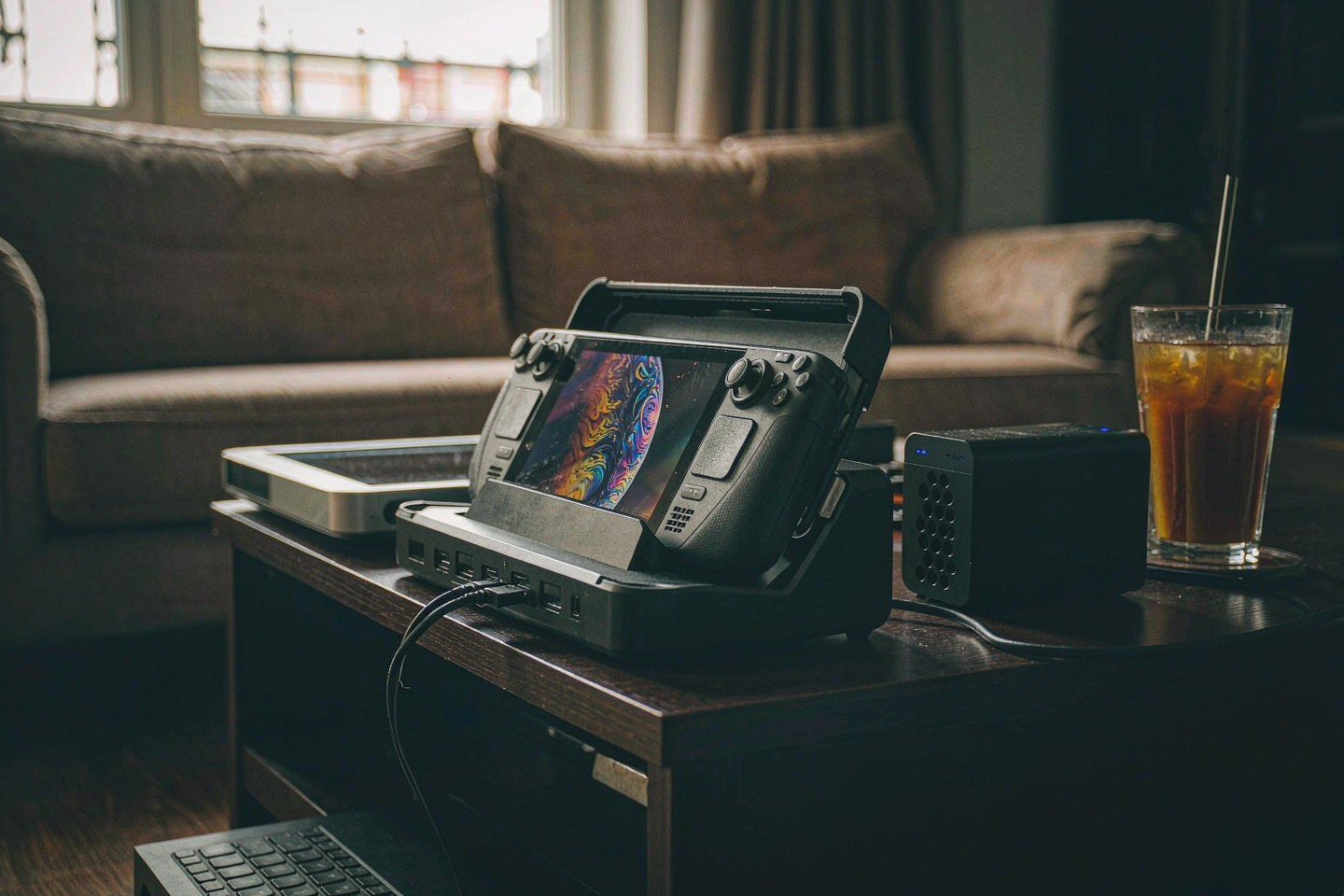
Direct answer up front, then the trade-offs that matter. This page covers steam deck and answers: how to steam deck desktop mode.
By Jack Huang · Senior Writer, Local AI and Smart Home
Beat: On-device AI features · How we review
Quick Answer
You can connect a Steam Deck to a NAS over SMB in about fifteen minutes: you create a shared folder on your NAS, you switch the Deck to Desktop Mode, and you connect to the share from there. The NAS then takes over the heavy files — game recordings, screenshot exports, media — while the Deck keeps its 512 GB or 1 TB internal SSD for what actually needs local speed. What it will not do: host your Steam library. Valve documents no support for a network share as a Steam library location, and we could not verify any.
Key Takeaways
- On November 3 the Steam Deck store page briefly redirected to the Steam homepage in the US, UK and Europe; the page was back the same evening in the US, and Valve has said nothing about why, as of November 6.
- The OLED costs $789 (512 GB) and $949 (1 TB) in the US since the May 27 repricing — up 43.7% and 46.2% from launch — which makes external storage math worth doing before you buy bigger storage twice.
- Setup path: you create an SMB share on your NAS, then you switch the Deck to Desktop Mode, connect to the share, and optionally add a systemd mount so it survives reboots.
- Your Steam library stays on the Deck. There is no official network-share library option, and symlink tricks reported by players remain unconfirmed.
- SteamOS updates can wipe system-level changes you make outside flatpak, so your NAS setup should tolerate being re-applied.
What Changed
For a few hours on November 3, the Steam Deck's store page stopped being a store page. If you clicked the Deck that day, you landed on the Steam homepage instead of a buy button. PC Guide reported the redirect hitting the United States, the United Kingdom and Europe, while the Steam Machine, Steam Frame and Steam Controller stayed listed. MIXED News ran its own check: the buy link and the hardware-search entry both landed on the homepage, and a visible listing, in its words, does not confirm you can actually order one.
Valve said nothing that day. It still hasn't.
Then the story stopped mattering. Notebookcheck confirmed the page was back in proper form by that evening, listing both 512 GB and 1 TB OLED configurations in the US. Valve never commented. The scare landed anyway because the Deck is no longer a cheap impulse buy: Valve repriced the OLED models on May 27 at $789 and $949, citing memory and storage costs, per PC Guide — roughly 44% and 46% above launch. If you are pricing a $789 handheld with fixed internal storage, a two-bay NAS starts looking like the smarter expansion for your money.
Who Is It For
You, if you record gameplay. The Deck's Game Recording feature saves your clips locally in a rolling buffer, exports them as MP4, and never uploads anything to the cloud, per Valve's own recording FAQ — share links it generates expire after two days. That is a ceiling waiting to hit your storage, and your NAS share is the natural landing pad for your MP4 exports and screenshot folders.
You, too, if the Deck doubles as your living-room media box: Kodi, Jellyfin clients, or a browser pointed at your own library all read happily from a mounted share. Skip this project if you were hoping the NAS would hold your games. It will not do that, and no amount of setup changes it.
You, third, if you already own any NAS. Your setup cost is fifteen minutes and zero dollars.
Key Specifications
The OLED Deck you are plugging in is a 6 nm AMD APU with a 4-core/8-thread Zen 2 CPU and 16 GB of LPDDR5 running at 6400 MT/s, per Valve's tech page (accessed 2026-11-07). Valve also lists tri-band Wi-Fi 6E (2.4/5/6 GHz, 2x2 MIMO) and Bluetooth 5.3 — and no Ethernet jack, which shapes how fast your NAS transfers will actually run.
Storage is where the ledger matters. Valve's page lists a 512 GB NVMe SSD on the model this article prices, a 1 TB NVMe SSD on the higher one, and states both include a high-speed microSD card slot (vendor claims, Valve's own page). The handheld weighs 0.64 kg and measures 298 x 117 x 49 mm.
No bays. No second NVMe. No Valve-sanctioned storage upgrade.
Capacity and bays
The Deck's 512 GB is the ceiling for your installed games, and it does not move. Expansion happens outside the device or not at all.
Connectivity
Your Deck's only built-in network path is Wi-Fi 6E. A USB-C dock or adapter is the usual route to wired networking, but Valve's spec sheet does not document one, and we could not verify adapter behavior on SteamOS ourselves.
Software stack
Desktop Mode is a stock KDE Plasma desktop, reached from the STEAM menu under Power — Valve's own FAQ confirms the path and warns that anything you install outside flatpak may be wiped by the next SteamOS update.
What Is New
Nothing about the hardware. You pay more for the same board: Valve's repricing on May 27 changed the money, not the silicon — same 6 nm APU, same 16 GB of LPDDR5, same OLED panel, per MIXED News' summary of the announcement. The November 3 redirect changed nothing either, as far as support goes — MIXED noted the store-page change alone does not establish any change to support, and the Deck's help pages still stand.
How It Compares
The honest comparison is not Deck versus NAS — it is Deck storage versus NAS storage as two different jobs. Your Deck's 512 GB is soldered, sealed and done; the Synology DS225+ is a two-bay machine that takes the drives you pick, hot-swaps them, and runs DSM's share permissions on top. One plays your games. The other holds everything your games generate.
| Field | Valve Steam Deck OLED | Synology DS225+ (2025) |
|---|---|---|
| Price (tracked) | US store $789 (price reported by PC Guide, checked 2026-11-07) | Amazon $364.99 (checked 2026-10-02) |
| Drive bays (SATA) | — | 2 bays |
| M.2 NVMe slots | — | 0 slots |
| Max bays with expansion | — | 7 bays |
| Hot-swap bays | — | Yes |
| CPU | 6 nm AMD APU (Zen 2, 4c/8t) | Intel Celeron J4125 |
| CPU cores | 4 cores | 4 cores |
| Installed RAM | 16 GB | 2 GB |
| Max RAM | — | 6 GB |
| 2.5GbE ports | — | 1 port |
| USB ports | — | 2 ports |
| Form factor | Handheld, 298 x 117 x 49 mm | Desktop tower |
| Weight | 0.64 kg | 1.3 kg |
_Sources: Valve — Steam Deck tech specs · Synology official comparison (DS225+)_
_A dash means the ledger holds no verified value for that field — do not substitute a similar product's number._
Drives are the real bill, and you pay it separately. The price gap tells the rest: the DS225+ costs $364.99 as of the October 2 check — less than half of what Valve's May repricing added to your 512 GB Deck. Drive prices have been moving, too; WD Red Plus 8 TB was tracked at $431 on October 2, a figure that may already be stale, so treat it as a dated reference rather than today's price.
Who Should Consider It
Worth it if your Deck generates files faster than it can hold them — heavy Game Recording use, a screenshot backlog you never offloaded, or a media library you want on every screen in your house. Also worth it if you already own any NAS; your Deck side of this project costs nothing but fifteen minutes.
Skip it if you want more game storage. That problem has exactly two real answers — the microSD slot Valve documents, or a new handheld with bigger storage — and a NAS is neither. Skip it, too, if your Deck only ever touches Wi-Fi at someone else's house; a share that lives on a network you rarely join is a hassle you will abandon by December.
Still unsure? Check your recording folder's size first.
What Existing Users Should Know
Your recordings are already local-only, and Valve's FAQ is blunt about it: rolling buffer on the device, MP4 export, no automatic cloud upload, share links that die after two days. Nothing in the November store-page incident changes that — MIXED's reporting explicitly separates the storefront from support.
The practical move for you: export the clips you care about to MP4, then push them to your NAS share the same week. Screenshots live in their own folder and copy the same way.
Start tonight. Export one clip.
And keep one habit from the panic around November 3: when your store page misbehaves, check an independent outlet before you assume the worst — every claim here traces to a dated source, and the scary version was wrong by evening.
Real-World Scenario: SMB / WebDAV / NFS Cross-Protocol Mounting
What this changes for the use case
A NAS speaks several file languages, and the Deck — a Linux machine in a Plasma desktop — can in principle speak all of them. SMB is the practical pick for your Deck-to-NAS link: it matches the share permissions your NAS already enforces for your Windows and Mac machines, so one folder serves every device you own. NFS suits a Linux-only household and often transfers faster, but it bypasses the per-user permission model most consumer NAS interfaces are built around. WebDAV earns its keep only across the internet, when your Deck is on a network your NAS is not on.
Your call, honestly. Most of you should just use SMB.
The scenario that actually pays off: you finish a play session, export your night's clips as MP4 from the Game Recording menu, and drop them onto the NAS share before the rolling buffer eats them. Every screen in your house can then stream those clips without touching the Deck.
Hardware and software requirements
On your NAS side, enable SMB file service and create a shared folder with per-user read/write permissions — Synology's DSM help documents exactly this permission layer, and every mainstream brand has an equivalent. On your Deck side, you need three things from Valve's own documentation. Switch to Desktop from the STEAM menu under Power. Set a password with the passwd command, because the default account ships without one and sudo refuses to run without it. Expect a stock KDE Plasma desktop, with Discover installing your apps as flatpaks.
For a permanent mount rather than a manual connect, systemd's mount unit documentation defines the three lines that matter — What (the share path), Where (the local mount point) and Type (cifs for an SMB share) — plus automount units that connect on demand instead of at boot.
Limits, caveats, and who should skip it
Three walls, all real. First, the Steam library: Valve documents no way to point your Steam library at a network share, and we could not verify one, so your games stay local — full stop. Second, updates: Valve's FAQ warns that anything you install outside flatpak may be wiped by the next SteamOS update, and the official SteamOS 3.9.x notes say /etc changes migrate only on a whitelist, so a systemd mount unit you add today can vanish in a future update and need re-applying. Third, Wi-Fi: your OLED ships with Wi-Fi 6E and no Ethernet port, so your big transfer nights go at wireless speed unless a dock adds wired networking — adapter support on SteamOS is unconfirmed by us.
None of these kill the project. They shape it.
Watch out for one beginner trap: if your share feels slow, check whether your NAS and your Deck are on the same band of the same router before you blame SMB. Skip the whole mount-unit exercise if you only transfer clips once a month — a manual connect from the desktop is enough, and it survives every update.
Frequently Asked Questions
Can I install Steam games on a NAS share?
No. Valve documents no support for a Steam library located on a network share, and we could not verify any official method as of November 7. Community reports describe symlink workarounds, but they remain unconfirmed, undocumented by Valve, and likely to break when SteamOS updates. Buy the game storage fix Valve actually documents — the microSD slot on both OLED models — and keep your NAS for recordings, screenshots and media.
Does the Steam Deck work with a NAS over Wi-Fi?
Yes. The OLED's tri-band Wi-Fi 6E radio handles SMB transfers for your recordings, screenshots and media without issue. What Wi-Fi costs you is throughput on very large moves — your 50 GB clip library crawls at wireless speed. Valve's spec sheet lists Wi-Fi and Bluetooth 5.3 with no Ethernet port, so wired speed requires a USB-C dock or adapter, and we could not verify adapter behavior on SteamOS firsthand.
What should I actually store on the NAS from a Steam Deck?
Three things earn their space. Game recordings exported as MP4 — Valve's FAQ confirms they stay on-device otherwise, and the rolling buffer will overwrite them. Screenshot exports, which are small and accumulate forever. And media libraries your Deck plays from rather than stores. Your game saves stay in Steam Cloud; your game installations stay on the internal SSD or a microSD card, because the library has no official network-share option.
How much does this whole setup cost?
The NAS side starts at $364.99 for the Synology DS225+ (checked 2026-10-02 — treat it as a dated reference), plus drives; WD Red Plus 8 TB tracked at $431 on the same date and may have moved since. Your Deck side costs nothing but time. For scale, Valve's own OLED pricing sits at $789 for 512 GB and $949 for 1 TB as of the November 7 check — the repricing that makes external storage worth planning before you pay twice.
Sources
- PC Guide, 3 November 2026 — Steam Deck store page redirected to the Steam homepage in the US, UK and Europe; Valve's other hardware stayed listed; no end-of-life announcement; OLED prices $789/$949, up 43.7%/46.2% from launch — https://www.pcguide.com/news/steam-deck-disappears-from-steam-store-with-no-explanation-from-valve-other-hardware-is-still-standing (accessed 2026-11-07)
- MIXED News, 3 November 2026 — hands-on test of the redirect; Steam Machine, Frame and Controller still listed; redirect does not establish discontinuation; May 27 prices announced at $789/$949 — https://mixed-news.com/en/steam-deck-store-page-redirects-valve-other-hardware-listed/ (accessed 2026-11-07)
- Notebookcheck, 3 November 2026 — store page restored by the evening of November 3 with both OLED configurations listed in the US; earliest report traced to r/SteamDeck; no official Valve comment — https://www.notebookcheck.net/No-Steam-Deck-was-not-just-silently-discontinued.1441353.0.html (accessed 2026-11-07)
- Valve, Steam Deck and Steam Machine Desktop FAQ — STEAM menu → Power → Switch to Desktop; stock KDE Plasma; Discover installs flatpaks; non-flatpak installs may be wiped by SteamOS updates; sudo requires passwd — https://help.steampowered.com/en/faqs/view/671A-4453-E8D2-323C (accessed 2026-11-07)
- Valve, Steam Deck news page — SteamOS 3.9.x notes including the /etc whitelist migration and desktop-mode changes — https://www.steamdeck.com/en/news (accessed 2026-11-07)
- Valve, Steam Deck tech specs — 6 nm AMD APU (Zen 2 4c/8t), 16 GB LPDDR5 at 6400 MT/s, 512 GB / 1 TB NVMe SSD, microSD slot on both models, Wi-Fi 6E, Bluetooth 5.3, 0.64 kg — https://www.steamdeck.com/en/tech (accessed 2026-11-07)
- Valve, Game Recording FAQ — recordings stored locally in a rolling buffer, MP4 export, no automatic cloud upload, share links expire after two days — https://help.steampowered.com/en/faqs/view/23B7-49AD-4A28-9590 (accessed 2026-11-07)
- Synology Knowledge Center, DSM shared folder permissions — shared folders created from Control Panel with per-user read/write permissions over file services — https://kb.synology.com/en-us/DSM/help/DSM/AdminUtils/file_share_permission_desc (accessed 2026-11-07)
- systemd Documentation (Official), systemd.mount — mount units defined by What/Where/Type, automount on demand, units generated from fstab — https://www.freedesktop.org/software/systemd/man/latest/systemd.mount.html (accessed 2026-11-07)
Run your own 5-year cost comparison with the on-site calculator
Every figure above is attributed in the Sources list — put your own drive count and subscription tiers into the calculator to see where you land.
Open the cost calculator →Related reading
Was this article helpful?
One tap, no account and no comment box. It tells us which guides are actually worth updating.
How many drive bays is your NAS?
This is how we decide which setups to cover next.
Thanks.
Need help with a specific setup?
Storage choices depend on your drives, your budget and how many people share the box. Tell us what you are building and we will point you at a configuration that fits — no obligation, no sales script.
Affiliate Disclosure: SecureNAS Hub may earn a commission from qualifying purchases made through links on this page, at no extra cost to you. Facts and figures are attributed in the Sources list; nothing on this page is a fabricated test result. See our full disclosure. Product images are either supplied by the manufacturer or clearly labelled as illustrative renders; each one is captioned accordingly. Last reviewed 2026-11-07.