NAS Guides · Published 2026-11-12
NAS vs external hard drive: What are the differences?
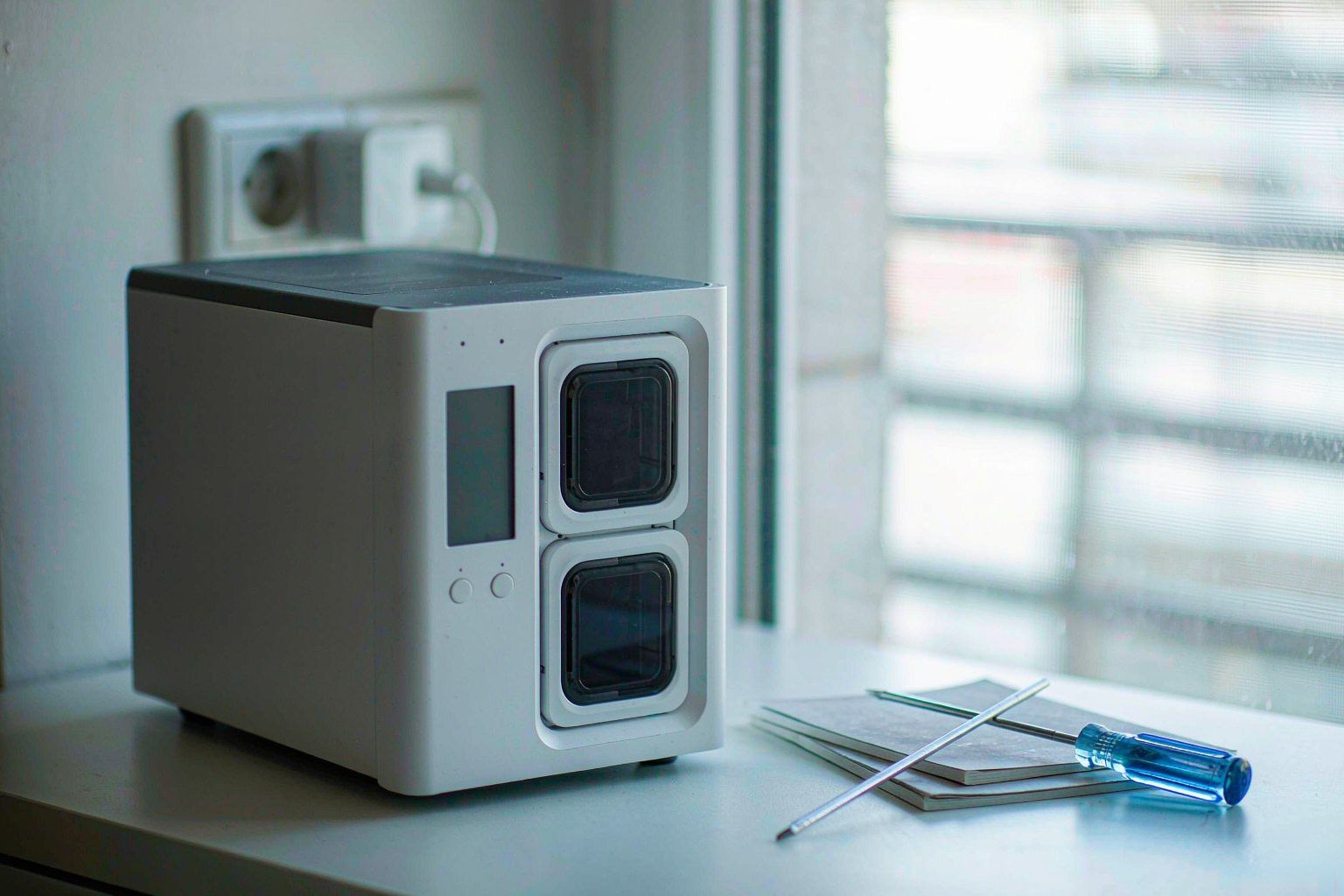
Direct answer up front, then the trade-offs that matter. This page covers nas vs external hard drive and answers: best nas external hard drive.
By Konpin · Founder / Lead Analyst
Beat: Private-cloud economics · How we review
Quick Answer
A NAS is a networked storage box with its own CPU, memory, drive bays and Ethernet ports; an external hard drive is one disk in a USB enclosure attached to one computer at a time. The NAS wins on shared access, drive-failure redundancy and remote reach. The single drive wins on price and on being unplugged from your network. We could not verify current pricing for a finished USB external drive, so this comparison uses our tracked price ledger for NAS hardware and subscriptions, and names the gaps where they exist (price ledger, accessed 2026-11-12).
Key Takeaways
- A NAS keeps serving files when one drive dies, because redundant RAID types rebuild from parity; a single external drive has no second copy to rebuild from (Synology Knowledge Center, accessed 2026-11-12).
- RAID is not a backup. How-To Geek notes that an array mirrors accidental deletion and ransomware across every member disk, so you still need a separate copy (How-To Geek, accessed 2026-11-12).
- Our price ledger holds one fresh Synology entry, a DS224+ at $299.99 checked 2026-10-30, plus fresh UGREEN NASync entries from $369.99 to $1449.99; the four Synology comparison prices below are dated historical readings, not live quotes (price ledger, accessed 2026-11-12).
- Subscription costs are the ones you can actually verify month by month: Dropbox Plus 2 TB at $9.99/month and Plex Pass at $6.99/month or $69.99/year, both on the vendors' own plans pages (Dropbox (Official), accessed 2026-11-12; Plex (Official), accessed 2026-11-12).
- Buy the NAS if two or more people need the same files, or you want access away from home. Skip it if one disk, one desk and one person describe your whole workflow. You may not need a NAS yet.
The Short Version
The difference is not capacity. You can buy a single external disk big enough for a decade of photos. The difference is who can reach that data, what happens when the disk dies, and whether the storage sits on your network all day.
An external hard drive is a block device behind a USB controller. Plug it into a laptop, and that laptop owns it. Unplug it, and the files go with you. Nothing else on the house network can see the folder unless you leave the host machine on and share it manually. Synology's own replacement guide names exactly this friction: with a NAS you set up a QuickConnect ID and reach your files without carrying the disk, and you create a sharing link instead of passing a physical drive around (Synology (Official), accessed 2026-11-12).
A NAS is a small computer whose only job is storage. Synology describes network attached storage as a centralized location on a network, with access from browsers, desktop clients and mobile devices (Synology (Official), accessed 2026-11-12). Our specification ledger makes that concrete: the DS225+ carries an Intel Celeron J4125, 2 GB of RAM, 2 SATA bays and one 2.5GbE port, while the DS1525+ carries an AMD Ryzen V1500B, 8 GB of RAM, 5 bays and two 2.5GbE ports (spec ledger, accessed 2026-11-12). Hardware is the point. The box stays on, serves several clients at once and keeps running its own filesystem.
We could not verify current retail pricing for a finished USB external drive, so we will not put a fake total-cost number next to the NAS. This comparison uses vendor documentation, one independent editorial source and our tracked ledgers. No benchmark was run. Where a figure is missing, we say so.
The pain that starts this purchase
Nobody shops for storage because storage is interesting. You shop because a disk clicked, a laptop died, or three people in the house each hold a different copy of the same wedding photos and none of them is current.
The single external drive fails in a specific, quiet way. Synology's replacement page says external drives can crash without warning and recommends regular S.M.A.R.T. tests to track drive health; S.M.A.R.T. is the self-monitoring data the disk firmware reports about its own condition (Synology (Official), accessed 2026-11-12). Most portable drives sit in a drawer running no scheduled test at all. You learn about the failure on the day you need the file.
Then there is the version problem. Copy a project to an external disk on Monday, keep editing on the laptop on Tuesday, and the disk now holds an older file with the same name. Synology's What is NAS page lists automatic PC and Mac backup plus file version restore through Synology Drive as core functions of the networked box (Synology (Official), accessed 2026-11-12). A bare USB disk has no scheduler and no version history. You supply both by hand, which means you supply neither for long.
The third pain is physical. One cable, one enclosure, one power brick, one bag. How-To Geek argues for keeping a backup drive unplugged most of the time precisely because an offline copy is out of reach of ransomware that hunts mapped network shares and attached volumes (How-To Geek, accessed 2026-11-12). That is a real advantage of the humble external disk, and it is the one the NAS marketing pages rarely mention. Do not let anyone talk you out of it.
Our take: the external drive is a fine cold copy and a poor live library. Decide which job you are buying for before you compare prices. That one sentence settles more purchases than a spec sheet.
Side-by-Side Comparison
The table below comes straight from our specification ledger, which is built from vendor product pages and official comparison PDFs. We have not changed a single cell. A dash means the ledger holds no verified value for that field on that model, not that the machine lacks the feature (spec ledger, accessed 2026-11-12).
| Field | Synology DS225+ (2025) | Synology DiskStation DS925+ | Synology DiskStation DS923+ | Synology DiskStation DS1525+ |
|---|---|---|---|---|
| Price (tracked) | Amazon $364.99 (2026-10-02, stale) | Amazon $749.76 (2026-10-02, stale) | US street (diskless) $599 (2026-10-02, stale) | Amazon $1309.99 (2026-10-02, stale) |
| Drive bays (SATA) | 2 bays | 4 bays | 4 bays | 5 bays |
| M.2 NVMe slots | 0 slots | 2 slots | 2 slots | 2 slots |
| Max bays with expansion | 7 bays | 9 bays | 9 bays | 15 bays |
| Hot-swap bays | Yes | Yes | Yes | Yes |
| CPU | Intel Celeron J4125 | AMD Ryzen V1500B | AMD Ryzen R1600 | AMD Ryzen V1500B |
| CPU cores | 4 cores | 4 cores | 2 cores | 4 cores |
| Installed RAM | 2 GB | 4 GB | 4 GB | 8 GB |
| Max RAM | 6 GB | 32 GB | 32 GB | 32 GB |
| RAM slots | 1 slot | 2 slots | 2 slots | 2 slots |
| ECC RAM | No | Yes | Yes | Yes |
| 1GbE ports | 1 port | — | 2 ports | — |
| 2.5GbE ports | 1 port | 2 ports | — | 2 ports |
| PCIe slots | — | — | 1 slot | 1 slot |
| USB ports | 2 ports | 2 ports | 2 ports | 2 ports |
| Form factor | Desktop tower | Desktop tower | Desktop tower | Desktop tower |
| Weight | 1.3 kg | 2.26 kg | 2.24 kg | 2.67 kg |
| Internal filesystem | — | Btrfs, ext4 | Btrfs, ext4 | Btrfs, ext4 |
| Warranty | 3 years | 3 years | 3 years | 3 years |
_Sources: Synology DS1525+ product page, Synology DS923+ product specification (PDF), and Synology official comparison pages for DS225+ and DS925+, accessed 2026-11-12; ledger check date 2026-10-02._
_— = the ledger holds no verified value for that field on that model. The four prices in the first row are historical readings dated 2026-10-02 and marked stale in our ledger; they are not current quotes (price ledger, accessed 2026-11-12)._
Upfront cost
A diskless NAS is a computer you still have to fill. The ledger shows a fresh Synology DS224+ at $299.99, checked 2026-10-30, which is a two-bay model (price ledger, accessed 2026-11-12). Fresh UGREEN NASync readings run from $369.99 for a DXP2800 at UGREEN, checked 2026-10-30, through $619.99 for a DXP4800 Plus at the UGREEN official store on sale, checked 2026-11-03, to $1449.99 for a DXP6800 Ultra, checked 2026-10-21 (price ledger, accessed 2026-11-12). TerraMaster listed an F2-424 at $379.99 and QNAP a TS-264 at $489, both checked 2026-10-30 (price ledger, accessed 2026-11-12).
Drives are separate. Western Digital Store listed a 4 TB WD Purple internal drive at $239.99 and a 6 TB model at $319.99, both checked 2026-11-02 (price ledger, accessed 2026-11-12). Those are internal surveillance drives, not finished USB enclosures, so they do not give us a verified external-drive price. We could not verify current pricing for a retail USB external hard drive. Do not read the internal-drive figures as a substitute.
Ongoing cost
The NAS bill is mostly electricity, replacement drives and your own time. Synology's What is NAS page states that a NAS stores data at home without the monthly fees that come with cloud storage (Synology (Official), accessed 2026-11-12). Optional software can add a bill anyway: Plex lists a Remote Watch Pass at $2.99/month or $29.99/year, and Plex Pass at $6.99/month, $69.99/year, $249.99 for five years or $749.99 lifetime, all checked 2026-10-19 (Plex (Official), accessed 2026-11-12). A cloud plan is the other path: Dropbox lists Basic 2 GB at $0/month and Plus 2 TB at $9.99/month, checked 2026-11-08 (Dropbox (Official), accessed 2026-11-12).
Privacy and ownership
Both a NAS and an external drive keep bytes in your house. Neither sends your photos to a third party by default. The NAS differs in exposure, not ownership: it is on the network all day. How-To Geek points out that an always-online NAS with a permanently attached backup drive gives ransomware one target holding both the data and its copy, whereas a drive in a drawer is out of reach (How-To Geek, accessed 2026-11-12). Synology's replacement page makes the opposite case for convenience, describing anywhere access and link sharing without port-forwarding setup (Synology (Official), accessed 2026-11-12). The trade-off is real. You gain reach and you gain an attack surface.
Hardware teardown: what the NAS actually adds
Start with the spec list, since marketing copy cannot change a port count. Four tracked Synology models split into two tiers. Your budget option, the DS225+, is the constrained one: 2 SATA bays, 0 M.2 NVMe slots, an Intel Celeron J4125, 2 GB installed RAM, one RAM slot, a 6 GB ceiling and no ECC (spec ledger, accessed 2026-11-12). Three larger boxes — DS925+, DS923+ and DS1525+ — all carry 4 GB or 8 GB installed, two RAM slots, a 32 GB ceiling, ECC support, 2 M.2 NVMe slots and hot-swap bays (spec ledger, accessed 2026-11-12).
ECC means error-correcting code memory, RAM that detects and fixes single-bit flips before they reach your files. It matters in a machine that stays on for years. M.2 NVMe slots are high-speed solid-state sockets; they are not extra SATA bays, and the ledger records them separately for exactly that reason (spec ledger, accessed 2026-11-12). Watch out for listings that add the two numbers together.
Ports decide the ceiling. The DS925+ has two 2.5GbE ports and the DS1525+ two, the DS923+ has two 1GbE ports plus one PCIe slot, and the DS225+ has one 1GbE and one 2.5GbE port (spec ledger, accessed 2026-11-12). 2.5GbE is an Ethernet speed of 2.5 gigabits per second; it is faster than gigabit and slower than 10GbE. All four list two USB ports and a 3-year warranty (spec ledger, accessed 2026-11-12). Expansion ceilings run from 7 bays on the DS225+ to 9 on the DS925+ and DS923+, and 15 on the DS1525+ (spec ledger, accessed 2026-11-12).
Where Each Option Wins
The NAS wins on concurrency, redundancy and reach. Synology's official RAID documentation lists Basic, JBOD and RAID 0 as offering no data redundancy, while RAID 1, RAID 5 and RAID 6 do provide it; RAID 6 survives two member drive failures, and RAID 5 needs at least three drives (Synology Knowledge Center, accessed 2026-11-12). A single external disk has no member drives to lose. One mechanical failure takes the whole archive.
The external drive wins on isolation, portability and the air gap. How-To Geek describes an unplugged disk as the closest thing a home user gets to a true air gap, because software cannot touch hardware it cannot see, and notes that RAID faithfully mirrors deletions, overwrites and corruption across every connected copy (How-To Geek, accessed 2026-11-12). It also names the cost: an offline copy is only as current as the last time you plugged it in, and a manual routine depends on you remembering (How-To Geek, accessed 2026-11-12). Manual backups quietly become quarterly backups.
The honest setup is both: networked storage for the working library, a detached disk for the cold copy. Synology's replacement page recommends USB Copy for keeping a second copy on a portable drive and notes that a NAS reads FAT32 and NTFS from those drives (Synology (Official), accessed 2026-11-12).
Worth it if you have three devices, two people and one archive. Skip it if your entire backup fit on one disk and you are the only person who opens it. The trade-off here is not speed. It is how much administration you are willing to own.
Cost Over 5 Years
We can verify unit prices, not a five-year future. Every figure in this section comes from our ledger with its check date; any arithmetic is ours and is labelled as arithmetic, not as a quoted plan (price ledger, accessed 2026-11-12).
Start with the subscription path. Dropbox Plus 2 TB was listed at $9.99/month, checked 2026-11-08 (Dropbox (Official), accessed 2026-11-12). Sixty months at that listed rate is $599.40 by multiplication, before any price change, and we could not verify that the rate will hold for five years. Plex publishes a five-year Plex Pass at $249.99 and a lifetime pass at $749.99, both checked 2026-10-19, which are actual quoted terms rather than a projection (Plex (Official), accessed 2026-11-12). A NAS has no mandatory software subscription in the sources we accessed; Synology states the home NAS avoids recurring cloud fees (Synology (Official), accessed 2026-11-12).
Now the hardware path. The fresh DS224+ reading is $299.99, checked 2026-10-30 (price ledger, accessed 2026-11-12). The DXP2800 was $369.99 at UGREEN, checked 2026-10-30, and $389.99 at Amazon, checked 2026-10-16 (price ledger, accessed 2026-11-12). Those two readings for the same model are a channel difference, not a price drop, and we would not blend them into one market price. Drives are extra: the WD Purple 4 TB was $239.99 and the 6 TB $319.99 at Western Digital Store, both checked 2026-11-02 (price ledger, accessed 2026-11-12). Two of those 4 TB drives would be $479.98 by arithmetic, again before any price change.
The pitfall is obvious once you add it up. A diskless NAS looks cheap in a product card. A populated, redundant array is a different purchase. We could not verify current pricing for a finished external drive, electricity rates in your area or drive failure rates, so we will not produce a five-year total for either side. Anyone who shows you a precise five-year number for hardware they have not priced is guessing. Our take: compare the parts you can actually quote today, then decide whether the extra administration is worth the recurring fee you are avoiding.
Real-World Scenario: Multi-Bay Hardware RAID Array & Data Security Protection
A multi-bay array protects you from one specific disaster: a drive dying. It does not protect you from deleting the wrong folder. That distinction is the whole section.
What this changes for the use case
With several bays and a redundant RAID level, the array keeps serving files while a failed disk is replaced and rebuilt from parity. Synology's Storage Manager documentation states that RAID 5 rebuilds using parity information on the other member drives and that RAID 6 can tolerate two failed members; it also states plainly that Basic, JBOD and RAID 0 storage pools do not offer data redundancy, and that a single member failure in RAID 0 loses the data in the pool (Synology Knowledge Center, accessed 2026-11-12). Capacity is not free: the same page gives RAID 5 usable capacity as the number of drives minus one, times the smallest drive, and RAID 6 as drives minus two, times the smallest drive (Synology Knowledge Center, accessed 2026-11-12). Four bays do not equal four disks of space.
The array also changes who can reach the archive. Synology lists anywhere file access through QuickConnect and link-based sharing as reasons to move off portable drives (Synology (Official), accessed 2026-11-12). For a family photo library or a small studio's job folder, that is the practical upgrade. The catch arrives the moment someone calls the array a backup.
Hardware and software requirements
You need enough bays for the RAID level you picked, and the ledger tells you which models clear that bar. RAID 5 requires at least three drives and RAID 6 at least four (Synology Knowledge Center, accessed 2026-11-12). The DS225+ has 2 SATA bays, the DS925+ and DS923+ have 4, and the DS1525+ has 5 (spec ledger, accessed 2026-11-12). A two-bay box can mirror, but it cannot run RAID 5 or RAID 6 from its internal bays. Buy the bay count for the protection level, not for next year's capacity guess.
On the software side you need scheduled integrity checks and a second, independent copy. How-To Geek recommends the 3-2-1 framework: three copies, on two different media types, with one offsite, and notes that your RAID array counts as one copy (How-To Geek, accessed 2026-11-12). It names a scheduled sync to an external drive rotated offsite or a cloud backup as the actual backup, and points to Synology Hyper Backup and QNAP Hybrid Backup Sync as vendor tools that handle it natively (How-To Geek, accessed 2026-11-12). We could not verify current licensing terms for those tools from the sources we accessed.
Limits, caveats, and who should skip it
RAID mirrors your mistakes. How-To Geek states that RAID protects against drive failure but not accidental deletion or ransomware, and that it will not help if both drives fail at once (How-To Geek, accessed 2026-11-12). Its long-term backup piece adds that local snapshots depend on the storage system that created them and can disappear with the NAS itself (How-To Geek, accessed 2026-11-12). A second copy in the same room is still one fire away from zero copies.
Skip the array entirely if your archive fits on one disk, one person uses it, and you are willing to keep a second disk unplugged in a drawer. You may not need four bays. The DS225+ with 2 GB of RAM and a 6 GB ceiling is already enough for a single shared folder and a scheduled backup (spec ledger, accessed 2026-11-12). Choose the multi-bay array if several people need concurrent access and a failed disk must not stop the work; skip it if the honest description of your setup is one laptop and one backup you plug in on Sundays.
Common mistakes
- Calling RAID a backup. How-To Geek says a redundant array is one copy, not a backup strategy, and does not cover deletion or ransomware (How-To Geek, accessed 2026-11-12).
- Buying two bays and expecting RAID 5. RAID 5 needs at least three drives; the DS225+ has 2 SATA bays (Synology Knowledge Center, accessed 2026-11-12; spec ledger, accessed 2026-11-12).
- Reading four bays as four disks of usable space. RAID 5 gives drives minus one times the smallest drive, and RAID 6 gives drives minus two (Synology Knowledge Center, accessed 2026-11-12).
- Treating a stale ledger price as today's price. The four Synology comparison prices are dated 2026-10-02 and marked stale (price ledger, accessed 2026-11-12).
- Budgeting the enclosure only. The DS224+ reading of $299.99 excludes drives, and the WD Purple 4 TB internal drive was $239.99, checked 2026-11-02 (price ledger, accessed 2026-11-12).
- Leaving the backup drive permanently attached. How-To Geek warns that an always-connected copy is reachable by ransomware that scans mounted volumes (How-To Geek, accessed 2026-11-12).
- Assuming the NAS removes every subscription. Plex Pass is $6.99/month or $69.99/year and Dropbox Plus 2 TB is $9.99/month if you choose those services (Plex (Official), accessed 2026-11-12; Dropbox (Official), accessed 2026-11-12).
Which Should You Choose
Choose a NAS if two or more people or machines need the same live files, if you want access away from home without carrying a disk, or if a single drive failure would stop work you cannot redo. Synology's What is NAS page lists automatic PC and Mac backup, browser and mobile access, and sharing links as the core of that case (Synology (Official), accessed 2026-11-12). For a small studio or a family photo library, that is worth the setup. The DS925+ with 4 bays, 4 GB installed, ECC, 2 M.2 NVMe slots and two 2.5GbE ports is the shape of that machine in our ledger (spec ledger, accessed 2026-11-12).
Choose the external drive if you want one cold copy that nothing on your network can encrypt. How-To Geek's unplugged-drive argument is the strongest version of this case, and its own limitation is honesty: the copy is only as fresh as your last manual plug-in (How-To Geek, accessed 2026-11-12). Keep the drive, add a calendar reminder, and stop there if that covers your risk. Skip the NAS if a tight budget would force you to buy the enclosure and postpone the disks for a year. A half-populated array is not redundancy.
Better off with both if the data matters at all. Our take: use the NAS as the working library and a detached disk as the offsite or offline copy, which is the 3-2-1 framing How-To Geek describes (How-To Geek, accessed 2026-11-12). Synology recommends USB Copy for keeping that second copy on the portable drive you already own (Synology (Official), accessed 2026-11-12). The trade-off is administration. You are choosing to run a small server, and nobody should sell that as zero effort.
One last boundary. This is a comparison built from vendor documentation, one independent editorial source, and tracked specification and price ledgers. It is not a hands-on test. Every number above carries its source and access date, and every gap is labelled instead of filled. If the price on a retailer page differs from a ledger reading, the retailer page is today and the ledger entry is its check date.
Frequently Asked Questions
What is a NAS and do I need one?
A NAS, or network attached storage, is a dedicated storage device connected to your network that serves files to multiple clients. Synology describes it as a centralized network location with access from browsers, desktop and mobile devices (Synology (Official), accessed 2026-11-12). You need one if several devices must reach the same live files or you want remote access. You do not need one if a single disk plus a manual backup covers your work. We could not verify a price for a finished external drive, so compare your own quote against the DS224+ reading of $299.99 checked 2026-10-30 (price ledger, accessed 2026-11-12).
How much does a home NAS cost?
Our ledger holds a fresh Synology DS224+ reading of $299.99, checked 2026-10-30, plus fresh UGREEN NASync readings of $369.99 for a DXP2800, $619.99 for a DXP4800 Plus on sale, and $1449.99 for a DXP6800 Ultra (price ledger, accessed 2026-11-12). Those are diskless enclosures. The four Synology comparison prices of $364.99, $749.76, $599 and $1309.99 are historical readings dated 2026-10-02 and marked stale, not live quotes (price ledger, accessed 2026-11-12). Drives are extra, so you should price the disks before you compare the total against a single USB disk you can quote yourself.
How many bays do I need?
The bay count follows the RAID level you want. RAID 5 requires at least three drives and RAID 6 at least four, while RAID 1 combines two to four drives (Synology Knowledge Center, accessed 2026-11-12). The DS225+ has 2 SATA bays, the DS925+ and DS923+ have 4, and the DS1525+ has 5 (spec ledger, accessed 2026-11-12). Two bays suit a mirror plus a scheduled external backup. Four bays suit a small redundant pool. Remember that RAID 5 gives you the number of drives minus one in usable capacity, so four bays are not four disks of space (Synology Knowledge Center, accessed 2026-11-12).
Is RAID a backup?
No. How-To Geek states that RAID protects against drive failure but not accidental deletion or ransomware, and that a real backup is a separate copy existing independently of your primary storage (How-To Geek, accessed 2026-11-12). Synology's documentation agrees on the mechanics: RAID 0 offers no redundancy at all, and RAID 1, 5 and 6 only rebuild from failed member drives (Synology Knowledge Center, accessed 2026-11-12). Keep a second copy on an external drive stored away from the NAS, and follow 3-2-1 if the data is irreplaceable (How-To Geek, accessed 2026-11-12).
Can a NAS replace cloud storage?
It can replace some cloud jobs, not all of them. Synology says a home NAS stores terabytes without the monthly fees of cloud storage and supports private sharing links (Synology (Official), accessed 2026-11-12). Dropbox's own plans page lists Plus 2 TB at $9.99/month, checked 2026-11-08, which buys offsite redundancy you do not have to maintain (Dropbox (Official), accessed 2026-11-12). A NAS in your house is not an offsite copy. Synology also notes a NAS can be backed up to cloud services including its own C2 Storage (Synology (Official), accessed 2026-11-12). We could not verify current C2 pricing.
Can I keep using my old external drive with a NAS?
Yes, according to the vendor. Synology's replacement page says the NAS recognizes mainstream file systems including FAT32 and NTFS from portable drives, and recommends USB Copy for keeping an additional copy on that drive (Synology (Official), accessed 2026-11-12). How-To Geek recommends a scheduled sync to an external drive rotated offsite as one workable backup pattern (How-To Geek, accessed 2026-11-12). We could not verify behavior for every enclosure or filesystem, so test the specific disk before trusting it with your only copy.
Sources
- Synology (Official), "It's Time to Replace Your External Hard Drives" — https://www.synology.com/en-in/solution/replacement_for_external_storage (accessed 2026-11-12)
- Synology (Official), "What is NAS?" — https://www.synology.com/en-global/dsm/solution/what-is-nas/for-home (accessed 2026-11-12)
- Synology Knowledge Center, "Storage Manager — General" (RAID type definitions) — https://www.synology.com/en-us/knowledgebase/DSM/help/DSM/StorageManager/general (accessed 2026-11-12)
- How-To Geek, "99% of users configure their NAS wrong" — https://www.howtogeek.com/ways-youre-using-your-nas-wrong (accessed 2026-11-12)
- How-To Geek, "Why I leave my NAS' most important hard drive unplugged" — https://www.howtogeek.com/why-i-leave-my-nas-most-important-hard-drive-unplugged (accessed 2026-11-12)
- Synology (Official), product comparison DS225+ / DS425+ / DS725+ / DS925+ — https://www.synology.com/en-us/products/compare/DS225+/DS425+/DS725+/DS925+ (accessed 2026-11-12; ledger check date 2026-10-02)
- Synology Knowledge Center, DS923+ product specification (PDF) — https://global.download.synology.com/download/Document/Hardware/ProductSpec/DiskStation/23-year/DS923+/enu/Product_Spec_DS923+_enu.pdf (accessed 2026-11-12)
- Synology (Official), DS1525+ product page — https://www.synology.com/en-us/products/DS1525+ (accessed 2026-11-12)
- Synology (Official), DS224+ / DS124 launch announcement — https://www.synology.com/en-us/company/news/article/DS224p_DS124 (accessed 2026-11-12; ledger check date 2026-10-30)
- Dropbox (Official), plans page — https://www.dropbox.com/plans (accessed 2026-11-12; ledger check date 2026-11-08)
- Plex (Official), plans page — https://www.plex.tv/plans/ (accessed 2026-11-12; ledger check date 2026-10-19)
- UGREEN (Official), NASync DXP4800 Plus store page — https://nas.ugreen.com/products/ugreen-nasync-dxp4800-plus-nas-storage (accessed 2026-11-12; ledger check date 2026-11-03)
- Western Digital Newsroom, WD Purple internal drives — https://www.westerndigital.com/products/internal-drives/wd-purple-hdd (accessed 2026-11-12; ledger check date 2026-11-02)
- Bing News RSS — NAS, "NAS vs external hard drive: What are the differences?" — https://www.bing.com/news/search?q=NAS+storage&format=rss (accessed 2026-11-12)
- SecureNAS Hub specification and price ledgers, internal records with vendor links and check dates (accessed 2026-11-12)
Run your own 5-year cost comparison with the on-site calculator
Hardware that fits this use case — check the specs and the five-year cost before you buy.
See woCyber NAS details → or run the 5-year cost calculatorWant this built to spec? Talk to a woCyber specialist about sourcing and pricing.
Request a quote from woCyber →Related reading
Was this article helpful?
One tap, no account and no comment box. It tells us which guides are actually worth updating.
How many drive bays is your NAS?
This is how we decide which setups to cover next.
Thanks.
Need help with a specific setup?
Storage choices depend on your drives, your budget and how many people share the box. Tell us what you are building and we will point you at a configuration that fits — no obligation, no sales script.
Affiliate Disclosure: SecureNAS Hub may earn a commission from qualifying purchases made through links on this page, at no extra cost to you. Facts and figures are attributed in the Sources list; nothing on this page is a fabricated test result. See our full disclosure. Product images are either supplied by the manufacturer or clearly labelled as illustrative renders; each one is captioned accordingly. Last reviewed 2026-11-12.