NAS Guides · Published 2026-10-14
Galaxy S26 Backup: Syncing Android Photos to a NAS
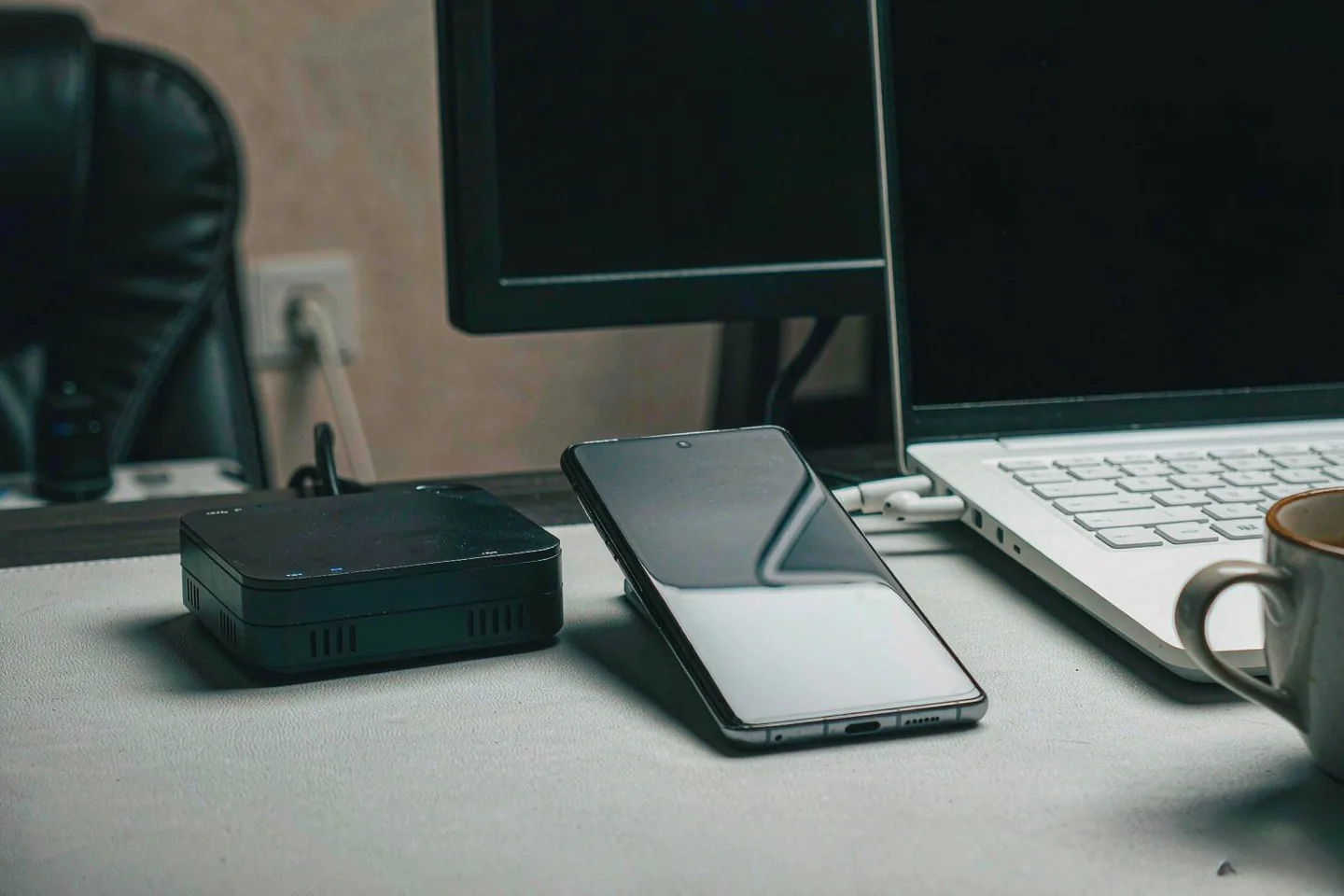
Direct answer up front, then the trade-offs that matter. This page covers galaxy s26 and answers: What is a NAS and do I need one?.
By Anne · Storage and Home Tech Editor
Beat: Phone photo backup · How we review
Quick Answer
Samsung's Galaxy S26 has no built-in way to push photos to your own hardware on a schedule. The My Files app opens an SMB, FTP or SFTP share, but only when you tap through it. Unattended camera-roll sync comes from a NAS app or a third-party tool instead.
A NAS — network-attached storage — is a small box on your home network that holds drives and serves files over SMB, so your phone, laptop and television all read the same copy.
Key Takeaways
- The Galaxy S26 ships with 256GB or 512GB of storage, 12GB of memory and a 50 MP main camera; Samsung lists 8K video at 30 fps for the model (Samsung official specification page, accessed 2026-10-14).
- Samsung's October 2026 security patch, SMR Oct-2026 Release 1, covers 76 vulnerabilities and is rolling out to the S26, S26+, S26 Ultra, S26 FE, Z Fold 8 and Z Flip 8 (SamFw, 2026-10-06; eSecurity Planet, 2026-10-08).
- Our price ledger records the S26 256GB at $899.99 on Samsung's US launch list and $774.99 on Amazon, and the S26 Ultra 256GB at $950 on Amazon after October Prime Day (both checked 2026-10-14).
- Google's free tier is 15GB shared across Gmail, Drive and Photos, and the paid tiers in our ledger run $1.99 a month for 100GB, $2.99 for 200GB and $9.99 for 2TB (checked 2026-10-02).
- Sixty months of the 200GB tier adds up to $179.40, against $1,083.99 for a two-bay NAS with two 8TB drives. Cloud stays cheaper until your library passes 2TB.
What Changed
Samsung started pushing its October 2026 security patch to the Galaxy S26 on 6 October, and the numbers are worth reading once. The release covers 76 vulnerabilities: 45 fixes from Google's Android bulletin, split into 9 critical, 33 high and 3 moderate; four high-severity flaws in Samsung's own semiconductor components; and 27 Samsung Vulnerabilities and Exposures (SamFw, 2026-10-06). Galaxy flagships get the patch first, and the S26 trio is on that list, alongside the S26 FE and the new foldables (eSecurity Planet, 2026-10-08).
The US rollout arrived this week for carrier-locked and unlocked S26, S26+ and S26 Ultra owners, as a download of around 530MB with a build number ending BZIG (SammyGuru, 2026-10-13).
That part is routine. The storage part is not.
Samsung's own specification page lists the S26's security update window as valid until 28 February 2033 (accessed 2026-10-14). A phone sold with a seven-year support horizon is a phone you are meant to keep, and its internal storage does not grow with it.
Then came the price. October Prime Big Deal Days ran on 6 and 7 October, and it hit the S26 series hard. Amazon cut the S26 Ultra 256GB to $979.99 during the sale (PC Guide, prices stated as correct on 2026-10-06), and the same listing was still at $950 afterwards (CNET, checked 2026-10-14). The list prices those two outlets quote do not match — $1,399.99 at PC Guide, $1,400 at CNET, $1,299.99 in Samsung's own US launch release (Samsung Newsroom, 2026-02-25). We record them as separate channel readings rather than averaging three conflicting numbers into one.
Both are Amazon readings. Neither is a list price.
Who Is It For
What do you do with a 256GB phone and a camera that writes 8K files?
This is a piece for Android households that hit the Google ceiling. The free Google tier is 15GB, shared with Gmail and Drive, so a phone that shoots 10MB photos can eat it inside a couple of years (Google One; SaaSCompared, accessed 2026-10-14). Once you pay, you are renting capacity forever.
It fits you if you shoot video, keep originals rather than compressed copies, own more than one Android phone, or already have a router and a spare power socket. Families with three or four handsets get more out of it than a single light shooter, because one box serves every phone in the house.
One box, four phones, one bill.
Skip the whole idea if your library is a few thousand photos, if you are content inside Google Photos, or if nobody in the house wants to administer a share and a user account. A NAS is not a phone accessory. It is a small server.
Key Specifications
Capacity and bays
The phone's ceiling is fixed at 512GB, and that is the number that pushes people toward a box. Samsung sells the S26 in 256GB and 512GB, and the S26 Ultra in 256GB, 512GB and 1TB (Samsung Newsroom, 2026-02-25). The base model carries 12GB of memory and a 50 MP main camera next to a 10 MP telephoto and a 12 MP ultra-wide (Samsung specification page, accessed 2026-10-14).
On the storage side, two bays is the practical floor for a mirrored pair; four bays let you start with two drives and add capacity later without replacing the chassis. The figures below come from our own spec ledger. A dash means the field is not in the ledger, not that we skipped a number.
| Field | UGREEN NASync DXP2800 | Synology DS225+ (2025) | Synology DiskStation DS925+ |
|---|---|---|---|
| Price (tracked) | Amazon $389.99 (2026-10-02) | Amazon $364.99 (2026-10-02) | Amazon $749.76 (2026-10-02) |
| Drive bays (SATA) | 2 bays | 2 bays | 4 bays |
| M.2 NVMe slots | 2 slots | 0 slots | 2 slots |
| Max raw capacity | 80 TB | — | — |
| Max bays with expansion | — | 7 bays | 9 bays |
| Hot-swap bays | Yes | Yes | Yes |
| CPU | Intel N100 | Intel Celeron J4125 | AMD Ryzen V1500B |
| CPU cores | 4 cores | 4 cores | 4 cores |
| Installed RAM | 8 GB | 2 GB | 4 GB |
| Max RAM | 16 GB | 6 GB | 32 GB |
| RAM slots | — | 1 slot | 2 slots |
| ECC RAM | — | No | Yes |
| RAM soldered (not upgradeable) | No | — | — |
| 1GbE ports | — | 1 port | — |
| 2.5GbE ports | 1 port | 1 port | 2 ports |
| USB ports | 4 ports | 2 ports | 2 ports |
| HDMI output | 4K 60Hz | — | — |
| Form factor | Desktop tower | Desktop tower | Desktop tower |
| Weight | — | 1.3 kg | 2.26 kg |
| Internal filesystem | — | — | Btrfs, ext4 |
| Warranty | 2 years | 3 years | 3 years |
_Sources: Synology official comparison (DS225+) · Synology official comparison (DS925+) · UGREEN NASync DXP2800 product page. The Synology DS225+ ships with 2GB of RAM, and Samsung's own drive-compatibility lists are separate documents — check them before buying drives._
Connectivity
Wired beats wireless here, and the phone is the reason. The S26 connects over USB 3.2 Gen 1 on USB-C, Wi-Fi 802.11a/b/g/n/ac/ax/be and Bluetooth v5.4 (Samsung specification page, accessed 2026-10-14). A first camera-roll upload of 40GB to 80GB is a long job over Wi-Fi and a shorter one over a cable or a good 5GHz link.
On the NAS side, SMB runs on port 445, which is what Samsung's own file manager expects. A Samsung community answer states that My Files supports SMBv2, SMBv3, FTP and SFTP, with SMB on port 445 by default. SMBv3 is the version to pick when both ends support it.
The DS225+ and DXP2800 each expose one 2.5GbE port; the DS925+ has two. Do not pay extra for multi-gigabit switching unless your phone, laptop and NAS all sit on the same fast link. A mirrored pair of mechanical drives tops out near Gigabit anyway on sustained writes.
Multi-gigabit switching can wait until later.
Software stack
This is where Android looks nothing like iPhone.
Samsung gives you the connection, not the schedule. My Files adds network storage as a browsable location, and you copy to it by hand — long-press, Copy, pick the destination, paste. Syncbricks documents the same limit and points at Tasker for automation. How-To Geek's walkthrough reaches the same place from the Windows side: enable sharing, then browse the share from My Files.
Unattended upload needs software that runs on its own. Two families of options exist. NAS vendor apps — Synology Photos, QNAP's Qfile Pro and QuMagie, Nextcloud on open platforms — do background camera-roll uploads, and GeekChamp notes that Synology Photos was built for reliable camera-roll uploads on current Android versions. Third-party sync tools such as FolderSync support SMB, WebDAV and SFTP with one-way or two-way jobs, Wi-Fi-only restrictions and charging conditions.
One hard constraint applies to both. GeekChamp points out that Android's background execution limits and storage sandboxing mean only actively maintained apps deliver predictable backup behaviour, so a tool that has not been updated in two years is a liability on a 2026 handset.
That constraint decides which app you trust with the camera roll.
What Is New
Nothing on either side shipped a "sync to my NAS" switch this month.
The October patch is maintenance, not a feature, and installing it is the sensible move regardless of how you store photos. The hardware change worth noting is upstream: a 256GB base model with 8K recording and a 50 MP sensor makes the free Google tier look small faster than a 128GB phone did.
Samsung's press material leans on Galaxy AI features and on the Ultra's 200 MP camera (Samsung Newsroom, 2026-02-25). Those are vendor claims about capture quality, and they are not what decides whether your archive survives. The 200 MP figure applies to the S26 Ultra; the base S26 has a 50 MP main camera, and mixing the two up is a common mistake in write-ups.
What has genuinely changed is the entry price. An S26 Ultra at $950 on Amazon after Prime Day, against a launch list of $1,299.99, puts a large-capacity phone in reach of people who never planned to buy one. Those buyers inherit the same 256GB ceiling.
The patch is maintenance. The price was the event.
How It Compares
Automatic upload is the only genuinely contested part of this workflow, and there are three ways to get it.
Google Photos is the default and the easiest. It uploads in the background, searches well, and its free tier is 15GB shared with Gmail and Drive (Google One, accessed 2026-10-14). Storage saver mode compresses images to a 16 MP long edge, according to SaaSCompared, which is a real trade if you shoot 50 MP frames. Paid capacity is a subscription with no end date.
A NAS app is the second route, and it is the one that behaves like a service. Synology Photos, Qfile Pro and QuMagie upload the camera roll in the background and organise it on your hardware. The cost is platform commitment: those apps only serve their own brand of NAS.
Third-party sync is the flexible middle. FolderSync and similar tools speak SMB, WebDAV and SFTP, so they work with almost any box, and they let you restrict transfers to Wi-Fi or charging. You configure the jobs yourself, and you own the failures when they happen.
Now the money, using only figures from our price ledger (checked 2026-10-02). Sixty months of Google One costs $119.40 at 100GB, $179.40 at 200GB and $599.40 at 2TB. A UGREEN DXP2800 at $389.99 plus two Seagate IronWolf 8TB drives at $347.00 each comes to $1,083.99 for 8TB usable in a mirror.
The math is unflattering, and it is worth stating plainly.
Do that arithmetic honestly and the cloud wins the first five years at 2TB. It takes 108 months of the 2TB tier to match the NAS, and the subscription keeps running the whole time. Our take: buy the box for capacity and ownership, not to save money at 2TB.
Who Should Consider It
Worth it if you shoot more than a few gigabytes a month, keep originals, or run several Android phones in one household. The DS225+ at $364.99 and the DXP2800 at $389.99 are both entry points that leave room for two 8TB drives.
Skip it if your photos fit comfortably inside Google's 15GB, if you never shoot video, or if you are the only person in the house who will ever touch a settings menu. A subscription you forget about costs less attention than a share you have to maintain.
The trade-off is concrete. You gain capacity you own, local speed, and search that does not depend on an account. You give up zero-friction setup, off-site redundancy and the polished sharing that Google Photos offers. If you want both, keep the free Google tier for sharing and put the archive on the NAS.
Attention, not dollars, is the running cost.
What Existing Users Should Know
The trap that catches new owners is permissions, and it bites silently.
On a Windows share with read and write enabled, deleting a file from your phone deletes it on the NAS too, and it does not go to the Windows Recycle Bin first. PCNEXUS spells this out in its network storage guide. Decide up front whether the phone gets read-only access. A camera roll that mirrors deletions is convenient until the day it is not.
Decide that before the first upload, not after.
Second, one NAS is one copy. RAID survives a dead drive, not a stolen box, a fire or ransomware. If the photo library matters, plan for a second copy on a portable drive or a remote location.
Third, migration is slower than migration promises. Moving a library between NAS brands means rebuilding shares and re-indexing thumbnails, and vendor photo apps reprocess metadata from scratch. Budget a weekend if you are switching platforms.
Finally, install the October patch. It is about 530MB on US models and needs a restart (SammyGuru, 2026-10-13).
Real-World Scenario: Automatic Lossless Photo Backup for Mobile
Here is the loop the scenario describes, end to end, with nothing left implicit. You take a photo on the S26. The file lands in internal storage. On the next charge, while on home Wi-Fi, an app on the phone pushes the original to a share on the NAS, and a second job copies the library off-site. You are never asked to press anything.
What this changes for the use case
The change is that "backup" stops being a decision you make weekly and becomes a property of the network. Originals arrive intact — no 16 MP downscale, no re-encode — so a 50 MP frame stays a 50 MP frame. Deleting from the phone becomes safe once you trust the upload, which is what turns 256GB into a workable amount of local storage.
For a household, the effect compounds. Four phones uploading to one box share one storage pool and one bill, and nobody has to think about whose Google account holds what.
The archive stops being a chore.
Hardware and software requirements
Start with the phone side. Install a NAS vendor app that matches your box, or a third-party sync tool if you want vendor independence. Grant background and storage permissions, and exempt the app from battery optimisation, because Android will otherwise throttle it. Set the job to Wi-Fi only, or to charging only if you shoot a lot of video.
On the NAS, create a share and a dedicated user for the phone. Give it write access to one upload folder and nothing else. Keep SMBv2 or SMBv3 enabled and SMBv1 off.
Then the safety layer. A two-bay box with two 8TB drives in a mirror gives you 8TB usable; the DXP2800 and DS225+ run $364.99 to $389.99 diskless in our ledger. Add a second copy elsewhere, or the setup protects you from hardware failure and nothing else.
Limits, caveats, and who should skip it
Uploads stall. Background execution limits, aggressive battery management and weak Wi-Fi all interrupt the job, and the failure mode is silence rather than an error. Check the app's last-sync timestamp weekly for the first month.
Large libraries take days. The first pass on a 100GB camera roll is measured in hours to days, not minutes, and it competes with everything else on your home network while it runs.
Skip this design if you need a shared folder that family outside your house can upload to, if you want someone else to handle drive failures and off-site copies, or if you will not log in to check on it. Those cases belong in a cloud service or a managed box, and pretending otherwise usually ends with an archive nobody has verified.
Frequently Asked Questions
Can the Galaxy S26 back up photos to a NAS by itself?
No. The S26 has no system-level switch for local network backup. Samsung's My Files app can open an SMB, FTP or SFTP share and copy files, but you start that copy. Automatic, unattended upload requires a NAS vendor app such as Synology Photos or a third-party sync tool like FolderSync.
How much does a home NAS cost?
Our ledger lists the Synology DS225+ at $364.99 and the UGREEN NASync DXP2800 at $389.99, both diskless on Amazon and checked 2026-10-02. Two Seagate IronWolf 8TB drives add $347.00 each. A working mirrored 8TB setup therefore lands between $1,058.99 and $1,083.99.
Is 2TB of Google One cheaper than a NAS?
Over five years, yes. Sixty months at $9.99 is $599.40, against $1,083.99 for a two-bay box and two 8TB drives from our ledger. The NAS gives you 8TB instead of 2TB and no recurring bill, but the break-even on pure cost runs to 108 months.
Do I need to expose the NAS to the internet?
Not for this workflow. Camera-roll upload happens on your home Wi-Fi, so the share never needs a public address. Remote access is a separate decision with its own security cost. If you do want it, use the vendor's relay service or a VPN instead of opening ports on your router.
Sources
- Samsung's Galaxy S26 specification page lists the 6.3-inch display, 50.0 MP + 10.0 MP + 12.0 MP rear cameras, 12GB of memory and 256GB of storage, USB 3.2 Gen 1, Bluetooth v5.4, 167g and a security update window valid until 28 February 2033 — https://www.samsung.com/uk/smartphones/galaxy-s26/specs/ (accessed 2026-10-14)
- Samsung's US newsroom release states Galaxy S26 pricing from $899.99, S26+ from $1,099.99 and S26 Ultra from $1,299.99, with 256GB and 512GB options on the base model — https://news.samsung.com/us?p=84275 (accessed 2026-10-14)
- SamFw details the October 2026 patch as 76 vulnerabilities, including 45 Android fixes and 27 Samsung SVEs, with the S26 series first in line — https://samfw.com/blog/samsung-s-october-2026-security-patch-plugs-76-flaws-across-galaxy-devices (accessed 2026-10-14)
- eSecurity Planet confirms the bulletin dates from 6 October 2026 and lists the S26, S26 Plus, S26 Ultra, S26 FE, Z Fold 8 and Z Flip 8 among the devices receiving it — https://www.esecurityplanet.com/news/news-samsung-october-2026-security-update-galaxy/ (accessed 2026-10-14)
- SammyGuru reports the US rollout for the S26 trio at around 530MB with a build number ending BZIG — https://sammyguru.com/samsung-october-2026-security-patch-galaxy-s26-series-in-the-us (accessed 2026-10-14)
- CNET records the Galaxy S26 Ultra 256GB at $950 on Amazon after October Prime Day — https://www.cnet.com/deals/samsung-galaxy-s26-ultra-prime-deal/ (accessed 2026-10-14)
- PC Guide recorded the same model at $979.99 during Prime Big Deal Days, with prices stated as correct on 6 October 2026 — https://www.pcguide.com/deals/latest-flagship-samsung-s26-ultra-phone-has-over-400-axed-off-its-price-in-amazon-prime-big-deal (accessed 2026-10-14)
- A Samsung community answer documents My Files network storage over SMBv2, SMBv3, FTP and SFTP, with port 445 as the SMB default — https://r2.community.samsung.com/t5/Tech-Talk/Network-Storage/td-p/20469486 (accessed 2026-10-14)
- How-To Geek walks through connecting My Files to a shared network folder and copying files in both directions — https://www.howtogeek.com/how-i-permanently-share-a-windows-folder-with-my-android-phone-no-extra-apps-required/ (accessed 2026-10-14)
- Syncbricks describes My Files network storage as manual access and names Tasker for automating the copy — https://syncbricks.com/image-3kecgr/ (accessed 2026-10-14)
- GeekChamp covers Android NAS apps in 2026, including Synology Photos camera-roll uploads, FolderSync's SMB and SFTP jobs, and Android's background execution limits — https://geekchamp.com/best-nas-software-apps-for-android-in-2026 (accessed 2026-10-14)
- PCNEXUS warns that read and write access lets a phone delete files on the host share without a Windows Recycle Bin step — https://www.pcnexus.net/2026/03/set-up-network-storage-samsung-my-files-android.html (accessed 2026-10-14)
- Google One states that every Google Account includes 15GB across Drive, Gmail and Photos — https://one.google.com/about (accessed 2026-10-14)
- SaaSCompared notes that the free Google tier is shared with Gmail and Drive and that Storage saver compresses to a 16 MP long edge — https://saascompared.com/blog/immich-vs-google-photos-vs-icloud-2026 (accessed 2026-10-14)
- Technobezz lists the unlocked Galaxy S26 256GB at $774.99 on Amazon against an $899.99 reference price — https://www.technobezz.com/best/samsung-galaxy-s26-unlocked-android-smartphone-drops-to-774-99-on-amazon (accessed 2026-10-14)
- All prices, drive figures and NAS specifications above come from this site's price and specification ledgers, verified against vendor or retailer pages with the dates shown — https://securenashub.com/how-we-review.html (accessed 2026-10-14)
Run your own 5-year cost comparison with the on-site calculator
Every figure above is attributed in the Sources list — put your own drive count and subscription tiers into the calculator to see where you land.
Open the cost calculator →Related reading
Was this article helpful?
One tap, no account and no comment box. It tells us which guides are actually worth updating.
How many drive bays is your NAS?
This is how we decide which setups to cover next.
Thanks.
Need help with a specific setup?
Storage choices depend on your drives, your budget and how many people share the box. Tell us what you are building and we will point you at a configuration that fits — no obligation, no sales script.
Affiliate Disclosure: SecureNAS Hub may earn a commission from qualifying purchases made through links on this page, at no extra cost to you. Facts and figures are attributed in the Sources list; nothing on this page is a fabricated test result. See our full disclosure. Product images are either supplied by the manufacturer or clearly labelled as illustrative renders; each one is captioned accordingly. Last reviewed 2026-10-14.