NAS Guides · Published 2026-11-08
Dropbox Five-Year Bill vs One NAS Up Front
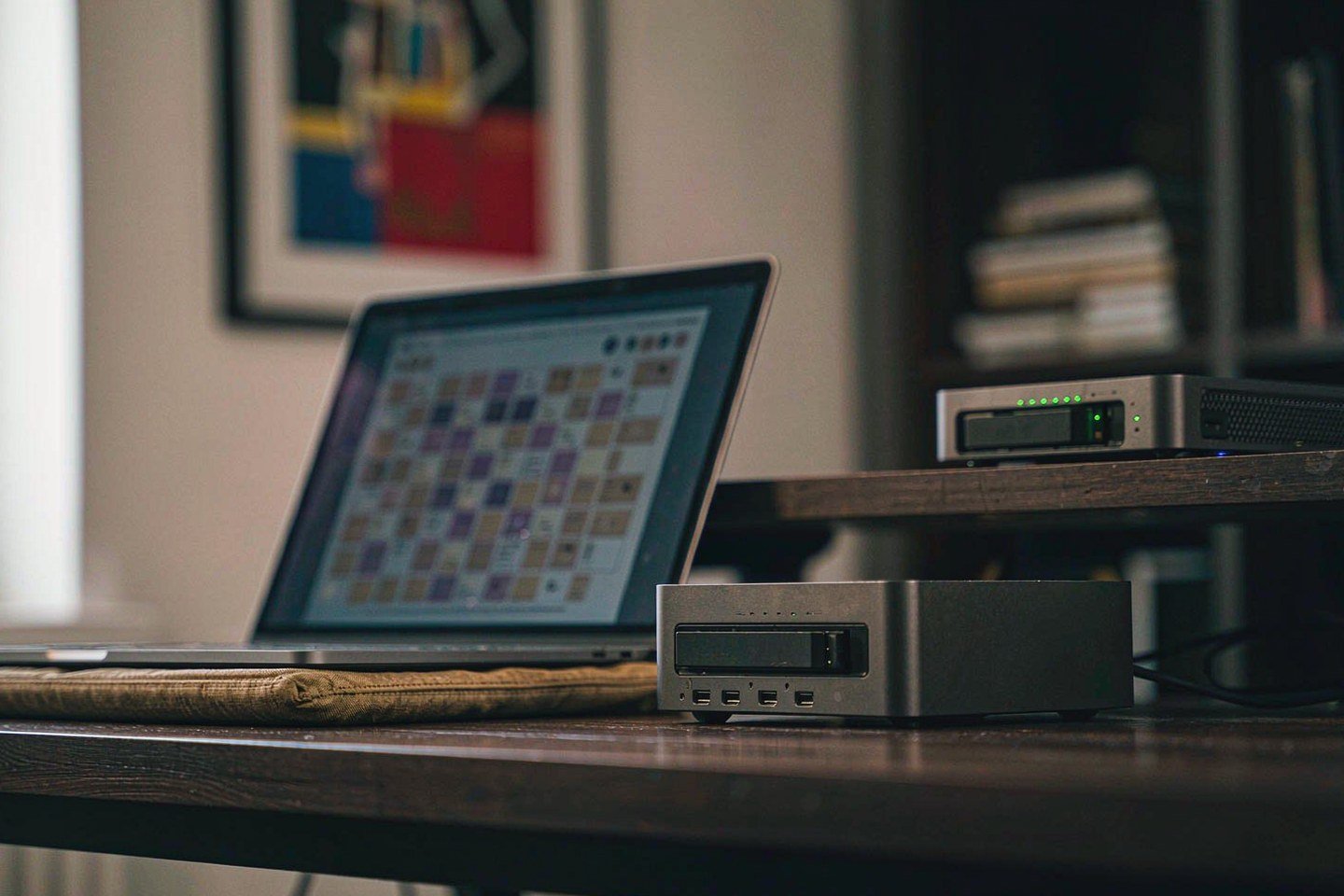
Direct answer up front, then the trade-offs that matter. This page covers dropbox and answers: how to dropbox a file to someone.
By Konpin · Founder / Lead Analyst
Beat: Private-cloud economics · How we review
Quick Answer
A NAS (network-attached storage) is a small file server that sits on your own network and holds your files without a monthly fee. Dropbox's newest move shows where your subscription money is headed: on 5 November 2026 the company announced a planned $350 million acquisition of Tigris Data and a storage platform called DBX Agent Cloud, per TechCrunch and Dropbox's own blog. Meanwhile Dropbox lists Plus at $9.99 per month for 2 TB (checked 2026-11-08), which adds up to $599.40 over five years of your money. A two-bay Synology DS225+ plus one 8 TB Seagate IronWolf drive totaled $711.99 at the prices we tracked on 2026-10-02 — $112.59 more, once, for four times the capacity, no recurring bill, and hardware you control.
Key Takeaways
- Dropbox Plus (2 TB) lists at $9.99 per month on dropbox.com/plans as of 2026-11-08; five years of that comes to $599.40.
- A Synology DS225+ ($364.99) plus a Seagate IronWolf 8 TB drive ($347) totaled $711.99 at our 2026-10-02 tracked prices — a one-time outlay.
- On 5 November 2026 Dropbox announced a planned $350 million acquisition of Tigris Data, its largest ever, to build DBX Agent Cloud (per TechCrunch and Securities.io).
- The deal is expected to close in Q4 2026; Dropbox also cut 9% of its global workforce last month, per WSJ reporting cited by TechCrunch.
- Our take: pay Dropbox for sync and sharing convenience; buy a NAS when your library passes roughly 2 TB or you want your originals to outlive any subscription.
What Changed
Dropbox announced two things on 5 November 2026. First, a planned acquisition of Tigris Data for approximately $350 million in cash — Securities.io reports the definitive agreement was signed on 3 November 2026 and covers all outstanding Tigris equity, with the transaction not yet closed. TechCrunch calls it Dropbox's largest acquisition to date. Second, DBX Agent Cloud, a storage and data layer for companies building AI applications and agents, starting with standalone S3-compatible object storage that customers can buy independently.
The AI side of the announcement lands on consumer files too. Dropbox says customers can now ask it to find, summarize, draft and organize directly on files already in Dropbox, with an approval plan before changes, an undo, and a record of actions. The company says the updated experience has reached more than 70,000 teams, initially for eligible Standard and Advanced customers in the US, UK and Australia, with broader availability planned for 2027. Plus and Basic subscribers wait — and if you are on either tier, that includes you.
Two numbers frame the money question. Dropbox told TechCrunch the deal should close in the fourth quarter of 2026, and the company cut 9% of its global workforce last month per WSJ reporting TechCrunch cites.
Building AI infrastructure while trimming headcount is a bet that storage subscriptions keep funding it. What does that mean for you and your $9.99? Whether your price changes is unconfirmed — Dropbox has not announced any Plus pricing change, and we could not verify one.
Who Is It For
Dropbox Plus fits you if your files live across several devices, you share links with other people constantly, and you never want to touch hardware. Sync conflicts, version history and link sharing are the product. You pay for not thinking about it.
A home NAS fits you if your photo and video library already strains a 2 TB ceiling, if you shoot RAW or 4K, or if you simply want your originals on hardware you can open with a screwdriver. One person in the house has to enjoy the setup, though, because somebody owns the updates and the disk health checks — if that somebody will not be you, budget for the resentment.
The trade-off is maintenance versus control. Dropbox's free Basic tier gives you 2 GB at $0 per month (checked 2026-11-08), which is enough to test the workflow before paying. A NAS asks $700 or so up front and repays you in capacity and the absence of a monthly line item. Skip both if your library is small and stays in your phone's free tier — the math will not rescue you.
Key Specifications
Dropbox is a service, not a box, so there is no hardware spec sheet to check. On the plan side, the official page lists Basic with 2 GB free, Plus with 2 TB, Standard from 3 TB at US$15 per user per month, and Advanced from 15 TB at US$24 per user per month (accessed 2026-11-08). Plus allows file transfers up to 50 GB and restores deleted files for 30 days, per the same page. For the NAS side we can be concrete, because the spec ledger tracks it.
The Synology DS225+ is a two-bay desktop unit with 2 GB of installed RAM, expandable to 6 GB, one 1 GbE port, one 2.5GbE port and a 3-year warranty, all per Synology's official comparison data in our ledger. You can fill both bays with NAS-class drives of your choosing — no lock-in to a vendor's refill pricing. Watch out: the DS225+ ships with zero M.2 NVMe slots, so an SSD cache upgrade is not an option on this exact model — if cache matters to you, that is the DS925+ tier at $749.76 tracked on 2026-10-02.
Capacity and bays
Two bays means two drives. One 8 TB IronWolf gives you 8 TB of usable space; mirroring across two 8 TB drives for redundancy doubles the drive spend. We did not verify electricity cost, so the five-year figures below exclude power.
Connectivity
One 2.5GbE port is enough for a single desk pulling files at multi-hundred-megabyte-per-second rates; gigabit as a fallback. Compare that with Dropbox, which is bounded by your broadband upload on a full restore.
Software stack
Synology's DiskStation Manager runs the sync, share and backup apps. We could not verify the current DSM version requirements for the DS225+ from the ledger, so check Synology's site before buying.
What Is New
DBX Agent Cloud is the part worth understanding, because it shows the direction. The offering starts with object storage built to be compatible with tools written for Amazon S3, per Dropbox's blog, and the company plans to add filesystem and content-processing capabilities next — features that let AI agents manage files and carry context across tasks. Tigris Data itself was founded by former Uber engineers who built that company's storage infrastructure, and the platform automatically positions data closer to the users and compute that need it.
For you as a home subscriber the near-term effect is indirect. Your Plus plan still syncs the same folders. What changes over time is what Dropbox does with them: model choice inside the product, connections to third-party tools including ChatGPT, Claude and Muse without re-uploading content, and AI that can organize or edit your files after you approve a plan.
That is vendor description, not independent test data — treat the rollout claims accordingly, and expect your tier to wait longest.
How It Compares
Here is the five-year math with every number traced to a source. Dropbox Plus: $9.99 per month as listed 2026-11-08, so 60 months costs you $599.40. Apple's iCloud+ 2 TB plan was $9.99 per month when we checked on 2026-10-02, effectively the same bill you would hand Apple instead.
The NAS route: Synology DS225+ at $364.99 and one Seagate IronWolf 8 TB at $347 on Amazon, both tracked 2026-10-02, totaling $711.99 once. If you prefer WD, one WD Red Plus 8 TB was $431 at the same check.
Your crossover point lands around month 72 for the single-drive build — the NAS costs $112.59 more over five years but ends those five years owning 8 TB of capacity instead of renting 2 TB. A seventh year of Dropbox costs another $599.40 while the NAS costs only the electricity we could not verify. Mirrored redundancy pushes the NAS total to $1,058.99 with two 8 TB drives, still flat over five years.
Same bill, different owner.
| Field | Synology DS225+ (2025) | Synology DiskStation DS925+ |
|---|---|---|
| Price (tracked) | Amazon $364.99 (2026-10-02, stale) | Amazon $749.76 (2026-10-02, stale) |
| Drive bays (SATA) | 2 bays | 4 bays |
| M.2 NVMe slots | 0 slots | 2 slots |
| Max bays with expansion | 7 bays | 9 bays |
| CPU | Intel Celeron J4125 | AMD Ryzen V1500B |
| Installed RAM | 2 GB | 4 GB |
| Max RAM | 6 GB | 32 GB |
| 1GbE ports | 1 port | — |
| 2.5GbE ports | 1 port | 2 ports |
| Warranty | 3 years | 3 years |
_Sources: Synology official comparison (DS225+) · Synology official comparison (DS925+)_
Who Should Consider It
Worth it if you keep more than about 1.5 TB of personal media and you have one wall socket and one ethernet run to spare: the DS225+ build pays for itself in capacity within your first Dropbox-free year, and year six onward is where the subscription bill keeps running and your NAS does not.
Skip it if you share files with clients all day and live inside link permissions — Dropbox's sharing workflow is the reason people pay, and a NAS behind a home connection is a worse version of that job for you. Skip it too if nobody in your house will read a disk-health email, because an unwatched NAS is a slow-motion single point of failure.
Our take: the honest framing is not "NAS is cheaper" but "the bills are shaped differently." One is a subscription that never ends and buys convenience. The other is hardware that ends, buys capacity, and asks you to remember it exists.
What Existing Users Should Know
If you are on Plus today, the AI features announced for Standard and Advanced teams in the US, UK and Australia have not reached your tier yet, and Dropbox has given no Plus rollout date we could verify. If you are on Basic, the 2 GB free tier continues at $0 per month as listed 2026-11-08 — you keep testing the workflow for free.
Two practical steps. Export a full copy of your Dropbox library to any external drive before you decide anything — the desktop client makes a local copy possible, and a local copy is exactly what a NAS would hold. And re-check the Plus price on the plans page before renewing, because a $350 million infrastructure acquisition plus a 9% workforce cut is the kind of quarter in which pricing strategies get revisited. That is speculation on our part, not a reported plan.
Real-World Scenario: Infinite Mobile/PC Storage Expansion & Auto-Release
What this changes for the use case
The scenario here is capacity anxiety: your laptop's internal disk fills up, your phone nags about storage, and the cloud's answer is to keep everything off-device for a monthly fee. A NAS flips the flow for you. Your library lives on the box in the closet; your devices keep working copies or nothing at all; and "freeing up space" becomes moving files to a share you own instead of waiting on an upload meter. Over five years the 2 TB ceiling you rent becomes an 8 TB floor you own, with expansion bays when your library outgrows it.
Hardware and software requirements
You need the NAS itself, at least one NAS-class drive, and a device client that mounts the share — SMB file sharing works from your Windows, macOS and Android file managers without extra licenses. Your backups of the NAS itself need a second destination, because a RAID mirror is redundancy, not a backup. Budget one evening for setup and a monthly glance at disk health.
Limits, caveats, and who should skip it
Honest limits: a NAS does not sync link-sharing permissions the way Dropbox does, remote access from outside your home needs configuration we have covered separately, and the auto-release side — automatically dropping your local copies once files are safely on the NAS — depends on the client software you choose, with behavior that varies by platform. Electricity and noise are real but small; we could not verify a cost figure, so we excluded power from the math above. Skip the whole route if you move between cities monthly or if your household has exactly one shared folder of documents — cloud sync is the better tool for that shape of life, and you should not buy hardware you will resent.
Frequently Asked Questions
How much does Dropbox Plus cost over five years?
At the $9.99 per month listed on dropbox.com/plans as of 2026-11-08, sixty months of Dropbox Plus costs $599.40. The page also offers annual billing, but we could not verify the separate annual rate from a static read of the page, so we used the displayed monthly figure. The free Basic tier stays at $0 with 2 GB.
Is a NAS cheaper than paying for cloud storage?
It depends on your horizon. A DS225+ plus one 8 TB IronWolf cost $711.99 at our tracked 2026-10-02 prices, versus $599.40 for five years of Dropbox Plus or iCloud+ 2 TB. The NAS costs $112.59 more over your first five years but delivers four times the capacity with no month 61. Electricity is excluded because we lack a verified figure.
What is DBX Agent Cloud?
DBX Agent Cloud is Dropbox's new storage and data layer for companies building AI applications, announced 5 November 2026 alongside a planned $350 million acquisition of Tigris Data. The offering starts with S3-compatible object storage that developers can buy independently, and filesystem plus content-processing features are planned next, per Dropbox's blog and TechCrunch. None of it changes your Plus plan today.
Will the Tigris deal change Dropbox prices?
Unconfirmed. Neither Dropbox's announcement nor the coverage we reviewed mentions a consumer price change, and we could not verify one as of 2026-11-08. The deal had not closed when reported; Securities.io dates the definitive agreement to 3 November 2026 with an expected close in the fourth quarter of 2026.
Does a NAS mean giving up Dropbox-style sharing?
Not all of it, but the convenience gap is real. A NAS can generate share links through its own software, yet your recipients get a different experience than polished link permissions with view-only controls and expiries. If sharing is your main reason for paying Dropbox, keep your subscription and use a NAS as the archive tier instead of a full replacement.
Sources
- TechCrunch, 5 November 2026: Dropbox is acquiring Tigris Data for $350 million, its largest acquisition to date, to build DBX Agent Cloud starting with S3-compatible object storage; expected close in Q4 2026; a 9% workforce cut last month per WSJ; the AI experience has reached more than 70,000 teams, initially Standard and Advanced customers in the US, UK and Australia — https://techcrunch.com/2026/11/05/dropbox-acquires-tigris-data-for-350m-to-bolster-its-ai-iinfrastructure/ (accessed 2026-11-08)
- Dropbox official blog, 5 November 2026: announcement of DBX Agent Cloud and the planned Tigris acquisition, AI actions on existing files with approval plans and undo, model choice, and connections to ChatGPT, Claude and Muse — https://blog.dropbox.com/topics/company/dropboxs-next-chapter (accessed 2026-11-08)
- Yahoo Finance (syndicated TechCrunch, 5 November 2026): corroborates the $350 million figure, the expected Q4 2026 close, the 9% workforce reduction, and the 70,000-teams rollout — https://finance.yahoo.com/technology/ai/articles/dropbox-acquires-tigris-data-350m-151905132.html (accessed 2026-11-08)
- Securities.io, 5 November 2026: definitive agreement signed 3 November 2026 for approximately $350 million in cash covering all outstanding Tigris equity; transaction not yet closed — https://www.securities.io/dropbox-agrees-to-buy-tigris-data-for-about-350-million-in-cash/ (accessed 2026-11-08)
- Dropbox official plans page: Basic free with 2 GB; Plus US$9.99 per month with 2 TB; Standard US$15 per user per month from 3 TB; Advanced US$24 per user per month from 15 TB; billing-period toggle state indeterminate in our static read, figure recorded as displayed — https://www.dropbox.com/plans (accessed 2026-11-08)
- Site price ledger, entries checked 2026-10-02: Synology DS225+ $364.99 (Amazon); Seagate IronWolf 8 TB $347 (Amazon); WD Red Plus 8 TB $431; Synology DS925+ $749.76; Apple iCloud+ 2 TB $9.99 per month (Apple) — https://securenashub.com (accessed 2026-11-08)
Run your own 5-year cost comparison with the on-site calculator
Every figure above is attributed in the Sources list — put your own drive count and subscription tiers into the calculator to see where you land.
Open the cost calculator →Related reading
Was this article helpful?
One tap, no account and no comment box. It tells us which guides are actually worth updating.
How many drive bays is your NAS?
This is how we decide which setups to cover next.
Thanks.
Need help with a specific setup?
Storage choices depend on your drives, your budget and how many people share the box. Tell us what you are building and we will point you at a configuration that fits — no obligation, no sales script.
Affiliate Disclosure: SecureNAS Hub may earn a commission from qualifying purchases made through links on this page, at no extra cost to you. Facts and figures are attributed in the Sources list; nothing on this page is a fabricated test result. See our full disclosure. Product images are either supplied by the manufacturer or clearly labelled as illustrative renders; each one is captioned accordingly. Last reviewed 2026-11-08.