NAS Guides · Published 2026-11-01
DJI Osmo Pocket 4P: Fast Previews of 180 Mbps Clips on a NAS
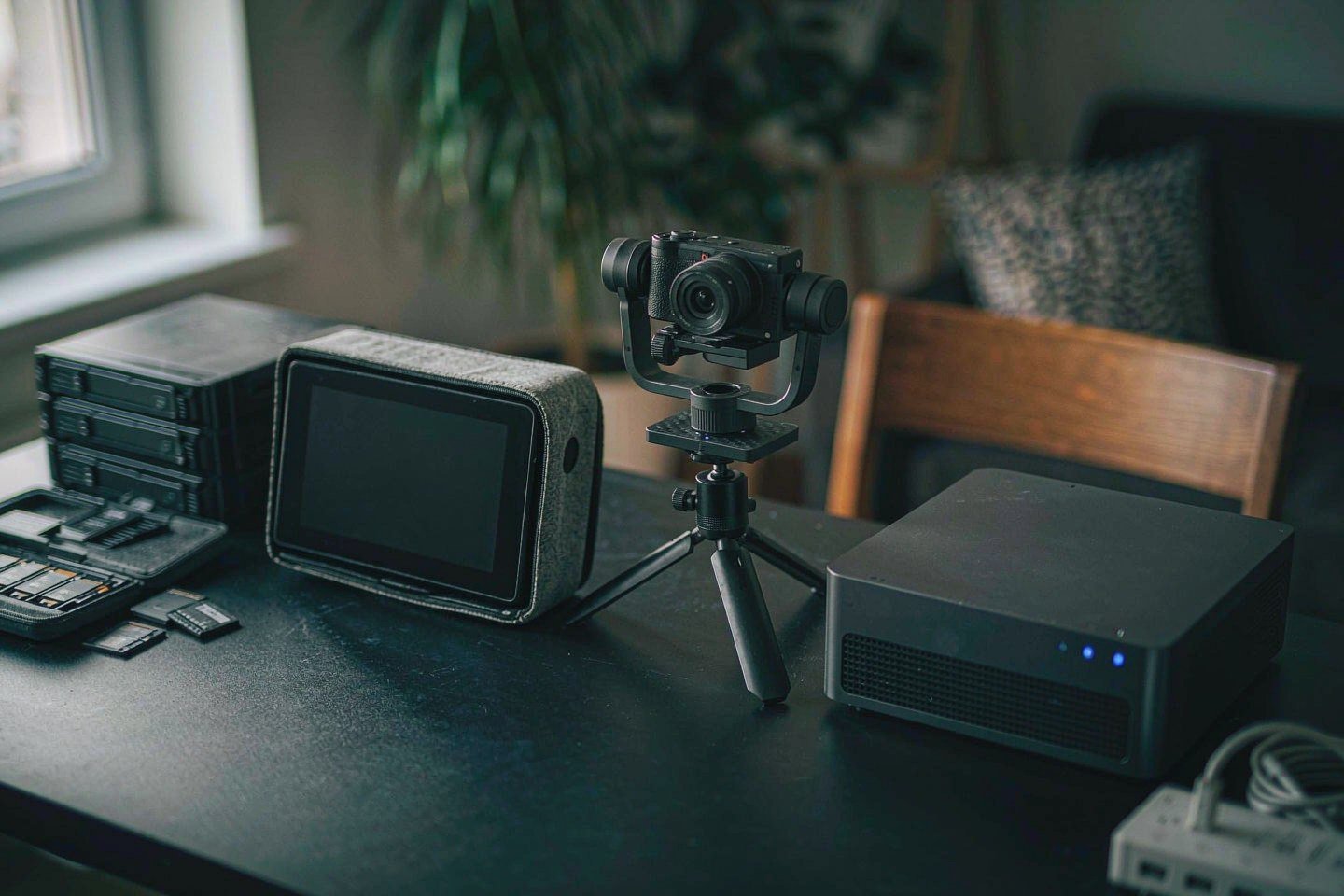
Direct answer up front, then the trade-offs that matter. This page covers dji osmo and answers: how to dji osmo pocket 3.
By Anne · Storage and Home Tech Editor
Beat: Phone photo backup · How we review
Quick Answer
The DJI Osmo Pocket 4P is a two-lens pocket gimbal camera that records 4K at up to 180 Mbps in HEVC. That works out to 22.5 MB per second, or roughly 81 GB for every hour you keep rolling (DJI official specifications, accessed 2026-11-01). Your NAS will store those files all day. It won't preview them quickly unless you decide up front where thumbnails and proxies get built. So put the originals on the array, build proxies on the machine you edit on, and empty the 103 GB internal buffer before you leave the house.
Key Takeaways
- The Osmo Pocket 4P shoots 4K at 24-60 fps with slow motion to 240 fps, capped at 180 Mbps in MP4/HEVC, with stills up to 7680 x 4320 as JPEG, DNG or both (DJI, accessed 2026-11-01).
- You get 103 GB of internal storage plus a microSD slot rated to 1 TB. That means two piles of files for you to consolidate after every shoot (DJI, accessed 2026-11-01).
- CineD reports the camera launched in Europe, the UK, Canada and Australia at EUR 599 for the Standard Combo and EUR 689 for the Vlog Combo, VAT included, with no US sale for now (accessed 2026-11-01).
- DJI claims 17 stops of dynamic range from the 1-inch LOFIC sensor on the wide lens. Treat that as a vendor claim. It matters to your storage plan only because 10-bit D-Log 2 is the reason you keep the files instead of deleting them after posting.
- Preview speed comes from your client, not the array. A 1 GbE link gives you about 118 MB/s before overhead, which is plenty for copying and marginal for scrubbing 4K HEVC timelines.
What Changed
Two things landed at once for pocket-gimbal shooters. More bits per second, and a camera you may not be able to buy where you live.
The Osmo Pocket 4P adds a second lens: a 1-inch CMOS at 20 mm equivalent and f/2.0 on the wide end, a 1/1.28-inch CMOS at 60 mm and f/1.8 on the medium tele (DJI, accessed 2026-11-01). Maximum video bitrate climbs from the Pocket 3's 130 Mbps to 180 Mbps, and stills jump to roughly 37 MP. Internal storage shows up for the first time at 103 GB, on top of microSD expansion to 1 TB.
CineD put the launch in plain numbers: EUR 599 for the Standard Combo, EUR 689 for the Vlog Combo, GBP 529 and GBP 605 in the UK, VAT included, no US sale for now (accessed 2026-11-01). We could not read a price off DJI's own store page with a script, and we could not verify current US pricing for the 4P or the Pocket 3 as of 2026-11-01.
So the real change for you isn't "better camera". It's more bytes per minute, coming off a device whose storage you have to empty by hand. Plan your offload before you plan your shot list.
Who Is It For
Worth it if you shoot interviews, travel or events that you cut weeks later, and you already keep a box on the network. The 60 mm lens and 10-bit D-Log 2 give you grading room a phone can't, and grading room is worthless once you've wiped the files.
Skip it if you post the same day. A 180 Mbps clip that lives for six hours doesn't need an archive plan. It needs a folder and a deadline. Skip it too if you shoot in the United States and want warranty service without shipping a parcel overseas.
Our take: the camera isn't the expensive part. Your workflow is, and your calendar pays for it. Budget the time to pull 81 GB per shooting hour off a card, checksum it, and build proxies before you sit down to edit.
Key Specifications
The numbers that decide your storage plan are dull ones: bitrate, internal capacity, card ceiling, file system.
DJI lists 180 Mbps maximum video bitrate, an MP4 container with HEVC, exFAT, 103 GB built in, microSD support to 1 TB, a 230 g body, and 210 minutes of runtime measured at 1080p/24 with Wi-Fi off (accessed 2026-11-01). Stills write as JPEG, DNG, or both. Wi-Fi covers 802.11 a/b/g/n/ac/ax. USB transfer is rated by CineD at up to 800 MB/s over USB 3.1 (accessed 2026-11-01); we could not confirm that figure against a DJI page, so treat it as reported.
Do the arithmetic once and your plan writes itself. 180 Mbps is 22.5 MB/s. An hour is about 81 GB. The 103 GB internal drive holds roughly 76 minutes at the top bitrate. A 1 TB card holds a bit over twelve hours of the same. That's one long day, not a season.
If you shoot weekly, you'll fill a 4-bay array inside two years.
How It Compares
The previous generation is the honest baseline, because most people asking about the 4P either own a Pocket 3 or nearly bought one.
| Field | DJI Osmo Pocket 3 | DJI Osmo Pocket 4P |
|---|---|---|
| Price (tracked) | — | DJI Europe (list price, VAT included) €599 Standard Combo (2026-11-01); €689 Vlog Combo (2026-11-01) |
| Weight | 0.18 kg | 0.23 kg |
| Internal filesystem | exFAT | exFAT |
| Max storage | 1024 GB | 1024 GB |
| Sensor resolution | 9.4 MP | 37 MP |
| Card slots | 1 slot | 1 slot |
| Supported media | microSD up to 1 TB, no internal storage | microSD up to 1 TB plus 103 GB internal storage |
| RAW recording format | JPEG / JPEG + DNG | JPEG / DNG / JPEG + DNG |
| Max movie format | 4K 3840x2160 at 24-60 fps; 4K slow motion at 120 fps | 4K 3840x2160 at 24-60 fps; 4K slow motion up to 240 fps |
| Max movie bitrate | 130 Mbps | 180 Mbps |
Sources: DJI Osmo Pocket 3 official technical specifications and DJI Osmo Pocket 4P official technical specifications, both accessed 2026-11-01. A dash means our spec ledger has no verified reading for that field, not that the product lacks the feature.
Read the bitrate row again. The 4P is about 38% heavier per second than the Pocket 3, and it stacks a second lens on top. Two cameras rolling on one event doubles the count again. A four-hour wedding on two bodies lands near 650 GB before you cut a frame.
Now multiply that by your season.
Real-World Scenario: Blu-ray Disc / RAW Image Format Fast Preview
This is the part every NAS review skips, because a spec sheet can't show it. You plug the camera in, open the folder, and wait for thumbnails to crawl. Why they crawl, and how to stop it, is the actual work.
What this changes for the use case
A folder of 180 Mbps HEVC clips isn't a folder of JPEGs. HEVC is a long-GOP codec, so the decoder reaches back through a group of pictures to draw one frame. That's why your scrub bar stutters on hardware that plays the same clip smoothly end to end. Add 37 MP DNG stills and you have two slow paths sitting in one directory.
Our position is blunt. Stop trying to make the NAS a preview workstation. Let it be the shelf and the indexer.
Two rules cover most situations.
First, build thumbnails once at ingest, not on every browse. Synology's DSM indexes media folders through its indexing service, and QNAP and UGREEN expose similar options. You want the setting that runs on import, on a schedule, not the one that fires whenever you open a folder.
Second, proxies belong next to the project, not next to the archive. A 540p proxy at a few Mbps cuts editing bandwidth by an order of magnitude, and it takes minutes per hour of footage. Build them on the machine that edits. Write them to the same volume as your cache. Leave the 180 Mbps originals alone until export.
Hardware and software requirements
Start with the link. One 1 GbE port tops out near 118 MB/s before protocol overhead, and real SMB transfers land below that. Measure yours before you blame the drive. Copying is fine: 81 GB per shooting hour moves in about fifteen minutes at 90 MB/s. Scrubbing is not, because your client has to seek into a long-GOP file over a connection built for throughput, not latency.
Test that before you commit to editing off the array.
If you edit off the array, budget for 2.5 GbE or 10 GbE on both ends. Our tracker's four-bay Synology DS925+ carries 2.5 GbE and lists at $749.76 (Amazon, checked 2026-10-02). The two-bay DS225+ at $364.99 (Amazon, checked 2026-10-02) is your ingest-and-archive box, not your editing box. Drives matter less than you'd assume here: a WD Red Plus 8 TB at $431 or a Seagate IronWolf 8 TB at $347 (both checked 2026-10-02) will saturate a 1 GbE link long before they run out of throughput.
On the client side you need a decoder path for HEVC 10-bit. Apple silicon handles it in hardware. Older Intel machines hand you a stutter you'll learn to hate. Windows needs the HEVC extension installed; without it, Explorer won't draw thumbnails at all, and you'll blame the NAS for a missing codec.
Check your codec before you check your switch.
Limits, caveats, and who should skip it
Watch out for this one: the camera has no Ethernet and no NAS login. There is no record-straight-to-the-share mode. Every file stops on internal storage or a card first, and 103 GB fills in about 76 minutes at 180 Mbps. If you planned to shoot all afternoon without offloading, plan again.
Wireless offload is the weak link. The 4P lists 802.11ax, and DJI's app will pull clips over Wi-Fi, but a phone-to-NAS relay on 5 GHz is slow and hungry on battery. A USB-C card reader on your workstation beats any Wi-Fi route in practice.
Use the cable. Save the radio for review.
Buying outside the United States adds friction. No US sale means no US warranty channel through DJI, no local returns, and a parcel across a border if something fails. On a EUR 599 device that's a real cost, not a footnote.
Skip this setup if you cut one video a month and delete the originals after upload. Skip it if your "NAS" is a single external drive hanging off a laptop, because the indexing and proxy story assumes a box that stays on. Buy neither, and your files still beat a dead card.
Who Should Consider It
Wedding and event shooters running two bodies. Travel creators who come home with a week of footage and two weeks of editing. Small teams where one person ingests and another cuts, because a shared share beats a folder on someone's desktop.
Shoot alone, one body, one card? A two-bay box covers you for years.
Not for you if you shoot vertical clips for one platform and never grade. Not for anyone who wants the camera itself to be the archive.
What Existing Users Should Know
If you already run a Pocket 3 archive, your folder structure still works. What changes is the size of each shoot, and the fact that some clips now carry a second lens's coverage under the same date.
Name files by shoot date and camera body before ingestion, not after. Two cameras, one event, identical filenames off two cards is the classic way to overwrite an afternoon. Most import tools will rename on collision, but only if you set that before the first copy rather than the tenth.
Do it once, and you'll never think about it again.
Checksums are cheap. Turn on integrity checking for your archive share, and keep a second copy on a drive that isn't in the same room. Our price tracker has no entry for a second array, so price that line yourself before you buy the first one.
Frequently Asked Questions
Can the Osmo Pocket 4P record straight to a NAS?
No. The camera takes microSD cards to 1 TB and carries 103 GB of internal storage, and it has no SMB client (DJI, accessed 2026-11-01). Files always land on the camera first, then move by card reader, USB-C cable or Wi-Fi.
How much space does an hour of Pocket 4P footage take?
At the 180 Mbps maximum, one hour is roughly 81 GB. That's arithmetic from DJI's published bitrate, not a measurement, and it assumes the camera holds top bitrate for the whole hour.
Do I need a 10 GbE NAS for 180 Mbps clips?
Not for one editor. 180 Mbps is 22.5 MB/s, well inside a 1 GbE link. You want the faster link when several people scrub the same 4K HEVC timeline at once, or when you grade off the array instead of proxies. Ingest and archive run fine on 1 GbE.
Is the Osmo Pocket 4P sold in the United States?
Not as of 2026-11-01. CineD reports availability in Europe, the UK, Canada and Australia with no US sale for now (accessed 2026-11-01). We could not verify a US listing or US pricing.
Sources
- DJI, Osmo Pocket 4P technical specifications: 180 Mbps maximum bitrate, MP4/HEVC, exFAT, 103 GB internal storage, microSD to 1 TB, stills to 7680 x 4320, 230 g, 210 minutes runtime, Wi-Fi 802.11 a/b/g/n/ac/ax: https://www.dji.com/osmo-pocket-4p/specs (accessed 2026-11-01).
- DJI, Osmo Pocket 3 technical specifications: 130 Mbps maximum bitrate, no internal storage, microSD to 1 TB, JPEG or JPEG+DNG, 179 g: https://www.dji.com/osmo-pocket-3/specs (accessed 2026-11-01).
- CineD, launch report on the Osmo Pocket 4P: Europe, UK, Canada and Australia availability with no US sale for now; EUR 599 and EUR 689 combos, GBP 529 and GBP 605 with VAT included; 1-inch LOFIC sensor with a claimed 17 stops and 10-bit D-Log 2; USB 3.1 transfers up to 800 MB/s: https://www.cined.com/dji-osmo-pocket-4p-released-dual-lens-design-1-inch-sensor-and-10-bit-d-log-2-recording/ (accessed 2026-11-01).
NAS and drive prices come from our own price tracker, entries checked 2026-10-02.
Run your own 5-year cost comparison with the on-site calculator
Every figure above is attributed in the Sources list — put your own drive count and subscription tiers into the calculator to see where you land.
Open the cost calculator →Related reading
Was this article helpful?
One tap, no account and no comment box. It tells us which guides are actually worth updating.
How many drive bays is your NAS?
This is how we decide which setups to cover next.
Thanks.
Need help with a specific setup?
Storage choices depend on your drives, your budget and how many people share the box. Tell us what you are building and we will point you at a configuration that fits — no obligation, no sales script.
Affiliate Disclosure: SecureNAS Hub may earn a commission from qualifying purchases made through links on this page, at no extra cost to you. Facts and figures are attributed in the Sources list; nothing on this page is a fabricated test result. See our full disclosure. Product images are either supplied by the manufacturer or clearly labelled as illustrative renders; each one is captioned accordingly. Last reviewed 2026-11-01.