NAS Guides · Published 2026-11-19
Best UGREEN NAS in 2026: Every NASync Model Compared
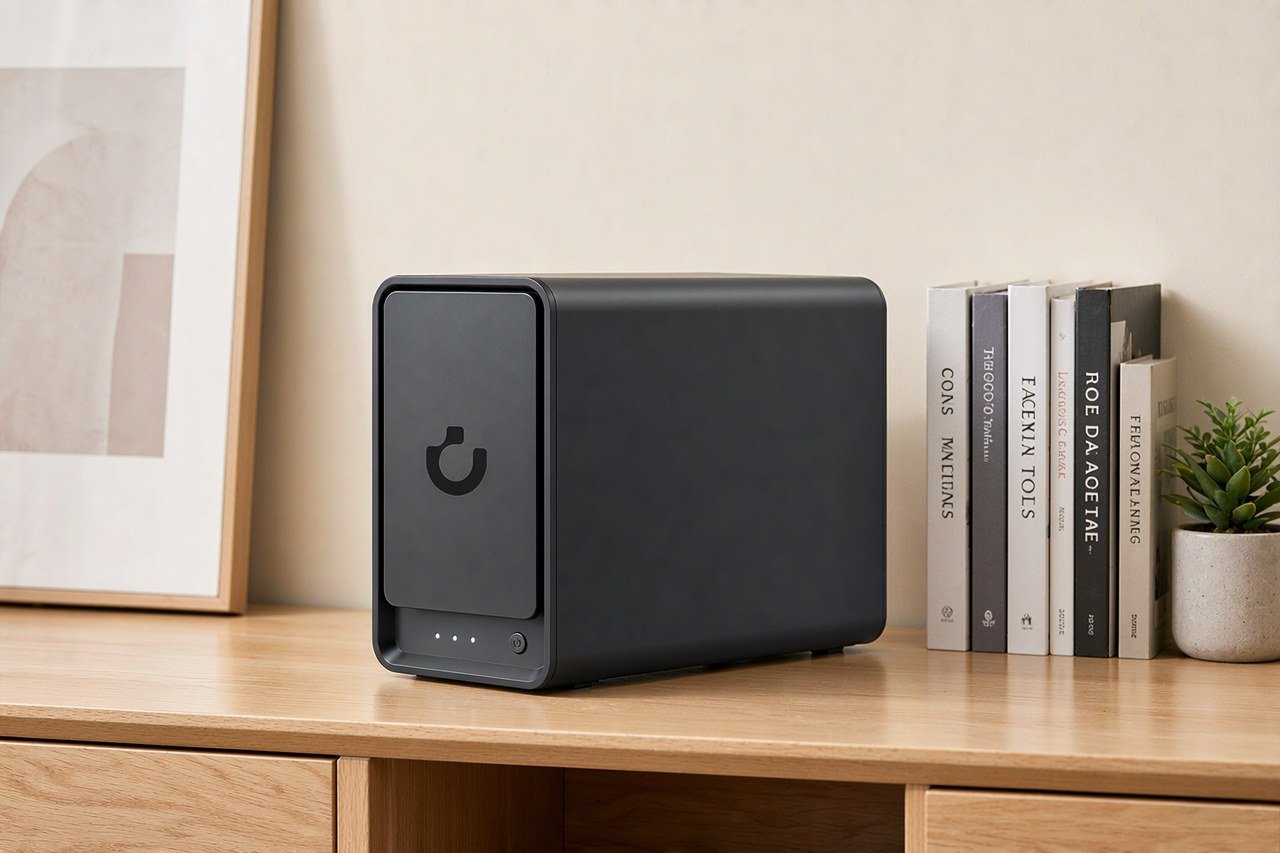
Direct answer up front, then the trade-offs that matter. This page covers ugreen nas and answers: how to access ugreen nas from outside network.
By Konpin · Founder / Lead Analyst
Beat: Private-cloud economics · How we review
Quick Answer
A NAS is a network-attached storage box: a small computer with its own CPU, memory, drive bays and Ethernet ports that stays on and serves files to every device on your network. Pick the UGREEN NASync DXP4800 Plus if you want four bays and a 10GbE port without paying for six bays; pick the DXP2800 if two bays cover your photo library and you want the lowest tracked entry price; pick the DXP6800 Ultra only if you need six bays and dual 10GbE. We could not verify every NASync model, so the table below covers only the three SKUs in our specification ledger (spec ledger, accessed 2026-11-19).
Key Takeaways
- Three UGREEN NASync models have verified rows in our spec ledger: DXP2800 (2 bays), DXP4800 Plus (4 bays) and DXP6800 Ultra (6 bays). Every other suffix in the lineup has no verified row here (spec ledger, accessed 2026-11-19).
- Tracked prices run from $369.99 for the DXP2800 (UGREEN, checked 2026-10-30) to $1449.99 for the DXP6800 Ultra (UGREEN official store, checked 2026-10-21). Those are dated readings, not live quotes (price ledger, accessed 2026-11-19).
- The DXP4800 Plus is the only one of the three with a tracked 10GbE port alongside a 2.5GbE port; the DXP6800 Ultra has two 10GbE ports and one PCIe slot. Bay count alone does not tell you which network path you get (spec ledger, accessed 2026-11-19).
- All three ship with 8 GB of installed RAM, but the ceilings differ: 16 GB, 64 GB and 96 GB respectively. If you plan virtual machines, that ceiling matters more than the CPU marketing line (spec ledger, accessed 2026-11-19).
- Two older Amazon readings are historical only: $389.99 for the DXP2800 and $656.99 for the DXP4800 Plus, both checked 2026-10-16. Do not treat either as a current price (price ledger, accessed 2026-11-19).
- Skip all three if a single external disk and one laptop describe your whole workflow. You would pay for bays, a CPU and an operating system you never use.
The Short Version
The pain here is not storage capacity. The pain is that a product family with more than nine suffixes makes you decode DH, DXP, GT, Pro and Ultra before you can even compare bay counts, and the price gaps between those suffixes are large enough to punish a guess. WunderTech lists nine current NASync models in its 2026 comparison and explicitly leaves a tenth, the base DXP4800, off its table (WunderTech, accessed 2026-11-19). That is a lot of naming to parse when all you wanted was a place for your photos and a Plex library.
Our ledger cannot cover that whole family. It holds verified rows for three diskless x86 models, so this comparison is deliberately narrower than the title of the roundup that inspired it. We could not verify current pricing for the DH2300, DH4300 Plus, DXP2800 GT, DXP4800 Pro, DXP4800 GT, DXP6800 Pro, DXP8800 Plus or DXP8800 Ultra from our price ledger, and we will not invent numbers for them. Any spec in the table below comes from the ledger row for that exact SKU. If a cell is blank, the ledger has no verified value for that field.
Definitions first, because the suffixes hide real differences. DH models are ARM-based with fixed RAM and no easy path to a third-party OS; DXP models are x86 with Quick Sync hardware transcoding and upgradeable memory; GT models swap Intel for AMD and trade clean transcoding for 10GbE and ECC support (WunderTech, accessed 2026-11-19). A "Pro" is a newer CPU tier sold alongside the older model, not a replacement for it. An "Ultra" is a CPU and memory-ceiling refresh of the same chassis. Those are editorial descriptions from a named source, not from our own bench.
Here is our take, up front. For most home buyers the DXP4800 Plus is the trade-off worth taking: four bays, a tracked 10GbE port, an Intel Pentium Gold 8505 and a 64 GB RAM ceiling, at a tracked $619.99 on the UGREEN official store sale listing checked 2026-11-03 (price ledger, accessed 2026-11-19). The DXP2800 is the honest budget pick when two bays are enough. The DXP6800 Ultra is overkill for a single-user photo archive and only starts to make sense when six bays and two 10GbE ports are both genuinely used.
Side-by-Side Comparison
This table is generated directly from our specification and price ledgers. We did not retype the numbers and we did not fill blank cells with figures borrowed from a neighbouring model.
Models matched to the UGREEN NASync anchor (spec + price, generated by the ledger)
| Field | UGREEN NASync DXP2800 | UGREEN NASync DXP4800 Plus | UGREEN NASync DXP6800 Ultra |
|---|---|---|---|
| Price (tracked) | UGREEN $369.99 (2026-10-30);UGREEN official store (US) $389.99 (2026-11-17) | UGREEN official store (US), sale price $619.99 (2026-11-03);UGREEN official store (US), Black Friday Early Deals $619.99 (2026-11-17) | UGREEN official store (US) $1449.99 (2026-10-21) |
| Drive bays (SATA) | 2 bays | 4 bays | 6 bays |
| M.2 NVMe slots | 2 slots | 2 slots | 2 slots |
| Max raw capacity | 80 TB | 144 TB | 208 TB |
| Hot-swap bays | Yes | Yes | — |
| CPU | Intel N100 | Intel Pentium Gold 8505 | Intel Core 5 120U |
| CPU cores | 4 cores | 5 cores | 10 cores |
| Installed RAM | 8 GB | 8 GB | 8 GB |
| Max RAM | 16 GB | 64 GB | 96 GB |
| RAM soldered (not upgradeable) | No | No | — |
| 2.5GbE ports | 1 port | 1 port | — |
| 10GbE ports | — | 1 port | 2 ports |
| PCIe slots | — | — | 1 slot |
| USB ports | 4 ports | 4 ports | 4 ports |
| HDMI output | 4K 60Hz | 4K 60Hz | 8K 60Hz |
| Form factor | Desktop tower | Desktop tower | Desktop tower |
| Warranty | 2 years | 2 years | — |
_Sources: UGREEN NASync DXP2800 product page · UGREEN NASync DXP4800 Plus product page · https://nas.ugreen.com/products/ugreen-nasync-dxp6800-ultra-nas-storage_
_A dash means the ledger holds no verified value for that field on that model. We did not copy figures from neighbouring models into blank cells. A strikethrough means only an expired reading exists._
Upfront cost
Read the price row as a set of dated observations, not a ranking. UGREEN listed the DXP2800 at $369.99 on 2026-10-30 and the same model at $389.99 on its US official store on 2026-11-17; the DXP4800 Plus sat at $619.99 on both 2026-11-03 and 2026-11-17 under two different promotion labels; the DXP6800 Ultra was $1449.99 on 2026-10-21 (price ledger, accessed 2026-11-19). Two Amazon readings, $389.99 for the DXP2800 and $656.99 for the DXP4800 Plus, were checked 2026-10-16 and are stale. They are history. TechRadar reported the DXP4800 Plus at $656.99 on Amazon in its own coverage, a separate channel reading with its own date (TechRadar, accessed 2026-11-19); we do not merge channels into one "market price".
All three are diskless. The enclosures cost what the ledger says; the drives are a second purchase we could not verify for a specific capacity on 2026-11-19, so no drive total appears here. That gap is the single biggest reason a five-year budget built only on the sticker price will be wrong.
Ongoing cost
A NAS you own has no storage subscription attached to the hardware, according to WunderTech's account of UGOS, the mobile apps and remote access shipping with the box (WunderTech, accessed 2026-11-19). That is the appeal. It is not the whole bill. Electricity, drives, a UPS and your upstream bandwidth all remain your problem, and we could not verify a power-draw figure for any of these three SKUs from the spec ledger, so we will not quote a wattage or an annual electricity number.
Subscription creep belongs in the comparison anyway, because the alternative to a NAS is usually a cloud plan. Our price ledger tracks recurring service plans, most of them paid subscriptions, as of 2026-11-17 (price ledger, accessed 2026-11-19). We are not going to attach a named competitor's plan to these three boxes without checking that page again. The honest statement is smaller: the hardware has a one-off cost we can quote, the recurring cost depends on what you replace, and we could not verify the recurring figure for your situation.
Privacy and ownership
Ownership here means the filesystem runs on hardware in your house and the drives are yours to pull. WunderTech notes UGREEN accepts any SATA drives you like, and that installing your own OS on the x86 DXP line is possible, while flagging that you should confirm the current warranty policy before you commit (WunderTech, accessed 2026-11-19). That is a meaningful difference from a cloud account, where the provider holds the copy.
It cuts both ways. If the box dies, you are the recovery team. WunderTech's advice to put a UPS in front of the NAS exists because a power loss mid-write can corrupt data (WunderTech, accessed 2026-11-19). We could not verify an encryption-at-rest specification for any of the three ledger models, and we could not verify a warranty term for the DXP6800 Ultra, so neither appears in the table. Skip the whole category if you do not want to own that failure mode.
Where Each Option Wins
Hardware sincerity is easier to judge from the spec list than from a marketing paragraph. Let's read the three rows as an engineer would, starting with the part that constrains everything else.
The DXP2800 carries an Intel N100, 4 cores, 2 SATA bays, 2 M.2 NVMe slots, 8 GB installed and a 16 GB ceiling, one 2.5GbE port, 4K 60Hz HDMI and a 2-year warranty (spec ledger, accessed 2026-11-19). Quick Sync on the N100 is why WunderTech calls it the cheapest UGREEN with real hardware transcoding (WunderTech, accessed 2026-11-19). The catch is the ceiling: 16 GB and a single 2.5GbE port mean the box stops growing early. Two bays also means RAID 1 or nothing; there is no parity array with two disks. Worth it if your library fits on one mirrored pair and you want a Plex box, skip it if you expect to add bays without replacing the enclosure.
The DXP4800 Plus moves to an Intel Pentium Gold 8505, 5 cores, 4 SATA bays, 2 M.2 slots, 8 GB installed with a 64 GB ceiling, one 2.5GbE plus one 10GbE port, 4K 60Hz HDMI and a 2-year warranty (spec ledger, accessed 2026-11-19). Four bays unlock RAID 5 or 6, which is the point where a failed disk stops being an emergency. TechRadar's coverage of the same model lists Docker, VM support, a 10GbE port alongside 2.5GbE and dual M.2 slots for caching, and notes the M.2 slots are a cache layer rather than added capacity (TechRadar, accessed 2026-11-19). That last detail catches people out: two NVMe drives do not give you two more bays of storage. The 64 GB ceiling is what makes VMs plausible. In our view this is the default answer, and the trade-off is the step up from the DXP2800's $389.99 to this model's $619.99 on the same official-store channel (price ledger, accessed 2026-11-19).
The DXP6800 Ultra carries an Intel Core 5 120U, 10 cores, 6 SATA bays, 2 M.2 slots, 8 GB installed with a 96 GB ceiling, two 10GbE ports, one PCIe slot, 8K 60Hz HDMI and 4 USB ports (spec ledger, accessed 2026-11-19). The ledger has no verified value for hot-swap bays, soldered RAM, 2.5GbE ports or warranty on this SKU, so those cells stay blank; we did not copy the DXP4800 Plus values across. TechRadar's DXP8800 Ultra coverage makes a point that generalises here: for plain file serving over 10GbE the network port, not the CPU, is usually the limit, and extra cores surface only with containers, VMs, indexing, thumbnail generation or encrypted transfers (TechRadar, accessed 2026-11-19). That is a review of a different SKU, so treat it as an engineering principle, not a measurement of this box. We did not run a benchmark.
Whose money is this for? A six-bay box with dual 10GbE belongs in a small studio with a multi-gig switch and several simultaneous editors, or in a homelab that will actually populate the PCIe slot. If you have one laptop on Wi-Fi, the 10GbE ports are decoration. Honest answer: we'd pick the middle model for almost every household, and we would tell a single-user buyer to skip all three.
Cost Over 5 Years
A five-year number is only defensible if every input is sourced, so here is exactly what we can and cannot add up.
What we can verify: the tracked enclosure prices already listed, with their channels and dates. UGREEN official store readings of $389.99 for the DXP2800 (checked 2026-11-17), $619.99 for the DXP4800 Plus (checked 2026-11-17) and $1449.99 for the DXP6800 Ultra (checked 2026-10-21) are the three most recent official-channel rows in the ledger (price ledger, accessed 2026-11-19). Two older Amazon readings, $389.99 and $656.99, were checked 2026-10-16 and are historical only.
What we cannot verify: drive prices for a named capacity on 2026-11-19, electricity consumption per unit, any UPS cost, a current price for any subscription you might be cancelling, and a resale value five years out. We could not verify any of those from the ledgers, so we will not produce a single "total cost of ownership" figure. Publishing one would mean inventing four inputs and dividing the guess by five. That is exactly the habit this comparison is trying to avoid.
What you can reproduce yourself, in three steps. First, choose the bay count you will actually populate and price that many drives from a retailer on the day you buy, writing down the date. Second, add the enclosure reading from the row above, and note the channel in the same line, because the same DXP2800 shows $369.99 from UGREEN on 2026-10-30 and $389.99 from the US official store on 2026-11-17 (price ledger, accessed 2026-11-19). Third, subtract the annual price of whatever cloud plan you are dropping, using that provider's own page and the date you checked it. No benchmark, no lab, no invented wattage. The arithmetic is yours and every input has a date.
One more limit worth naming. Our price ledger holds 104 observations across 83 entries as of 2026-11-17, of which 32 are NAS enclosures (price ledger, accessed 2026-11-19). Those figures describe our tracked sample, not the retail market, and they do not represent the whole market. Do not read a sample median as a UGREEN price.
Which Should You Choose
Choose the DXP2800 if two bays, a mirrored pair and one 2.5GbE port describe your actual workload, and if the 16 GB RAM ceiling will never be tested. It is the cheapest tracked entry at $369.99 from UGREEN checked 2026-10-30 (price ledger, accessed 2026-11-19). Skip it if you already own more than two drives, because you will be replacing the enclosure within a year.
Choose the DXP4800 Plus if you want four bays, parity RAID, a tracked 10GbE port and a 64 GB ceiling that leaves room for containers. At $619.99 on the UGREEN official store sale listing checked 2026-11-03, it sits between the other two (price ledger, accessed 2026-11-19). Worth it if two or more people hit the same files, or you edit over the network. Skip it if your router and switch are 1GbE; the 10GbE port will idle.
Choose the DXP6800 Ultra if six bays, two 10GbE ports, a PCIe slot and a 96 GB ceiling all map to something you will install, not something you might install. It is the only one of the three with a tracked $1449.99 reading, checked 2026-10-21 (price ledger, accessed 2026-11-19). Our take: that is a lot of money for headroom, and the trade-off is real. Skip it if a 10GbE link has no partner on the other end.
Now the harder advice. Skip the entire NASync line if you need a mature backup suite on day one: WunderTech says UGOS Pro still trails DSM in app ecosystem and backup tooling maturity, and advises confirming that any specific software feature you are buying for actually exists in UGOS (WunderTech, accessed 2026-11-19). Skip the ARM DH models if you ever want TrueNAS or Unraid, because those are locked to UGOS (WunderTech, accessed 2026-11-19). And skip the GT fork if Plex transcoding is your main job, since WunderTech describes AMD transcoding support as not as clean and recommends planning around direct play (WunderTech, accessed 2026-11-19). None of those caveats came from our own testing; they are attributed to the named source.
If it were our money, we'd buy the four-bay, a UPS, and drives sized to the library we have rather than the library we imagine. The unglamorous part of this purchase is that the drives cost more than the box, and we could not verify their price today.
Real-World Scenario: Android/Apple Pad Mobile Productivity Workstation
What this changes for the use case
A tablet is a good editing surface and a bad place to keep the only copy of a 200 GB project. Pairing an Android or iPad workstation with a NAS moves the files onto a box that stays on the network, so the tablet becomes a client rather than the archive. WunderTech's description of UGOS covers file shares and phone photo backup, which is the minimum this scenario needs (WunderTech, accessed 2026-11-19). What changes is not speed; it is that a lost or wiped tablet stops being a data-loss event.
Hardware and software requirements
The reproducible setup is unexciting. Put the NAS on wired Ethernet, create a share, and connect the tablet over SMB or the vendor's app; WunderTech lists remote access as included with the hardware (WunderTech, accessed 2026-11-19). If the tablet edits 4K video across the network, the DXP4800 Plus's tracked 10GbE port is the first of the three that can feed it without a 1GbE ceiling, though the tablet's own Wi-Fi will usually be the slower link (spec ledger, accessed 2026-11-19). Docker containers such as Nextcloud or a sync service are plausible on the x86 DXP line according to WunderTech's DH-versus-DXP distinction (WunderTech, accessed 2026-11-19); we did not deploy one and could not verify UGOS app compatibility for a named tablet OS version.
Limits, caveats, and who should skip it
Three boundaries matter. First, remote access configuration is your responsibility and we could not verify a current UGOS version number or its exact remote-access steps from the ledgers. Second, a NAS is not an off-site copy; a single box in one building still needs a second location for anything irreplaceable. Third, the ARM DH models cannot be repurposed with a third-party OS, so a tablet workflow that later grows into self-hosted services will hit that wall (WunderTech, accessed 2026-11-19).
Who should skip it? Anyone whose entire "mobile workstation" is a phone camera roll synced to a cloud account they are happy with. You would be adding a box, a UPS and admin work to solve a problem you do not have. And if your tablet never leaves the house, a directly attached drive is cheaper. We could not verify a price for that alternative today, so treat it as a direction, not a quotation.
Frequently Asked Questions
How do I access a UGREEN NAS from outside my network?
WunderTech states that UGOS, the mobile apps and remote access ship with the hardware rather than sitting behind a subscription (WunderTech, accessed 2026-11-19). We could not verify the current UGOS version, the exact menu path or the authentication options from the specification ledger, so we will not write steps we have not confirmed. Check the vendor's own documentation for your firmware version before exposing any share, and confirm what the warranty policy says about third-party OS installs first.
How many drive bays do I need?
Count the drives you will populate in the next two years, then add one. Two bays allow mirroring but no parity array; four bays allow RAID 5 or 6; six bays give more room and, on the DXP6800 Ultra, two 10GbE ports (spec ledger, accessed 2026-11-19). Our tracked rows show 2, 4 and 6 SATA bays for the DXP2800, DXP4800 Plus and DXP6800 Ultra respectively. If one disk and one laptop describe your workflow, no bay count is right; buy an external drive instead.
How much does a home NAS cost?
The enclosures in our ledger were listed at $369.99 for the DXP2800 (UGREEN, checked 2026-10-30), $619.99 for the DXP4800 Plus (UGREEN official store sale, checked 2026-11-03) and $1449.99 for the DXP6800 Ultra (UGREEN official store, checked 2026-10-21), all diskless (price ledger, accessed 2026-11-19). We could not verify drive prices for a named capacity on 2026-11-19, so the real total is higher and we will not guess by how much. Two Amazon readings checked 2026-10-16 are historical, not live quotes.
Can a NAS replace cloud storage?
It can replace the recurring storage fee for files you keep at home, and WunderTech reports there is no subscription behind UGOS, the apps or remote access (WunderTech, accessed 2026-11-19). It does not replace off-site redundancy by itself. A single box in one building is still one building. Keep a second copy elsewhere, and do not treat RAID as a backup. We could not verify a current price for any cloud plan you might be cancelling.
What is a NAS and do I need one?
A NAS, or network-attached storage, is a dedicated computer on your network that serves files, backups and media to many devices at once. You need one if two or more people share the same files, if you want access away from home without a monthly storage fee, or if a single drive failure would be a crisis. You do not need one if a single external disk covers your whole library. That is the whole decision; the suffixes are details.
Which UGREEN NASync model should I buy in 2026?
For most households, the DXP4800 Plus: 4 bays, an Intel Pentium Gold 8505, a tracked 10GbE port and a 64 GB RAM ceiling at $619.99 on the UGREEN official store sale listing checked 2026-11-03 (spec ledger and price ledger, accessed 2026-11-19). Pick the DXP2800 if two bays are enough and the budget is tight. Pick the DXP6800 Ultra only if six bays and dual 10GbE are both in use. Skip all three if your network is 1GbE end to end.
Sources
- Best UGREEN NAS in 2026: Every NASync Model Compared — WunderTech — https://www.wundertech.net/best-ugreen-nas/ (accessed 2026-11-19)
- UGREEN NASync DXP2800 — UGREEN (Official) — https://nas.ugreen.com/products/ugreen-nasync-dxp2800-nas-storage (accessed 2026-11-19)
- UGREEN NASync DXP4800 Plus — UGREEN (Official) — https://nas.ugreen.com/products/ugreen-nasync-dxp4800-plus-nas-storage (accessed 2026-11-19)
- UGREEN NASync DXP6800 Ultra — UGREEN (Official) — https://nas.ugreen.com/products/ugreen-nasync-dxp6800-ultra-nas-storage (accessed 2026-11-19)
- Ugreen DXP2800 vs DXP4800 Plus — TechRadar — https://techradar.com/pro/ugreen-dxp2800-vs-dxp4800-plus-both-nas-drives-are-on-sale-for-prime-day-but-which-is-the-better-deal (accessed 2026-11-19)
- Ugreen NASync DXP8800 Ultra review — TechRadar — https://techradar.com/computing/ugreen-nasync-dxp8800-ultra-review (accessed 2026-11-19)
- Ugreen NASync DXP8800 Ultra vs Plus — TechRadar — https://techradar.com/pro/ugreen-nasync-dxp8800-ultra-vs-plus-both-support-up-to-272tb-storage-but-buying-the-right-model-will-save-you-usd410 (accessed 2026-11-19)
- Price and specification ledgers — SecureNAS Hub internal, as of 2026-11-17 (accessed 2026-11-19)
Run your own 5-year cost comparison with the on-site calculator
Every figure above is attributed in the Sources list — put your own drive count and subscription tiers into the calculator to see where you land.
Open the cost calculator →Related reading
Was this article helpful?
One tap, no account and no comment box. It tells us which guides are actually worth updating.
How many drive bays is your NAS?
This is how we decide which setups to cover next.
Thanks.
Need help with a specific setup?
Storage choices depend on your drives, your budget and how many people share the box. Tell us what you are building and we will point you at a configuration that fits — no obligation, no sales script.
Affiliate Disclosure: SecureNAS Hub may earn a commission from qualifying purchases made through links on this page, at no extra cost to you. Facts and figures are attributed in the Sources list; nothing on this page is a fabricated test result. See our full disclosure. Product images are either supplied by the manufacturer or clearly labelled as illustrative renders; each one is captioned accordingly. Last reviewed 2026-11-19.