NAS Guides · Published 2026-10-30
Where Apple Home Video History Lives: iCloud+ or a Local NAS
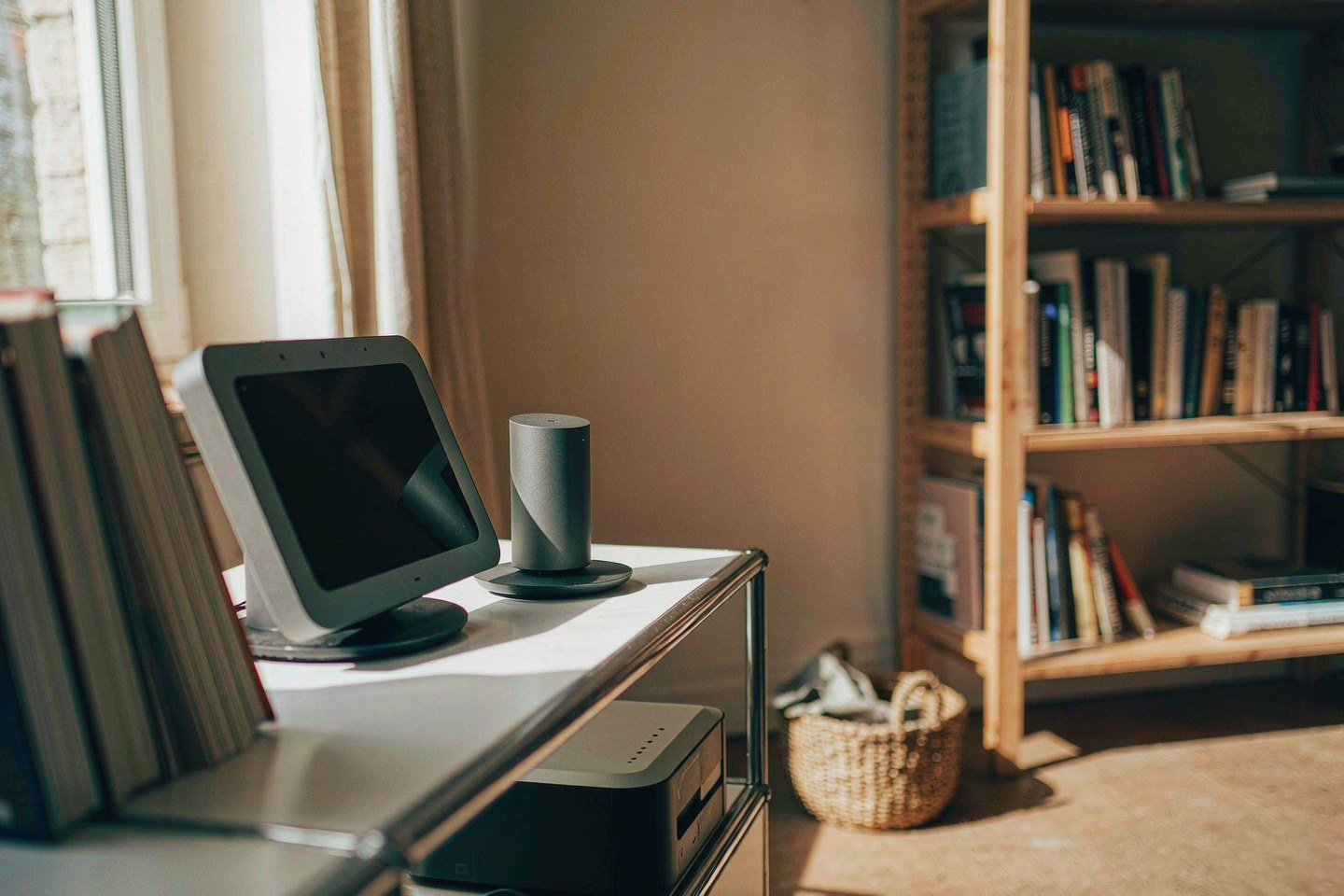
Direct answer up front, then the trade-offs that matter. This page covers apple home and answers: how apple home works.
By Jack Huang · Senior Writer, Local AI and Smart Home
Beat: On-device AI features · How we review
Quick Answer
Apple Home keeps your camera history in iCloud+, not on a disk you own. HomeKit Secure Video needs a paid iCloud+ plan, holds about ten days of events, and has no supported path to an SMB share on a NAS. If you want an archive that survives a lapsed subscription, you run a second system next to Apple's.
Key Takeaways
- Apple lists HomeView at $299 (U.S.) for both the tabletop and wall-mounted versions, with availability from November 13, 2026 (Apple Newsroom, accessed 2026-10-30).
- Video history needs iCloud+. Popular Science reports a ten-day event window, one camera on the 50GB plan, up to five on 200GB, and no camera cap on 2TB (accessed 2026-10-30).
- Nothing in Apple Home writes HomeKit Secure Video to SMB. Your archive is a separate pipeline, not a settings toggle, and you build it yourself.
- A Synology DS918+ was encrypted in a ransomware attack this week after its web interface sat on the open internet with roughly 18 months of missing patches (Tom's Hardware, 2026-10-29). A 3-2-1 backup saved the files.
- "Local" is private only while the box stays off the open internet and current on firmware. Ownership without isolation is a liability with a fan.
What Changed
Pre-orders for HomeView opened on October 13, 2026, and your first decision is which version to take. Apple prices the tabletop unit and the wall-mounted version at the same $299 (U.S.) and ships both from November 13 (Apple Newsroom, accessed 2026-10-30). The launch also introduced the Apple Home Collection, a camera, thermostat and lock lineup built with LG Electronics and Schneider Electric, with devices arriving in December and some accessories slipping into early 2027 (Popular Science, accessed 2026-10-30).
Apple's pitch rests on setup friction, not on storage. Pairing takes one tap, and the accessory then lives inside the Home app, so you never open a second account with the doorbell maker (Popular Science, accessed 2026-10-30). That is a real convenience. It also puts one Apple ID in front of every camera, lock and thermostat in the house.
Count the accounts you own today. Add a doorbell, two cameras and a lock, and the old way gives you four more logins to lose.
The privacy argument is separate, and it is architectural. Apple says the A18 chip in HomeView routes camera and microphone data through Secure Exclaves, isolated runtimes whose output "cannot be accessed by the HomeView software, apps, the user, or Apple" (Apple Newsroom, accessed 2026-10-30). Siri requests stay on the device or go to Private Cloud Compute, where Apple says data is not stored. Those are vendor claims, and we could not inspect the silicon. They are also the most specific privacy statements Apple has attached to a home hub.
Where the Footage Actually Lives
Two storage paths exist, and they do not touch. Apple's path ends in iCloud+. Yours would end on a drive, behind your own lock.
Retention on Apple's side is short by design. Popular Science reports that HomeKit Secure Video keeps ten days of events and that the plan tier decides your camera count: one on 50GB, five on 200GB, unlimited above that (accessed 2026-10-30). Apple's own launch notes say video summaries and natural-language search need "a subscription to an eligible iCloud+ plan" (Apple Newsroom, accessed 2026-10-30). In our price tracker, 200GB runs $2.99 a month and 2TB runs $9.99 (Apple, checked 2026-10-02). Ten days of rolling events is a notification tool. It is not an archive of your child's first year.
Miss the push notification and the clock starts anyway. Your doorbell footage from last Tuesday is gone by the second Friday after, and no setting brings it back.
The cameras do hold a little locally, which covers the gap but not your archive. Home Collection cameras keep recording to built-in storage when Wi-Fi drops (Popular Science, accessed 2026-10-30). That covers a router reboot. It does not cover a stolen camera, a dead unit, or a clip from fourteen months ago that you suddenly need.
Your path is the one Apple does not build. There is no supported way to point HomeKit Secure Video at an SMB share, and no export of continuous footage. Anyone claiming a NAS "takes over" Apple Home video is describing a different pipeline: IP cameras with ONVIF or RTSP, recorded by the NAS itself. You would run two systems, keep two sets of credentials, and explain both to whoever else lives in the house. For the longer argument about who should hold the originals, our comparison of public cloud and private NAS covers the ground.
Who Is It For
Buy HomeView if the hub is what you actually want. A $299 dashboard that answers the doorbell and shows nine camera feeds at once is fair value for a device the whole household touches (Apple Newsroom, accessed 2026-10-30). Worth it if you already live in Apple's ecosystem and want one control surface for lights, locks and cameras. Your family will use it daily; that is the whole argument.
Skip it if your real problem is retention. A subscription that keeps ten days of events will not replace the folder of 2019 clips sitting on a dying laptop. You need storage, not a screen, and you already own the laptop that is failing.
The trade-off is arithmetic you can check. Five years of iCloud+ at 2TB costs $599.40 at the tracked $9.99 monthly rate (checked 2026-10-02). A two-bay Synology DS225+ lists at $364.99 and an 8TB Seagate IronWolf at $347 (both checked 2026-10-02), so $711.99 buys the box and one drive, with no redundancy at that price. Two drives push you past $1,000. Local storage wins on capacity per dollar, loses on convenience, and only wins at all if you keep the box patched.
How It Compares
Our ledger carries two Synology units for the local half of this job. The DS925+ is the four-bay box with 2.5GbE and ECC memory; the DS225+ is the two-bay entry point. Both readings are current, so the table below is a record, not an estimate. Match the bay count to how many cameras you plan to feed.
Synology DS925+ vs DS225+ (spec and price, generated from our ledger)
| Field | Synology DiskStation DS925+ | Synology DS225+ (2025) |
|---|---|---|
| Price (tracked) | Amazon $749.76 (2026-10-02) | Amazon $364.99 (2026-10-02) |
| Drive bays (SATA) | 4 bays | 2 bays |
| M.2 NVMe slots | 2 slots | 0 slots |
| Max bays with expansion | 9 bays | 7 bays |
| Hot-swap bays | Yes | Yes |
| CPU | AMD Ryzen V1500B | Intel Celeron J4125 |
| CPU cores | 4 cores | 4 cores |
| Installed RAM | 4 GB | 2 GB |
| Max RAM | 32 GB | 6 GB |
| RAM slots | 2 slots | 1 slot |
| ECC RAM | Yes | No |
| 1GbE ports | — | 1 port |
| 2.5GbE ports | 2 ports | 1 port |
| USB ports | 2 ports | 2 ports |
| Form factor | Desktop tower | Desktop tower |
| Weight | 2.26 kg | 1.3 kg |
| Internal filesystem | Btrfs, ext4 | — |
| Warranty | 3 years | 3 years |
_Sources: Synology official comparison (DS225+) · Synology official comparison (DS925+)_
_— = no verified reading in our ledger. Never fill gaps with another model's numbers._
The four-bay unit costs $749.76 against $364.99 for the two-bay (Amazon, checked 2026-10-02). You are paying for two extra bays, two 2.5GbE ports, two M.2 slots and a 32GB memory ceiling the DS225+ cannot reach. For camera work, bays beat clock speed every time: each stream writes continuously, and more spindles mean less thrashing.
Run our arithmetic on capacity, not a vendor's. A 4 Mbps stream writes roughly 43GB per camera per day, so five cameras fill a 2TB drive in about nine days. Four bays with 8TB drives give you room to rotate footage instead of overwriting it.
Your call rests on one number: how many cameras will you run in three years.
Real-World Scenario: Pure Local Offline Account & Absolute Privacy Isolation
Strip the cloud away and the job changes shape. Isolation means three things together: a local account on the box that holds the files, no inbound path from the internet, and a patch habit you can prove with a build number. Get one of the three wrong and your privacy claim rests on luck.
What this changes for the use case
Every Apple Home feature described above is gated by the same Apple ID, and the video features sit behind iCloud+ (Apple Newsroom, accessed 2026-10-30). There is no separate offline account you can spin up for the cameras alone. That is the design, and it is defensible: fewer credentials in a household of six people means fewer places for a family member to leak one.
A NAS inverts the model. You create an administrator account on the device itself, name it something you will remember, keep the vendor relay switched off, and reach it over a tunnel when you are away from home. The files never leave the disks, and the account dies with the box rather than with a subscription. For a household that wants the 2019 clips in twenty years, that difference matters more than any single feature.
It also moves the risk. An isolated box fails differently: no cloud team patches it for you, and no provider notices a login from another country. You are the incident response team, and your log file is the only witness.
Your patch calendar becomes the security team.
Hardware and software requirements
On the Apple side you need a hub (HomeView, HomePod, HomePod mini or Apple TV 4K), a compatible camera, and an iCloud+ tier sized to the camera count (Popular Science, accessed 2026-10-30). Apple's launch notes put HomeView at $299 (accessed 2026-10-30). Your hub choice decides which features you actually get: the HomePod mini 2 is a hub, not a recorder, and neither is the Apple TV 4K.
On the local side you need a NAS, drives, and a tunnel. A DS225+ with an 8TB IronWolf covers a small household: $364.99 plus $347 at tracked prices (checked 2026-10-02). For remote access, Tom's Hardware points at Tailscale and notes its free plan covers most home setups (2026-10-29). We have not tested that tunnel against a Synology box ourselves, so treat it as a starting point rather than a verified recipe. Budget an evening for the setup, and keep your notes somewhere you will find them in two years.
If your library is mostly video projects rather than camera feeds, size your machine for throughput instead of bays; our guide to NAS for content creators covers that trade.
Limits, caveats, and who should skip it
The DS918+ case is the argument against sloppy local storage. Web interface on the open internet. Roughly 18 months without security patches. Logs pointed investigators at CVE-2024-10441, a remote code execution flaw with a CVSS base score of 9.8, fixed in DSM 7.2-64570-4, 7.2.1-69057-6 and 7.2.2-72806-1 (CVE.org, accessed 2026-10-30; Synology advisory SA-24:20). The owner had a 3-2-1 backup, pulled the disks, mounted them on a Proxmox machine and recovered the data (Tom's Hardware, 2026-10-29).
Watch out for the update trap on your own unit. Multiple users in that thread reported DSM telling them the device was current while critical patches still needed manual installation, and Tom's Hardware notes that automatic updates apply only to units from 2025 onward (2026-10-29). A green checkmark in the UI is not evidence. Read the build number on your own box.
Skip the offline setup if you will not check patch bulletins. In that case iCloud+ is the safer default, and Apple's ten-day window beats an encrypted archive you cannot open. Skip it too if your household needs one-tap access for six people and no interest in VPN clients; the friction is real, and it lands on whoever administers the box. That person is usually you, at 11pm, with a phone in one hand.
What Existing Users Should Know
If you run a DS918+ or any DSM build older than 7.2.2-72806-1, open your control panel and read the version string today. The fix for CVE-2024-10441 shipped in three branches (CVE.org, accessed 2026-10-30), and Synology published its own advisory as SA-24:20 (accessed 2026-10-30). If your box sits on an older branch, the CVE record lists the ceiling for each one (accessed 2026-10-30).
Turn off port forwarding to the web interface. Use the tunnel. Keep one copy offline, because your DS918+ counterpart kept his files only through a backup that lived outside the encrypted volume. His 3-2-1 setup did the work his patch schedule should have done.
Check yours monthly. Put it in your calendar next to the smoke detector test.
Frequently Asked Questions
Does Apple Home save camera video to a NAS?
No. HomeKit Secure Video writes to iCloud+, and Apple documents no SMB or NFS target for it (Apple Newsroom, accessed 2026-10-30). Your NAS never sees the stream. You can record the same rooms on a NAS with ONVIF or RTSP cameras, but that is a separate pipeline with its own app and its own retention rules. You run the two systems side by side rather than merging them.
How long does Apple keep HomeKit Secure Video footage?
Ten days of events, according to Popular Science's breakdown of the new Home Collection (accessed 2026-10-30). Apple's own notes tie video summaries to an eligible iCloud+ plan without promising longer retention (accessed 2026-10-30). Treat the window as rolling: day eleven deletes day one, so an incident you notice late may already be gone. Your only copy of that clip is whatever you exported before the clock ran out.
Is a local NAS more private than iCloud+?
Only when it is isolated. A NAS that answers on an open port is a server you now operate, and the DS918+ case shows the cost: 18 months of missing patches and a 9.8-severity flaw (Tom's Hardware, 2026-10-29; CVE.org, accessed 2026-10-30). Kept behind a tunnel and patched, your box answers to nobody but you.
The isolation is the product. The hardware is just where it lives.
What does $299 of HomeView buy that a NAS does not?
A control surface. HomeView aggregates feeds, runs Siri on Thread accessories and shows nine cameras at once (Apple Newsroom, accessed 2026-10-30). It stores days, not years. If your goal is an archive, the $299 buys you a dashboard and the NAS buys you the vault; neither replaces the other. Keep your receipt for both, because you will want the serial numbers if either fails.
Sources
- Apple's launch announcement for HomeView, covering the $299 U.S. price, the November 13 availability date, Secure Exclaves and Private Cloud Compute: https://www.apple.com/newsroom/2026/10/meet-apple-homeview-a-new-way-to-enjoy-entertainment-and-manage-the-home/ (accessed 2026-10-30).
- Popular Science's hands-on roundup of the HomeView, Apple TV 4K and HomePod mini 2 launch, including iCloud+ camera tiers, ten-day video history and Home Collection timing: https://www.popsci.com/gear/apple-homeview-homepod-tv-4k-smart-home-devices-details (accessed 2026-10-30).
- Tom's Hardware report by Bruno Ferreira on the encrypted DS918+, the exposed web interface and the manual-patch behaviour in DSM, published 2026-10-29: https://www.tomshardware.com/tech-industry/cyber-security/tech-whizzs-internet-accessible-synology-nas-gets-bit-by-ransomware-attack-from-18-month-old-remote-code-execution-flaw-security-updates-neglected-in-a-series-of-catastrophic-errors (accessed 2026-10-30).
- CVE.org record for the Synology DSM remote code execution flaw, with the 9.8 CVSS base score and the branches that carry the fix: https://www.cve.org/CVERecord?id=CVE-2024-10441 (accessed 2026-10-30).
- Synology security advisory SA-24:20 on the DSM flaw, cited by the CVE record as the vendor notice: https://www.synology.com/en-global/security/advisory/Synology_SA_24_20 (accessed 2026-10-30).
- Apple's iCloud+ plan page, which our price tracker reads for the monthly tiers: https://support.apple.com/en-us/108047 (accessed 2026-10-30).
HomeView, iCloud+ tier, DS225+, DS925+ and 8TB IronWolf prices come from our own price tracker, with entries checked 2026-10-02 and 2026-10-30 as noted above.
Run your own 5-year cost comparison with the on-site calculator
Every figure above is attributed in the Sources list — put your own drive count and subscription tiers into the calculator to see where you land.
Open the cost calculator →Related reading
Was this article helpful?
One tap, no account and no comment box. It tells us which guides are actually worth updating.
How many drive bays is your NAS?
This is how we decide which setups to cover next.
Thanks.
Need help with a specific setup?
Storage choices depend on your drives, your budget and how many people share the box. Tell us what you are building and we will point you at a configuration that fits — no obligation, no sales script.
Affiliate Disclosure: SecureNAS Hub may earn a commission from qualifying purchases made through links on this page, at no extra cost to you. Facts and figures are attributed in the Sources list; nothing on this page is a fabricated test result. See our full disclosure. Product images are either supplied by the manufacturer or clearly labelled as illustrative renders; each one is captioned accordingly. Last reviewed 2026-10-30.