NAS Guides · Published 2026-10-12
AI NAS vs Traditional NAS: What Actually Differs
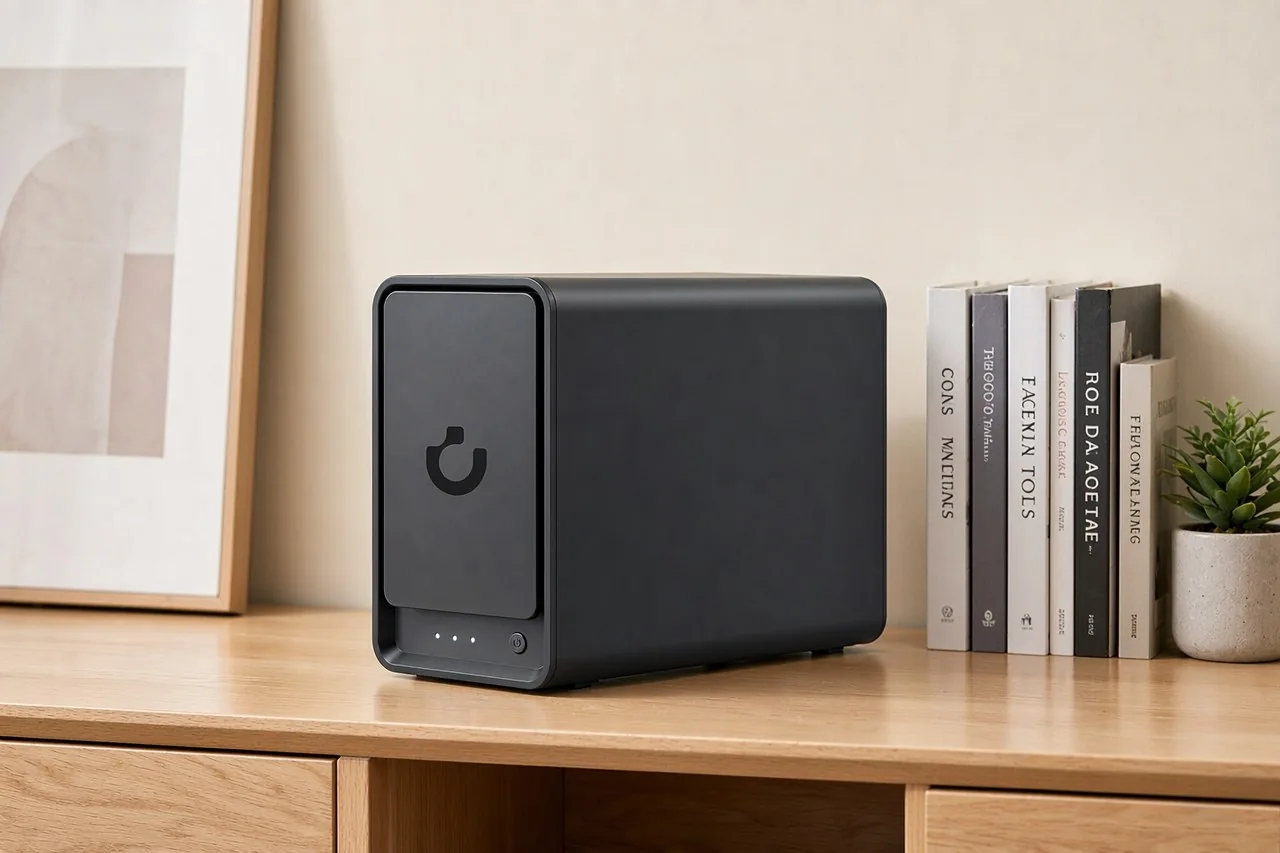
Direct answer up front, then the trade-offs that matter. This page covers ai nas vs traditional nas and answers: What is a NAS and do I need one?.
By Anne · Storage and Home Tech Editor
Beat: Phone photo backup · How we review
Quick Answer
An AI NAS is a standard NAS with content analysis bolted on. It reads your photo and video library, labels faces, objects and scenes, and lets you search by description instead of filename. The storage job is unchanged. What differs is the compute and memory you pay for, plus how much you lean on software that is still moving.
Key Takeaways
- A traditional NAS stores, shares and backs up files. An AI NAS does that and adds on-device analysis: face, object and scene recognition, semantic search, duplicate-photo cleanup (UGREEN product page; iFeeltech, accessed 2026-10-12).
- Photo recognition does not need an NPU. A CPU-only box such as the Synology DS925+ or UGREEN DXP4800 Plus handles face tagging and semantic search. An accelerator matters for live camera AI, local language models, or libraries past roughly 100,000 photos (iFeeltech, accessed 2026-10-12).
- The tracked price gap between the two camps is narrow. Amazon listed the four-bay UGREEN DXP4800 Plus at $656.99 and the Synology DS925+ at $749.76 on 2026-10-02.
- Memory bandwidth, not the marketed TOPS figure, sets local chat speed. TOPS measures arithmetic throughput; token rate follows how fast model weights stream out of RAM (NASDrives.ca, accessed 2026-10-12).
- Skip the AI tier if a phone backup is all you keep. Face tags on a library you never browse solve a problem you do not have yet.
The Short Version
Two boxes, four bays each, different jobs. That is the comparison in eight words.
Synology's DSM machines are the reference point for the traditional side: keep files, share them, back them up, and stay out of the way. An AI NAS keeps that storage layer and adds one above it. It indexes what is inside the files, then answers questions about them. UGREEN's UGOS Pro ships that layer as its AI Photo Album, which recognises faces, objects and scenes and flags duplicate shots (UGREEN product page, accessed 2026-10-02).
The word "AI" is doing less work than the label implies. On a DS925+ or a DXP4800 Plus the analysis runs on the CPU. Neither box needs a neural accelerator to tag a family archive; the first scan simply takes hours rather than minutes (iFeeltech, accessed 2026-10-12).
The ceiling is where it turns real. Live object detection across camera streams, a local language model, or a library past roughly 100,000 images moves you from "the CPU is fine" to "you need acceleration" (iFeeltech, accessed 2026-10-12). That is a hardware decision, not a software checkbox.
Honest framing: an AI NAS is a NAS that also classifies your files. Buy the classification when you own the library that needs it. Do not buy it as a badge.
Side-by-Side Comparison
$656.99 buys the same four bays either way. Past that, you are paying for the software layer and the ports.
This table is generated from the site's specification and price ledgers, so every figure carries a source and a check date; a dash means the ledger has no verified entry for that field.
| Field | UGREEN NASync DXP4800 Plus | Synology DiskStation DS925+ | QNAP TS-464 (8 GB) | TerraMaster F4-424 Pro |
|---|---|---|---|---|
| Price (tracked) | Amazon $656.99 (2026-10-02) | Amazon $749.76 (2026-10-02) | Amazon $639 (2026-10-02) | DatacenterDisk listing $730.99 (2026-10-02) |
| Drive bays (SATA) | 4 bays | 4 bays | 4 bays | 4 bays |
| M.2 NVMe slots | 2 slots | 2 slots | 2 slots | 2 slots |
| Max raw capacity | 144 TB | — | — | 88 TB |
| Max bays with expansion | — | 9 bays | — | — |
| Hot-swap bays | Yes | Yes | Yes | Yes |
| CPU | Intel Pentium Gold 8505 | AMD Ryzen V1500B | Intel Celeron N5095 | Intel Core i3-N305 |
| CPU cores | 5 cores | 4 cores | 4 cores | 8 cores |
| Installed RAM | 8 GB | 4 GB | 8 GB | 32 GB |
| Max RAM | 64 GB | 32 GB | 16 GB | 32 GB |
| RAM slots | — | 2 slots | 2 slots | 1 slot |
| ECC RAM | — | Yes | — | — |
| RAM soldered (not upgradeable) | No | — | — | — |
| 2.5GbE ports | 1 port | 2 ports | 2 ports | 2 ports |
| 10GbE ports | 1 port | — | — | — |
| PCIe slots | — | — | 1 slot | — |
| USB ports | 4 ports | 2 ports | 4 ports | 2 ports |
| HDMI output | 4K 60Hz | — | 4K 60Hz | 4K 60Hz |
| Form factor | Desktop tower | Desktop tower | Tower | Desktop tower |
| Weight | — | 2.26 kg | 2.26 kg | 3.4 kg |
| Internal filesystem | — | Btrfs, ext4 | — | — |
| Warranty | 2 years | 3 years | 3 years | 2 years |
Upfront cost
Amazon listed the UGREEN DXP4800 Plus at $656.99 and the Synology DS925+ at $749.76 on 2026-10-02, both diskless. The QNAP TS-464-8G came in at $639 the same day.
Diskless is the word that decides the real bill. All three arrive with empty bays. Four 8 TB CMR drives ran from $347 (Seagate IronWolf ST8000VN004, Amazon) to $431 (WD Red Plus WD80EFPX, DatacenterDisk listing) on 2026-10-02, so a filled four-bay box is nearer $2,000 than $700.
Channel and month move the number further than the model choice does. PCMag's review lists the DXP4800 Plus launch price at $799.99 (accessed 2026-10-12) — well above the tracked Amazon reading for the same enclosure.
Ongoing cost
Neither camp rents you your own files.
The recurring figure is electricity and the odd replacement drive, not a subscription.
That is the theory. The practice has one exception worth naming: some AI features are not local. Synology's AI Console lists its supported providers as cloud services including Amazon Bedrock, Azure OpenAI, OpenAI and Google Vertex AI, and Synology states its GPU-powered local models run only on systems with a GPU (NASDrives.ca, accessed 2026-10-12). On a DS925+ with no GPU, your text goes to a provider unless you point AI Console at an OpenAI-compatible server you host yourself.
Idle power for these two models is something we could not verify from the tracked sources.
Treat any wattage figure you read as unconfirmed unless the reviewer states the drive load beside it.
Privacy and ownership
Local processing is the argument for both boxes, and it is true for both.
Files at your address do not leave your address, and an on-device index searchable without an upload is the practical difference from Google Photos or iCloud.
Verify the data path before you trust the label. NASCompares makes the same point bluntly: buyers who cannot confirm where an AI feature processes data should leave it off until the path is clear, and nobody should let an AI agent delete files by default (NASCompares, accessed 2026-10-12).
Where Each Option Wins
Cloud subscriptions win on reach, and neither local box matches them there. Files on a phone, a laptop and a tablet within minutes, no port forwarding, no second copy to manage. If you travel and need the archive on the road, that convenience is real and this comparison understates it.
The traditional NAS wins on cost, footprint and predictability. A two-drive DS925+ drawing a few watts is a quieter thing to leave running than a box built around a desktop-class CPU. Its backup tooling is older and better documented, and Synology Photos has been in development longer — reviewers rate its photo search ahead of UGREEN's AI Album, whose object recognition is reported as inconsistent across categories (iFeeltech, accessed 2026-10-12).
The AI NAS wins on finding things. Type "beach at sunset last summer" and the library answers on a box that would otherwise need manual folders. For an archive measured in tens of thousands of images, that single capability is the purchase.
Our take sits between the two camps. If your library is small, the AI layer is the wrong thing to pay for. If your library is large and unindexed, it is the whole point, and the hardware underneath matters less than the software you will live in.
Cost Over 5 Years
Run the tracked numbers with two 8 TB drives in each box.
| Setup | Hardware (2026-10-02) | Drives | Total to own |
|---|---|---|---|
| UGREEN DXP4800 Plus (diskless) | $656.99 | 2× IronWolf 8 TB at $347 = $694 | $1,350.99 |
| Synology DS925+ (diskless) | $749.76 | 2× IronWolf 8 TB at $347 = $694 | $1,443.76 |
Neither column carries a subscription, so the five-year and the day-one totals are the same figure apart from power and any drive that fails inside the term. On the tracked readings the AI box is the cheaper of the two, which is the opposite of what the "AI premium" story predicts.
Two cautions on that table. Drive prices in this category have been moving, so re-check the drive listing on the day you buy rather than trusting an October reading. And the usable capacity differs from the raw total once you choose a RAID level, which is a decision about redundancy, not about AI.
Which Should You Choose
Buy the AI NAS when the problem you have is retrieval. A library you cannot search, a decade of phone photos with no names on the faces, documents you want to query by meaning — those are the jobs the AI layer exists for. Choose the DXP4800 Plus if you also want a 10GbE port and room to add memory later; it is the only box in the table with an on-board 10GbE interface and non-soldered RAM (site spec ledger, checked 2026-10-02).
Skip the AI tier when the library is small. A phone backup, a folder of tax PDFs and a few hundred holiday photos do not need recognition software, and the cheaper traditional box does the job with fewer moving parts.
Skip it as well if your priority is the most finished photo app.
The AI search that ships on a Synology is the more seasoned one (iFeeltech, accessed 2026-10-12), even though the silicon underneath is older.
Worth it if you will actually browse the library and you accept that the feature set is still being patched. Skip it if you want a storage appliance that never asks you to think about it again.
Real-World Scenario: Smart TV / Large Screen Voice Search & Family Browsing
A living-room screen changes what a library is for.
The phone is where you store photos; the TV is where the family actually looks at them.
What this changes for the use case
Search becomes a shared act. Instead of one person scrolling a phone camera roll, anyone with the remote can pull up last summer's trip by describing it. On a traditional box the same library is browsable but unfiltered: folders and dates, no semantic layer. The AI layer converts a folder tree into a wall you can query, and the specs that matter shift to the video output and the accounts behind it.
Hardware and software requirements
Direct display output is the first filter. The DXP4800 Plus, the QNAP TS-464 and the TerraMaster F4-424 Pro each list a 4K 60Hz HDMI output in the tracked specification ledger; the Synology DS925+ has no HDMI entry at all, so it reaches a TV over the network rather than a cable (site spec ledger, checked 2026-10-02).
Then the software. Plex or Jellyfin serves the library to the TV app or the browser, and both install on these boxes without a subscription. Separate accounts per family member keep a child's view apart from the full archive, which is where a NAS beats one shared cloud login.
Transcoding headroom decides how smooth the browse feels. The Pentium Gold 8505 in the DXP4800 Plus and the Core i3-N305 in the F4-424 Pro sit above the Celeron N5095 in the TS-464 in core count (site spec ledger, checked 2026-10-02), and more cores help when two people stream different files at once.
Limits, caveats, and who should skip it
Semantic search still misses. Descriptive queries on difficult shots are exactly where current recognition struggles, and a vendor demo is not a benchmark, so expect to fall back on dates and folders for the hard cases. The TV app is the weak link more often than the NAS is: client apps vary by platform, they update on someone else's schedule, and a box with no HDMI output depends entirely on that client.
Skip this whole scenario if the family browses on phones already. The large-screen argument only pays off when more than one person wants the archive at once, which is a household question, not a hardware one.
Frequently Asked Questions
What is an AI NAS?
An AI NAS is a network-attached storage device that also runs content analysis on the files it holds, so photos and video become searchable by what they contain rather than by filename. It stores and shares files exactly like a traditional NAS, then adds recognition and indexing on top. The analysis usually runs on the box's own CPU. Think of it as a NAS whose index understands faces and scenes, not just folder names.
Do I need an NPU for AI photo recognition?
No. Face, object and scene tagging on a CPU-only NAS works; the first library scan just takes longer. An NPU or GPU earns its place for real-time surveillance analysis, local language models, or libraries past roughly 100,000 photos, where scan time becomes the bottleneck. If your library is a family archive in the thousands, a standard CPU box is enough, and the money is better spent on drives.
Is an AI NAS better than a traditional NAS?
It is better at one job and comparable at the rest. An AI NAS finds things inside your files; a traditional NAS stores, shares and backs them up with less to go wrong. For retrieval, choose the AI tier. For a backup appliance you set once and forget, choose the traditional box. Most buyers overestimate how often they will search a personal library and underestimate how often they simply want the file to still be there.
Can a traditional NAS run AI features?
Sometimes, and only as far as the hardware allows. A traditional NAS with enough CPU, memory and container support can run photo recognition, indexing or a self-hosted library like Immich. Running one application does not make the whole system an AI NAS, because the AI that ships integrated is different from the AI you assemble yourself. Check the memory ceiling first — 4 GB ECC on the DS925+ is a working start, but not a comfortable one for several services.
Sources
- NASCompares — "QNAP versus How We Do and Do Not Want AI in Our NAS": where NAS AI is useful, and why backup, permissions and data-path transparency come first (accessed 2026-10-12)
- iFeeltech — "What Is AI NAS? Understanding Smart Storage for Business in 2026": CPU-only recognition, NPU thresholds, Synology Photos versus UGREEN AI Album (accessed 2026-10-12)
- NASDrives.ca — "What is an AI NAS?": the three classes of AI NAS, the TOPS-versus-memory-bandwidth argument, and Synology's cloud AI Console providers (accessed 2026-10-12)
- PCMag — UGREEN NASync DXP4800 Plus review: four-bay layout, launch price $799.99, limited app catalogue (accessed 2026-10-12)
- IT Pro — UGREEN NASync DXP4800 Plus review: Pentium Gold CPU, the on-board 10GbE port, PCIe 4.0 NVMe storage, cooling and software state (accessed 2026-10-12)
- UGREEN NASync DXP4800 Plus official product page — bays, M.2 slots, CPU, memory, ports and the UGOS Pro AI Photo Album (checked 2026-10-02, via the site spec ledger)
- Synology official comparison page — DS925+ CPU, RAM, ECC, bays and expansion (checked 2026-10-02, via the site spec ledger)
- QNAP TS-464 and TerraMaster F4-424 Pro official specification pages (checked 2026-10-02, via the site spec ledger)
- Site price ledger — tracked US retail prices for the UGREEN, Synology, QNAP, TerraMaster, Seagate and WD models quoted above (checked 2026-10-02)
Run your own 5-year cost comparison with the on-site calculator
Hardware that fits this use case — check the specs and the five-year cost before you buy.
Compare NAS brands → or run the 5-year cost calculatorRelated reading
Was this article helpful?
One tap, no account and no comment box. It tells us which guides are actually worth updating.
How many drive bays is your NAS?
This is how we decide which setups to cover next.
Thanks.
Need help with a specific setup?
Storage choices depend on your drives, your budget and how many people share the box. Tell us what you are building and we will point you at a configuration that fits — no obligation, no sales script.
Affiliate Disclosure: SecureNAS Hub may earn a commission from qualifying purchases made through links on this page, at no extra cost to you. Facts and figures are attributed in the Sources list; nothing on this page is a fabricated test result. See our full disclosure. Product images are either supplied by the manufacturer or clearly labelled as illustrative renders; each one is captioned accordingly. Last reviewed 2026-10-12.